PostgreSQL destinations let you store stream data directly in a relational database, enabling structured queries, joins, and ACID-compliant transactions.
Why use PostgreSQL?
- Structured Data Storage: Organize blockchain data in a relational format with defined schemas and relationships
- Advanced Querying: Powerful SQL querying capabilities for complex data analysis and reporting
- ACID Compliance: Ensures data integrity and consistency through transactions
- Performance: Optimized for both read and write operations with support for indexing and materialized views
- Extensibility: Rich ecosystem of extensions and tools for enhanced functionality
Configuration
Follow the Quickstart Guide to create a stream. When you reach the destination step, select PostgreSQL and configure the following fields:
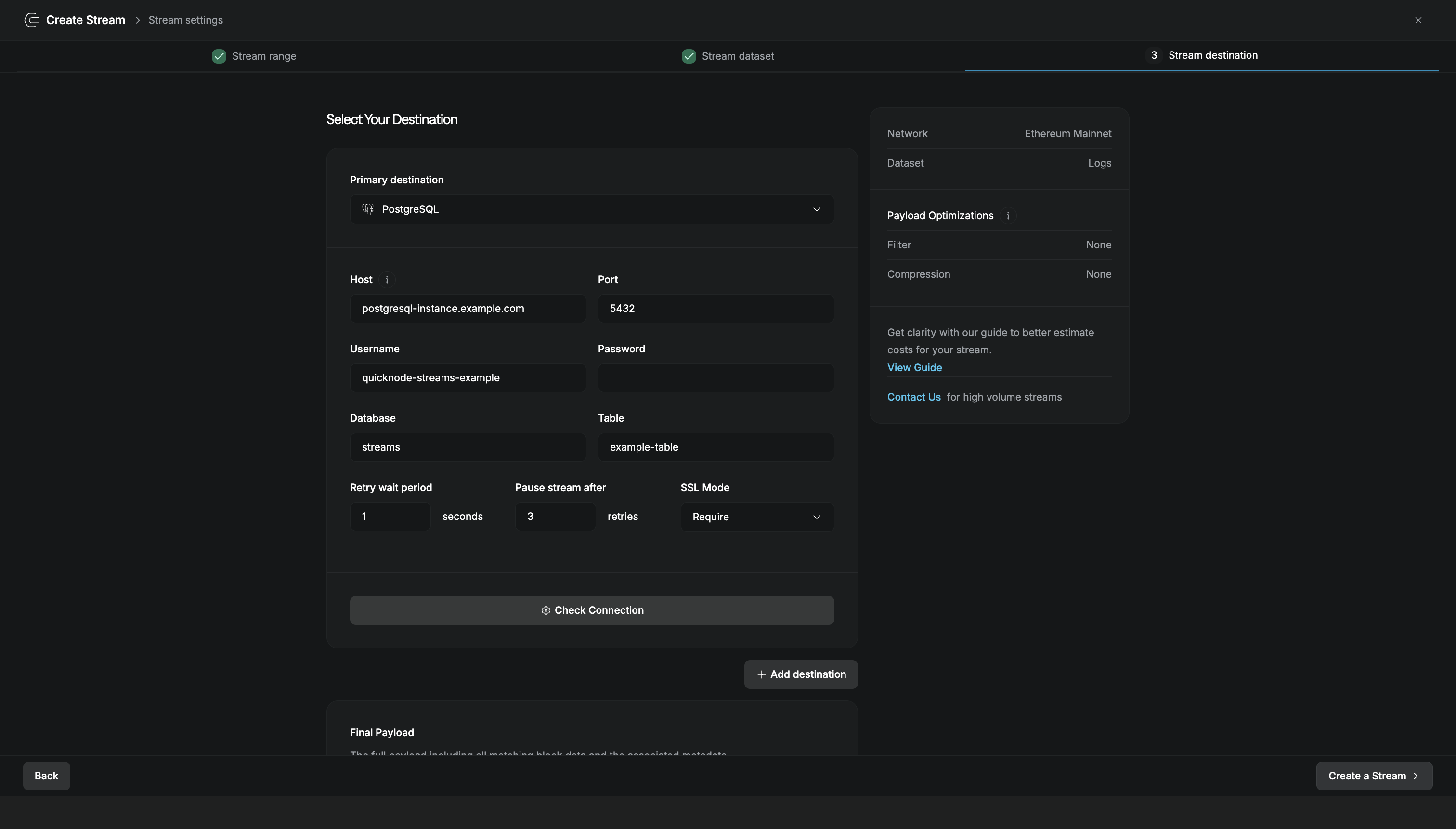
| Field | Description |
|---|---|
| Host | PostgreSQL server hostname or IP address |
| Port | PostgreSQL port (default: 5432) |
| Database | Name of the database to write to |
| Schema | PostgreSQL schema name (default: public) |
| Username | Database user with write permissions |
| Password | Password for the database user |
| Table | Name of the table where data will be inserted (must already exist) |
| Retry wait period | Seconds to wait between retry attempts when writes fail (default: 1) |
| Pause stream after | Number of failed retries before the stream pauses (default: 3) |
| Use SSL | Enable SSL/TLS for secure database connections |
Click Check Connection to verify your database credentials and table access before creating the stream.
PostgreSQL Data Schema
When setting up PostgreSQL as your destination, you'll need to define a data schema in PostgreSQL. Below is an example of what the PostgreSQL table schema might look like:
CREATE TABLE "blast-mainnet" (
    block_number bigint,
    network character varying,
    stream_id uuid NOT NULL,
    data jsonb NOT NULL,
    CONSTRAINT "blast-mainnet_pkey" PRIMARY KEY (block_number, network)
);
In this schema, each message is inserted as a separate row into the data column. The primary key is structured to accommodate updates in the event of a reorganization (reorg) of the data.
Some considerations:
- The primary key includes both
block_numberandnetworkto ensure that each entry remains unique and updates during reorgs can be efficiently managed - The batch size configuration determines the number of messages inserted at once. Note that the
datacolumn does not store arrays of messages; each message is inserted as a standalone row
Other Destinations
Deliver stream data to your HTTP endpoint in real-time.
Archive to Amazon S3, GCS, Backblaze B2, and more.
Microsoft Azure cloud storage with enterprise features.
Stream to Apache Kafka for high-throughput pipelines.