Using Quicknode with MetaMask, MyCrypto, MyEtherWallet (updated)
Using Quicknode with MetaMask, MyCrypto, MyEtherWallet (updated)
How to set up your Quicknode with 3 popular Wallet/Account services
December 25, 2019 — 2 min read
Below are instructions on how to set up your Quicknode for use with 3 popular wallet/account services >>>
MyCrypto Web
Click the Node Selector in top right corner
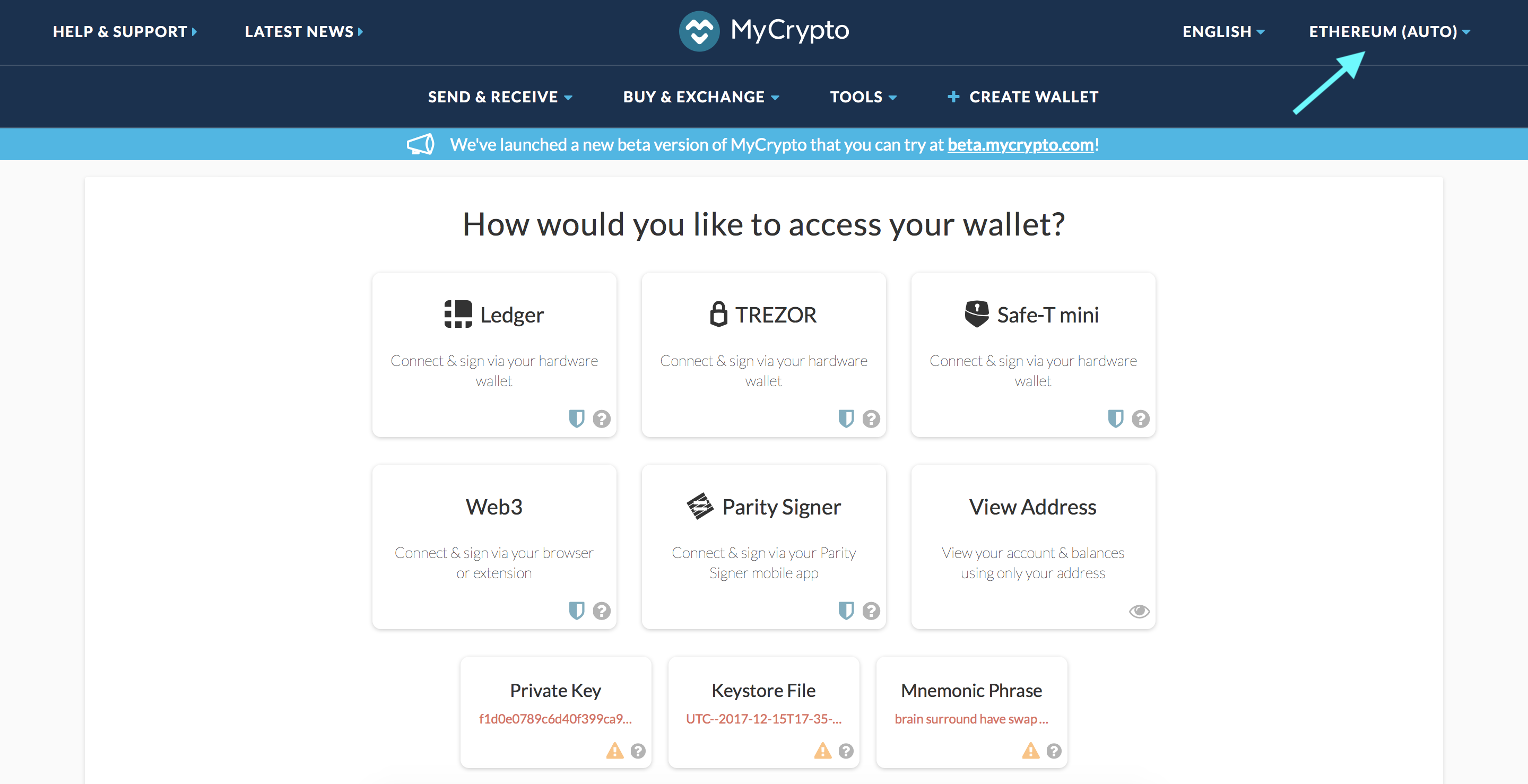
2. Click "Add Custom Node" at the bottom of the window that pops up
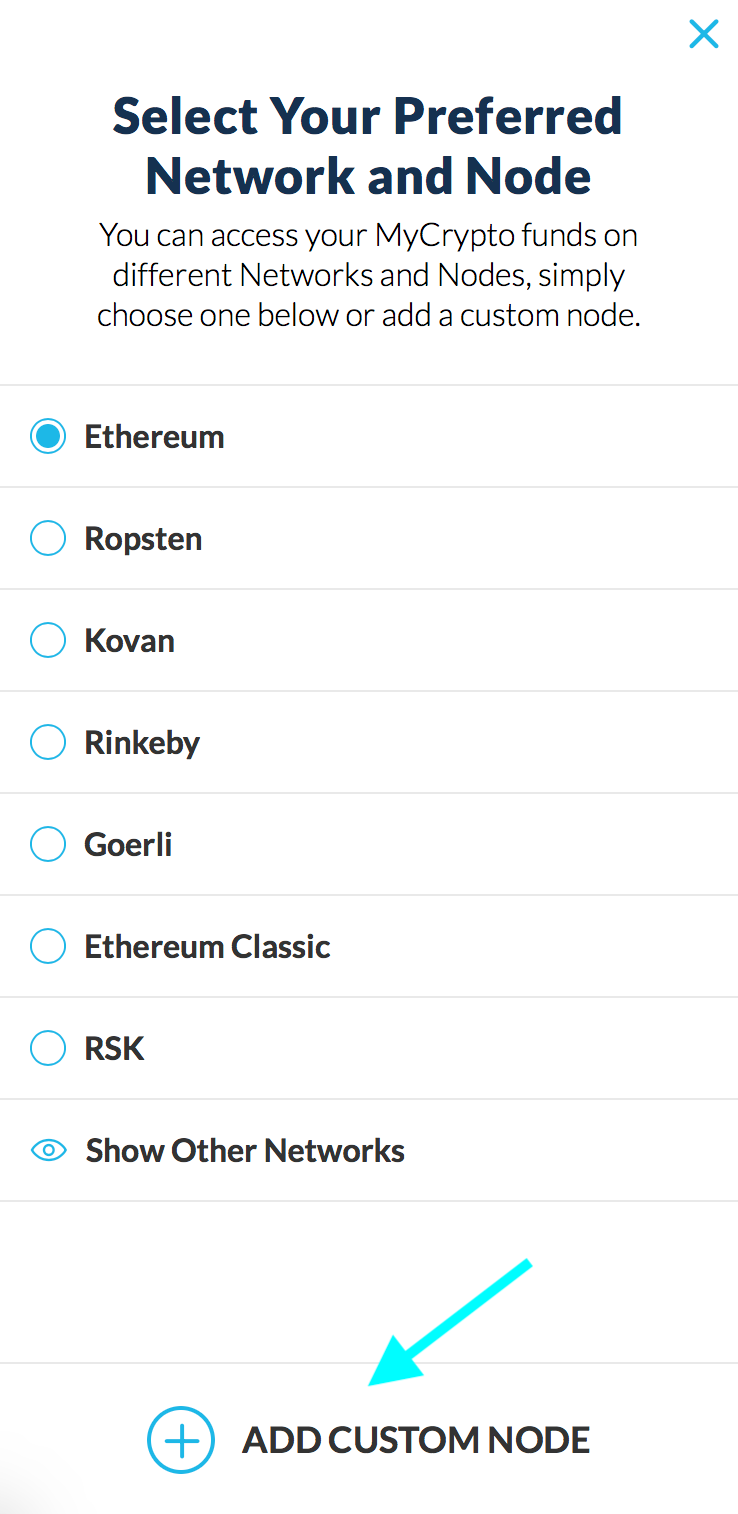
3. Enter a name (any), select the network (ETH = MainNet), and copy/paste your Web3 endpoint
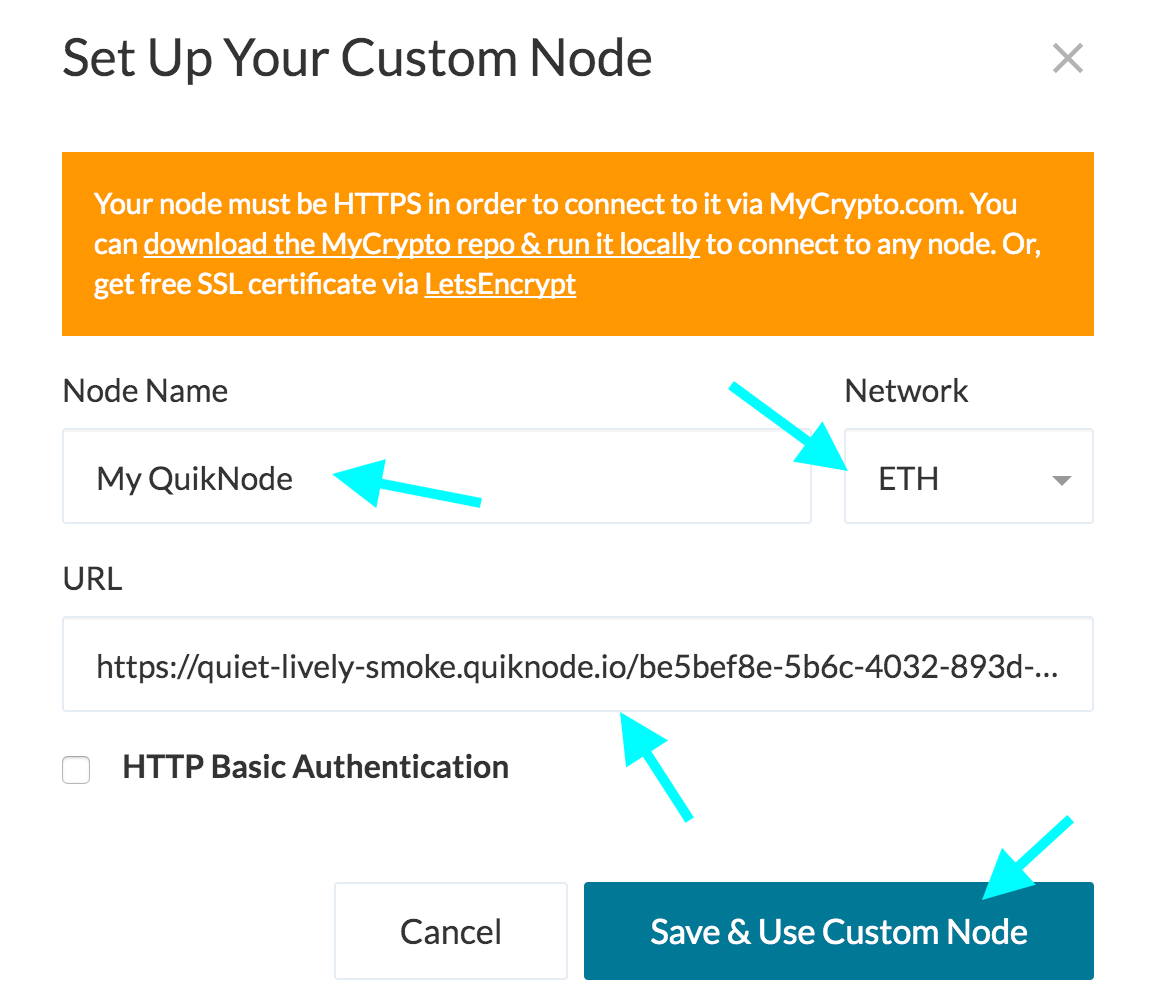
4. Click "Save & Use Custom Node" — and you're all set!
MyCrypto App
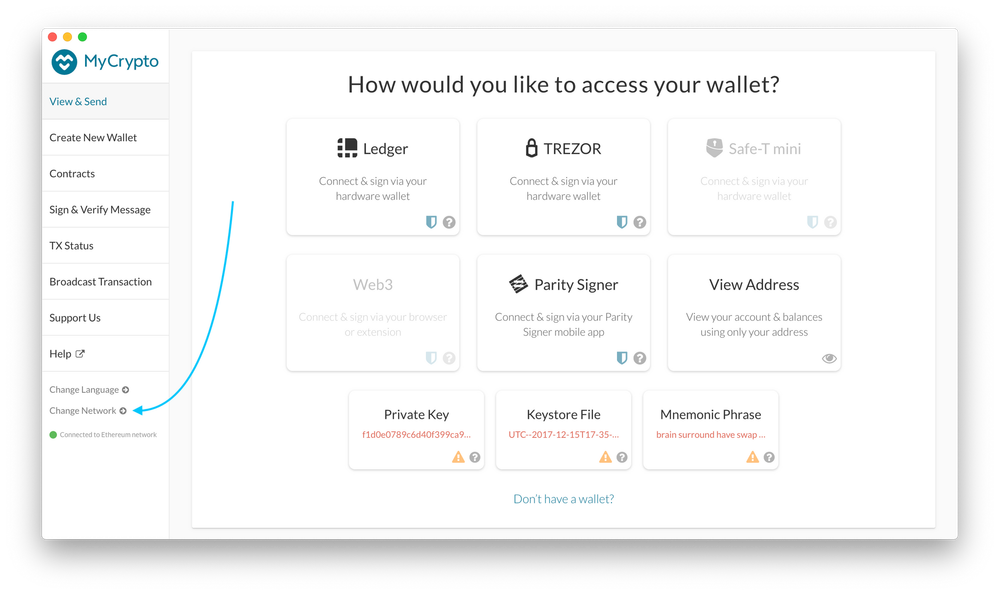
Click "Change Network"
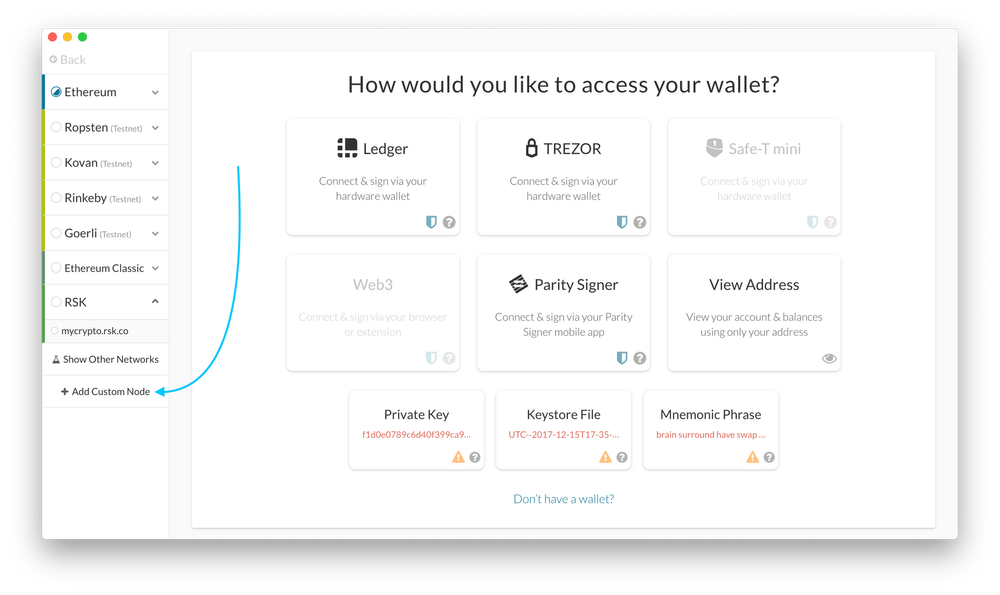
2. Click "Add Custom Node"
3. Enter a name (any), select the network (ETH = MainNet), and copy/paste your Web3 endpoint.
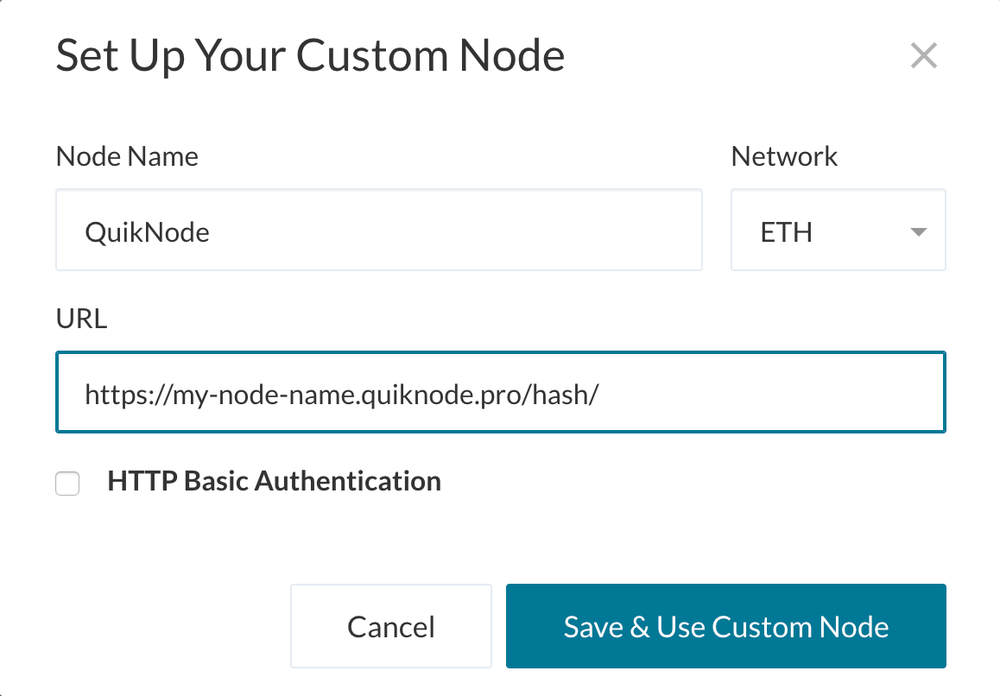
4. Click "Save & Use Custom Node" — and you're all set!
मेटामास्क
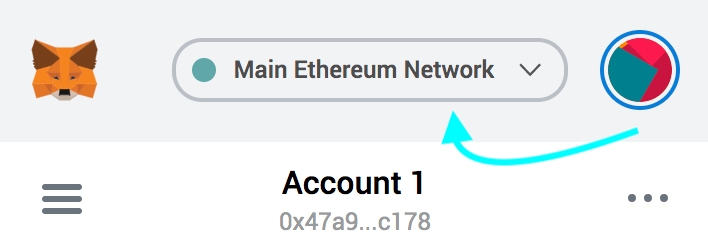
Open the MetaMask plugin, click the Network Selector at the top
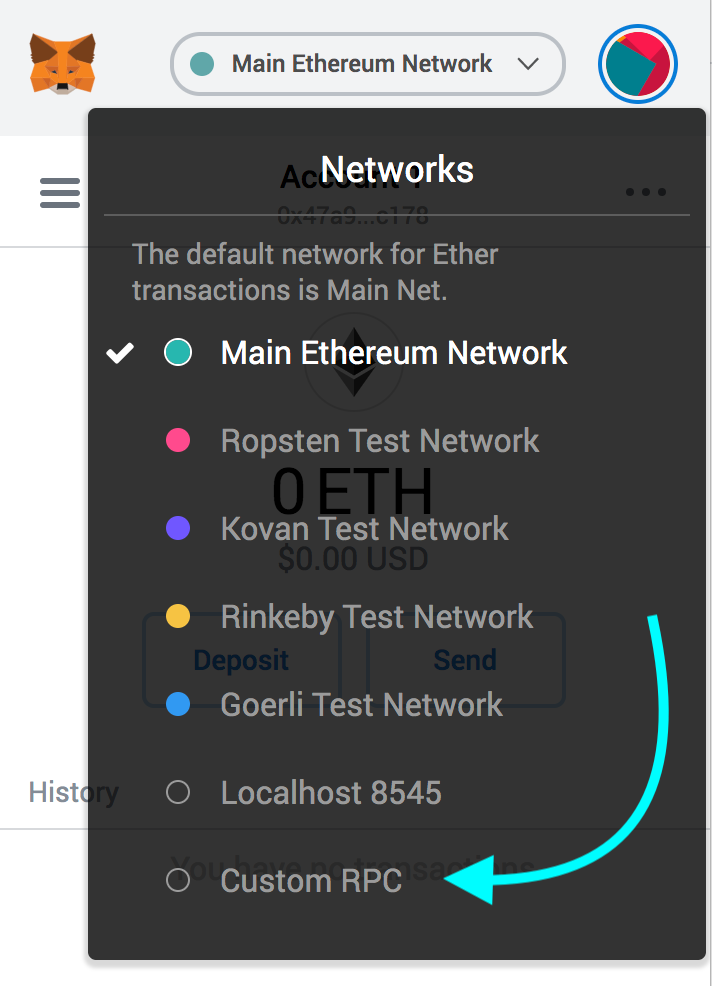
2. Select "Custom RPC" at the bottom
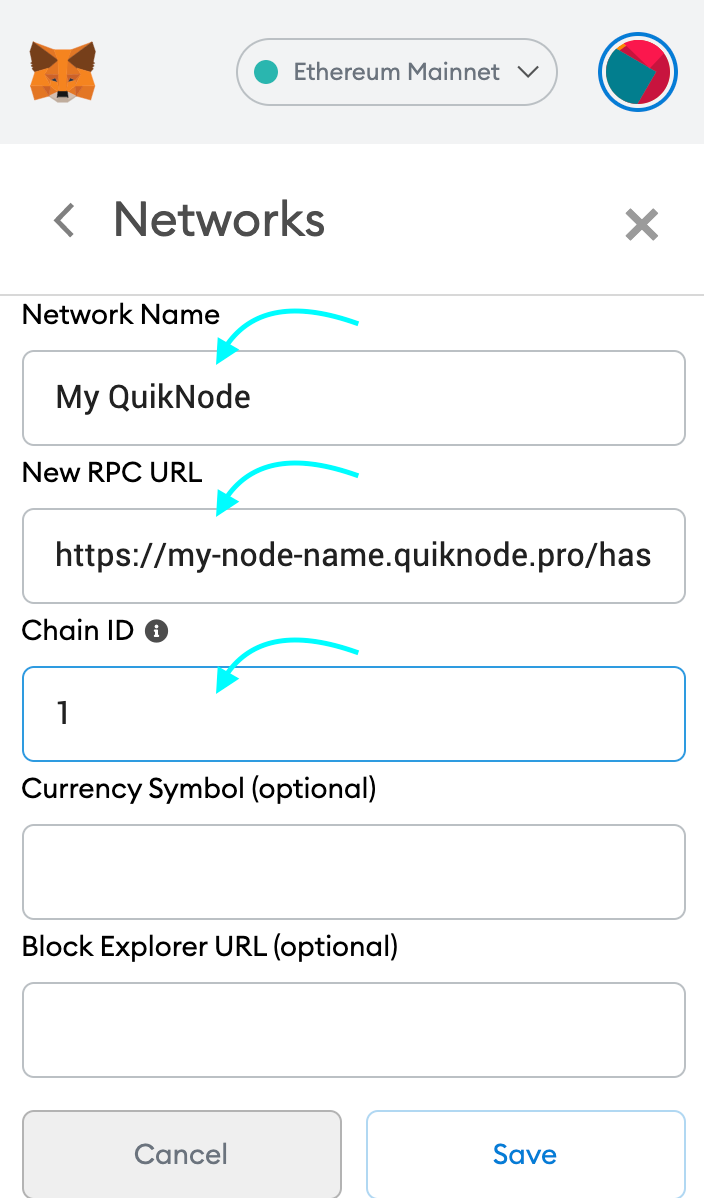
3. Enter a name (any), copy/paste your Web3 endpoint (be sure to include the "/" at the end!), enter ChainID (1 for MainNet, or see here for more), click "Save"
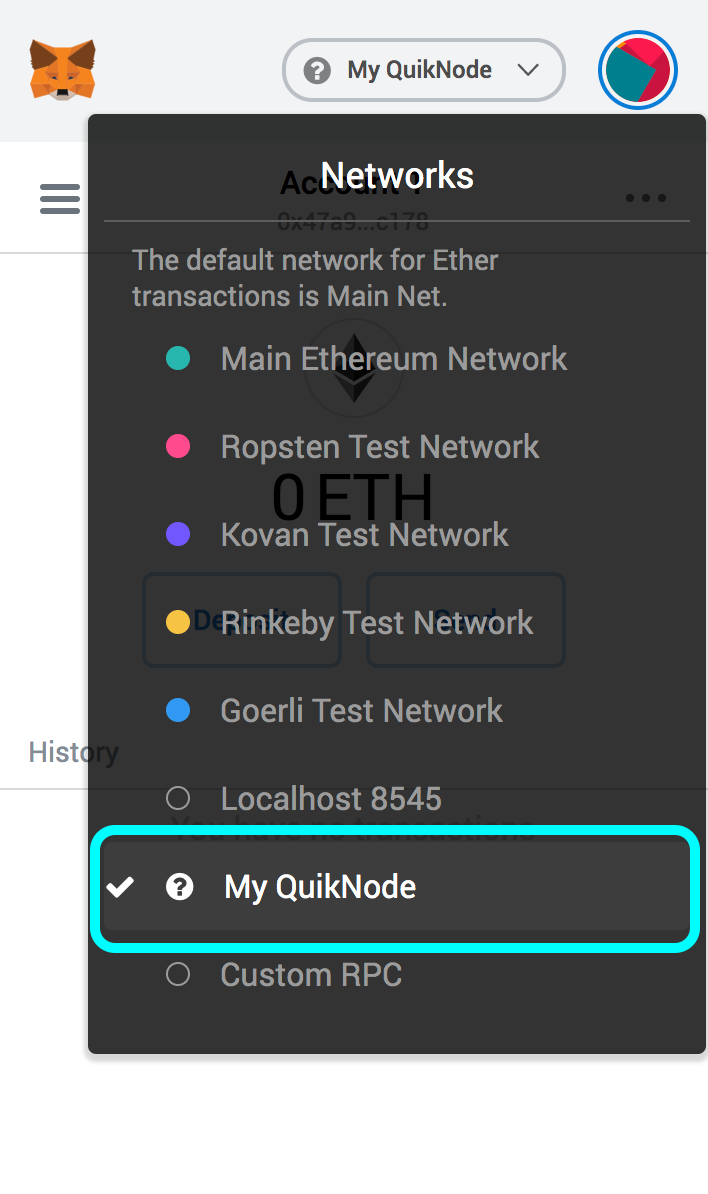
4. Your all set!
MyEtherWallet
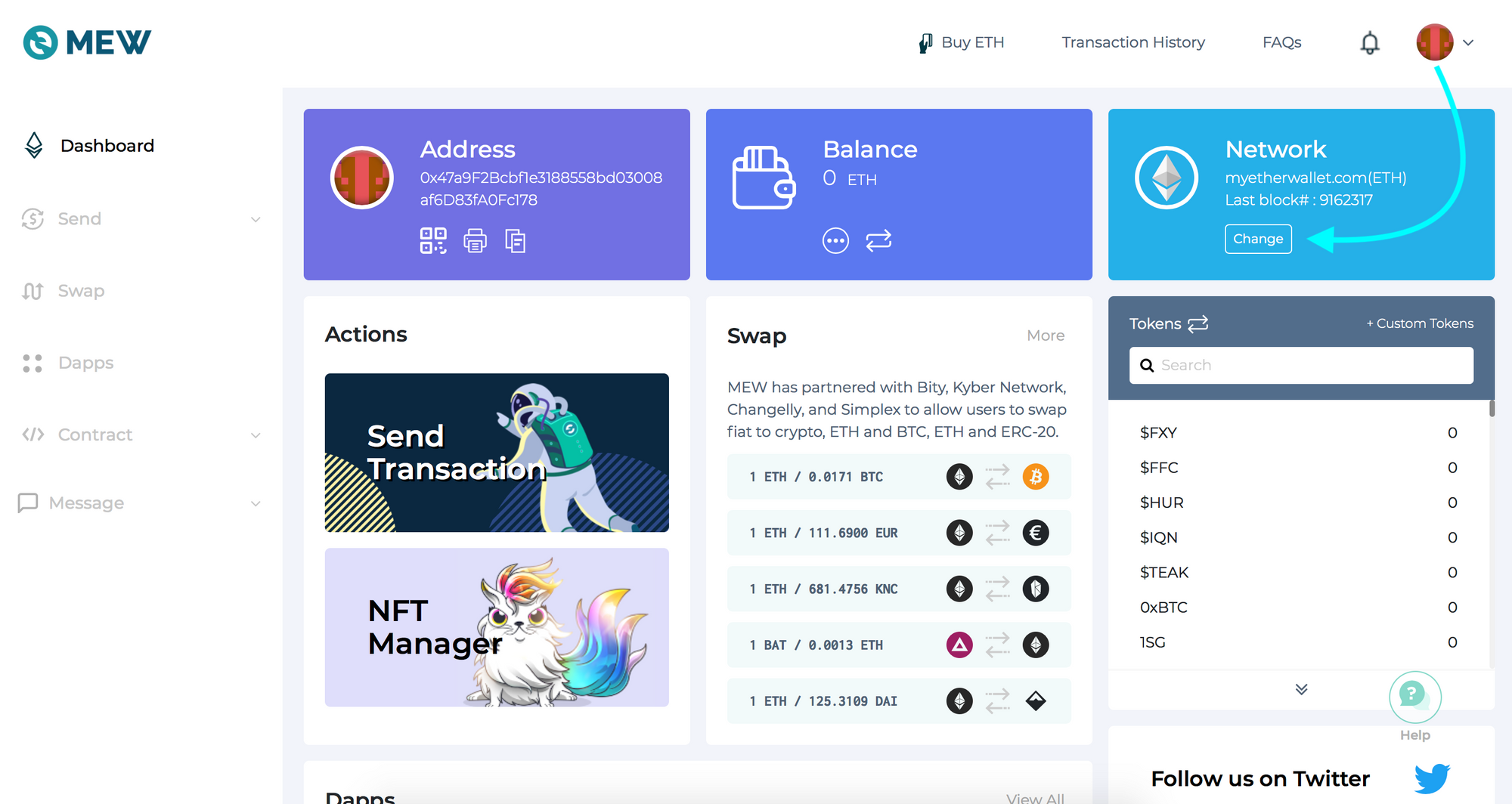
Open access to your wallet/account, click "Change" under Network
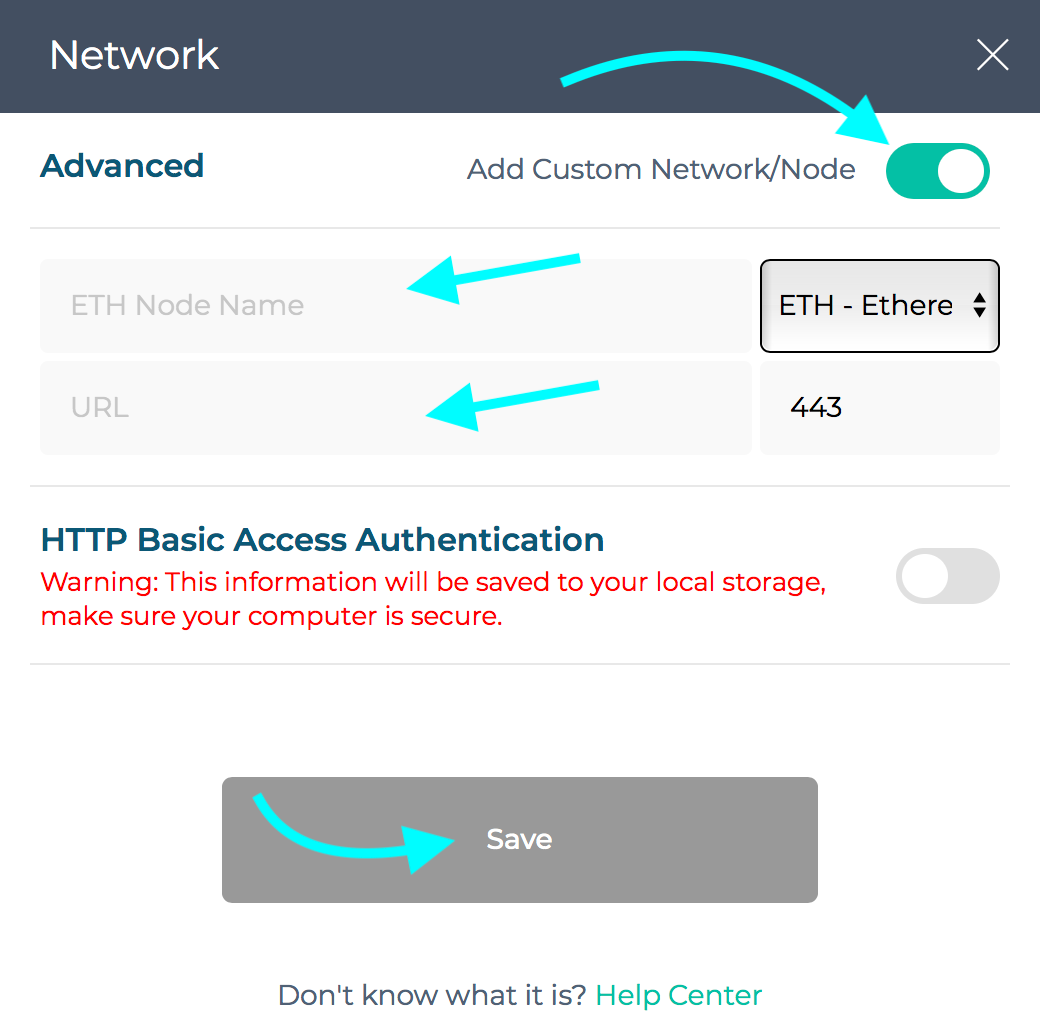
2. Flick "Add Custom Network/Node" and enter a name (any) and your Web3 endpoint, click Save
3. You will see that your network has switched to Quicknode, all set!

क्या आपको अपने प्रोजेक्ट में मदद चाहिए या कोई सवाल है? इस फॉर्म के ज़रिए, ट्विटर पर Quicknode पर या Discord पर हमसे संपर्क करें!
के बारे में Quicknode
2017 में स्थापित, Quicknode यह डेवलपर्स और उद्यमों के लिए संस्थागत स्तर का ब्लॉकचेन इंफ्रास्ट्रक्चर तैनात करता है। 99.99% अपटाइम और 80 से अधिक चेन के समर्थन के साथ, टीमें बिना किसी समझौते के ऑनचेन एप्लिकेशन बनाती और स्केल करती हैं।
अपडेट रहें
नवीनतम इंजीनियरिंग संबंधी जानकारियां, उत्पाद अपडेट और वेब3 समाचार सीधे आपके इनबॉक्स में पहुंचाए जाएंगे।