HyperCore 주문 모니터
Streams 동적 필터링을 위한 KV Store를 활용하여 Hyperliquid (L1)의 거래 주문을 실시간으로 추적하세요.



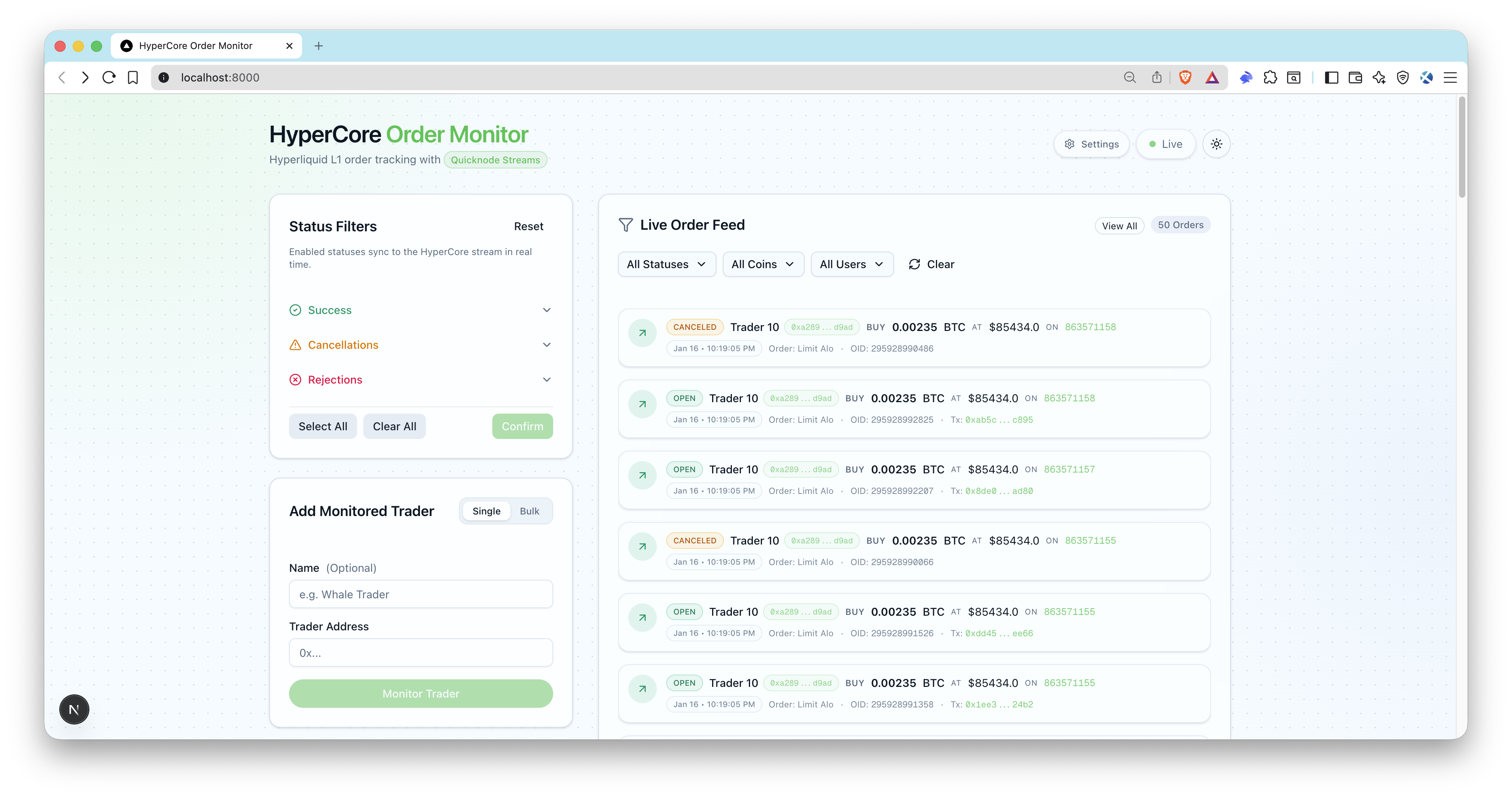
개요
This sample app enables real-time tracking of trading orders on Hyperliquid Core (L1). It leverages Quicknode Streams + Key-Value Store (KV Store) for intelligent, dynamic filtering without requiring stream restarts. Monitor whale traders, track order statuses, and receive live updates through a modern UI.
건축
Hyperliquid Core (L1)
  -> Quicknode Streams + KV
    -> POST /api/webhook/streams (signature verified)
      -> OrderLog upsert + SSE emit
        -> Live UI order feed
주요 기능
- Real-time address filtering via KV Store lists
- Dynamic status filtering (open, filled, cancelled, rejected, triggered)
- Blockchain-native filtering at the stream level
- Server-Sent Events (SSE) for live UI updates
- Quicknode Streams setup scripts (create + activate)
- Bulk add trader addresses
- Webhook signature verification and timestamp checks
- ENS resolution for Ethereum addresses (optional)
- Prisma + SQLite local storage
선행 조건
- Node.js 20+ and a package manager (pnpm, yarn, npm).
- Quicknode account with Streams and KV Store access: Create an account, and get your Admin API key for
QN_API_KEY. - Public webhook URL: Use a tunnel like
ngrokor deploy the app soAPP_URLis reachable by Quicknode. - Optional: Ethereum mainnet RPC endpoint for ENS name resolution (
QN_EVM_ENDPOINT).
프로젝트 구조
filters/
  hl-orders-filter.js     # Quicknode Streams filter (HyperCore)
scripts/
  setup-streams.ts        # Creates KV lists + stream (paused)
  activate-streams.ts     # Activates stream by id
src/
  app/api/                # API routes (webhooks, users, SSE)
  lib/                    # Quicknode, webhook, SSE helpers
  types/                  # TypeScript definitions
prisma/
  schema.prisma           # SQLite schema
Environment Variables
복사 .env.example ~에 .env and fill in:
QN_API_KEY=""                  # Quicknode API key with Streams + KV permissions
QN_STREAM_SECURITY_TOKEN=""    # Stream security token (from setup script)
APP_URL="http://localhost:3000" # Public app URL (ngrok for local webhooks)
DATABASE_URL="file:./dev.db"   # SQLite DB
QN_EVM_ENDPOINT=""             # Optional: Ethereum RPC for ENS resolution
ADMIN_API_KEY=""               # Optional for local dev, required for production
Notes:
QN_STREAM_SECURITY_TOKENis returned bysetup:streams.APP_URLmust be reachable by Quicknode (use ngrok or a deployed URL).- Ensure your API key has both Streams and KV Store permissions enabled.
시작하기
1. Install dependencies
pnpm install
# npm install
# yarn install
2. Create your env file
cp .env.example .env
3. Add required variables
Fill in .env (see 선행 조건).
For local webhooks, expose your app with ngrok and copy the HTTPS URL into APP_URL:
ngrok http 3000
4. Initialize the database
pnpm prisma migrate dev --name hypercore-order-monitor
pnpm db:seed
The seed script creates status filters (enabling open, filled, triggered by default) and adds a sample trader address.
5. Create Quicknode Streams + KV lists
pnpm run setup:streams
Copy the printed security token into .env (QN_STREAM_SECURITY_TOKEN).
6. Start the app
pnpm dev
7. Activate the stream
pnpm run activate:streams
열기 http://localhost:3000, add trader addresses, and you should see live order events as streams deliver webhooks.
Database
SQLite is used by default. Prisma schema is in prisma/schema.prisma.
Common commands:
pnpm prisma migrate dev --name <name>
pnpm db:seed
pnpm prisma studio
Webhook Security and Payload
- Endpoint:
POST /api/webhook/streams - Headers required:
x-qn-nonce,x-qn-timestamp,x-qn-signature - Payload can be gzip compressed; the handler auto-detects
content-encoding: gzip - Signature verification uses
QN_STREAM_SECURITY_TOKEN
API Endpoints
Public endpoints:
GET /api/health- health checkGET /api/users- list monitored tradersGET /api/statuses- list status filtersPOST /api/webhook/streams- Quicknode Streams webhookGET /api/sse- SSE stream of order events
Protected endpoints (require Authorization: Bearer <ADMIN_API_KEY>):
POST /api/users- add a traderPOST /api/users/bulk- bulk add traders (50 address limit)PATCH /api/users?id=...- update traderDELETE /api/users?id=...- remove traderGET /api/orders- list orders with filtersPATCH /api/statuses- update enabled statusesPOST /api/statuses/reset- reset to defaults
Synchronization Scripts
pnpm run sync:statuses- Reconciles KV status list with databasepnpm run sync:users- Reconciles KV user list with databasepnpm run reset:kv- Deletes HyperCore KV lists
미리 보기
- 저장소를 포크하기
- 기능 브랜치 생성:git checkout -b feature/amazing-feature
- 변경 사항을 커밋하세요:git commit -m "멋진 기능 추가"
- 브랜치를 푸시하세요:git push origin feature/amazing-feature
- 풀 리퀘스트를 제출하세요.