Using Quicknode with MetaMask, MyCrypto, MyEtherWallet (updated)
Using Quicknode with MetaMask, MyCrypto, MyEtherWallet (updated)
How to set up your Quicknode with 3 popular Wallet/Account services
December 25, 2019 — 2 min read
Below are instructions on how to set up your Quicknode for use with 3 popular wallet/account services >>>
MyCrypto Web
Click the Node Selector in top right corner
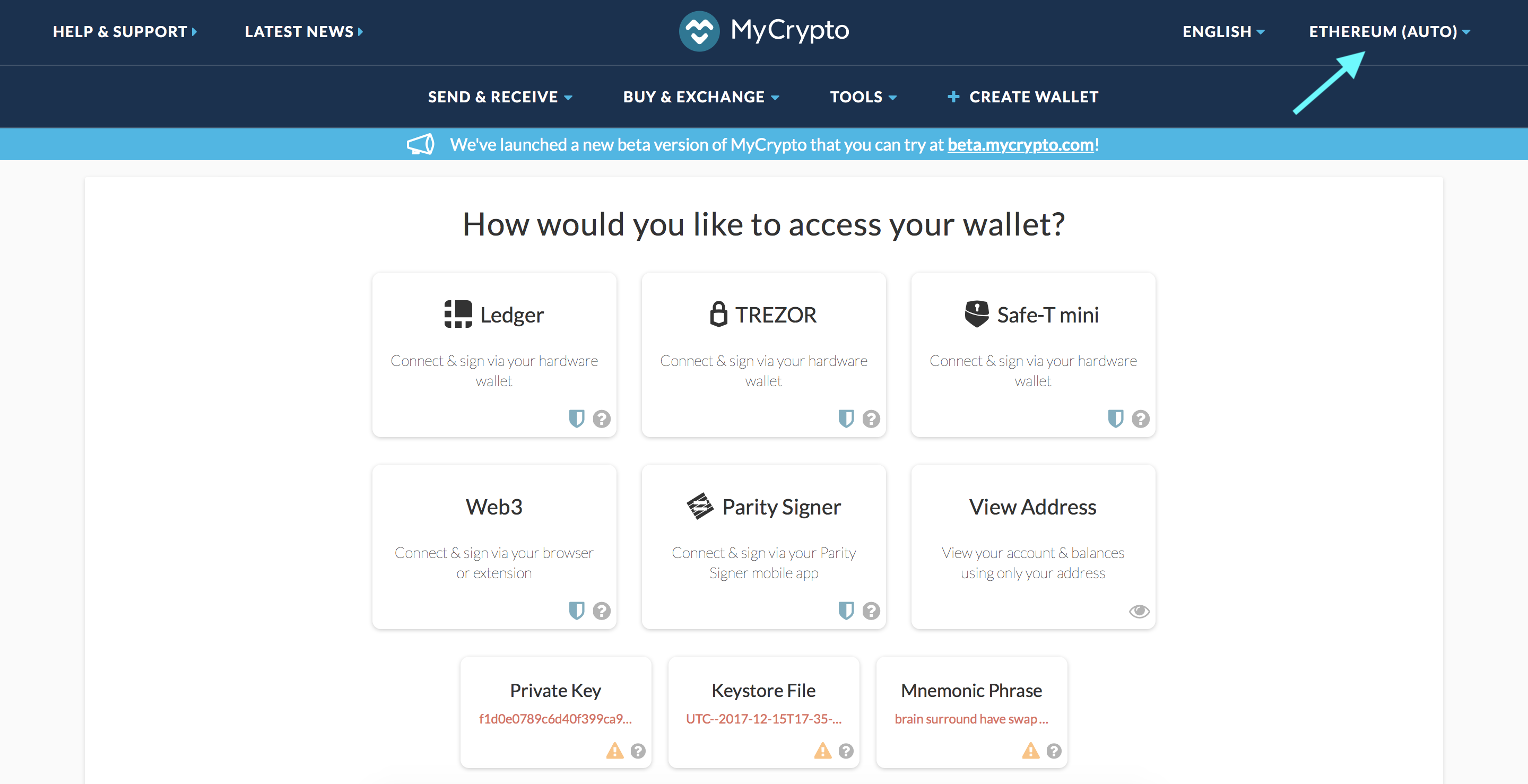
2. Click "Add Custom Node" at the bottom of the window that pops up
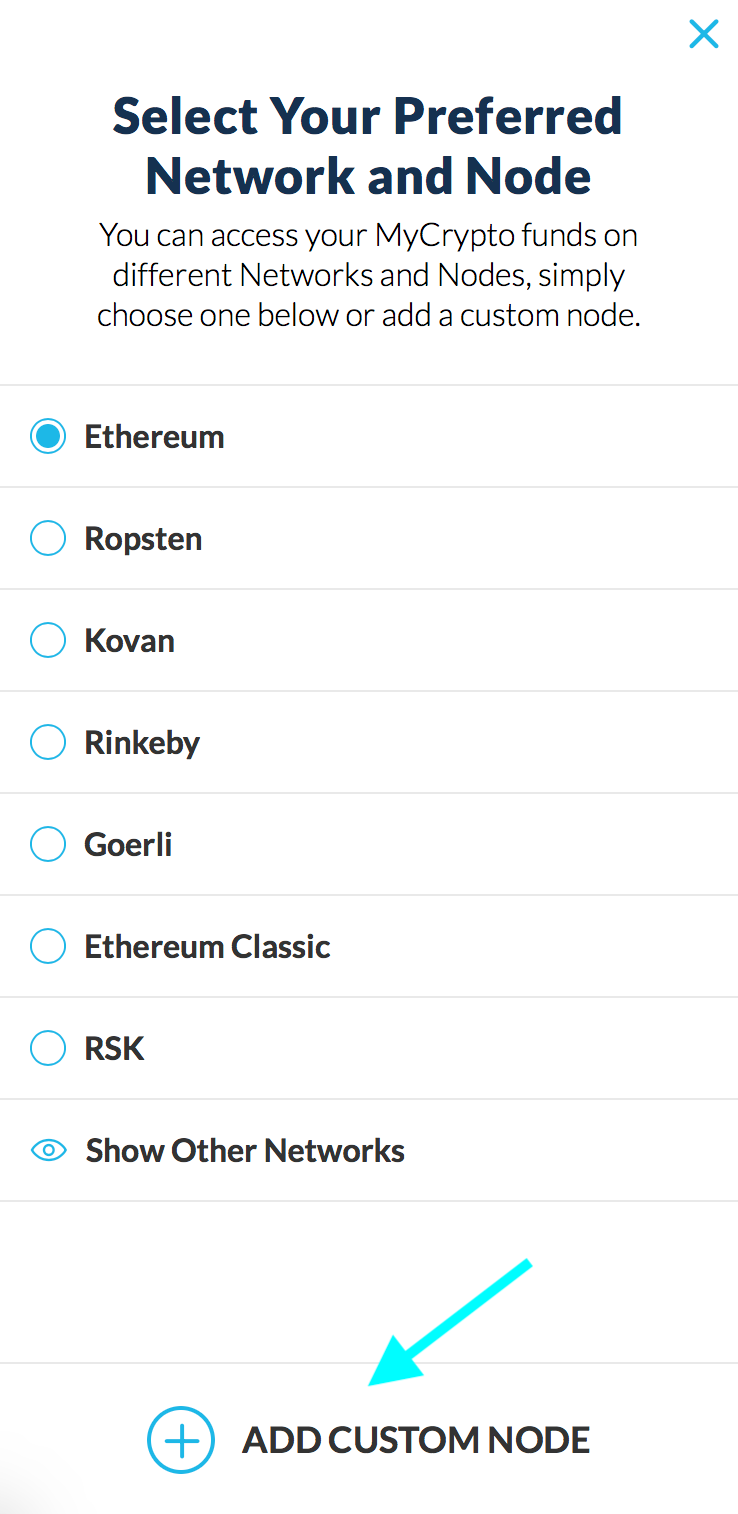
3. Enter a name (any), select the network (ETH = MainNet), and copy/paste your Web3 endpoint
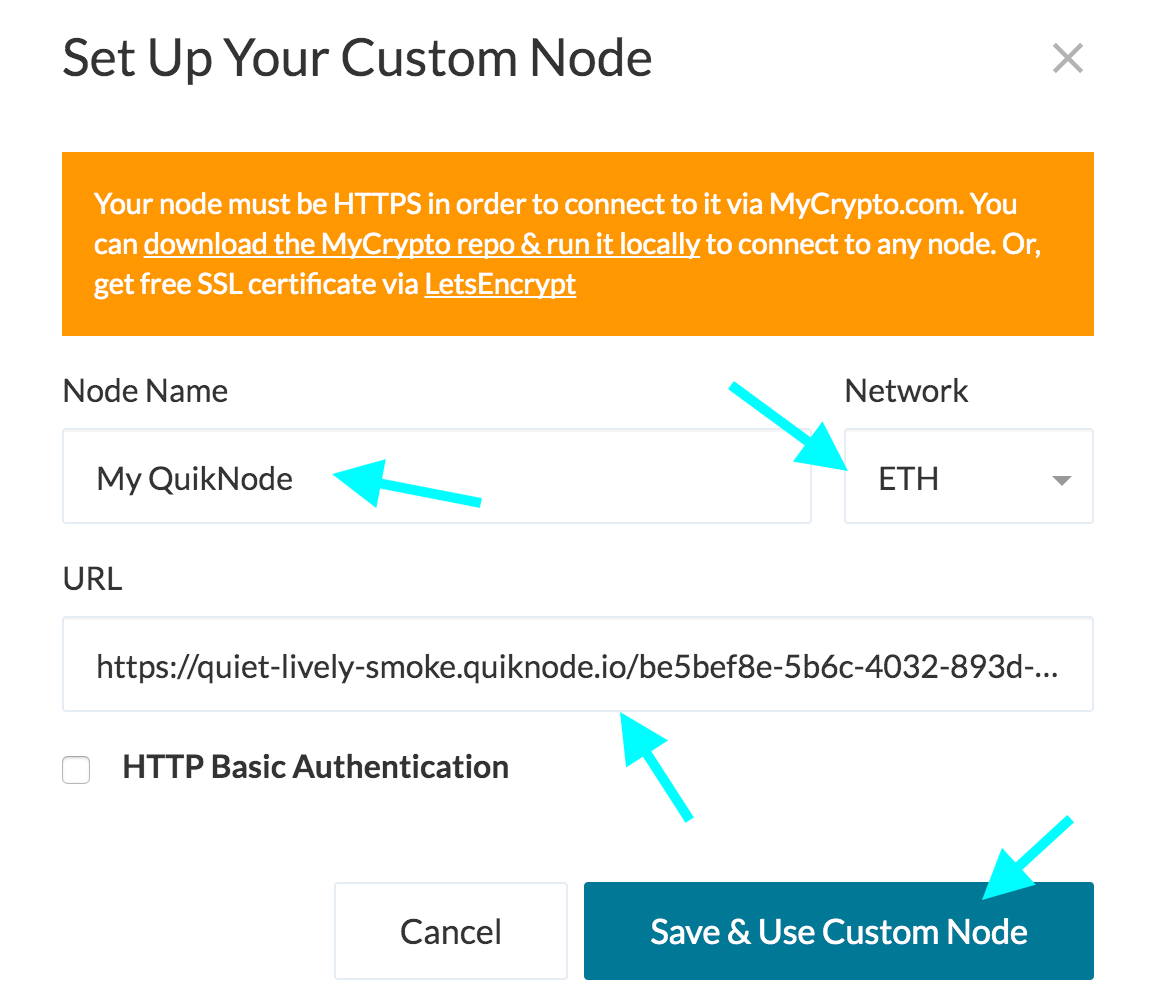
4. Click "Save & Use Custom Node" — and you're all set!
MyCrypto App
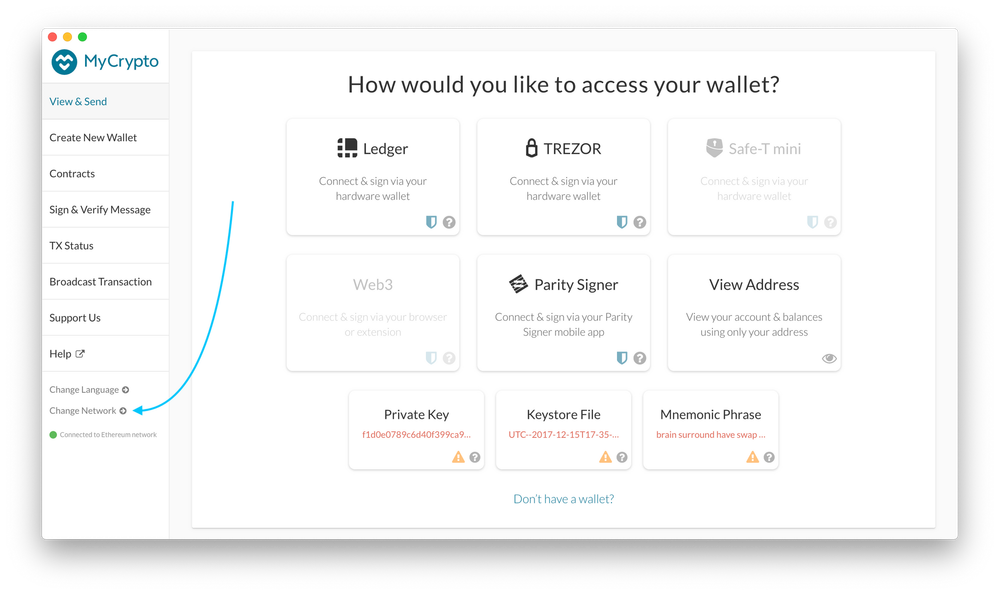
Click "Change Network"
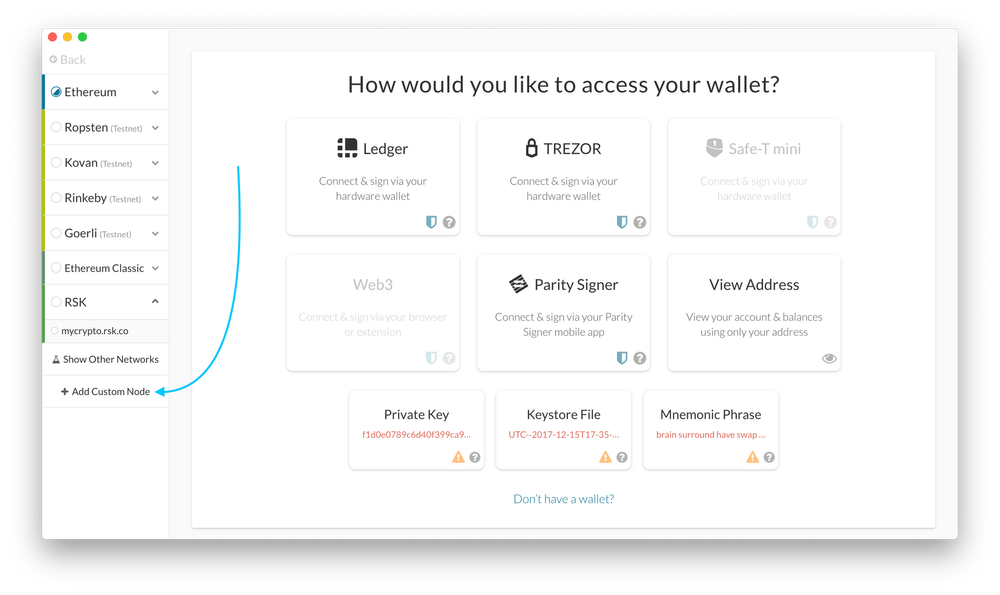
2. Click "Add Custom Node"
3. Enter a name (any), select the network (ETH = MainNet), and copy/paste your Web3 endpoint.
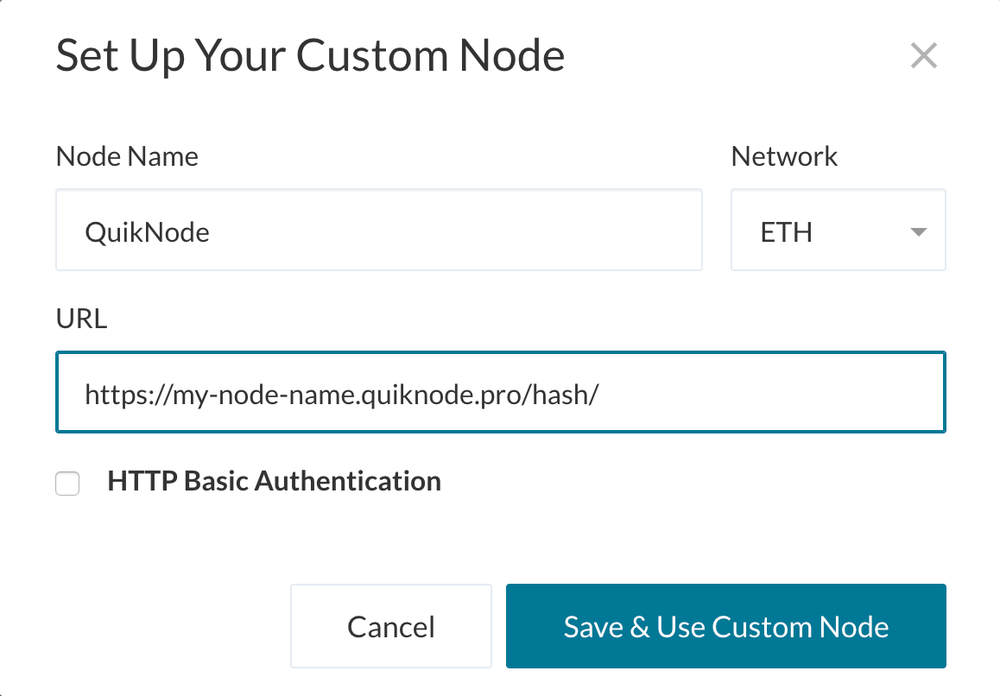
4. Click "Save & Use Custom Node" — and you're all set!
MetaMask
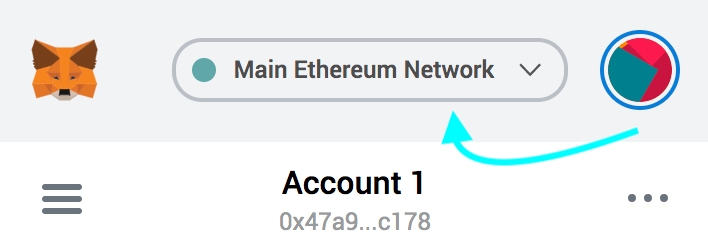
Open the MetaMask plugin, click the Network Selector at the top
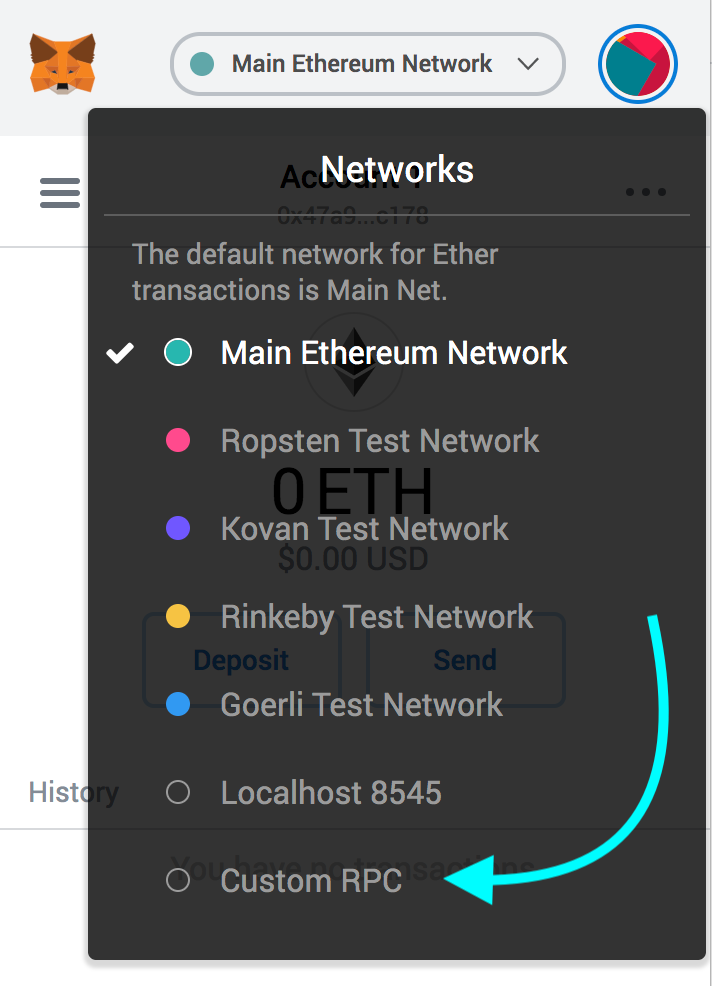
2. Select "Custom RPC" at the bottom
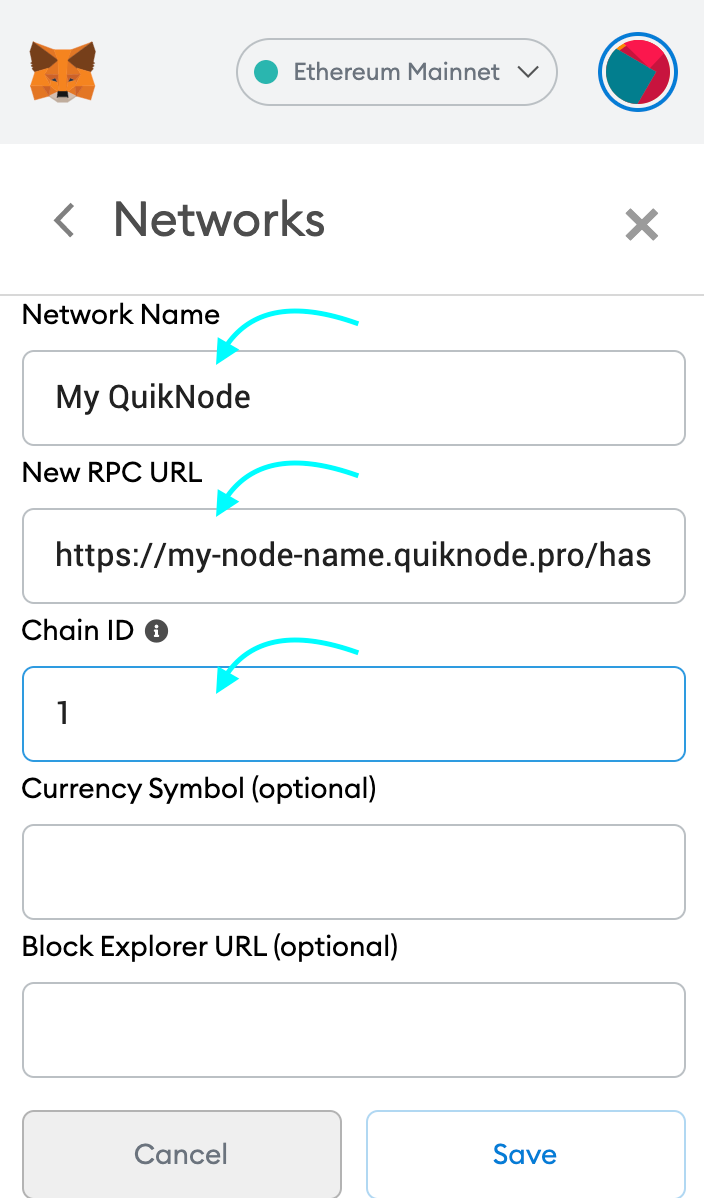
3. Enter a name (any), copy/paste your Web3 endpoint (be sure to include the "/" at the end!), enter ChainID (1 for MainNet, or see here for more), click "Save"
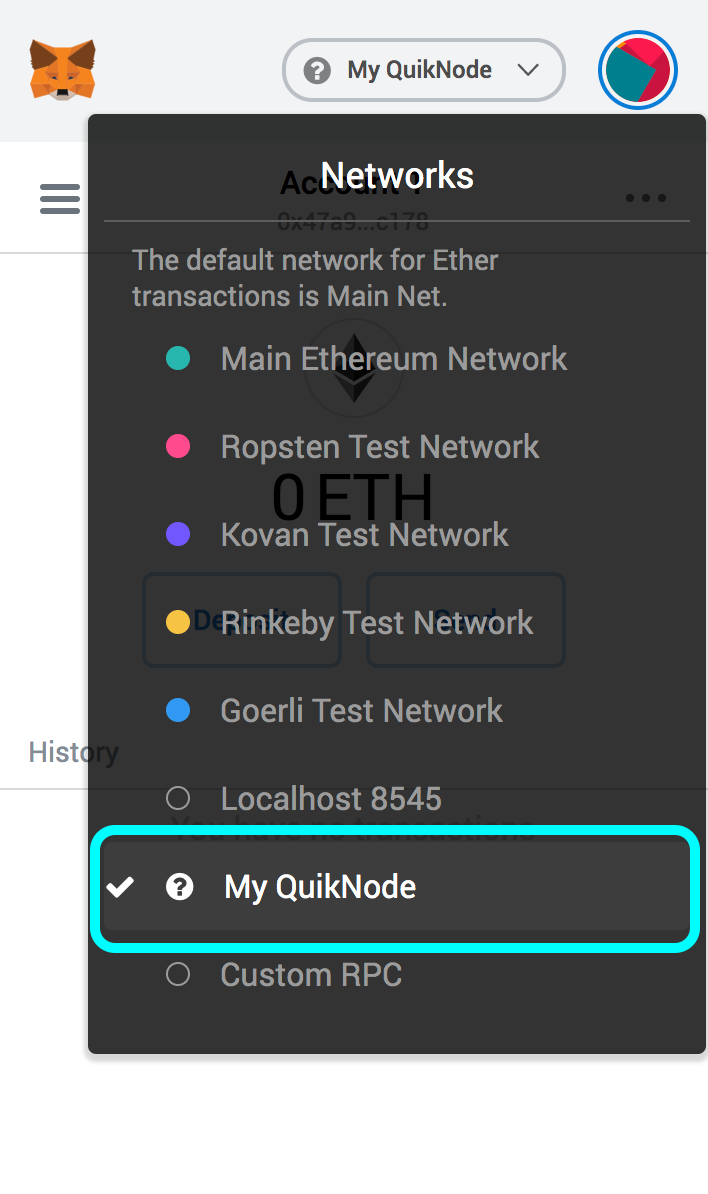
4. Your all set!
MyEtherWallet
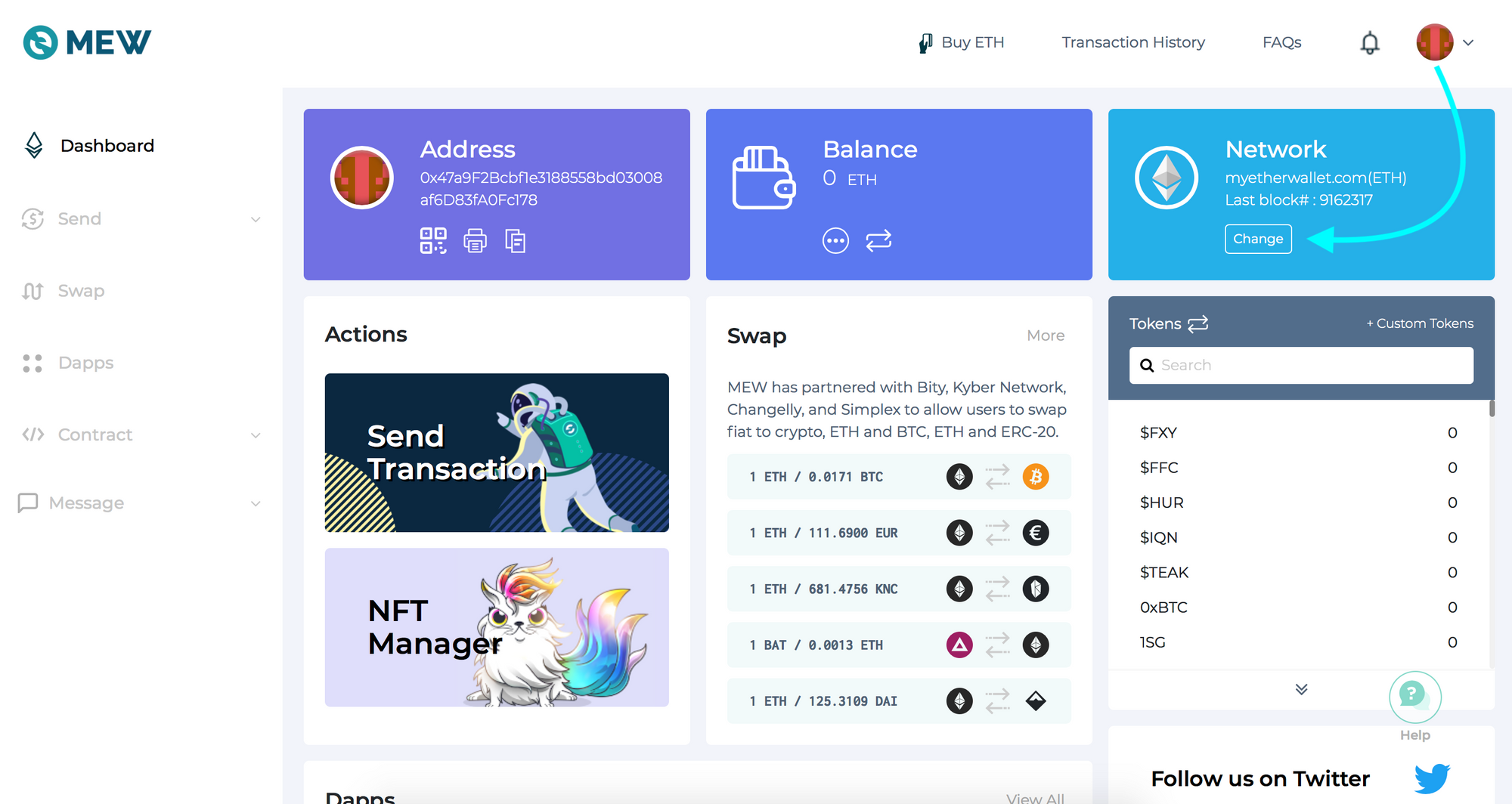
Open access to your wallet/account, click "Change" under Network
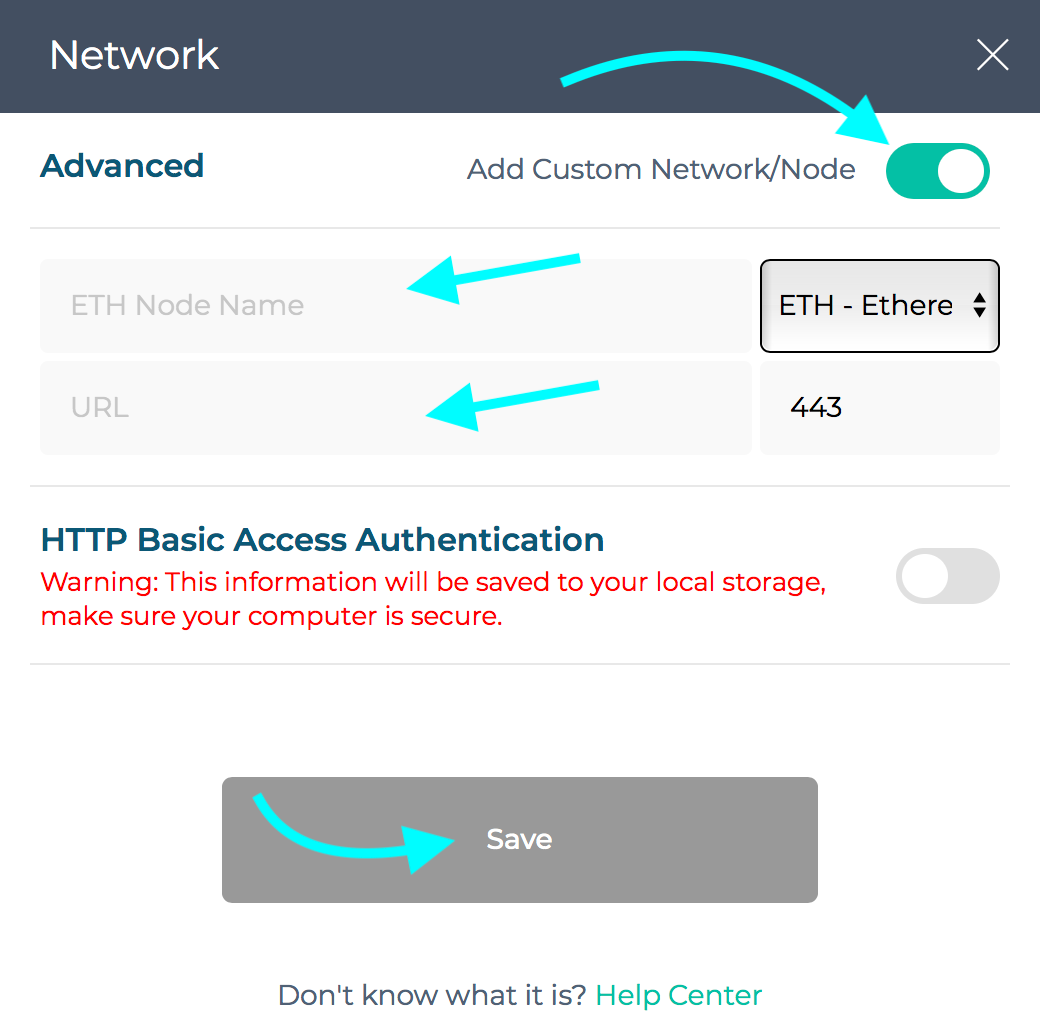
2. Flick "Add Custom Network/Node" and enter a name (any) and your Web3 endpoint, click Save
3. You will see that your network has switched to Quicknode, all set!

Heb je hulp nodig bij je project of heb je vragen? Neem dan contact met ons op via dit formulier, op TwitterQuicknode of stuur ons een berichtje op Discord!
Over Quicknode
Quicknode , opgericht in 2017, Quicknode blockchain-infrastructuur van institutionele kwaliteit voor ontwikkelaars en bedrijven. Met een uptime van 99,99% en ondersteuning voor meer dan 80 blockchains kunnen teams on-chain-applicaties bouwen en opschalen zonder concessies te doen.
Blijf op de hoogte
De nieuwste technische inzichten, productupdates en web3-nieuws, rechtstreeks in je inbox.