Using Quicknode with MetaMask, MyCrypto, MyEtherWallet (updated)
Using Quicknode with MetaMask, MyCrypto, MyEtherWallet (updated)
How to set up your Quicknode with 3 popular Wallet/Account services
December 25, 2019 — 2 min read
Below are instructions on how to set up your Quicknode for use with 3 popular wallet/account services >>>
MyCrypto Web
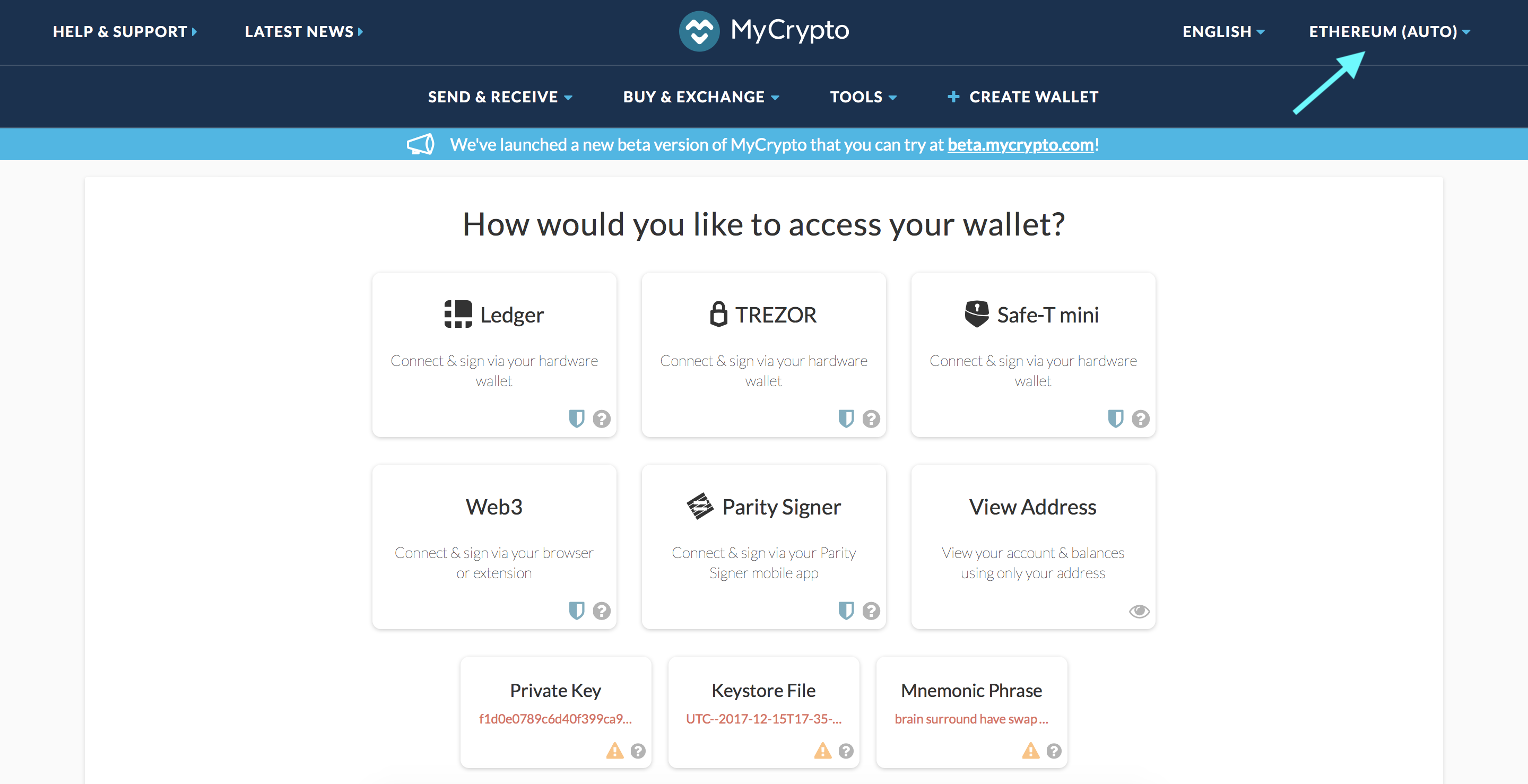
Click the Node Selector in top right corner
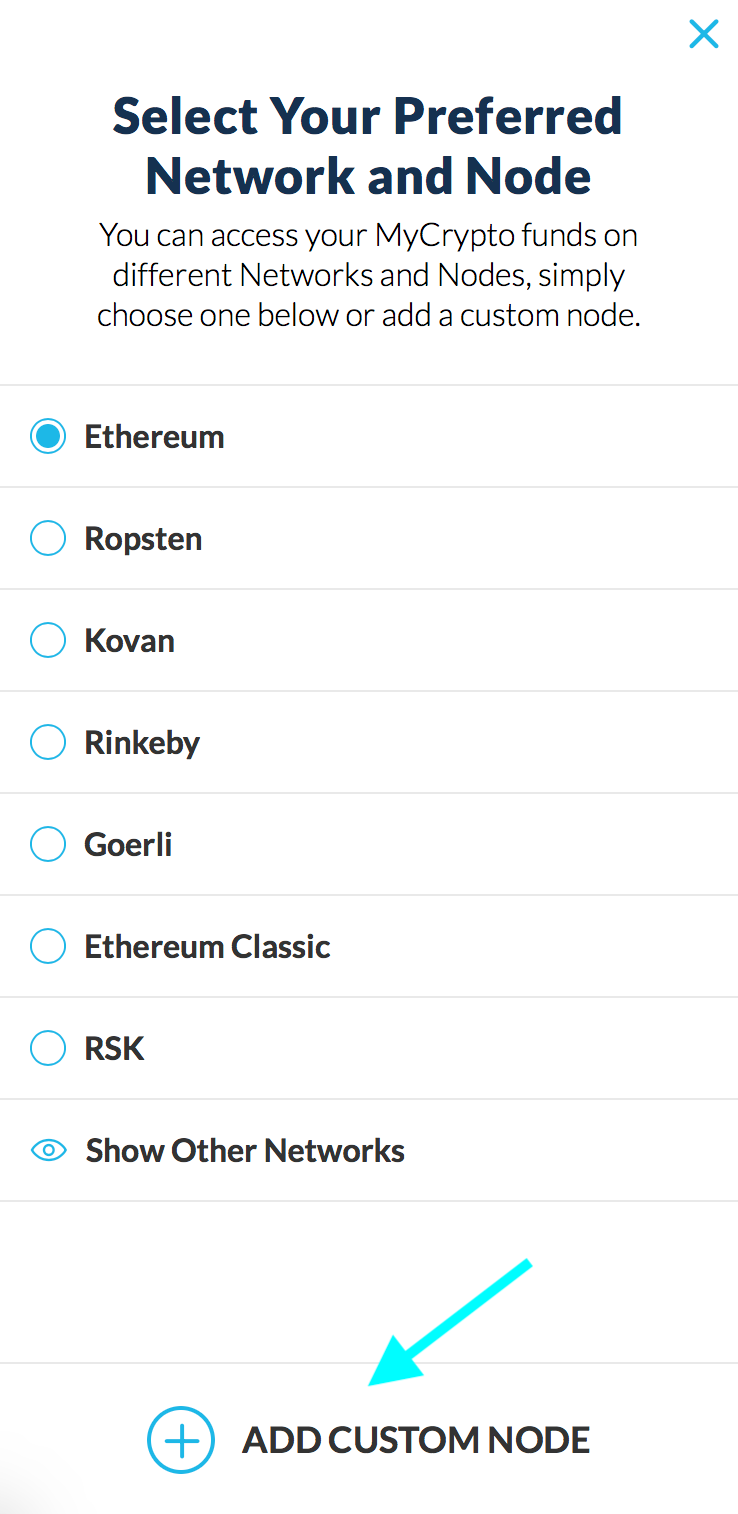
2. Click "Add Custom Node" at the bottom of the window that pops up
3. Enter a name (any), select the network (ETH = MainNet), and copy/paste your Web3 endpoint
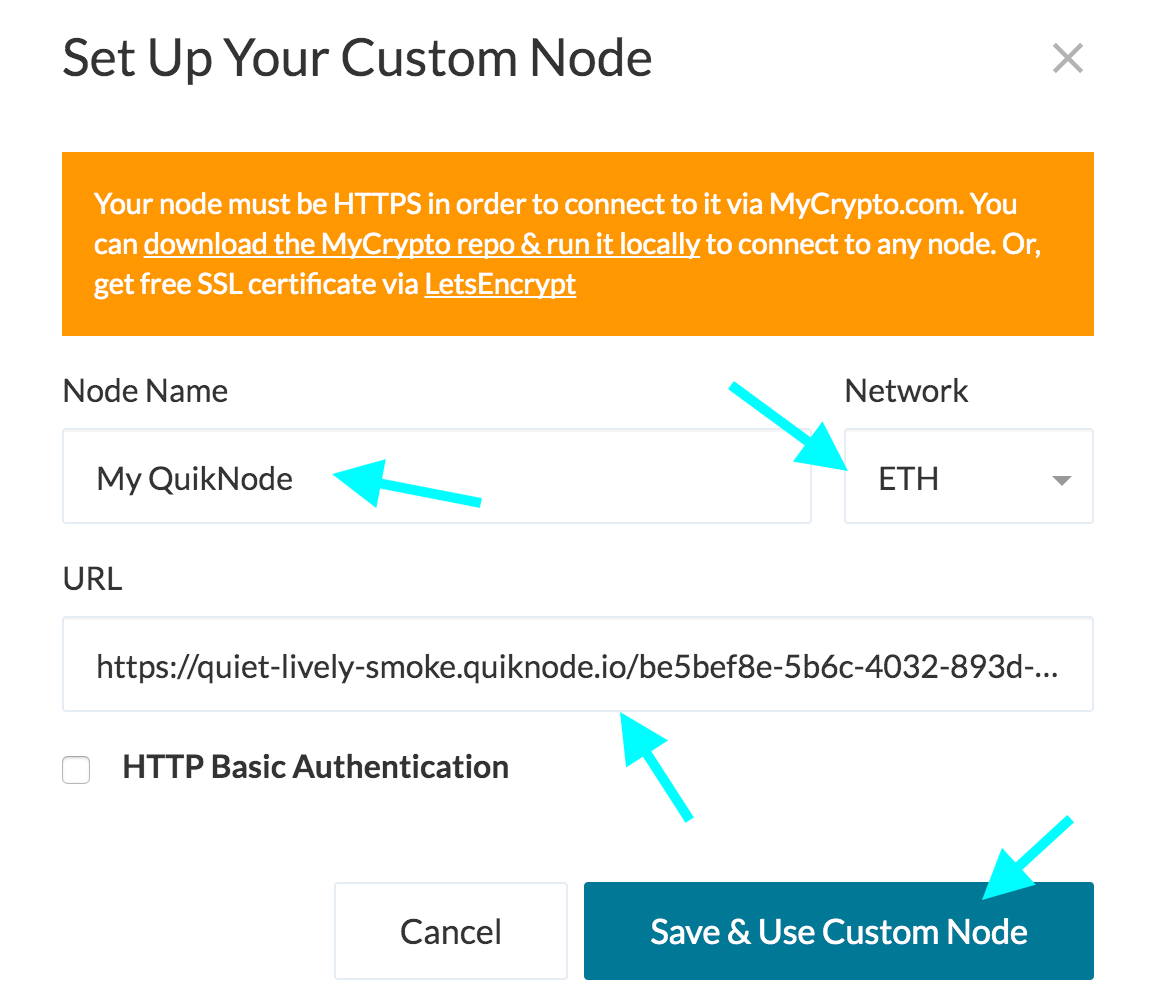
4. Click "Save & Use Custom Node" — and you're all set!
MyCrypto App
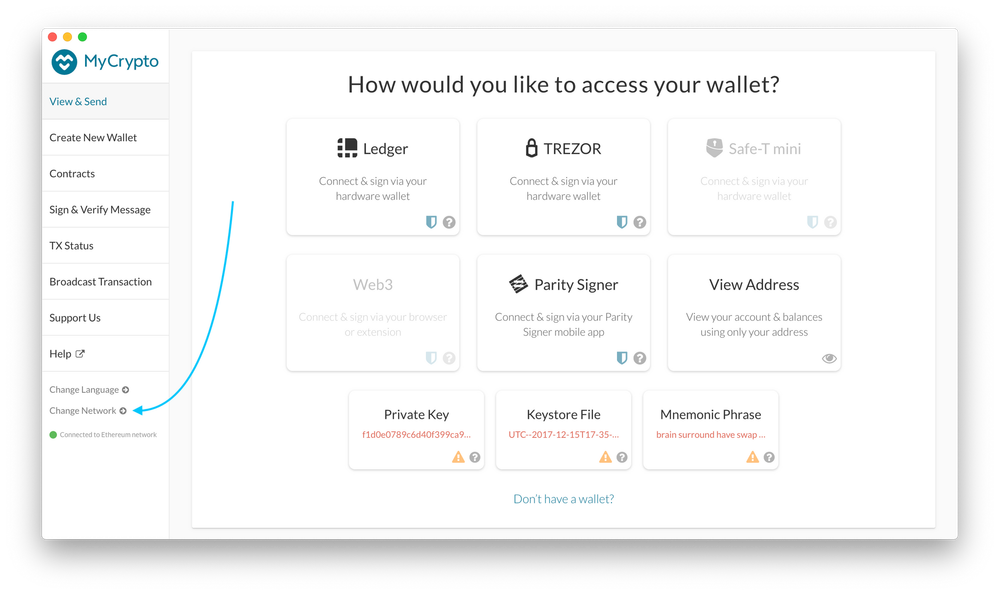
Click "Change Network"
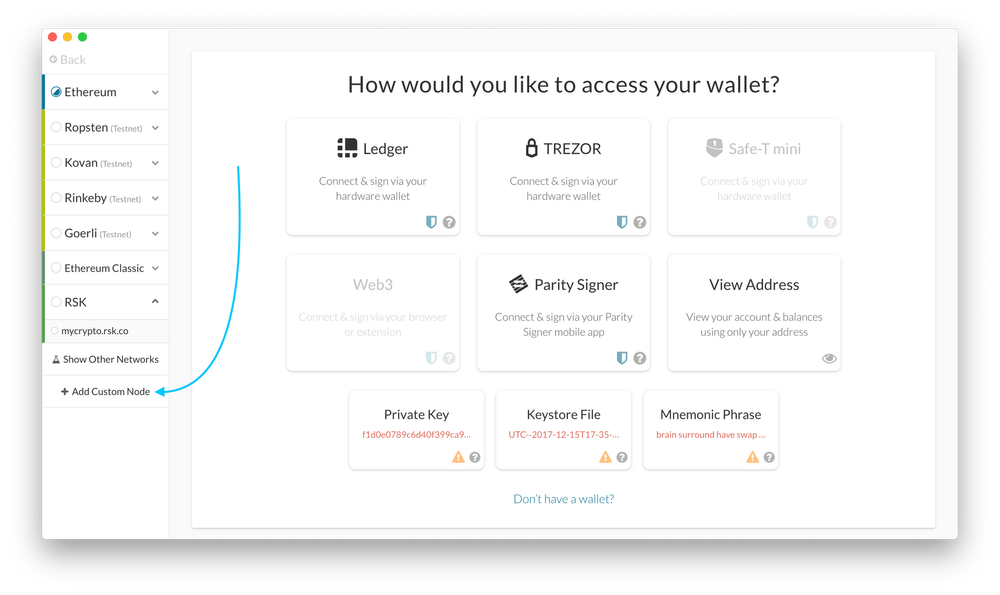
2. Click "Add Custom Node"
3. Enter a name (any), select the network (ETH = MainNet), and copy/paste your Web3 endpoint.
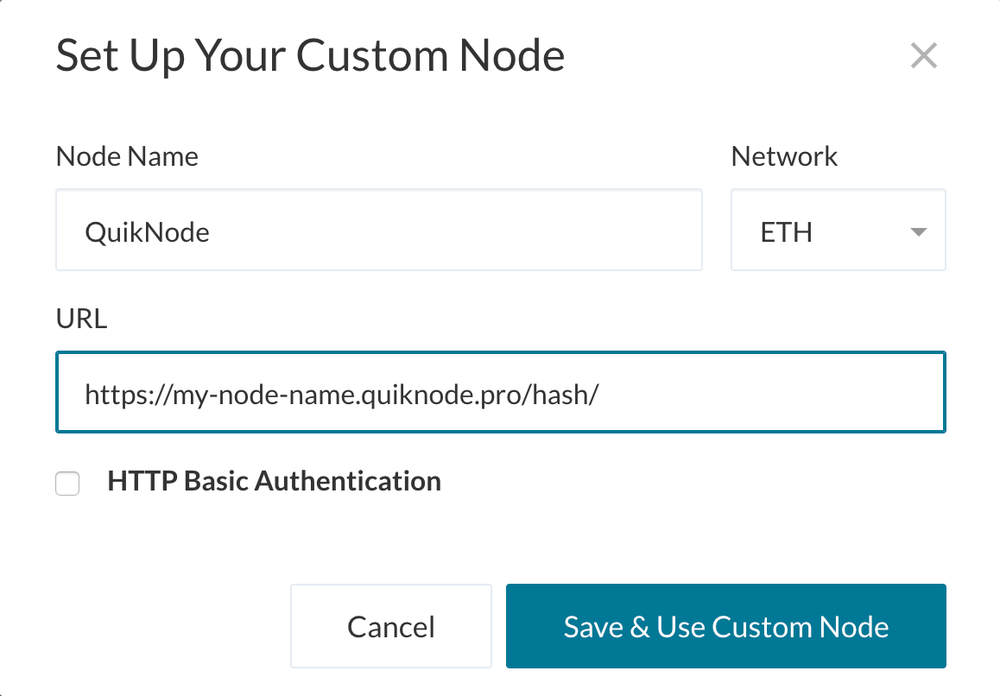
4. Click "Save & Use Custom Node" — and you're all set!
MetaMask
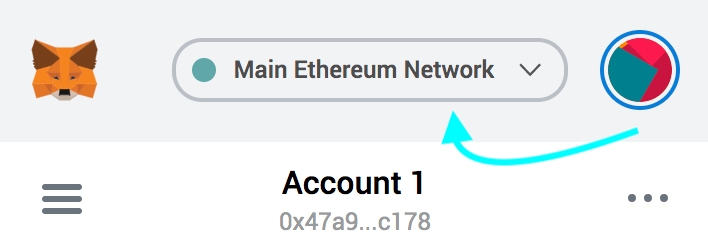
Open the MetaMask plugin, click the Network Selector at the top
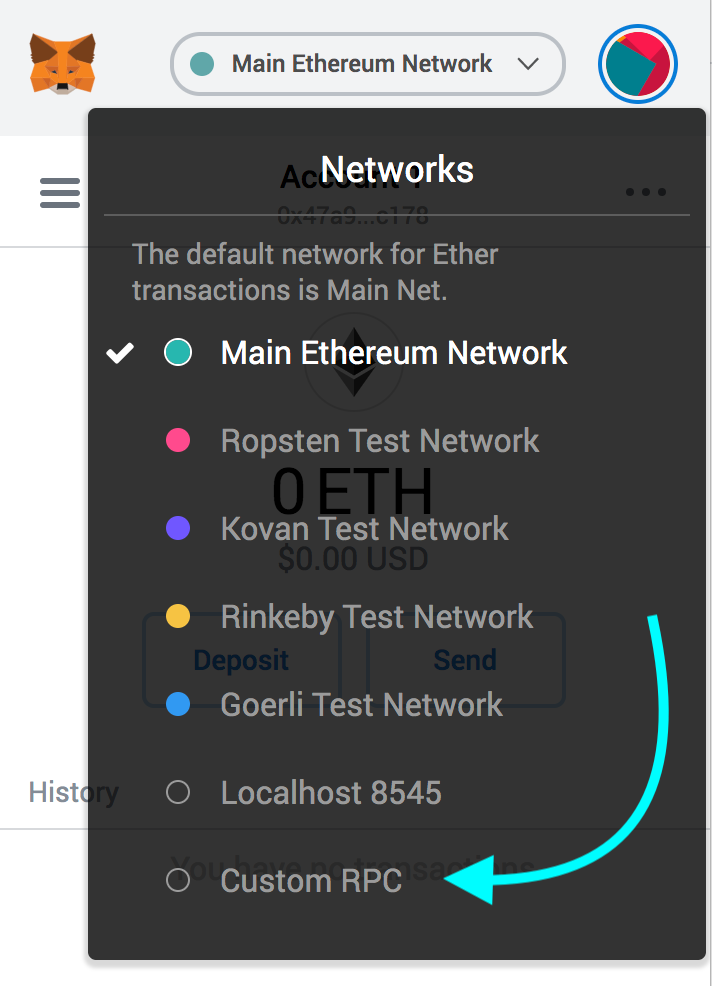
2. Select "Custom RPC" at the bottom
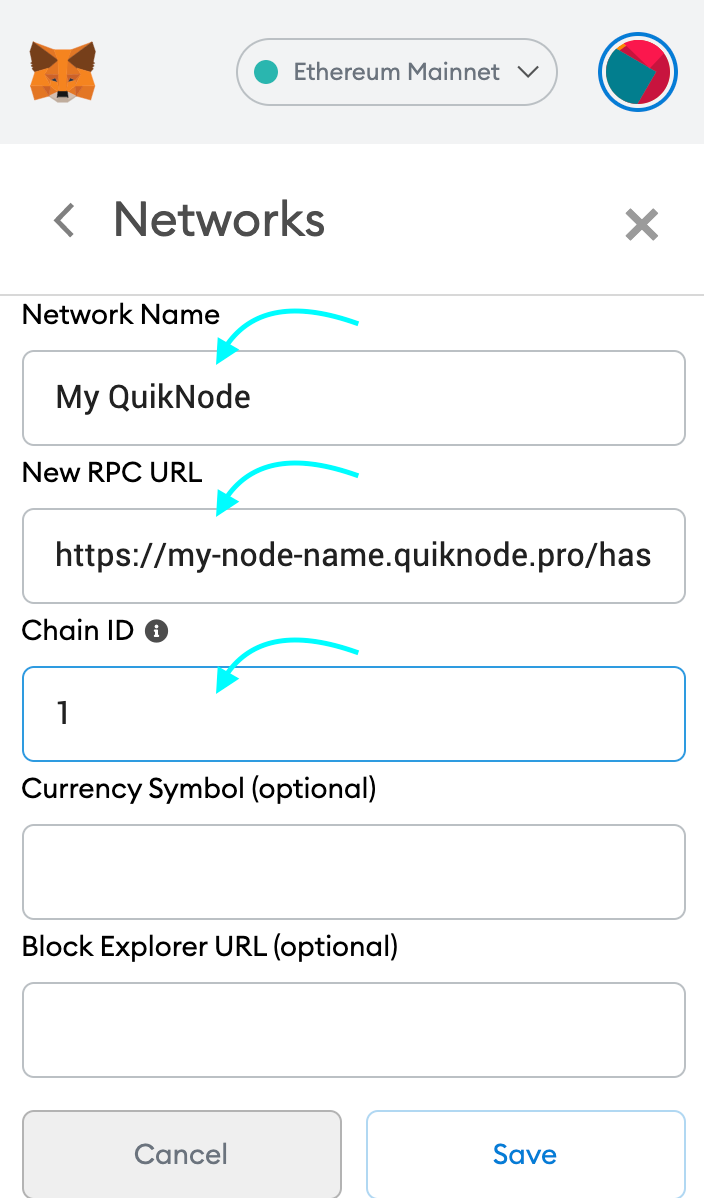
3. Enter a name (any), copy/paste your Web3 endpoint (be sure to include the "/" at the end!), enter ChainID (1 for MainNet, or see here for more), click "Save"
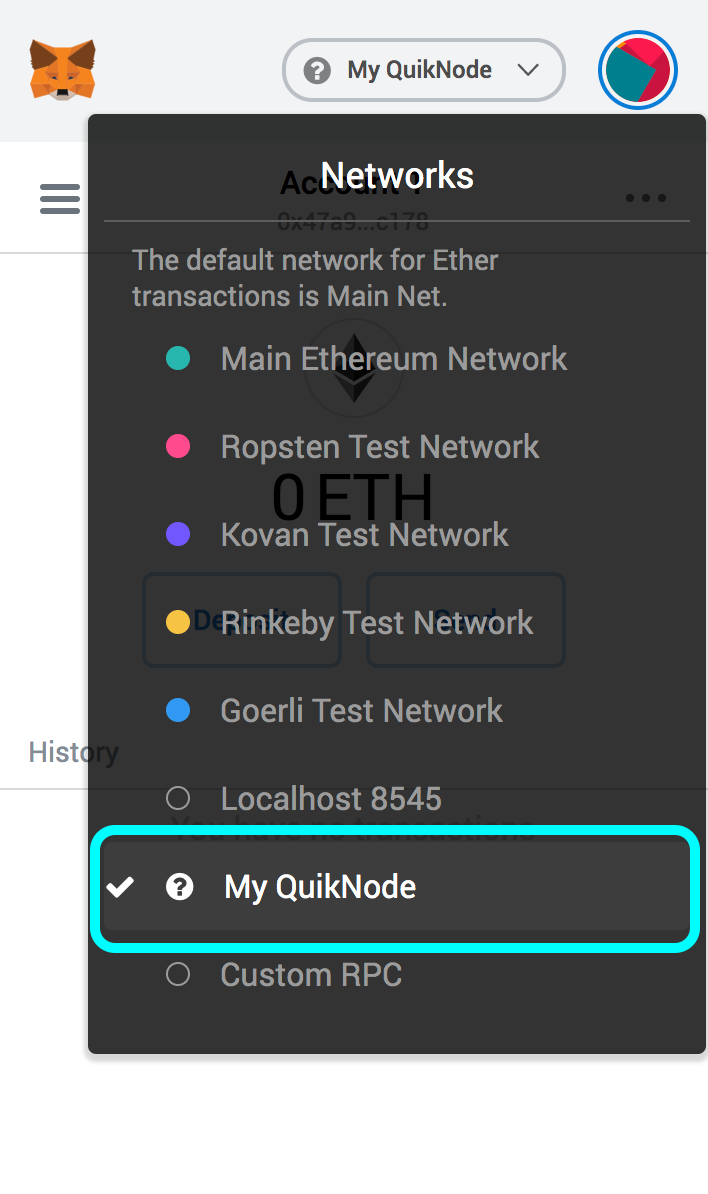
4. Your all set!
MyEtherWallet
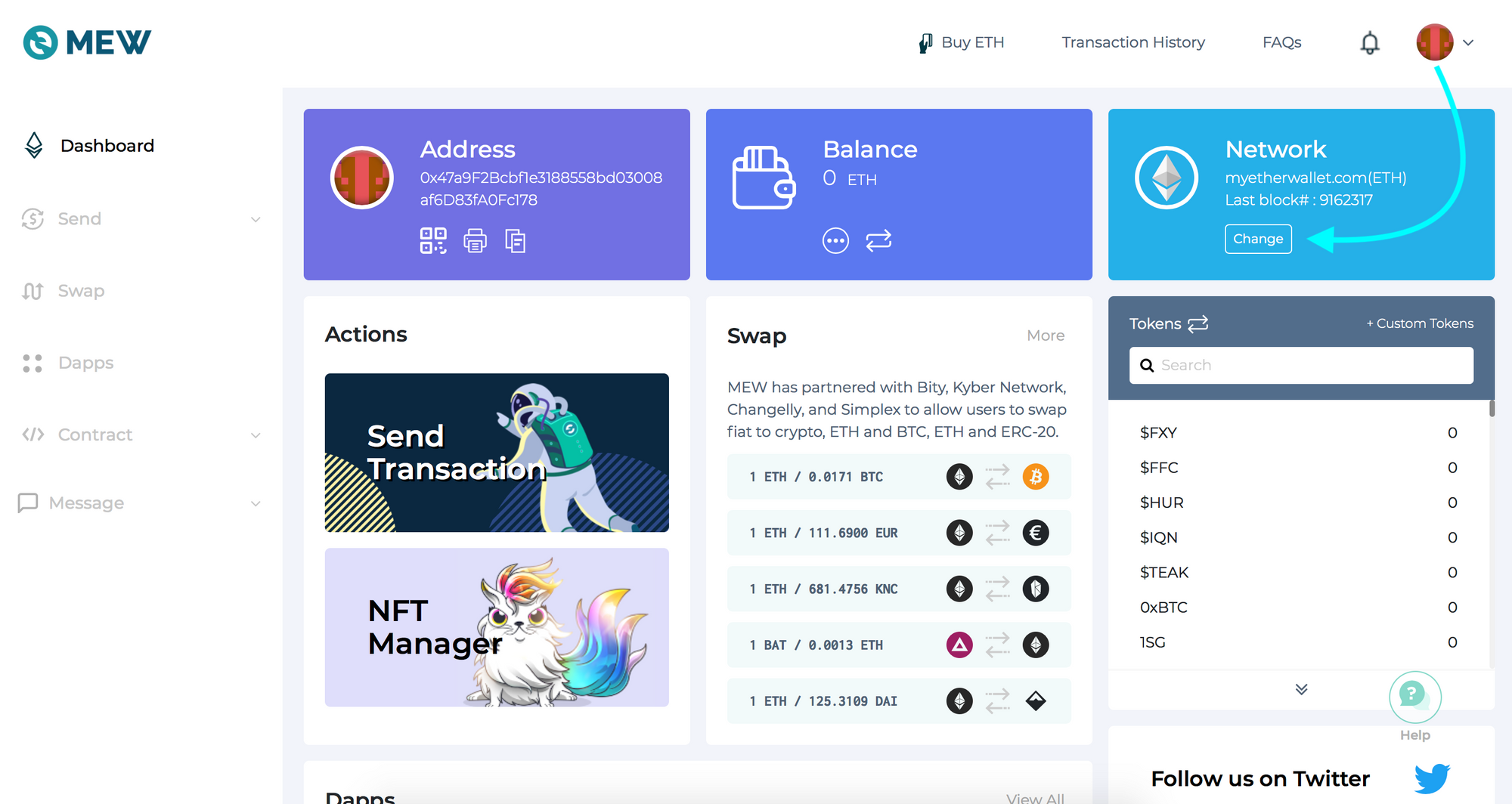
Open access to your wallet/account, click "Change" under Network
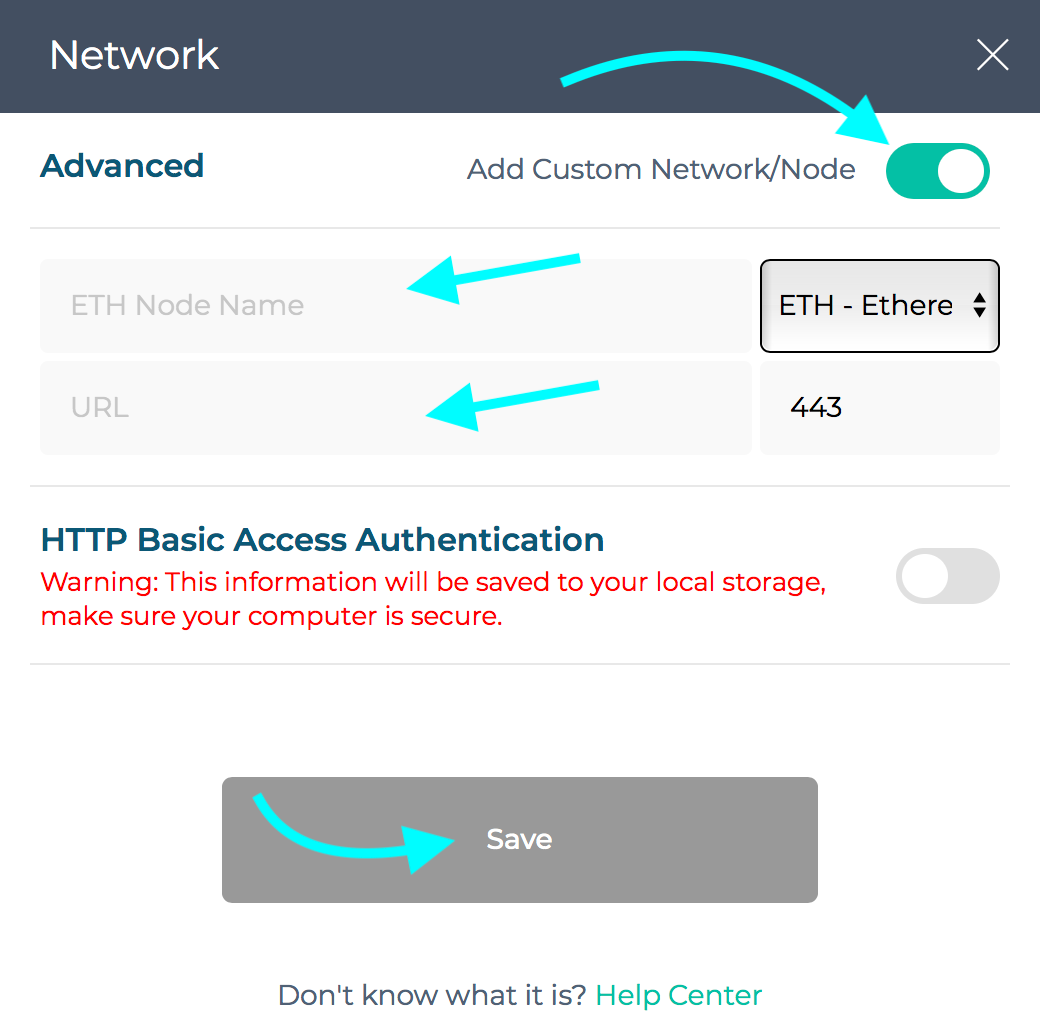
2. Flick "Add Custom Network/Node" and enter a name (any) and your Web3 endpoint, click Save
3. You will see that your network has switched to Quicknode, all set!

Precisa de ajuda com o seu projeto ou tem alguma dúvida? Contacte-nos através deste formulário, no TwitterQuicknode ou envie-nos uma mensagem no Discord!
Sobre a Quicknode
Fundada em 2017, a Quicknode disponibiliza infraestrutura de blockchain de nível institucional para programadores e empresas. Com um tempo de atividade de 99,99% e suporte para mais de 80 chains, as equipas desenvolvem e expandem aplicações on-chain sem comprometer a qualidade.
Fique por dentro das novidades
As principais novidades de engenharia, atualizações de produtos e notícias de Web3 diretamente na sua caixa de entrada.