Sui Portfolio Tracker
A real-time terminal portfolio tracker for Sui that uses Quicknode GraphQL to fetch balances and transaction history, and gRPC streaming to detect live onchain activity.


Overview
This sample app is a terminal-based portfolio tracker for the Sui blockchain. It combines two Quicknode Sui API layers: GraphQL for rich balance and transaction queries, and gRPC streaming for real-time checkpoint notifications. For a step-by-step walkthrough, see the companion guide.
On startup, the app fetches initial coin balances and recent transactions via GraphQL. It then opens a persistent gRPC connection to SubscribeCheckpoints on Sui's SubscriptionService, receiving a new checkpoint roughly every 400-500ms. When the stream detects onchain activity for a tracked address, it triggers a debounced GraphQL re-fetch to update the displayed state.
Architecture
Startup
  App -> Quicknode GraphQL (HTTPS/443)
    -> GetBalances + GetTransactions
      -> render initial state

Live Updates
  App -> Quicknode gRPC (:9000)
    -> SubscribeCheckpoints (persistent stream)
      -> detect address in sender or balance_changes
        -> 2s debounce -> GraphQL re-fetch -> re-render
Features
- GraphQL queries for coin balances (all coin types) and the 20 most recent transactions on startup
- gRPC
SubscribeCheckpointsstream for event-driven detection (~400ms per checkpoint) - Debounced GraphQL re-fetch after relevant checkpoints to avoid redundant requests during bursts
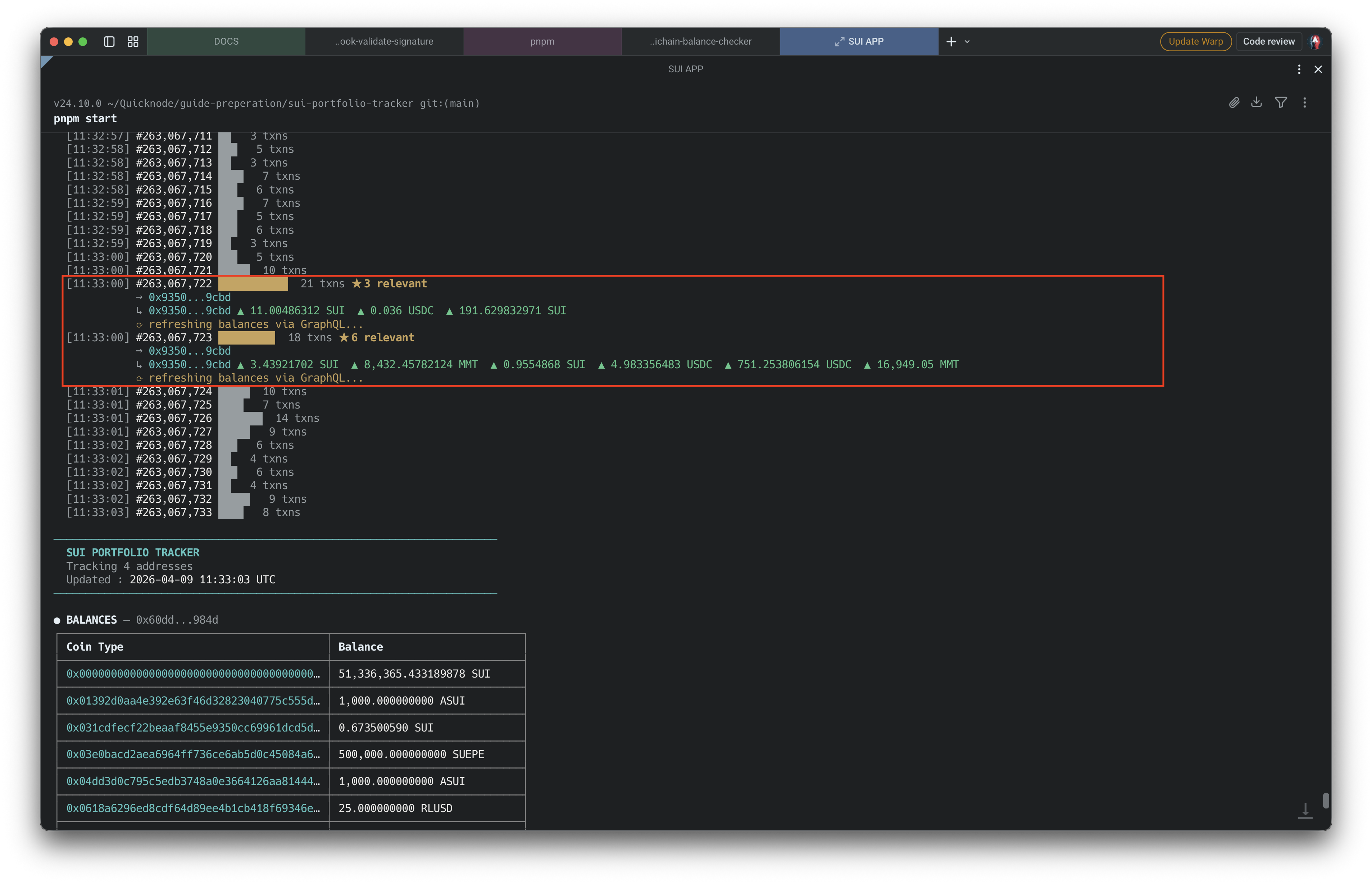
- Inline balance change display for each relevant checkpoint (coin type, direction, amount)
- Multi-address tracking: one gRPC stream, client-side filtering across all addresses
- Automatic gRPC reconnection with exponential backoff (up to 30s)
- Split rendering: stable balance/transaction panel at the top, scrolling live feed below
Prerequisites
- Node.js 20+
- pnpm (
npm install -g pnpm) - A Quicknode Sui mainnet endpoint
Project Structure
src/
  index.ts          # Entry point, startup orchestration, rendering
  graphql.ts        # GraphQL queries: GetBalances, GetTransactions
  grpc-stream.ts    # gRPC stream subscription and checkpoint processing
  portfolio.ts      # Portfolio state management and terminal rendering
  types.ts          # TypeScript type definitions
protos/             # Sui proto files (cloned from MystenLabs/sui-apis)
Environment Variables
Copy .env.example to .env and fill in:
QN_ENDPOINT_URL=https://your-endpoint.sui-mainnet.quiknode.pro
QN_ENDPOINT_TOKEN=your-token-here
SUI_ADDRESS=0x...
| Variable | Description |
|---|---|
QN_ENDPOINT_URL | Quicknode Sui mainnet endpoint URL (without trailing slash or token) |
QN_ENDPOINT_TOKEN | Auth token (the path segment after the hostname in your endpoint URL) |
SUI_ADDRESS | Sui address(es) to track. Comma-separate multiple addresses |
Finding your token: Your Quicknode endpoint URL looks like https://abc123xyz.sui-mainnet.quiknode.pro/abcdef1234567890. The token is the path segment after the hostname: abcdef1234567890.
To track multiple addresses, comma-separate them:
SUI_ADDRESS=0xabc...,0xdef...,0x123...
Note: GraphQL uses the token in the URL path; gRPC uses it as an x-token metadata header. Both values come from the same Quicknode endpoint.
Getting Started
1. Clone the repo
git clone https://github.com/quiknode-labs/qn-guide-examples.git
cd qn-guide-examples/sui/sui-portfolio-tracker
2. Clone Sui proto files
The gRPC client requires Sui's protobuf definitions:
git clone https://github.com/MystenLabs/sui-apis.git protos
3. Install dependencies
pnpm install
4. Configure environment
cp .env.example .env
Fill in the values from the Environment Variables section above.
5. Run
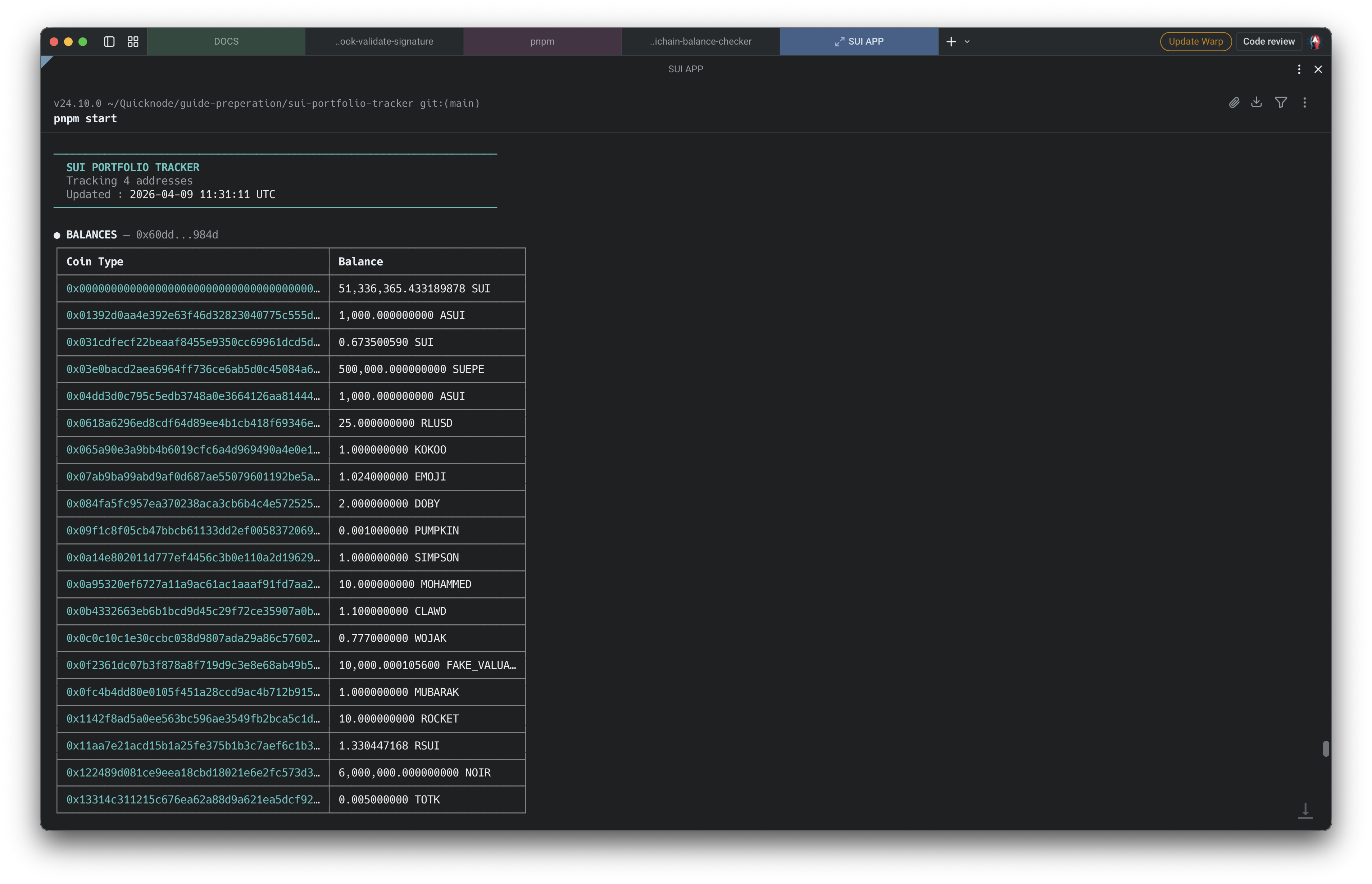
pnpm start
Scripts
| Command | Description |
|---|---|
pnpm start | Run with tsx (recommended) |
pnpm dev | Run with file watching |
pnpm build | Compile TypeScript |
pnpm start:compiled | Run compiled output |
Preview
- Fork the repository
- Create a feature branch:git checkout -b feature/amazing-feature
- Commit your changes:git commit -m "Add amazing feature"
- Push your branch:git push origin feature/amazing-feature
- Open a Pull Request.