Zurück zu den Beispiel-Apps
AI Powered DeFi Yield Optimizer
This app teaches you how to integrate the Aerodrome Swap API with an AI model to create a personalized DeFi yield optimizer and analytics dashboard for Aerodrome.
Autor



Frontend-Framework/Bibliothek:
Reagieren
Sprache:
TypeScript
Build-Tool/Entwicklungsserver:
Next.js
Übersicht
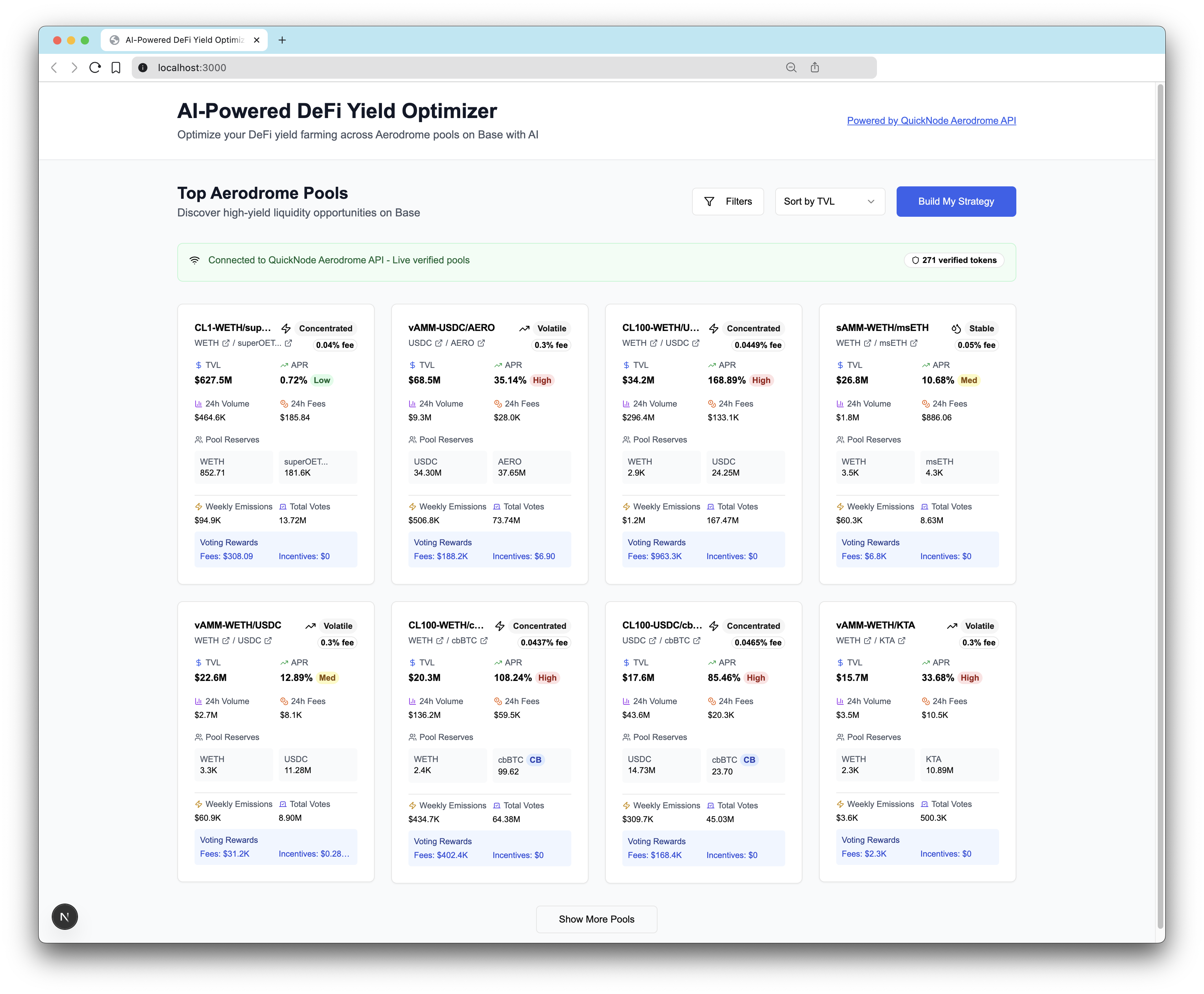
This project is an AI-powered DeFi yield farming optimizer that helps users build personalized portfolio strategies across Aerodrome Finance pools on Base network.
This example app is provided for educational and demonstration purposes only. Use at your own risk.
tip
Learn how to build the AI Powered DeFi Yield Optimizer on Base in our technical guide here.
Voraussetzungen
-
Anthropic Claude API:
- Sign up at console.anthropic.com
- Get API key
-
Quicknode Account:
- Sign up at quicknode.com
- Get access to the Swap API's Aerodrome integration
- Get endpoint URL
Quick Start
1. Clone the Repository
git clone https://github.com/quiknode-labs/qn-guide-examples.git
cd qn-guide-examples/sample-dapps/ai-powered-defi-yield-optimizer
2. Install Dependencies
pnpm install
# or
npm install
3. Environment Configuration
cp .env.example .env
Edit .env:
# Required for AI optimization
ANTHROPIC_API_KEY=your_claude_api_key_here

# Required for live Aerodrome data
NEXT_PUBLIC_QUICKNODE_ENDPOINT=https://your-quicknode-endpoint.com/your-api-key/
4. Run Development Server
pnpm dev
# or
npm run dev
Visit http://localhost:3000 to see the application.
Architektur
System Overview
┌─────────────────┐    ┌──────────────────┐    ┌─────────────────┐
│   User Input    │    │   AI Processing  │    │  Pool Data API  │
│                 │    │                  │    │                 │
│ • Risk Quiz     │───▶│  Claude AI API   │◀───│ Quicknode API   │
│ • Preferences   │    │  • Analysis      │    │ • Live Pools    │
│ • Investment $  │    │  • Optimization  │    │ • Token Data    │
└─────────────────┘    │  • Reasoning     │    │ • Verification  │
                       └──────────────────┘    └─────────────────┘
                                │
                                ▼
                       ┌──────────────────────┐
                       │ Optimized Strategy   │
                       │                      │
                       │ • Pool Selection     │
                       │ • Allocations        │
                       │ • Risk Scores        │
                       │ • Reasoning          │
                       └──────────────────────┘
Auf Vercel bereitstellen
Vorschau
Beiträge & Feedback
Wir würden uns sehr über Ihr Feedback freuen und begrüßen jeden Beitrag zu dieser Beispiel-App!
Um Probleme zu melden oder Feedback zu geben, eröffnen Sie ein GitHub-Issue im qn-Anleitung-Beispiele Repository.
Um einen Beitrag zu leisten, gehen Sie bitte wie folgt vor:
- Das Repository forken
- Erstelle einen Feature-Branch:git checkout -b feature/amazing-feature
- Speichere deine Änderungen:git commit -m "Tolle Funktion hinzufügen"
- Deinen Branch pushen:git push origin feature/amazing-feature
- Erstelle einen Pull Request.
Entdecken Sie weitere Beispiel-Apps