RWA Tokenizer
Convierte los activos del mundo real (RWA) en NFT mediante un estudio de acuñación IPFS y el puente LayerZero V2 entre Base y Ethereum .


Resumen
Esta aplicación de ejemplo incluye un Estudio de acuñación de RWA sin código para crear NFT ERC-721 con IPFS , además de LayerZero ONFT V2 transferencias entre cadenas entre Base y Ethereum. Los contratos incluyen RWA721ONFTV2.sol (recomendado), con opciones de cableado y de trabajadores forzados para LayerZero V2.
Este ejemplo tiene fines exclusivamente educativos.
Requisitos previos
- Node.js 18+ y Foundry
- Quicknode para Base y Ethereum
- ID del proyecto WalletConnect (Reown Cloud)
- Pinata JWT para IPFS
- Un monedero con testnet en Base y Ethereum (utiliza el grifoQuicknode si es necesario)
- Clave de la API de Google Maps (opcional, para funciones de localización)
Variables de entorno
Este proyecto utiliza dos distintos .env archivos:
- Raíz
.env(para Foundry) frontend/.env.local(Next.js)
Raíz .env:
# Añadir el prefijo 0x a la clave privada en caso de que falte
PRIVATE_KEY=
SEPOLIA_RPC_URL=
BASE_SEPOLIA_RPC_URL=
frontend/.env.local:
NEXT_PUBLIC_RPC_BASE_SEPOLIA=
NEXT_PUBLIC_RPC_SEPOLIA=
NEXT_PUBLIC_WALLETCONNECT_PROJECT_ID=
NEXT_PUBLIC_PINATA_JWT=
NEXT_PUBLIC_RWA721_DIRECCIÓN_BASE_SEPOLIA= # configurar DESPUÉS de la implementación
NEXT_PUBLIC_RWA721_ADDRESS_SEPOLIA=     # configurar DESPUÉS de la implementación
Inicio rápido
1. Clonar el repositorio
git clone https://github.com/quiknode-labs/qn-guide-examples.git
cd qn-guide-examples/sample-dapps/rwa-tokenizer
2. Instalar las dependencias
cp .env.example .env
A continuación, rellena el .env archivo con tu clave privada y las URL Quicknode .
3. Compilación y pruebas
# Instalar dependencias
forge instalar OpenZeppelin/openzeppelin-contracts
forge instalar foundry-rs/forge-std
forge instalar LayerZero-Labs/LayerZero-v2
forge instalar https://github.com/LayerZero-Labs/devtools
forge instalar GNSPS/solidity-bytes-utils

# Compilar contratos
forge build

# Ejecutar pruebas
forge test
Nota: Si utilizas una versión anterior de Foundry (anterior a la v1.1.0), es posible que tengas que añadir
--no-commita laInstalación de Forgecomandos. Desde la versión 1.1.0, Foundry evita automáticamente la confirmación cambios al instalar las dependencias.
4. Implementar contratos
Utiliza los scripts de Foundry que se proporcionan para implementar RWA721ONFTV2 en Ethereum y Base ; a continuación, configura las conexiones entre pares y establece las opciones obligatorias para LayerZero V2.
Paso 1: Implementar RWA721ONFTV2 en ambas cadenas
Despliegue en Ethereum :
script de Forge script/DeployRWAV2.s.sol:DeployRWAV2 \
  --rpc-url sepolia \
  --broadcast
Guarda la dirección de implementación (que aparece como «RWA721ONFTV2 implementado en:»)
Despliegue en Base :
script de Forge script/DeployRWAV2.s.sol:DeployRWAV2 \
  --rpc-url base_sepolia \
  --broadcast
Guarda la dirección de implementación (que aparece como «RWA721ONFTV2 implementado en:»)
Paso 2: Actualizar el script WireONFTV2
Editar script/WireONFTV2.s.sol con tus direcciones implementadas:
// 👇 ACTUALIZA EL MARCADOR DE POSICIÓN CON EL CONTRATO DE RWA QUE HAS DESPLEGADO EN BASE SEPOLIA
dirección constante BASE_SEPOLIA_RWA = TU_CONTRATO_RWA721ONFTV2_EN_BASE_SEPOLIA;

// 👇 ACTUALIZA EL MARCADOR DE POSICIÓN CON EL CONTRATO RWA QUE HAS DESPLEGADO EN SEPOLIA
dirección constant SEPOLIA_RWA = TU_CONTRATO_RWA721ONFTV2_EN_SEPOLIA;
Paso 3: Configurar los contratos ONFT V2 (establecer pares)
IMPORTANTE: Debe ejecutarse en AMBAS cadenas
Base de alambre Base → Sepolia:
script de Forge script/WireONFTV2.s.sol:WireONFTV2 \
  --rpc-url base_sepolia \
  --broadcast
Sepolia de alambre → Base :
script de Forge script/WireONFTV2.s.sol:WireONFTV2 \
  --rpc-url sepolia \
  --broadcast
Paso 4: Configurar las opciones obligatorias (se requiere LayerZero V2)
IMPORTANTE: Debe ejecutarse en AMBAS cadenas - Sin esto, la conexión fallará con LZ_ULN_Opciones de trabajador no válidas
Actualizar direcciones en script/SetEnforcedOptions.s.sol.
if (block.chainid == 11155111) {
    // Sepolia -> Base Sepolia 👇 UPDATE THE PLACEHOLDER WITH THE RWA CONTRACT YOU DEPLOYED ON SEPOLIA
    rwaAddress = 0xYourSepoliaRWAAddress;
    dstEid = Config.LZ_CHAIN_ID_BASE_SEPOLIA;
} else if (block.chainid == 84532) {
    // Base Sepolia -> Sepolia 👇 UPDATE THE PLACEHOLDER WITH THE RWA CONTRACT YOU DEPLOYED ON BASE SEPOLIA
    rwaAddress = 0xYourBaseSepoliaRWAAddress;
    dstEid = Config.LZ_CHAIN_ID_SEPOLIA;
}
// ...
A continuación, ejecuta:
Configurar las opciones en Sepolia:
script de Forge script/SetEnforcedOptions.s.sol:SetEnforcedOptions \
  --rpc-url sepolia \
  --broadcast
Configurar las opciones en Base :
script de Forge script/SetEnforcedOptions.s.sol:SetEnforcedOptions \
  --rpc-url base_sepolia \
  --broadcast
Paso 5: Comprobar la implementación
Comprueba que los pares estén configurados correctamente (LayerZero V2):
# Comprobar que el contrato de Sepolia reconozca Base
cast call 0xTuDirecciónRWAdeSepolia "peers(uint32)(bytes32)" 40245 \
  --rpc-url sepolia

# Comprueba que el contrato Base de Base reconozca Sepolia
llamada de conversión 0xTuDirecciónRWAdeBaseSepolia "peers(uint32)(bytes32)" 40161 \
  --rpc-url base_sepolia
Ambas deberían devolver valores de bytes32 distintos de cero (direcciones rellenadas). Si devuelven 0x0000..., se produjo un fallo en el cableado.
5. Configurar las variables de entorno del frontend
Crear frontend/.env.local según el ejemplo:
cp frontend/.env.example frontend/.env.local
Editar frontend/.env.local con:
NEXT_PUBLIC_RPC_BASE_SEPOLIA=
NEXT_PUBLIC_RPC_SEPOLIA=
NEXT_PUBLIC_WALLETCONNECT_PROJECT_ID=
NEXT_PUBLIC_PINATA_JWT=
NEXT_PUBLIC_RWA721_DIRECCIÓN_BASE_SEPOLIA=0xTuBaseSepoliaRWA
NEXT_PUBLIC_RWA721_ADDRESS_SEPOLIA=0xTuRWAdeSepolia
6. Ejecutar el frontend
cd frontend
npm instalar
npm ejecutar en modo de desarrollo
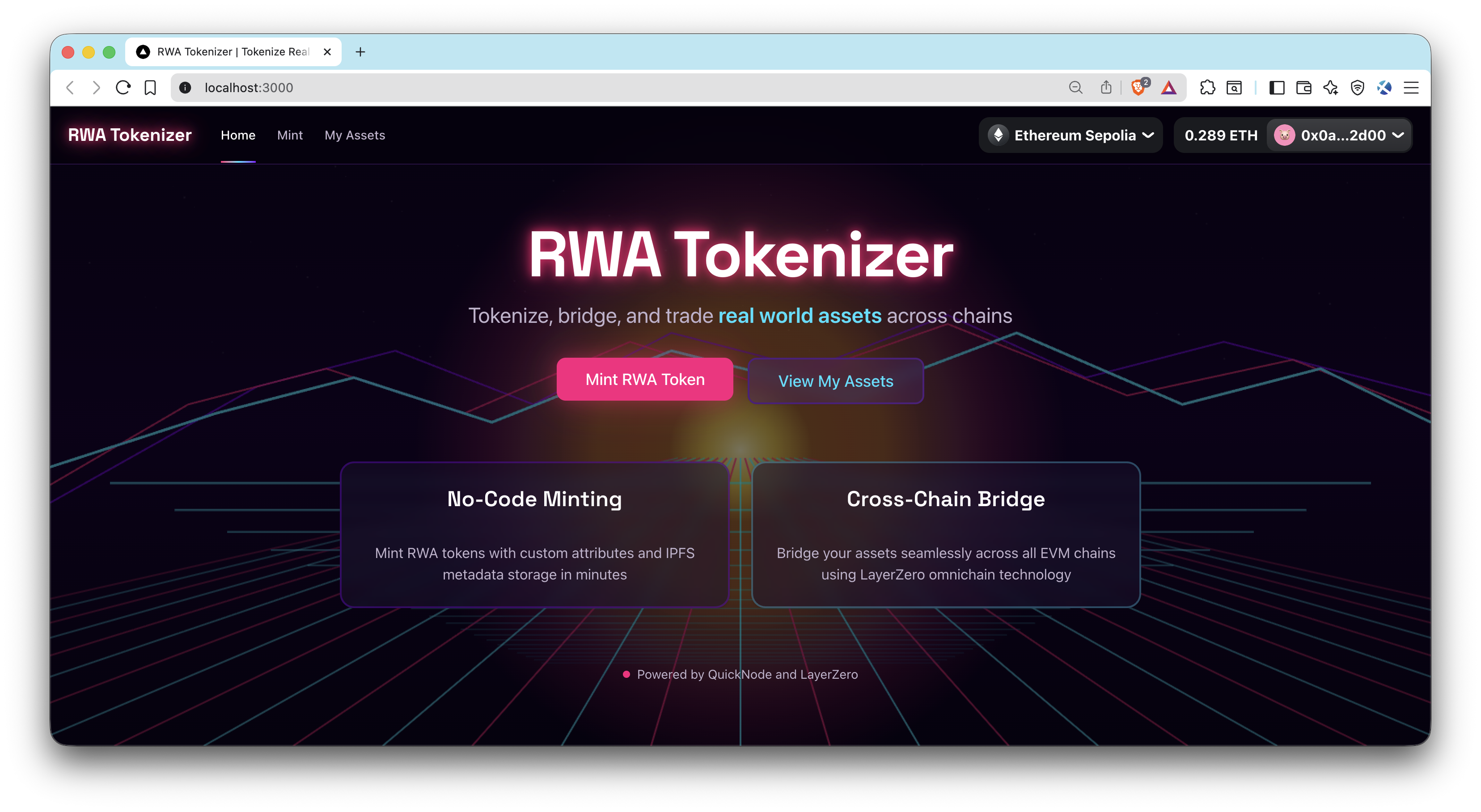
Visita http://localhost:3000.
Vista previa
- Hacer un fork del repositorio
- Crear una rama de características:git checkout -b feature/amazing-feature
- Guarda los cambios:git commit -m "Añadir una función increíble"
- Envía tu rama:git push origin feature/amazing-feature
- Abre una solicitud de incorporación de cambios.