नमूना ऐप्स पर वापस जाएँ
Solana Staking UI
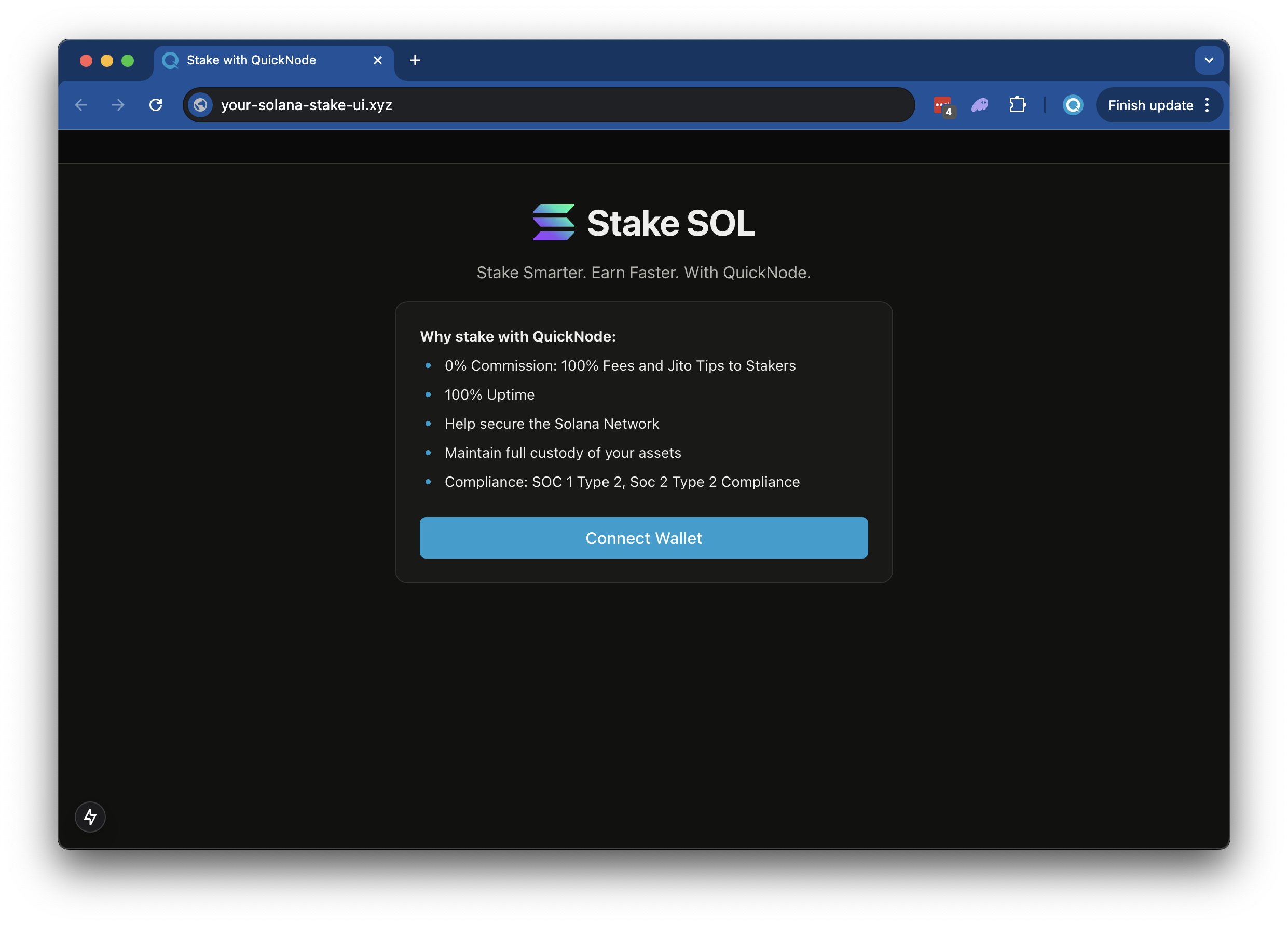
This application lets users quickly stake to your Solana validator with minimal setup. It comes with pre-configured wallet connections, allowing your users to connect their preferred Solana wallets and stake their tokens directly to your validator node through a simple, streamlined interface.
Author



फ्रंटएंड फ्रेमवर्क/लाइब्रेरी:
प्रतिक्रिया
भाषा:
टाइपप्रति
बिल्ड टूल/डेवलपमेंट सर्वर:
Next.js
अवलोकन
This is a simple demo let's stand up a staking page to easily empower your users to stake to your validator (modeled off of Quicknode Solana Stake UI).
The demo uses
- Solana किट
- Wallet Standard
- Next.js परियोजना को बूटस्ट्रैप किया गया
create-next-app. - Radix UI
शुरू करना
Install Dependencies
Open the project directory:
cd sample-dapps/solana-staking-ui
Then, install the dependencies:
NPM स्थापित करना
 # या
 धागा
 # या
 पीएनपीएम स्थापित करना
 # या
 बन इंस्टॉल
Set Environment Variables
सुनिश्चित करें कि आपके पास एक Quicknode endpoint यह सुविधाजनक है—आप इसे यहां से मुफ्त में प्राप्त कर सकते हैं।
- नाम बदलें
.env.exampleको.पर्यावरणand update with your Quicknode Solana Node Endpoint. - Specify which cluster you are using (mainnet-beta, devnet) (using
NEXT_PUBLIC_NETWORK_ENV). - Specify the validator vote address that your staker should stake to (using
NEXT_PUBLIC_VALIDATOR_ADDRESS). The default value,5s3vajJvaAbabQvxFdiMfg14y23b2jvK6K2Mw4PYcYKis Quicknode's validator.
DEVNET_RPC_ENDPOINT=https://example.solana-devnet.quiknode.pro/12345/
MAINNET_RPC_ENDPOINT=https://example.solana-mainnet.quiknode.pro/12345/
NEXT_PUBLIC_NETWORK_ENV=mainnet
NEXT_PUBLIC_VALIDATOR_ADDRESS=5s3vajJvaAbabQvxFdiMfg14y23b2jvK6K2Mw4PYcYK
सबसे पहले, डेवलपमेंट सर्वर चलाएं:
npm run dev
 # या
 यार्न देव
 # या
 पीएनपीएम देव
 # या
 बन देव
परिणाम देखने के लिए अपने ब्राउज़र में http://localhost:3000 खोलें।
डीऐप का उपयोग करना
- Upload an Image (this will be used for your token metadata)
- Fill out the form with the token details
- Connect your wallet
- Make sure you have ~0.04 SOL in your wallet to cover the new account fees
- If you are using Devnet, you can get free SOL from the Solana Faucet
- Click "Mint" to upload your image and metadata to IPFS and mint your token!
वास्तुकला
src/
├── app/
│   ├── page.tsx
│   └── layout.tsx
│   └── api/
│       └── balance/
│       │   └── route.ts   # Get wallet SOL balance
│       └── stake/
│       │   └── fetch/route.ts  # Get a wallets' staking accounts
│       │   └── generate/route.ts   # Generate staking accounts
│       └── transaction/
│           └── confirm/route.ts  # Confirm a transaction
└── components/
    ├── stake/     # Various staking components
    └── [supporting components]
└── context/       # Wallet connect context
└── hooks/         # Is wallet connected hook
└── utils/         # Is wallet connected hook
    ├── solana/    # Solana staking and account utils
    └── config.ts  # Network settup
    └── constants.ts
वर्सेल पर तैनात करें
योगदान और प्रतिक्रिया
हमें आपकी प्रतिक्रिया सुनकर खुशी होगी और इस सैंपल ऐप में किसी भी तरह के योगदान का हम स्वागत करते हैं!
समस्याओं की रिपोर्ट करने या प्रतिक्रिया साझा करने के लिए, GitHub में एक समस्या खोलें। प्रश्न-मार्गदर्शिका-उदाहरण भंडार।
योगदान देने के लिए, इन चरणों का पालन करें:
- रिपॉजिटरी को फोर्क करें
- एक फीचर ब्रांच बनाएं:git checkout -b feature/amazing-feature
- अपने बदलावों को सेव करें:git commit -m "अद्भुत सुविधा जोड़ें"
- अपनी शाखा को आगे बढ़ाएं:git push origin feature/amazing-feature
- एक पुल रिक्वेस्ट खोलें।
और भी सैंपल ऐप्स देखें