MetaMask、MyCrypto、MyEtherWalletでのQuicknode の利用方法(更新済み)
MetaMask、MyCrypto、MyEtherWalletでのQuicknode の利用方法(更新済み)
Quicknode を3つの人気ウォレット/アカウントサービスと連携させる方法

USDC Yield With Cover Built InQuicknode Earn now runs USDC yield with cover for protocol risk built in, underwritten by OpenCover. Six covered vaults on Base.
発表を見るMetaMask、MyCrypto、MyEtherWalletでのQuicknode の利用方法(更新済み)
Quicknode を3つの人気ウォレット/アカウントサービスと連携させる方法
SOC 2 タイプ II 認証取得・ISO 27001
2019年12月25日 — 読了時間2分
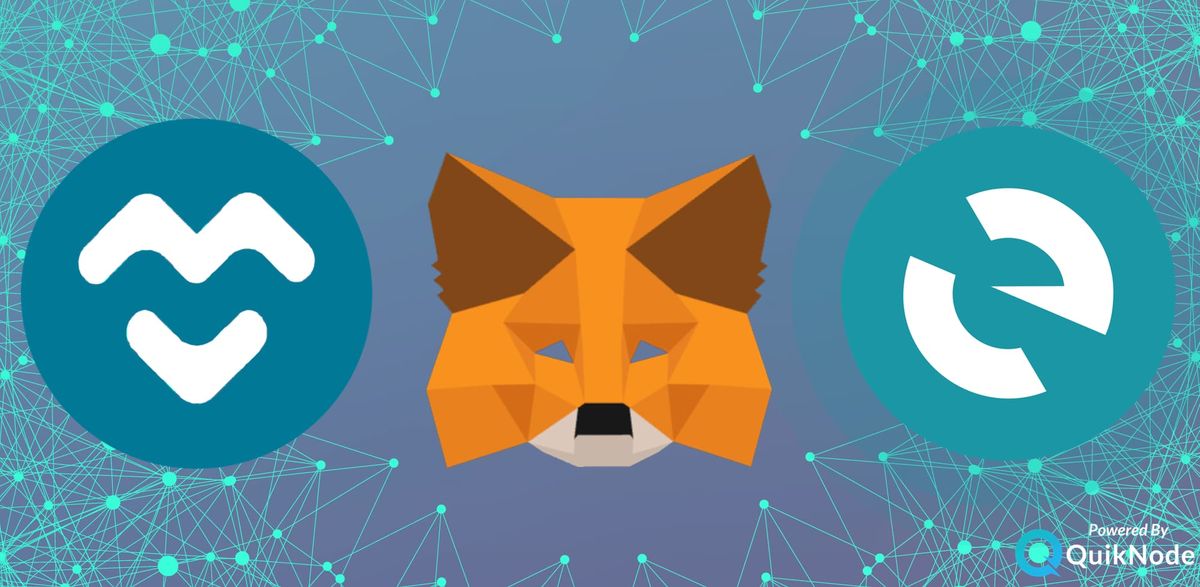
右上隅にあるノードセレクターをクリックしてください
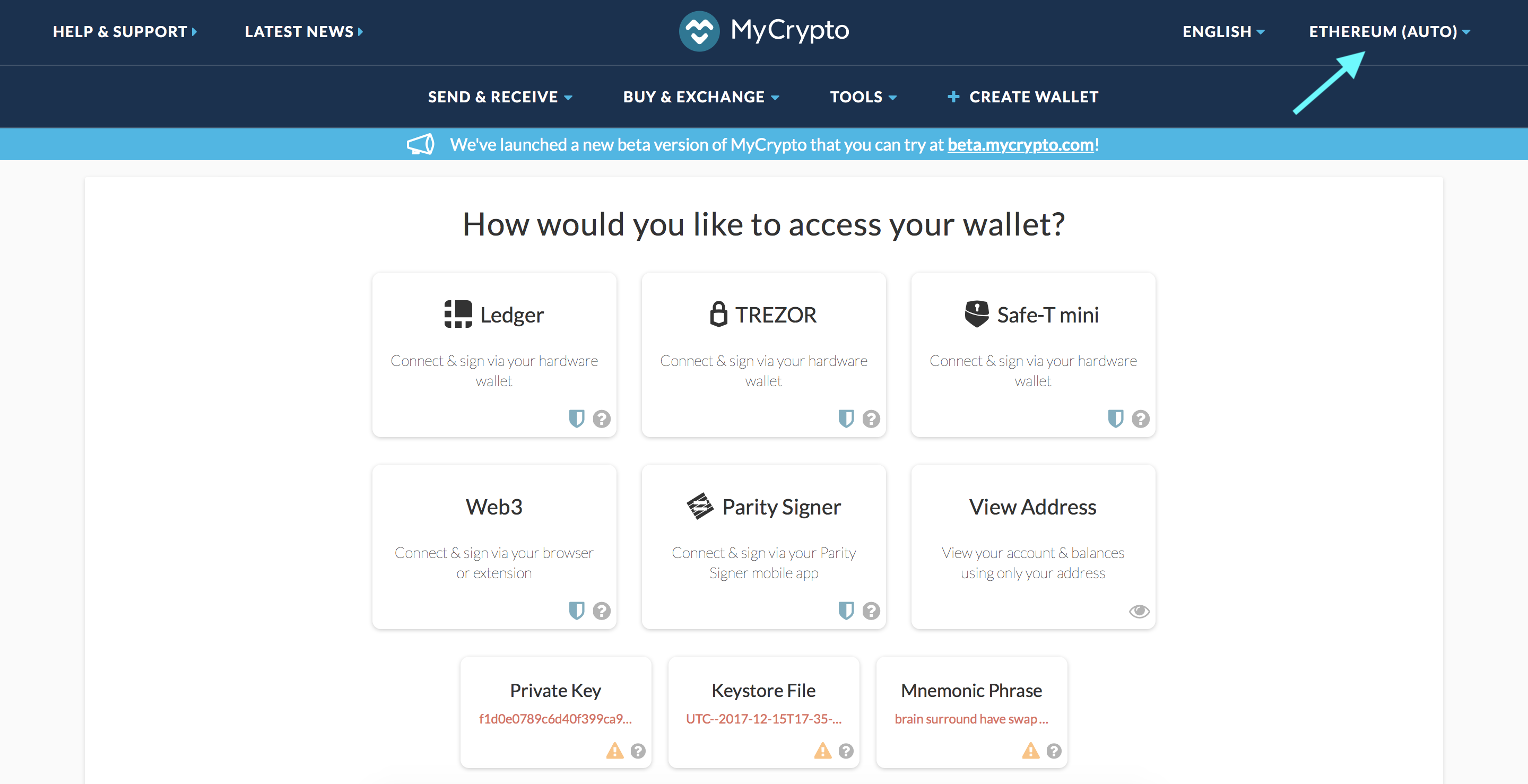
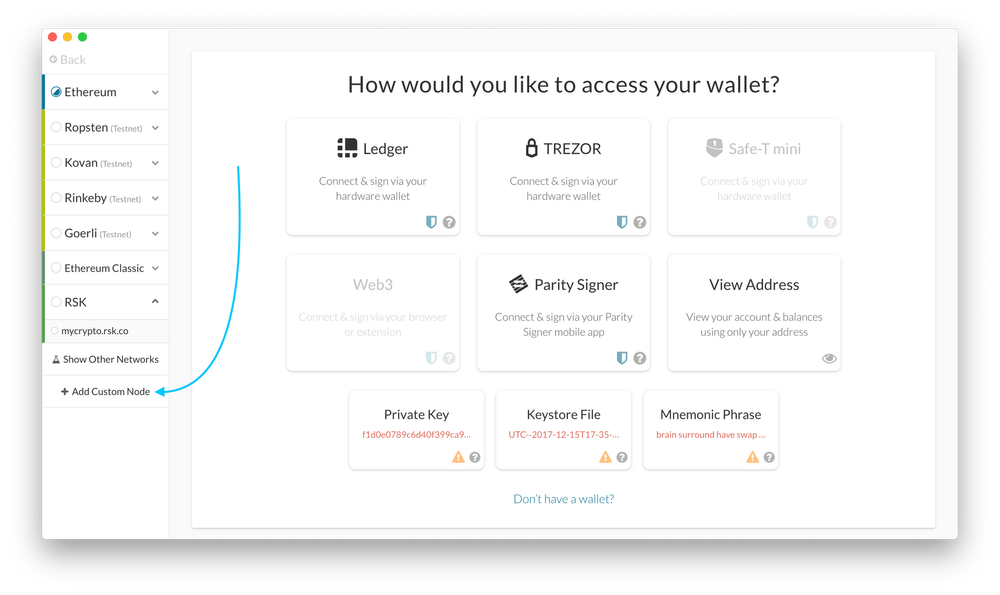
2. ポップアップ表示されたウィンドウの下部にある「カスタムノードを追加」をクリックします
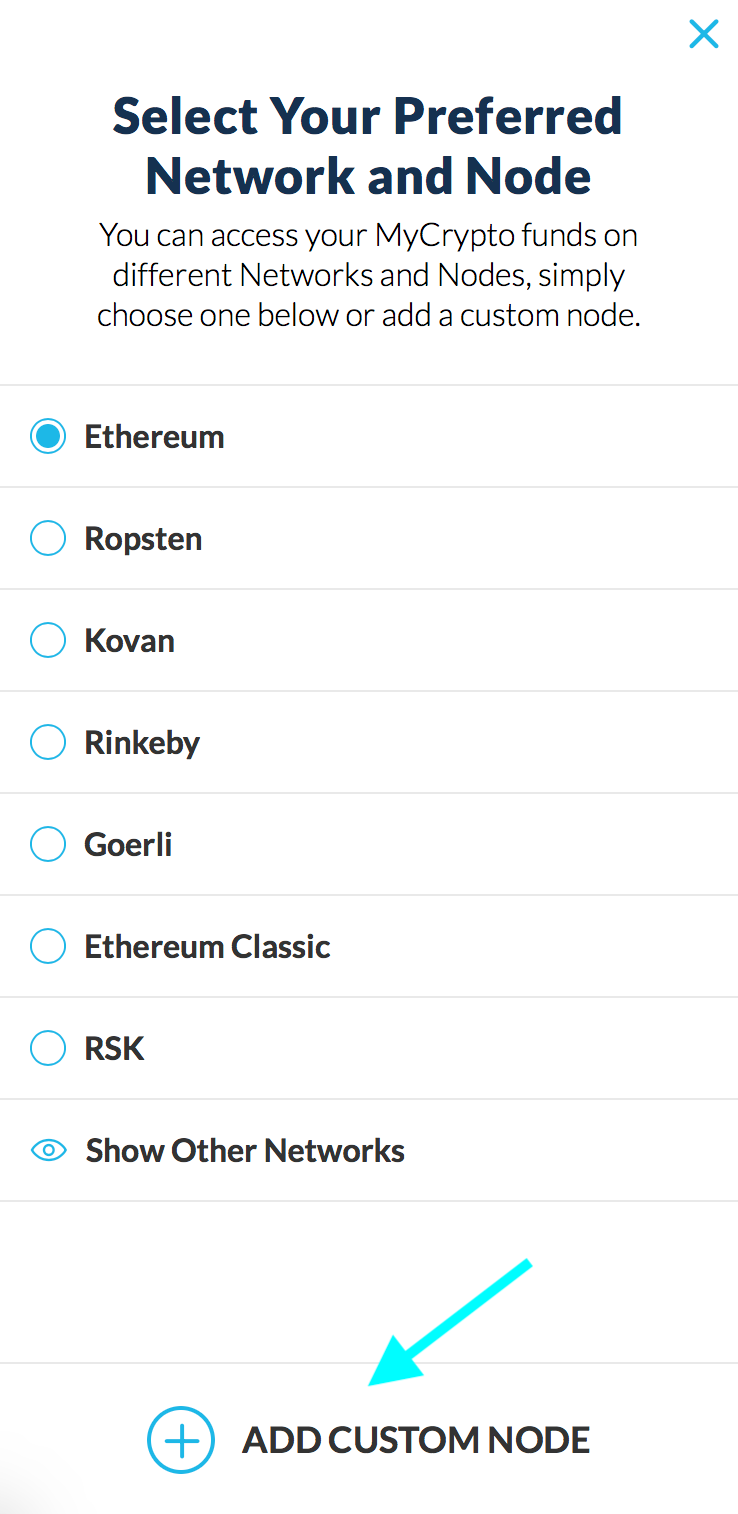
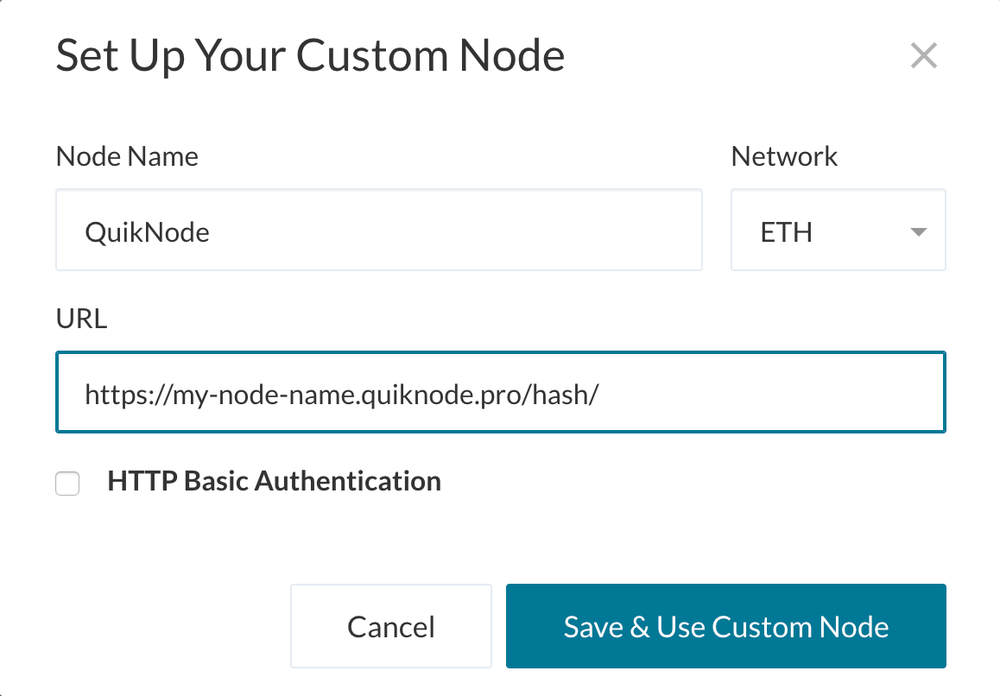
3. Enter a name (any), select the network (ETH = MainNet), and copy/paste your Web3 endpoint
4. 「保存してカスタムノードを使用」をクリックすれば、設定は完了です!
「ネットワークの変更」をクリックしてください
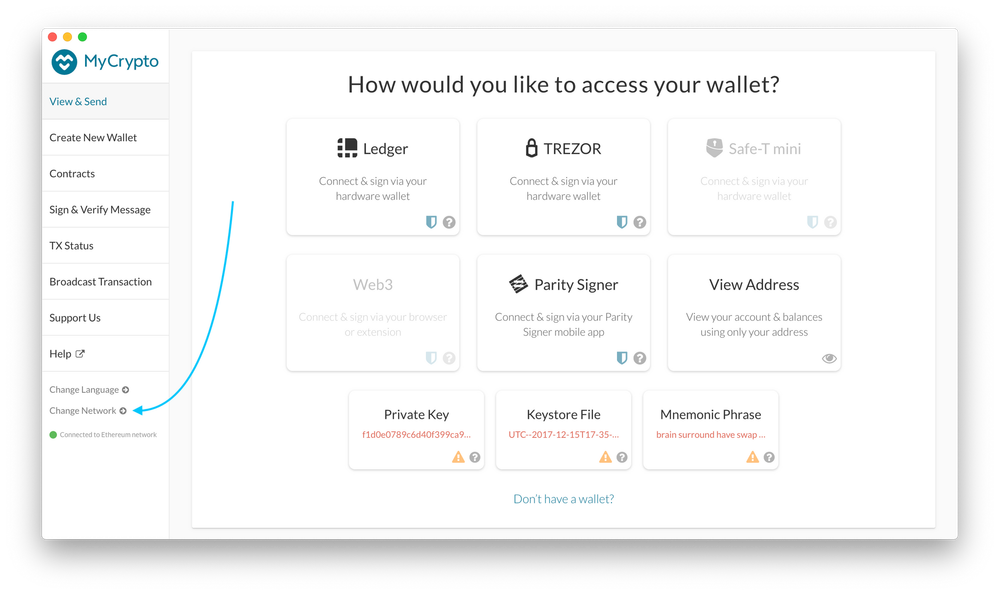
2. 「カスタムノードの追加」をクリックします
3. Enter a name (any), select the network (ETH = MainNet), and copy/paste your Web3 endpoint.
4. 「保存してカスタムノードを使用」をクリックすれば、設定は完了です!
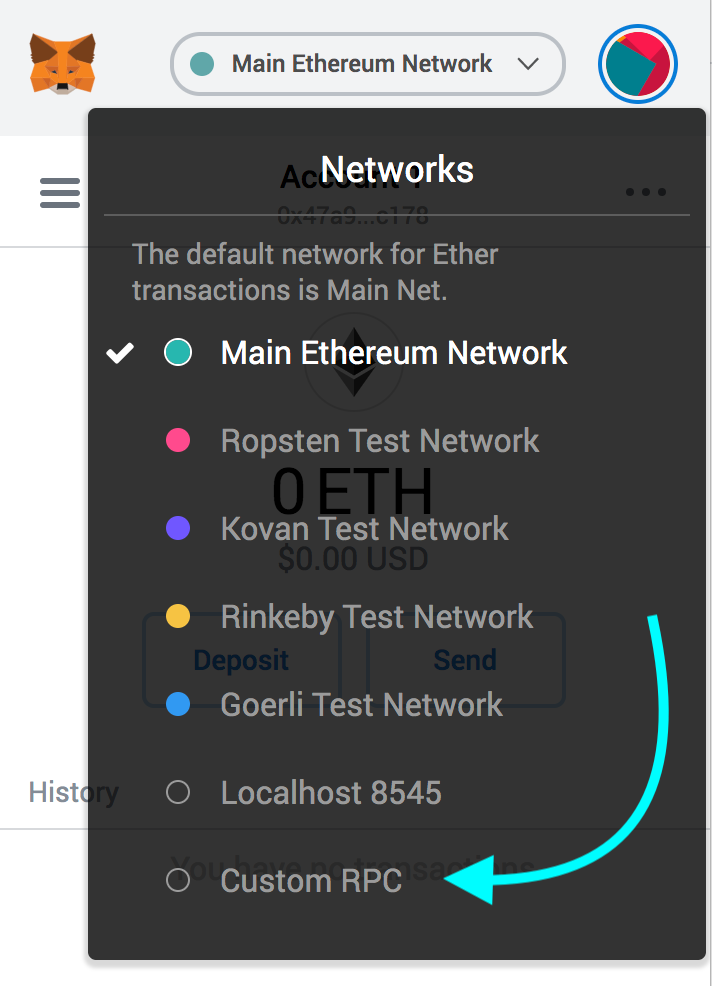
MetaMaskプラグインを開き、上部のネットワークセレクターをクリックします
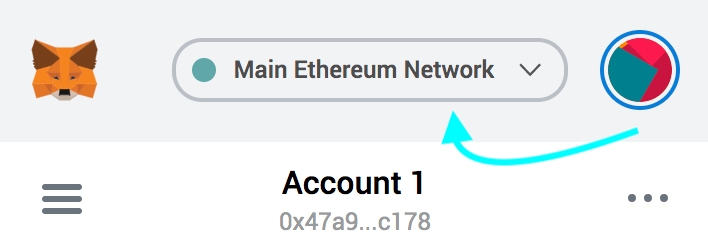
2. 下部にある「カスタム RPC」を選択します
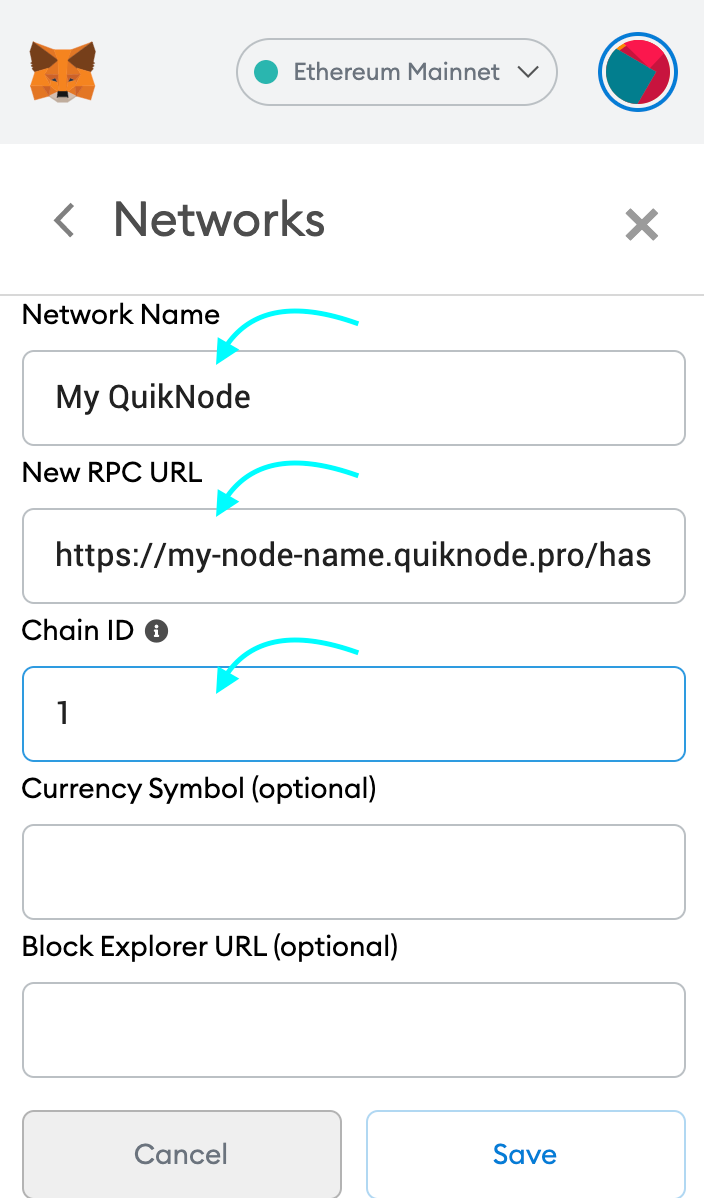
3. Enter a name (any), copy/paste your Web3 endpoint (be sure to include the "/" at the end!), enter ChainID (1 for MainNet, or see here for more), click "Save"
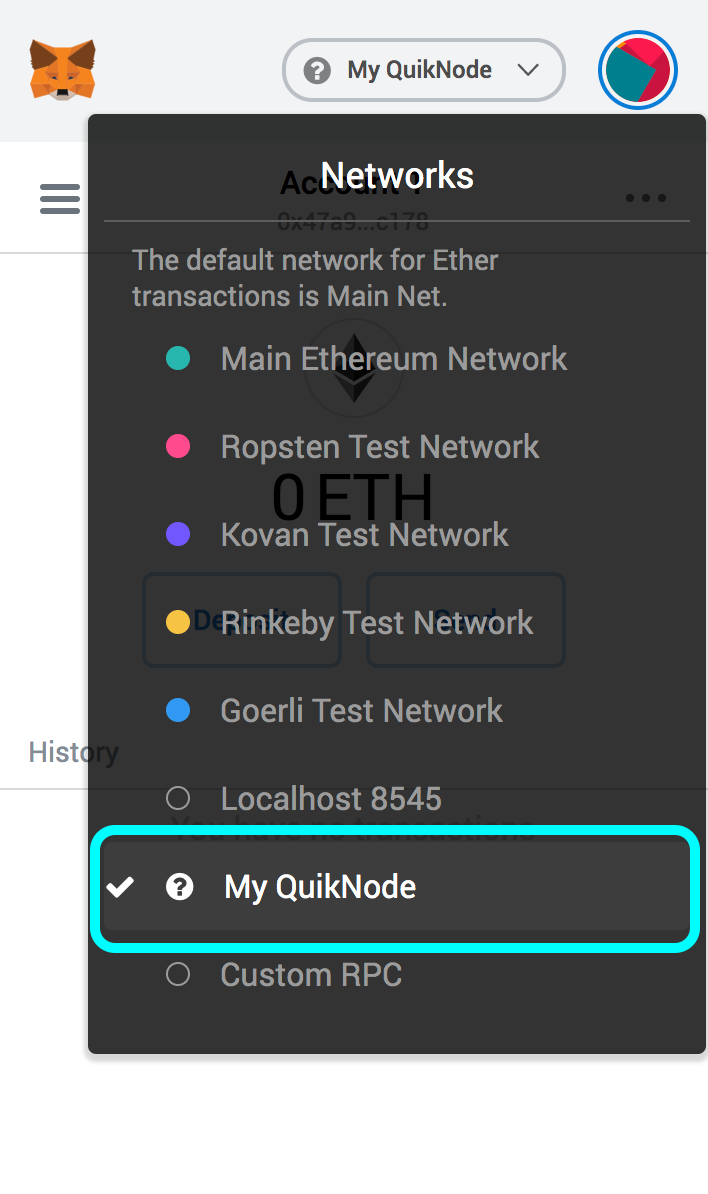
4. これで準備完了です!
ウォレット/アカウントにアクセスし、「ネットワーク」の下にある「変更」をクリックしてください
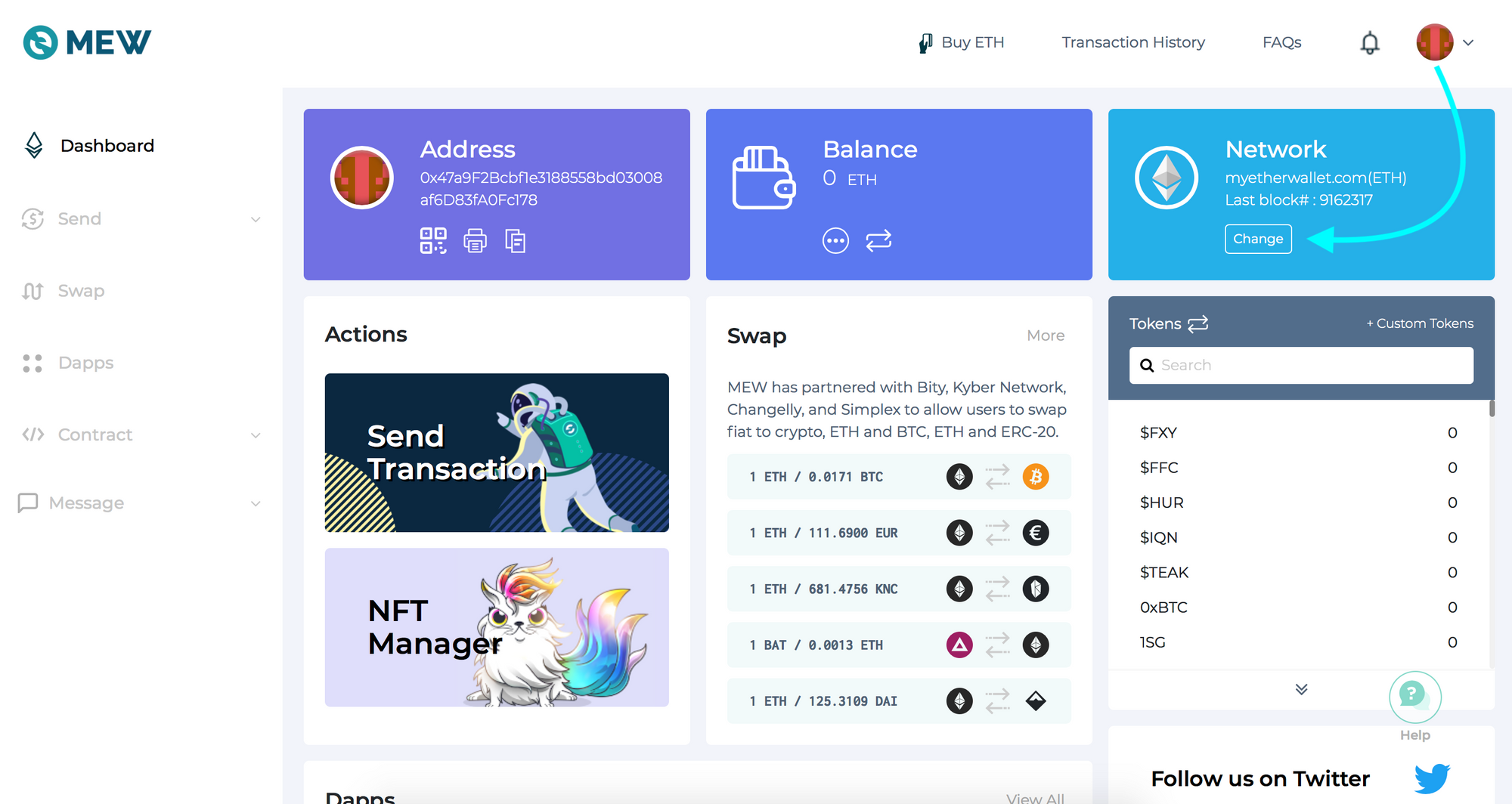
2. Flick "Add Custom Network/Node" and enter a name (any) and your Web3 endpoint, click Save
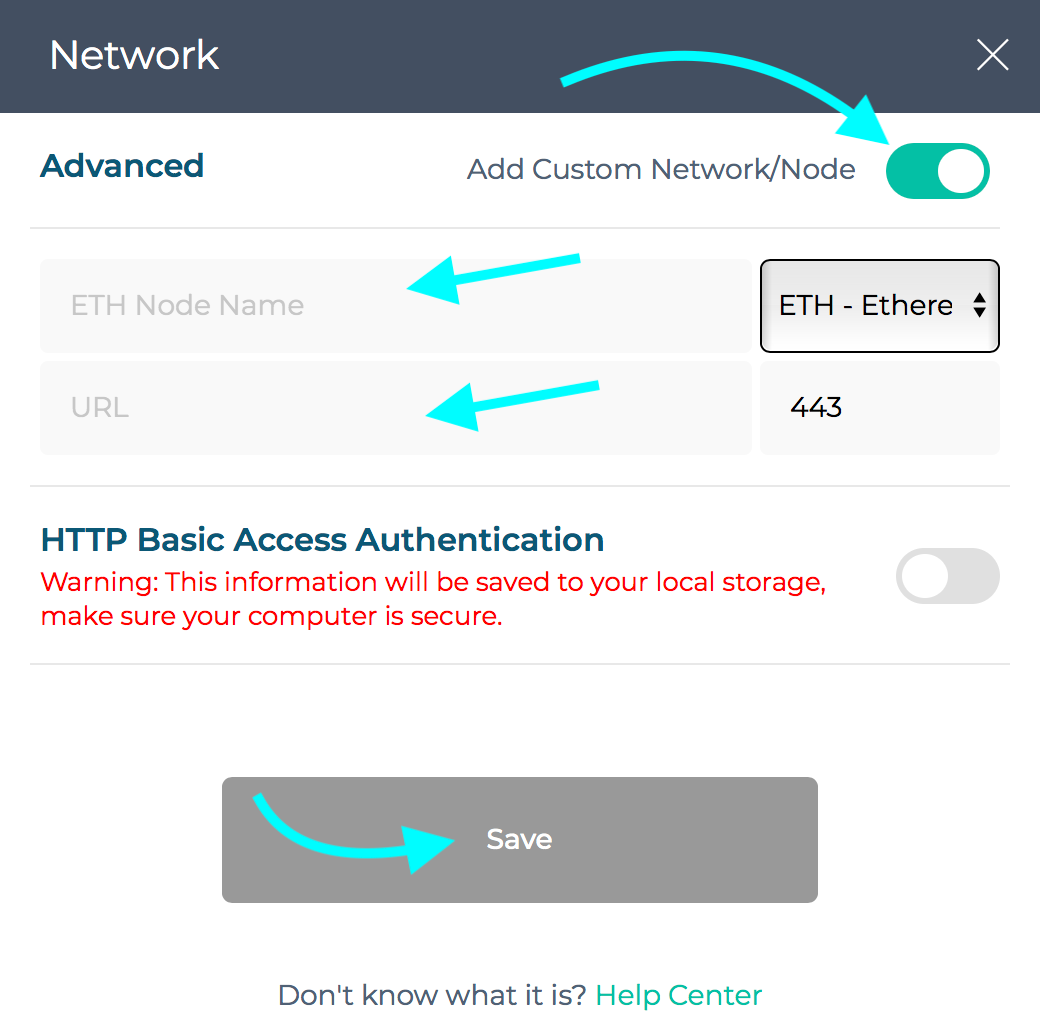
3. ネットワークが「Quicknode 」に切り替わっていることが確認できれば、設定完了です!

プロジェクトについてサポートが必要だったり、ご質問がある場合は、こちらのフォーム、Twitter(Quicknode)、またはDiscordからご連絡ください!
2017年に設立されたQuicknode は、開発者 および企業向けに、機関投資家レベルのブロックチェーン インフラストラクチャを提供しています。99.99%の稼働率と、80以上のチェーンに対応したサポート を備え、チーム は妥協のないオンチェーン アプリケーションの構築とスケーリングを実現します。
最新のエンジニアリングに関する知見、製品の最新情報、Web3のニュースを、メールボックスに直接お届けします。