サンプルアプリに戻る
AI Powered DeFi Yield Optimizer
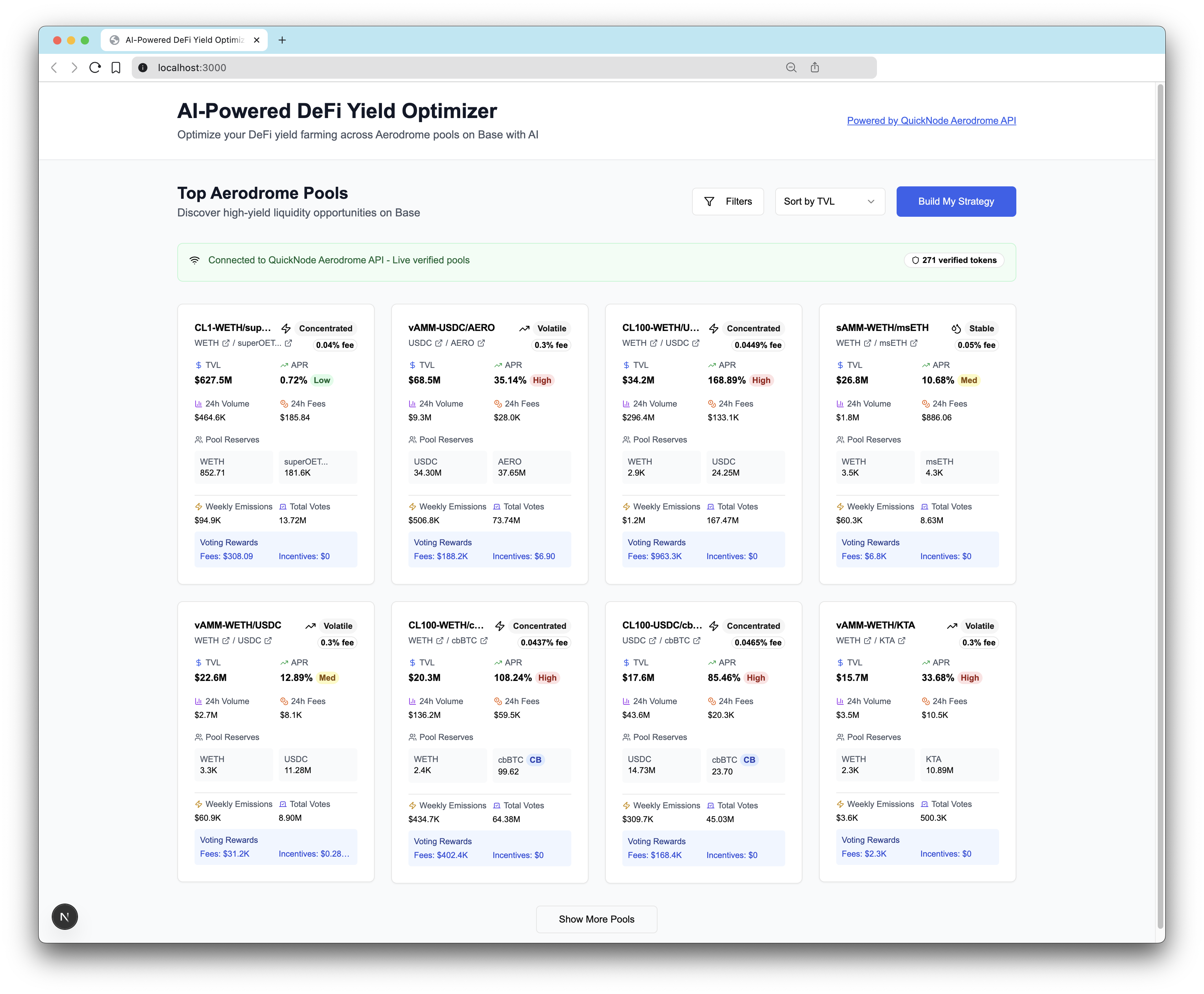
This app teaches you how to integrate the Aerodrome Swap API with an AI model to create a personalized DeFi yield optimizer and analytics dashboard for Aerodrome.



フロントエンドフレームワーク/ライブラリ:
React
言語:
TypeScript
ビルドツール/開発サーバー:
Next.js
概要
This project is an AI-powered DeFi yield farming optimizer that helps users build personalized portfolio strategies across Aerodrome Finance pools on Base network.
This example app is provided for educational and demonstration purposes only. Use at your own risk.
tip
Learn how to build the AI Powered DeFi Yield Optimizer on Base in our technical guide here.
前提条件
-
Anthropic Claude API:
- Sign up at console.anthropic.com
- Get API key
-
Quicknode Account:
- Sign up at quicknode.com
- Get access to the Swap API's Aerodrome integration
- Get endpoint URL
Quick Start
1. Clone the Repository
git clone https://github.com/quiknode-labs/qn-guide-examples.git
cd qn-guide-examples/sample-dapps/ai-powered-defi-yield-optimizer
2. Install Dependencies
pnpm install
# or
npm install
3. Environment Configuration
cp .env.example .env
Edit .env:
# Required for AI optimization
ANTHROPIC_API_KEY=your_claude_api_key_here

# Required for live Aerodrome data
NEXT_PUBLIC_QUICKNODE_ENDPOINT=https://your-quicknode-endpoint.com/your-api-key/
4. Run Development Server
pnpm dev
# or
npm run dev
Visit http://localhost:3000 to see the application.
建築
System Overview
┌─────────────────┐    ┌──────────────────┐    ┌─────────────────┐
│   User Input    │    │   AI Processing  │    │  Pool Data API  │
│                 │    │                  │    │                 │
│ • Risk Quiz     │───▶│  Claude AI API   │◀───│ Quicknode API   │
│ • Preferences   │    │  • Analysis      │    │ • Live Pools    │
│ • Investment $  │    │  • Optimization  │    │ • Token Data    │
└─────────────────┘    │  • Reasoning     │    │ • Verification  │
                       └──────────────────┘    └─────────────────┘
                                │
                                ▼
                       ┌──────────────────────┐
                       │ Optimized Strategy   │
                       │                      │
                       │ • Pool Selection     │
                       │ • Allocations        │
                       │ • Risk Scores        │
                       │ • Reasoning          │
                       └──────────────────────┘
Vercelへのデプロイ
プレビュー
投稿とフィードバック
皆様からのご意見をお待ちしております。また、このサンプルアプリへのご協力も大歓迎です!
問題の報告やフィードバックの共有を行うには、GitHubのイシューを qn-ガイド-例 リポジトリ。
投稿するには、以下の手順に従ってください:
- リポジトリをフォークする
- フィーチャーブランチを作成する:git checkout -b feature/amazing-feature
- 変更をコミットします:git commit -m "素晴らしい機能を追加"
- ブランチをプッシュしてください:git push origin feature/amazing-feature
- プルリクエストを作成してください。
その他のサンプルアプリを見る