Introducing Etherniti & Quicknode
Introducing Etherniti & Quicknode
Etherniti allows companies, developers and startups to interact with Ethereum in an easy and friendly way. We add an abstraction layer that allows a fast, reliable and secure interaction with Ethereum networks and their smart contracts.

April 3, 2019 — 7 min read
Multitenant High Performance Ethereum and Quorum compatible REST API
Etherniti allows companies, developers and startups to interact with Ethereum in an easy and friendly way. We add an abstraction layer that allows a fast, reliable and secure interaction with Ethereum networks and their smart contracts. We provide a fully featured High Performance REST API to operate Ethereum as its usually done with other tools such as Web3js, Metamask, etc…
In other words, we provide the techology to have an easy, secure, reliable and high performance access to your custom private Ethereum or Quorum network, so you can focus on designing DApps rather than focusing on architecture and communication protocol of distributed ledgers.
Etherniti features
Etherniti can be understood as a general purpose access to the Ethereum Network via REST API.
Our easy to use API and developer tools (swagger UI, dashboard, etc) provide secure, reliable, and high performance access to Ethereum and other ledgers. We provide the middleware infrastructure for your decentralized applications so you can focus on the features.
Web3 based: we eliminate the need to code the same web3 interaction for each ethereum compatible dapps, configure it provider, execute the process of signing using MetaMask or similars, which are not very frienly solutions for non-geek users (such as our grandmas, etc…).
Reliable and Scalable: our High Performance proxy middleware improves reliability and helps us scale quickly to meet your demand.
TLS-Enabled Endpoints: we provide public endpoints for the Ethereum MainNet connection and all testnet networks, all secured with highest transport layer standards.
Compatible with the REST API standard feature set.
Multiclient support: no matter whether you use Geth or Parity, we are both compatible for robustness and resiliency.
Multinetwork support: withing same environment, we provide access to any kind of Ethereum network, providing default access to: Rinkeby, Kovan, Ropsten and MainNet.
Custom Installations: private infrastructure deployments for your organization are also available.
Connect to the Ethereum network now in one of the most easiest ways ever!
Today, we are proud to collaborate with Quicknode in order to spread the word that something easier than Web3 JSON-RPC interactions exists. And it is pretty easy, BTW.
Deploying an Ethereum Ropsten node via Quicknode
Lets visit https://quicknode.com/ and deploy a Ethereum Ropsten Tesnet peer node using Quicknode web wizard. After selecting the type of node running behind (Geth or Parity), we are good to go.
We just need to wait few minutes to have node as ‘READY’ to begin.
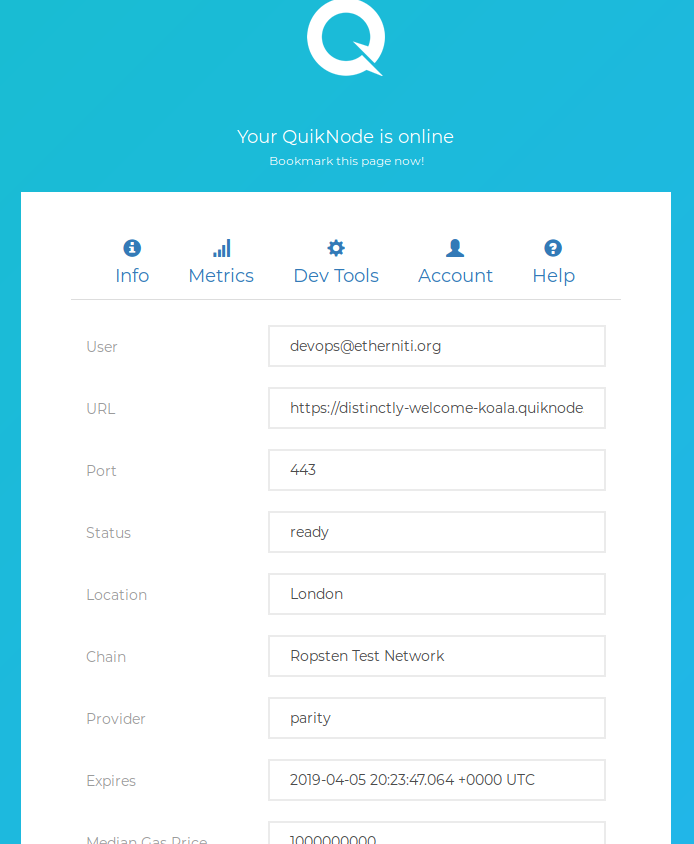
Quicknode interaction using Etherniti as Ethereum REST API Proxy
Now that our Ethereum node is running, is time to get some information from it in order to get more knowledge of its status. Do we know if it’s a miner node? It’s Coinbase?
Where is the REST API Proxy available?
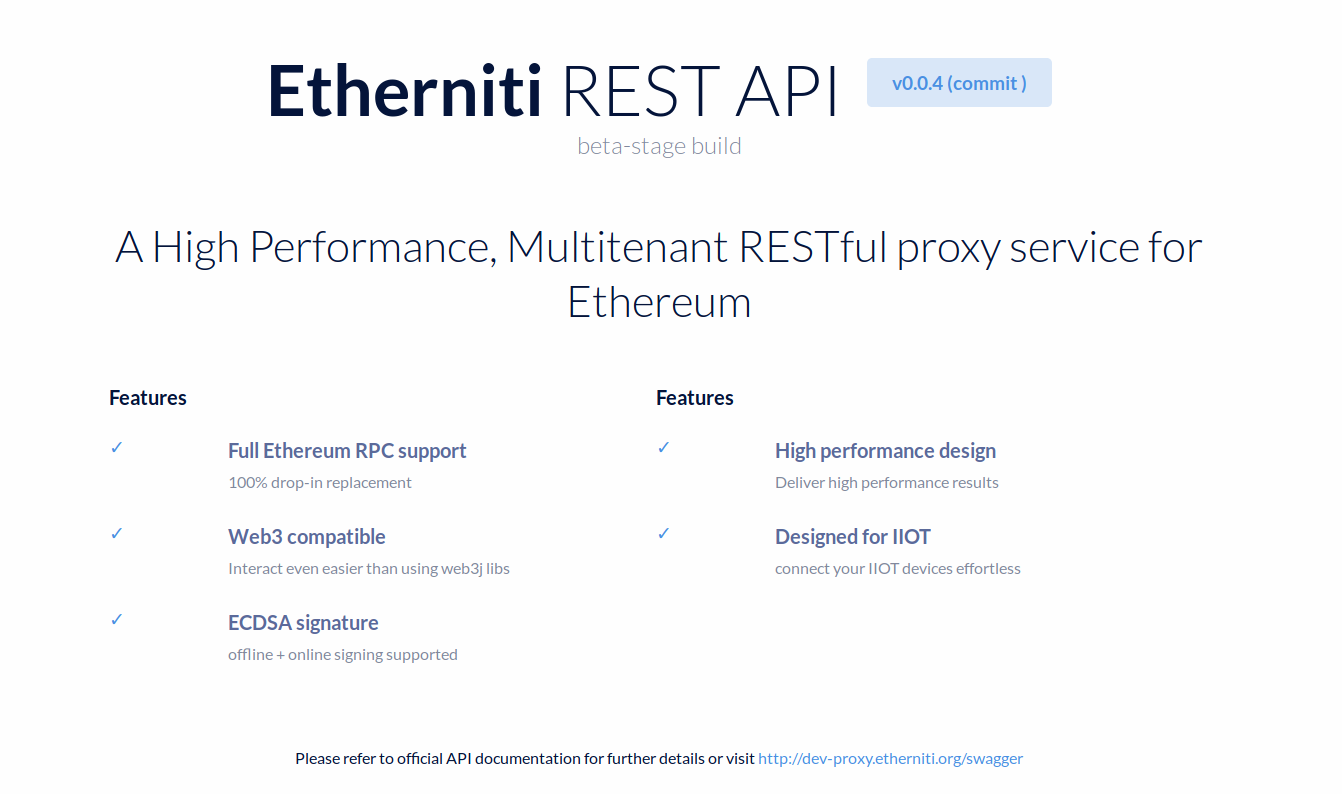
For this purpose, we’ll be using public proxy available at http://proxy.etherniti.org. Since we are making use of a private peer node and not using Etherniti provided Ropsten network access, we must define a network profile before connecting and interacting with the ledger.
The network profile? Thats new!
Yep!
Since Etherniti was designed as a multitenant REST API Proxy with multi-client capabilities, we need to set (somehow) what would be the target network to connect. In this case, this information and parameters are wrapped as network profile, which basically is a JSON containing following information:
{
	"endpoint": "https://distinctly-welcome-koala.quicknode.io/5cea7df8-1dea-4560-ab21-a81a924d1b3a/8EZwjhiQIypvrn1oMit2gg==/",
	"address": "0xE720c341bd664A8F7ebC3f75CCE93BD6ba6d7654"
}
Note: make sure you set endpoint value as the same one that Quicknode define as HTTP Provider. The address field, however is an optional value that is used in ‘from’ field of all JSON-RPC request.
Running the Etherniti Hello World and checking proxy availability
With simple GET Request, we can see the proxy status, its version and even its commit related information.
curl \
-X \
GET "http://proxy.etherniti.org/v1/public" \
-H "accept: application/json"
Etherniti (Ethereum REST API Proxy) HELLO WORLD request specification.
{
	"name": "eth-wbapi",
	"description": "Etherniti: High Performance Ethereum REST API Proxy",
	"cluster_name": "eth-wbapi",
	"version": "0.0.4",
	"commit": "",
	"env": "beta-stage",
	"tagline": "dapps everywhere"
}
Etherniti (Ethereum REST API Proxy) HELLO WORLD response content
Now that we made sure the proxy service is up, let’s continue to requests.
Creating an Ethereum account using Etherniti REST API and Quicknode
First thing’s first! We need an Ethereum account before interacting with Ethereum. I know there are several ways to generate them out there, but since we already have the choice to create them using Etherniti lets do it.
Just make a POST call to /v1/public/wallet and you will receive your new Ethereum address and its linked private key:
curl \
  -X \
  POST "http://proxy.etherniti.org/v1/public/wallet" \
  -H  "accept: application/json"
{
  "id": 0,
  "code": 200,
  "msg": "ethereum account created",
  "result": {
    "address": "0xb7D10D2d62284bea63D2202cf2304E910A6A15f0",
    "private": "791ae1f2de84407f735bd4ed04aa3e37e1064835b6fc334528092c05af56aa7a"
  }
}
New Ethereum address generation via Etherniti (Ethereum REST API Proxy)
Warning: this process does not store nor log Ethereum account generation so make sure to keep the private key safe if you want to use this address for some serious operations.
Creating our Network Profile for Etherniti REST API and Quicknode
To create the network profile for Quicknode, make a 게시물 call to /v1/public/profile specifying provided HTTP Web3 Provider and previously created account, and Etherniti will return to you the access token for the context specified. This token has to be added in all future requests as HTTP Header key called X-Etherniti-Profile
curl \
  -X POST \
  "http://proxy.etherniti.org/v1/public/profile" \
  -H "accept: application/json" \
  -H  "Content-Type: application/json" \
-d "{ \"endpoint\": \"https://distinctly-welcome-koala.quicknode.io/5cea7df8-1dea-4560-ab21-a81a924d1b3a/8EZwjhiQIypvrn1oMit2gg==/\", \"address\": \"0xb7D10D2d62284bea63D2202cf2304E910A6A15f0\"}"{
"id": 0,
"code": 200,
"msg": "profile token successfully created",
"result":"eyJhbGciOiJIUzI1NiIsInR5cCI6IkpXVCJ9.eyJlbmRwb2ludCI6Imh0dHBzOi8vZGlzdGluY3RseS13ZWxjb21lLWtvYWxhLnF1aWtub2RlLmlvLzVjZWE3ZGY4LTFkZWEtNDU2MC1hYjIxLWE4MWE5MjRkMWIzYS84RVp3amhpUUl5cHZybjFvTWl0MmdnPT0vIiwiYWRkcmVzcyI6IjB4YjdEMTBEMmQ2MjI4NGJlYTYzRDIyMDJjZjIzMDRFOTEwQTZBMTVmMCIsImtleSI6IiIsInZlcnNpb24iOjEsInZhbGlkaXR5IjpmYWxzZSwiZXhwIjoxNTU0MjI4MTQ1LCJqdGkiOiIxNWZlMzY5YS00YWFlLTRmOWUtOWMwMC0yOTFjMDVjMzJhNDciLCJpYXQiOjE1NTQyMjc1NDUsImlzcyI6ImV0aGVybml0aS5vcmciLCJuYmYiOjE1NTQyMjc1NDV9.fk-hL9tomzmkUeNfQ6_s8HnkaAyKOY6ymCyNOOZEshU"
}At this point, we are ready to interact with Ropsten network using Quicknode peer and using Ethereum via REST API.
There are, still, many other options and features that Etherniti has, but we’ll see them in future.
Bonus: reading ERC20 token total supply value using Quicknode and Etherniti
If you ever made a native Web3 JSON-RPC call against Ethereum, you already know the complexity related to this process: Keccak hash of target function name, get the first hash bytes, pad them with zeros (or not), calculate remaining data field content, etc.
This might be tedious task for beginners and even for many advanced users. That’s why Etherniti has support for ERC20 tokens, so that end users can interact with them in the easiest way ever. Let’s focus on how we can get the total supply value of specific token:
curl \
  -X GET \
  "http://proxy.etherniti.org/v1/quicknode/erc20/0x63dc97b81319e17ad5f9c6cff7e0442abe48bc92/totalsupply" \
  -H "accept: application/json" \
  -H "X-Etherniti-Profile:eyJhbGciOiJIUzI1NiIsInR5cCI6IkpXVCJ9.eyJlbmRwb2ludCI6Imh0dHBzOi8vZGlzdGluY3RseS13ZWxjb21lLWtvYWxhLnF1aWtub2RlLmlvLzVjZWE3ZGY4LTFkZWEtNDU2MC1hYjIxLWE4MWE5MjRkMWIzYS84RVp3amhpUUl5cHZybjFvTWl0MmdnPT0vIiwiYWRkcmVzcyI6IjB4YjdEMTBEMmQ2MjI4NGJlYTYzRDIyMDJjZjIzMDRFOTEwQTZBMTVmMCIsImtleSI6IiIsInZlcnNpb24iOjEsInZhbGlkaXR5IjpmYWxzZSwiZXhwIjoxNTU0MjI4ODgwLCJqdGkiOiI1MDI5ODQ2Mi1hNGIxLTRiZWQtODkxZC1lZTNmNzMyMjUwMDUiLCJpYXQiOjE1NTQyMjgyODAsImlzcyI6ImV0aGVybml0aS5vcmciLCJuYmYiOjE1NTQyMjgyODB9.zuZK4ghFJjJ9L2VEaDW73ssotP0XAJjf4cyGHEl9wRI"
If we use Etherniti Ropsten access, it becomes ever simpler since there is no need of access token.
http://proxy.etherniti.org/v1/quicknode/erc20/0x63dc97b81319e17ad5f9c6cff7e0442abe48bc92/totalsupply
The result in both situations would be similar to:
{
  "id": 0,
  "code": 200,
  "msg": "totalsupply",
  "result": "0x00000000000000000000000000000000000000000000000000000000000f4240"
}
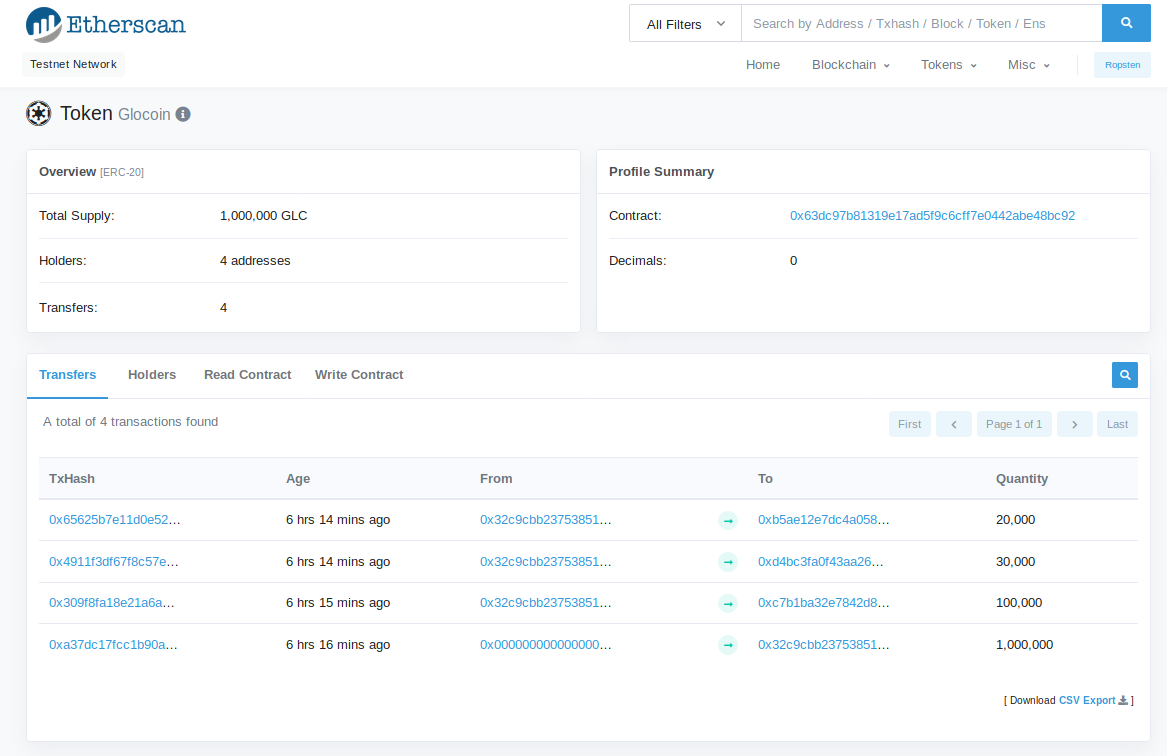
Making some base decoding, f4240 hexadecimal value, becomes 1.000.000 GLC in decimal, which matches with expected value of this specific contract, as can be check by etherscan at
https://ropsten.etherscan.io/token/0x63dc97b81319e17ad5f9c6cff7e0442abe48bc92
Thanks for checking this out and we hope you found the info useful!
If you’re benefiting from Etherniti, you can help by donating a small amount each months via Patreon at https://www.patreon.com/etherniti
This is a basic introduction and interaction situation; there are MANY others that we simply could not fit in the same blog post.
If you want to see more content on Ethernity x. Quicknode — hit the 👏 button as many times as you can and share with your buddies so we know you want more content like this!
프로젝트와 관련해 도움이 필요하거나 궁금한 점이 있으신가요? 이 양식을 통해, 트위터Quicknode 통해, 또는 디스코드에서 저희에게 연락해 주세요!
Quicknode 소개
2017년에 설립된 Quicknode 개발자와 기업을 위해 기관급 블록체인 인프라를 Quicknode . 99.99%의 가동률과 80개 이상의 체인을 지원함으로써, 팀들은 타협 없이 온체인 애플리케이션을 구축하고 확장할 수 있습니다.
최신 소식을 받아보세요
최신 엔지니어링 인사이트, 제품 업데이트, 웹3 뉴스를 여러분의 이메일로 바로 받아보세요.