Using Quicknode with MetaMask, MyCrypto, MyEtherWallet (updated)
Using Quicknode with MetaMask, MyCrypto, MyEtherWallet (updated)
How to set up your Quicknode with 3 popular Wallet/Account services
December 25, 2019 — 2 min read
Below are instructions on how to set up your Quicknode for use with 3 popular wallet/account services >>>
MyCrypto Web
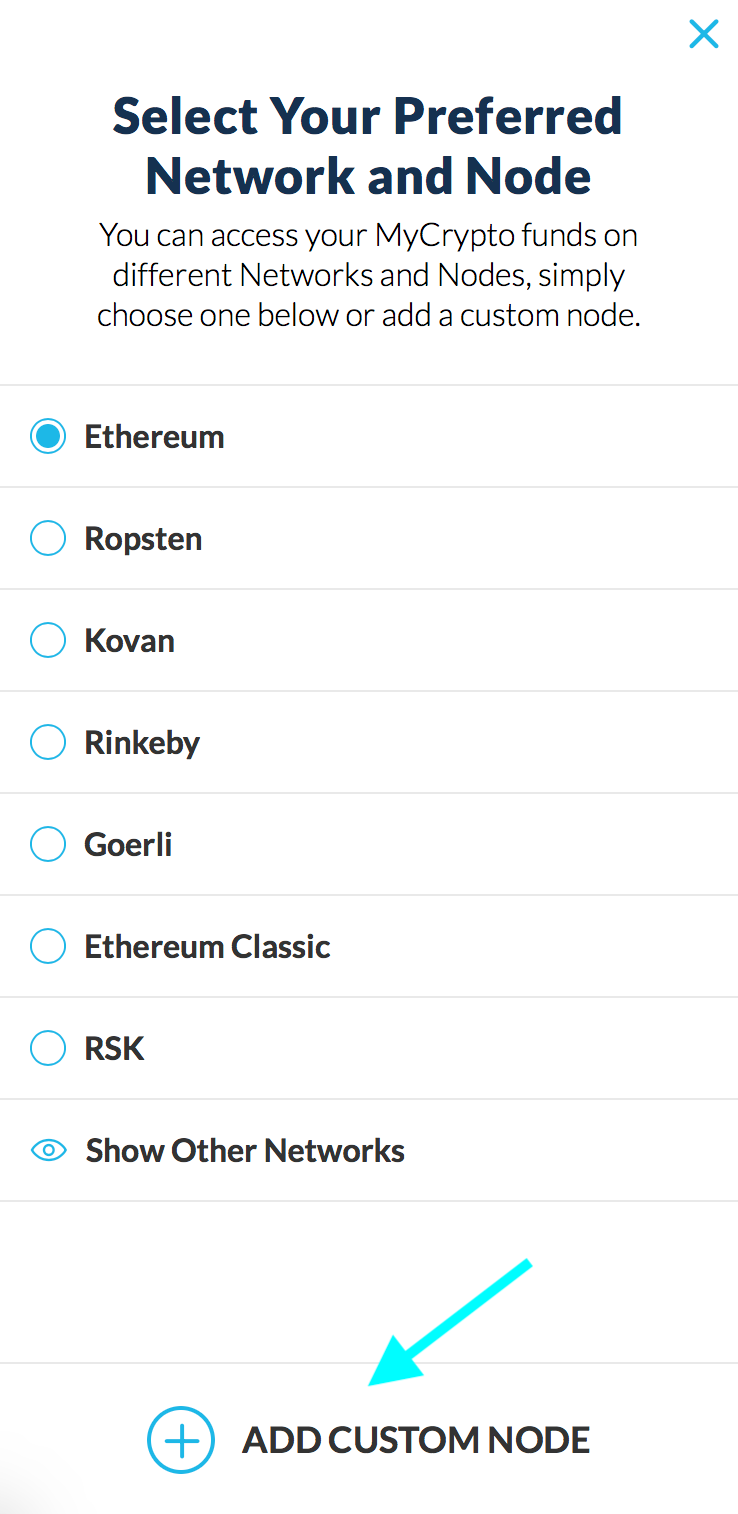
Click the Node Selector in top right corner
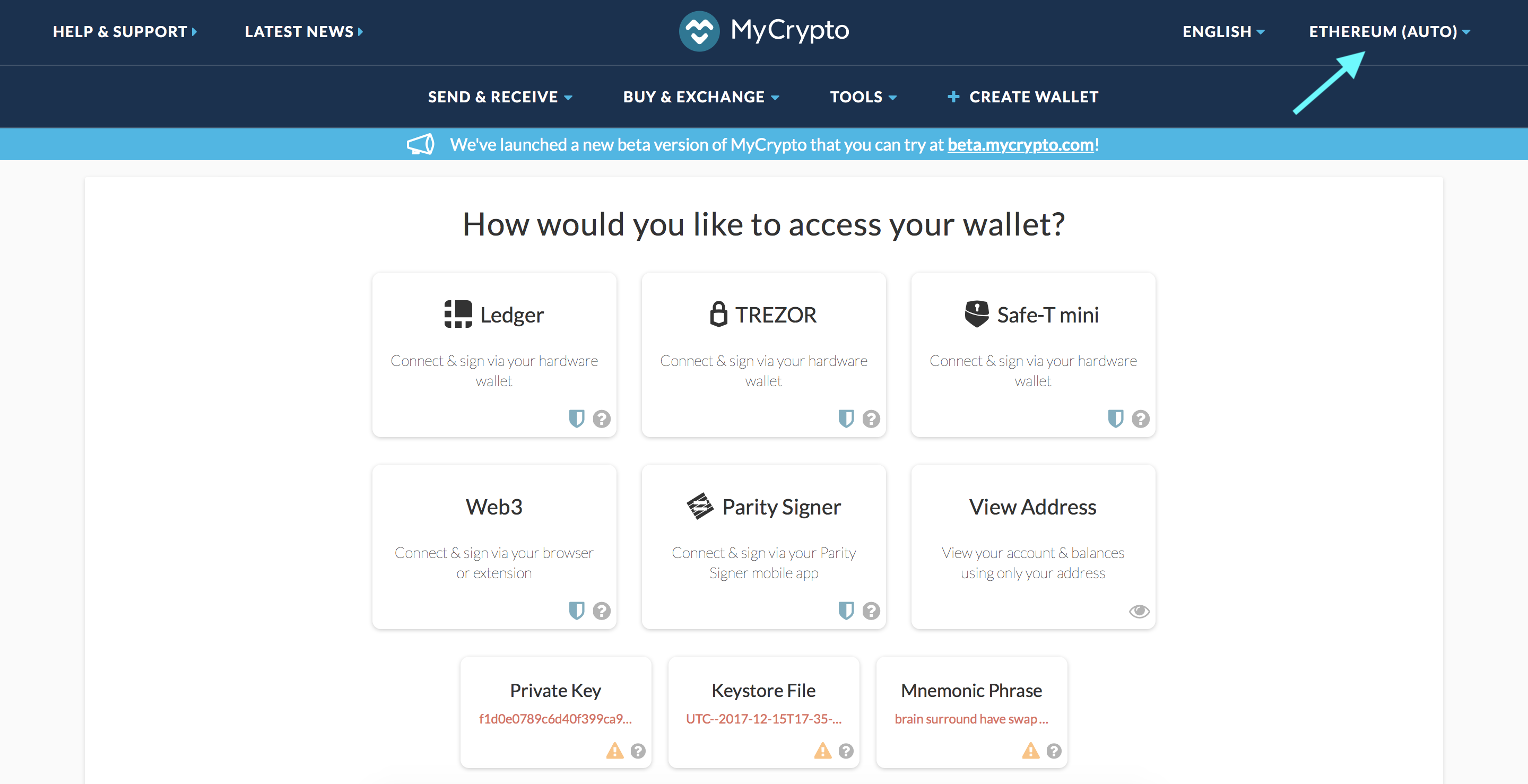
2. Click "Add Custom Node" at the bottom of the window that pops up
3. Enter a name (any), select the network (ETH = MainNet), and copy/paste your Web3 endpoint
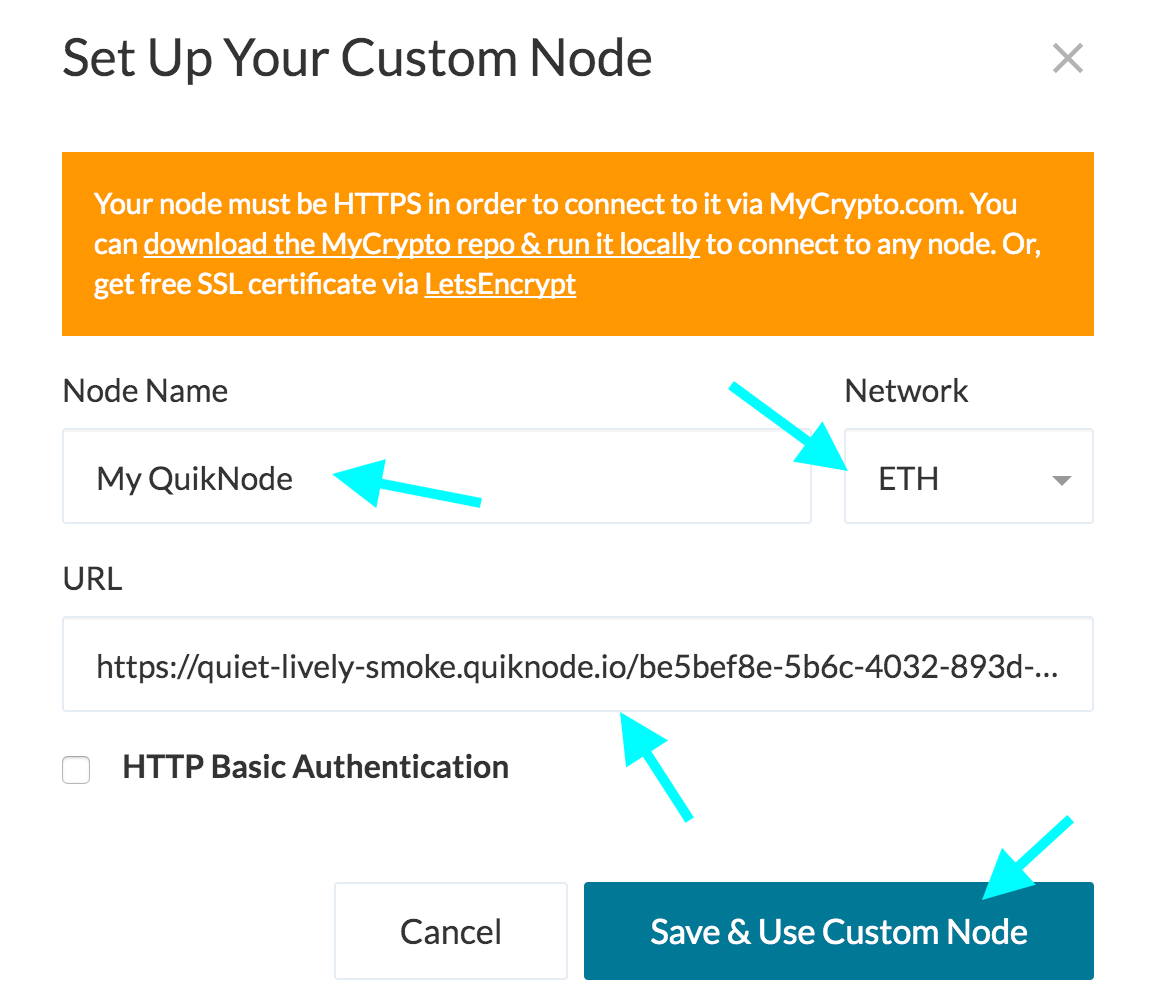
4. Click "Save & Use Custom Node" — and you're all set!
MyCrypto App
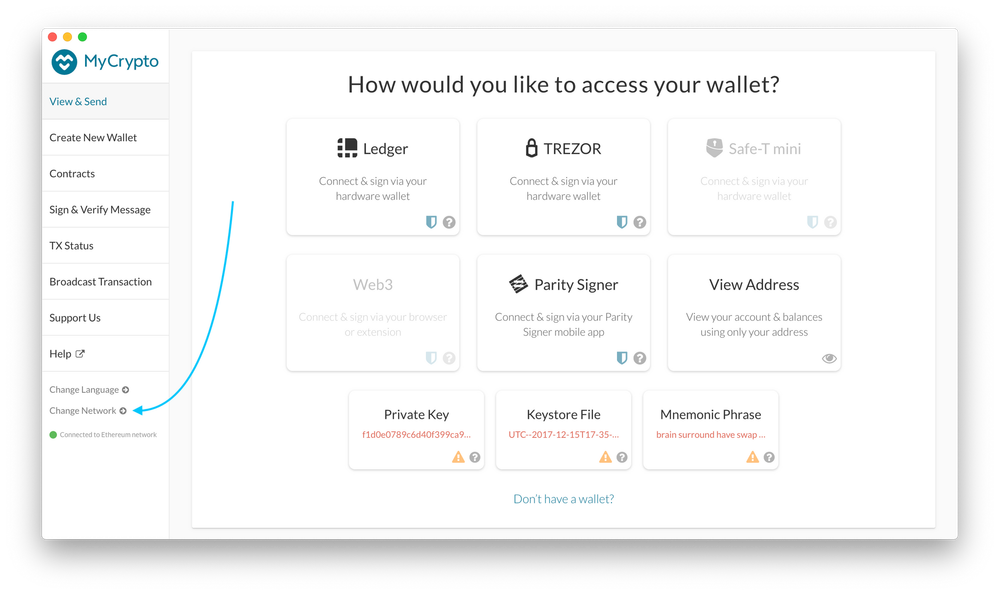
Click "Change Network"
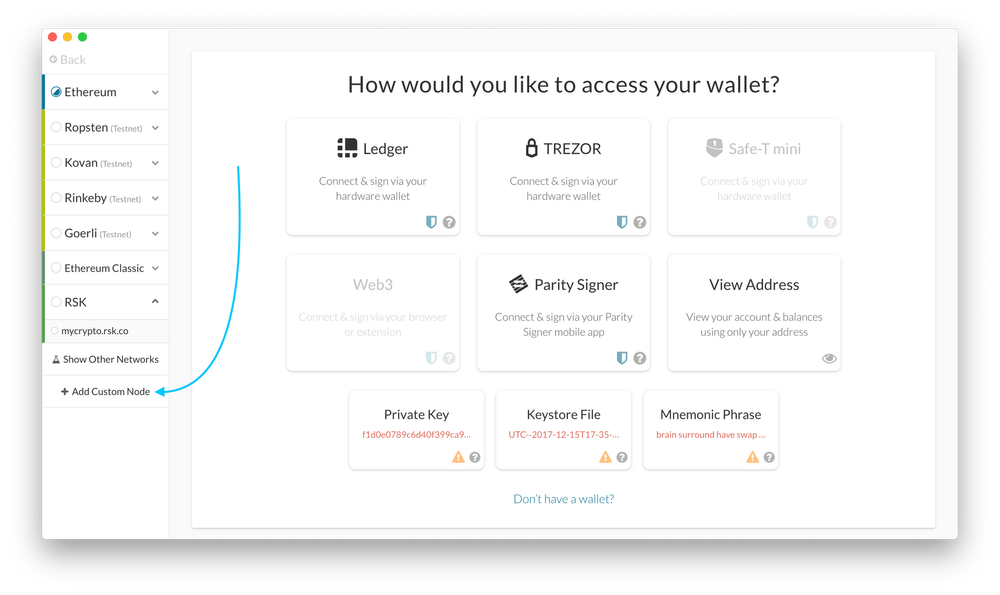
2. Click "Add Custom Node"
3. Enter a name (any), select the network (ETH = MainNet), and copy/paste your Web3 endpoint.
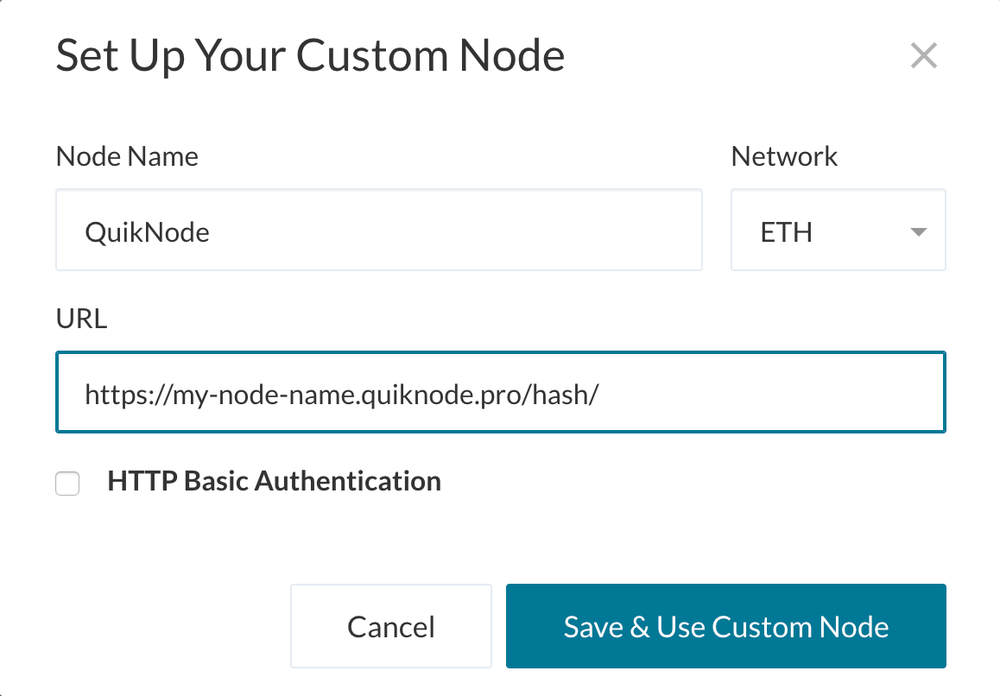
4. Click "Save & Use Custom Node" — and you're all set!
메타마스크
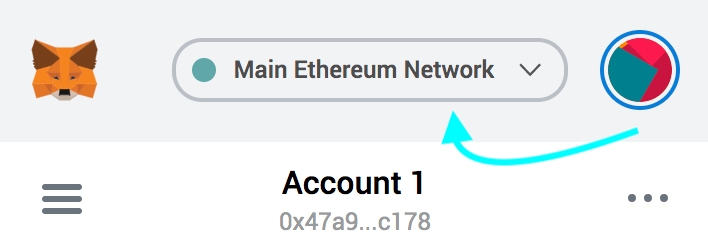
Open the MetaMask plugin, click the Network Selector at the top
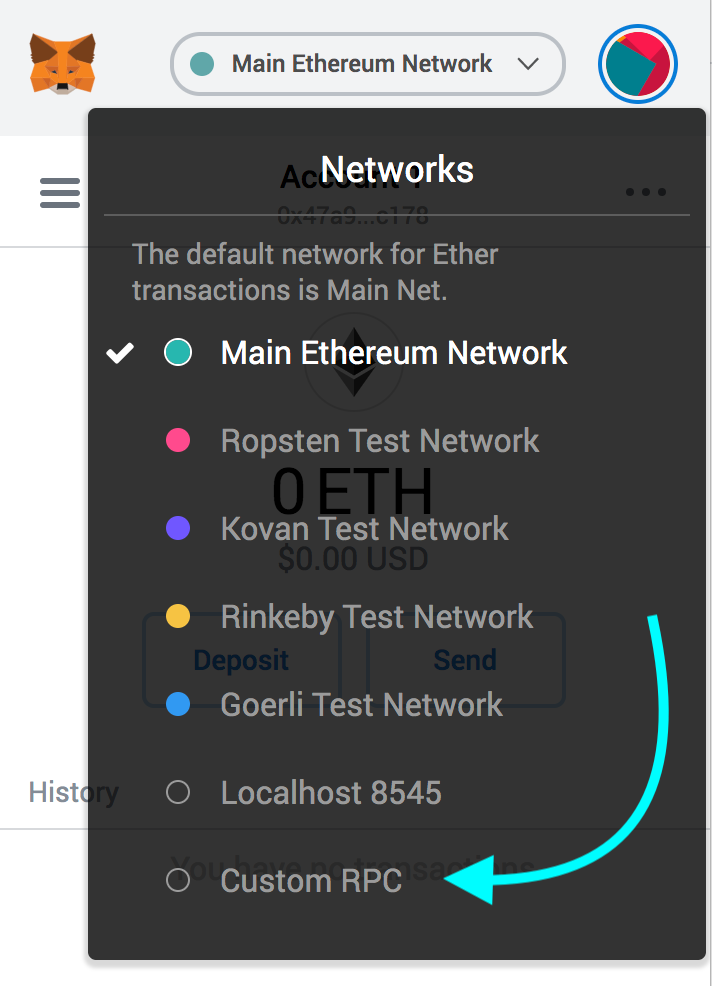
2. Select "Custom RPC" at the bottom
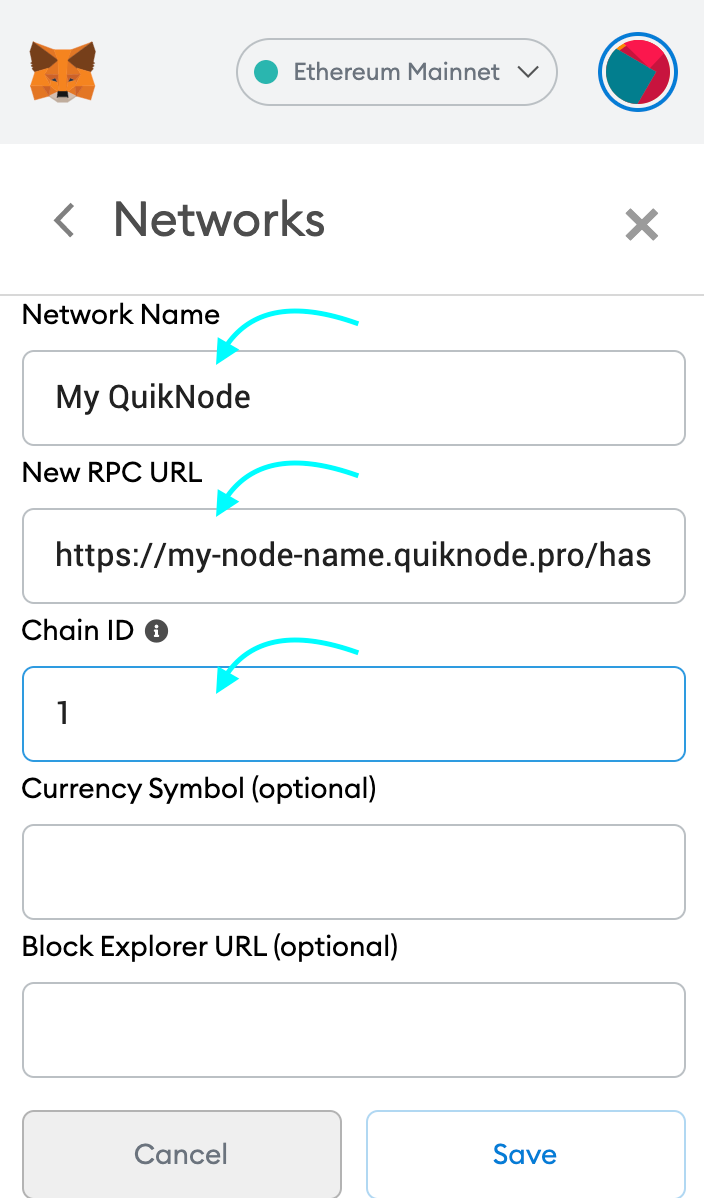
3. Enter a name (any), copy/paste your Web3 endpoint (be sure to include the "/" at the end!), enter ChainID (1 for MainNet, or see here for more), click "Save"
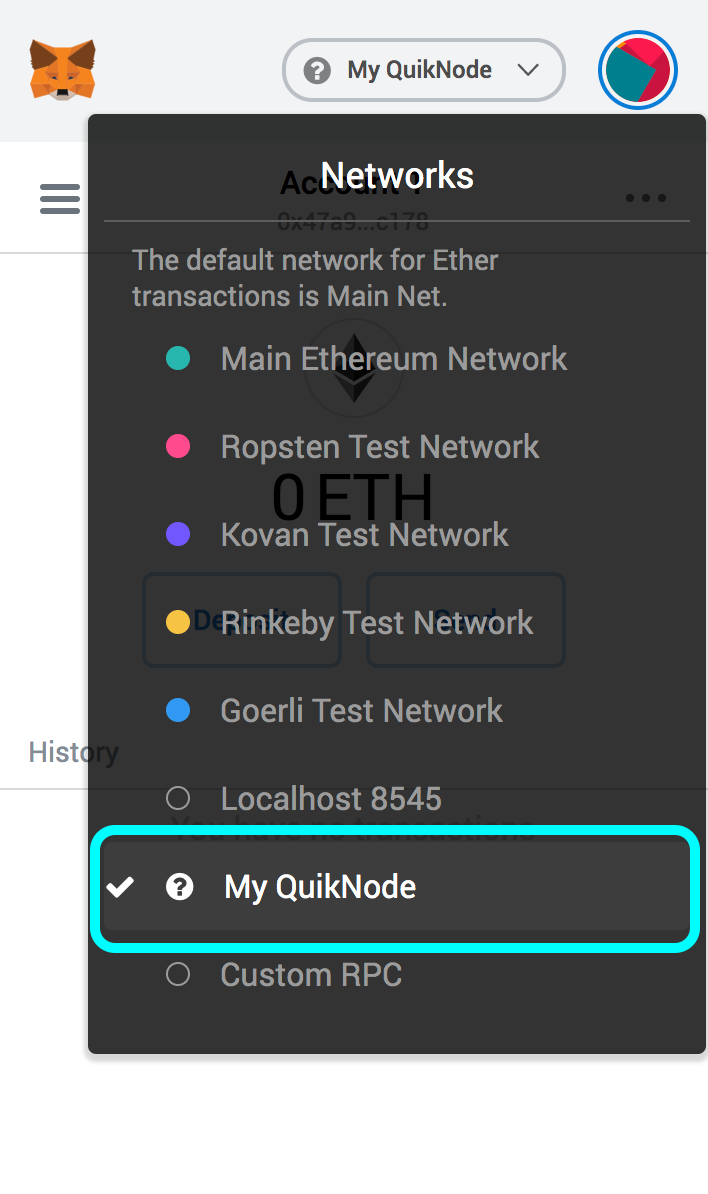
4. Your all set!
MyEtherWallet
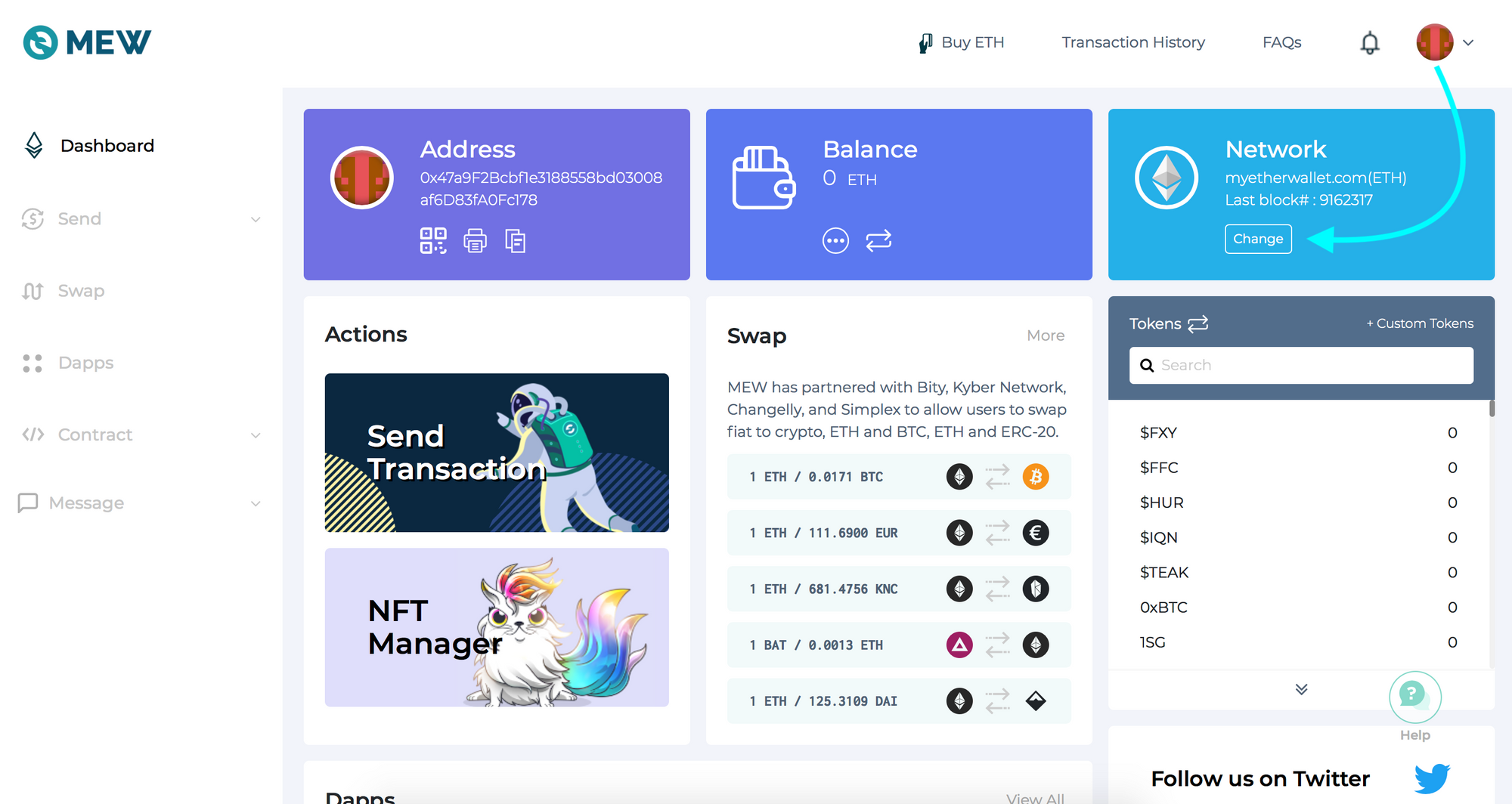
Open access to your wallet/account, click "Change" under Network
2. Flick "Add Custom Network/Node" and enter a name (any) and your Web3 endpoint, click Save
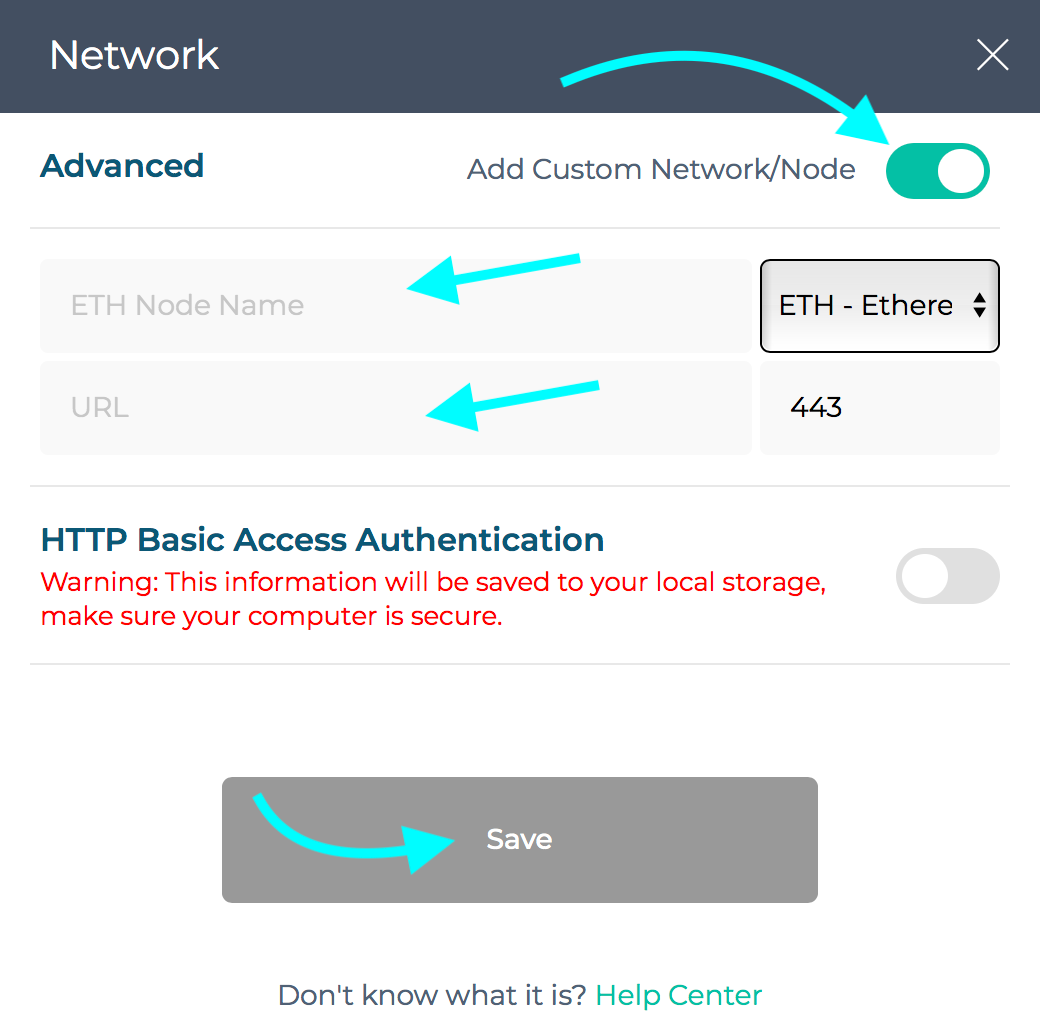
3. You will see that your network has switched to Quicknode, all set!

프로젝트와 관련해 도움이 필요하거나 궁금한 점이 있으신가요? 이 양식을 통해, 트위터Quicknode 통해, 또는 디스코드에서 저희에게 연락해 주세요!
Quicknode 소개
2017년에 설립된 Quicknode 개발자와 기업을 위해 기관급 블록체인 인프라를 Quicknode . 99.99%의 가동률과 80개 이상의 체인을 지원함으로써, 팀들은 타협 없이 온체인 애플리케이션을 구축하고 확장할 수 있습니다.
최신 소식을 받아보세요
최신 엔지니어링 인사이트, 제품 업데이트, 웹3 뉴스를 여러분의 이메일로 바로 받아보세요.