
6 min read
Overzicht
To send a transaction on the Ethereum network, you need to pay fees for including the transaction in a block as well as the computation necessary in the transaction; this fee is called gas. The transactions are accepted into the block based on the amount of gas they are sent with, so being able to see current gas prices is an advantageous ability. This guide will cover estimating gas prices using pending transactions in Python using the Web3Py library.
Vereisten
- Python installed in your system (version 3.6+) and Pip3.
- A text editor.
What is gas in Ethereum?
Gas is the unit to measure the amount of computational effort required to do a particular operation. Most smart contracts running on EVMs (Ethereum Virtual machines) are written in Solidity. Each line of code or every Solidity function requires gas to be executed.
The following image is taken from Ethereum Yellow Paper. It gives a rough idea of how much gas a specific instruction can cost.
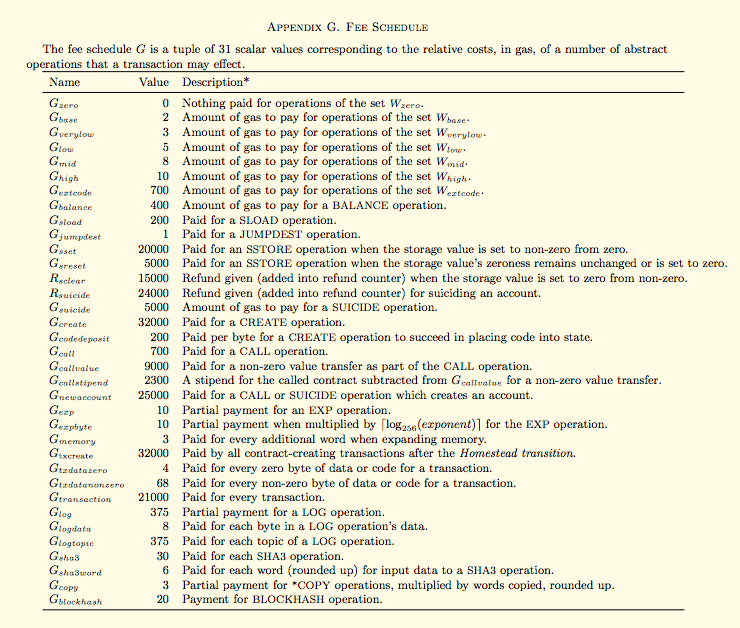
 Image courtesy: Ethereum Yellow Paper
So, gas fees are payments made by the users to compensate the computing energy of the Ethereum network used while making their transactions. To draw an analogy, to drive a car for a certain distance A requires a certain amount of gas/fuel B. Similarly, sending a certain amount of ETH or sending a smart contract A requires a certain amount of fee (gas) B.
Requiring a gas fee also prevents the Ethereum network from abusive practices such as spamming the network. It also encourages the developers to make code more efficient to avoid expensive computational operations and infinite loops.
Gas is measured in Gwei (short for GigaWei) - it is a subunit of the currency Ether (ETH) used on the Ethereum network (1,000,000,000 Gwei = 1 ETH). Having a separate unit helps differentiate between the currency ETH valuation and the computational cost of using EVM.
Why estimate gas?
Why do we want to estimate gas? Well as it stands today, miners choose which transactions to mine into blocks. How do miners choose which transactions to put into a block? They tend to pick the transactions that include the most gas. Why do they pick the transactions with the most gas? Because miners get to keep the gas fees included with a transaction. Transactions with gas lower than the current average gas typically take a long time to get verified or even dropped by miners in the worst-case scenario.
So if we pay a lot of gas, we get our transaction included. If we don’t pay enough gas, our transaction could get dropped. But how much gas to pay to incentivize miners? That’s where gas estimation comes in.
To make more sense of estimating gas and gas prices, let’s put some formal definitions behind them:
-
Gas: The unit to measure the computational cost of a particular action executed on EVM. For example - I can include 25,000 gas to complete some transaction.
-
Gas Limit: The maximum amount of gas a user is willing to pay for that action to get executed (a minimum of 21,000).
-
Gas Price: Amount of Gwei a user is willing to spend on each gas unit.
We want to figure out what gas price is average, then include a slightly higher gas price for our transactions. We don’t really care about the gas limit or gas sent; as long as they’re high enough, we’ll get refunded whatever gas was not used.
Now, let's try to estimate the gas for a simple ETH transfer transaction. Let's get the actual estimate of gas by looking at the pending transactions.
Installing Web3.py
Our first step here would be to check if Python 3.6 or higher is installed on your system; you can check if Python is installed on not by typing the following in your terminal/cmd:
$ python --version
If not installed, you can follow the instructions on the Downloads page of Python’s official website.
We’ll use Web3.py, a Python library used to interact with Ethereum. We’ll install Web3.py using PIP. Type the following in your terminal/cmd:
$ pip install web3
Note: Python and other library versions cause common installation problems. Therefore, if you face any problems, try setting up a virtual environment and troubleshoot the web3.py installation.
If everything goes right, Web3.py will be installed in your system. If you’d like to check out some other things Web3.py can do, check out our guides on how to connect to Ethereum using Web3.py and generating a new Ethereum address using Web3.py.
Set Up Your Quicknode Ethereum Endpoint
For our purposes today, we could use pretty much any Ethereum client with mempool support, such as Geth or OpenEthereum (fka Parity). Since that is a bit too involved for just estimating gas, we'll just set up a free Quicknode account here and easily generate an Ethereum endpoint. After you've created your free ethereum endpoint, copy your HTTP Provider endpoint:
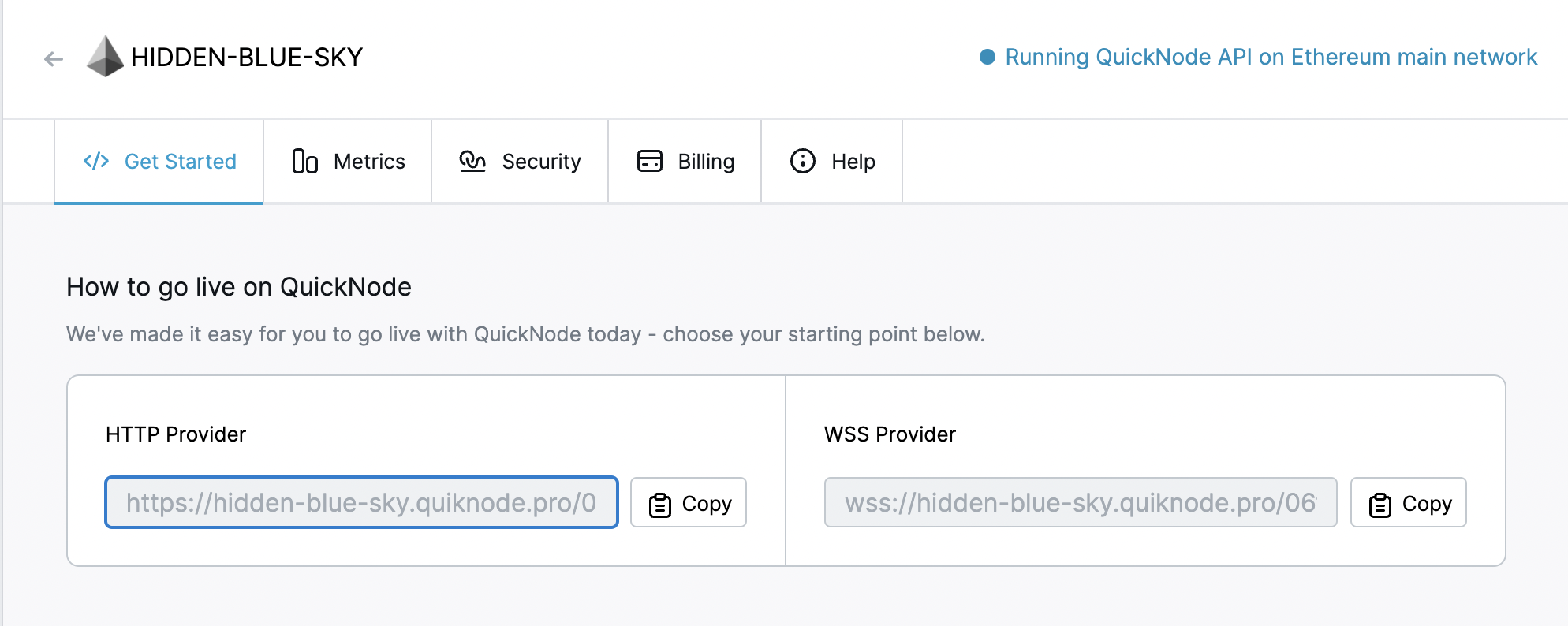
You'll need this later, so copy it and save it.
Estimating Gas
The first thing we’re going to do is a simple estimation of the number of gas to send a transaction. Create a python file named gas.py and copy-paste the following code into it. This is an estimategas example for ETH transfer transaction.
from web3 import Web3, HTTPProvider
web3 = Web3(HTTPProvider("ADD_YOUR_ETHEREUM_NODE_URL"))
estimate = web3.eth.estimateGas({'to': '0xd3CdA913deB6f67967B99D67aCDFa1712C293601', 'from': '0x6E0d01A76C3Cf4288372a29124A26D4353EE51BE', 'value': 145})
print("Gas estimate is: ", estimate)
So go ahead and replace `ADD_YOUR_ETHEREUM_NODE_URL` with the http provider from the section above.
Explanation of the code above:
Line 1: Importing web3 and HTTPProvider.
Line 2: Setting our node URL.
Line 3: Estimating gas using estimateGas function for an ETH transfer transaction.
Line 4: Printing the estimate.
Now, run your Python script using.
python gas.py
It should look like this.

The above example estimate does not actually tell us what gas price we should pay for the transaction. Let’s get a measure of what gas price we should be willing to pay by looking at the pending transactions from our Ethereum node.
Create a Python file named gas_pt.py and copy-paste the following code into it.
from web3 import Web3, HTTPProvider
import statistics
web3 = Web3(HTTPProvider("ADD_YOUR_ETHEREUM_NODE_URL"))
pending_transactions = web3.provider.make_request("parity_pendingTransactions", [])
gas_prices = []
gases = []
for tx in pending_transactions["result"[:10]]:
	gas_prices.append(int((tx["gasPrice"]),16))
	gases.append(int((tx["gas"]),16))

print("Average:")
print("-"*80)
print("gasPrice: ", statistics.mean(gas_prices))
print(" ")
print("Median:")
print("-"*80)
print("gasPrice: ", statistics.median(gas_prices))
So go ahead and replace `ADD_YOUR_ETHEREUM_NODE_URL` with the http provider from the section above.
Explanation of the code above:
Line 1: Importing web3 and HTTPProvider.
Line 2: Importing Statistics package.
Line 3: Setting our node URL
Line 4: Getting pending transactions and storing them into an array and then to pending_transactions variable.
Line 5-6: Creating gas_prices and gases arrays.
Line 7-9: Getting the first ten elements (transactions) of the results array from pending_transactions and appending the values of gasPrice to gas_prices array after converting them to decimal from hexadecimal, appending the values of gas to gases array after converting them to decimal from hexadecimal.
Line 11-12: Printing the string “Averages:” and 80 dashes for clean output.
Line 13: Printing average gas price with string “gasPrice:” by getting mean of the gasPrice values stored in gas_prices array.
Line 14: Printing a space.
Line 15-16: Printing the string “Median:” and 80 dashes for clean output.
Line 17: Printing median gas price with string “gasPrice:” by getting median of the gasPrice values stored in gas_prices array.
Now, run the Python script.
$ python gas_pt.py
If the code gets executed successfully, it should look something like this. It may take a while for the code to get entirely executed as it has first to get the pending transactions (which can be a lot) and then query them.

You can see the average and median gas and gas prices in the above image.
Conclusie
Now you know how to estimate gas and gas prices, make sure to Estimate gas costs before sendTransaction function or Estimate the cost for deploying smart contracts. Check out an example of re-sending a transaction with a higher gas value using JavaScript.
Subscribe to our newsletter for more articles and guides on Ethereum. If you have any feedback, feel free to reach out to us via Twitter. You can always chat with us on our Discord community server, featuring some of the coolest developers you’ll ever meet :)