Terug naar voorbeeldapps
Door AI aangestuurde DeFi-rendementsoptimalisator
Deze app laat je zien hoe je de Aerodrome Swap API kunt integreren met een AI-model om een gepersonaliseerde DeFi-rendementsoptimalisator en een analysedashboard voor Aerodrome te maken.
Author



Frontend-framework/bibliotheek:
Reageren
Taal:
TypeScript
Bouwtool/ontwikkelingsserver:
Next.js
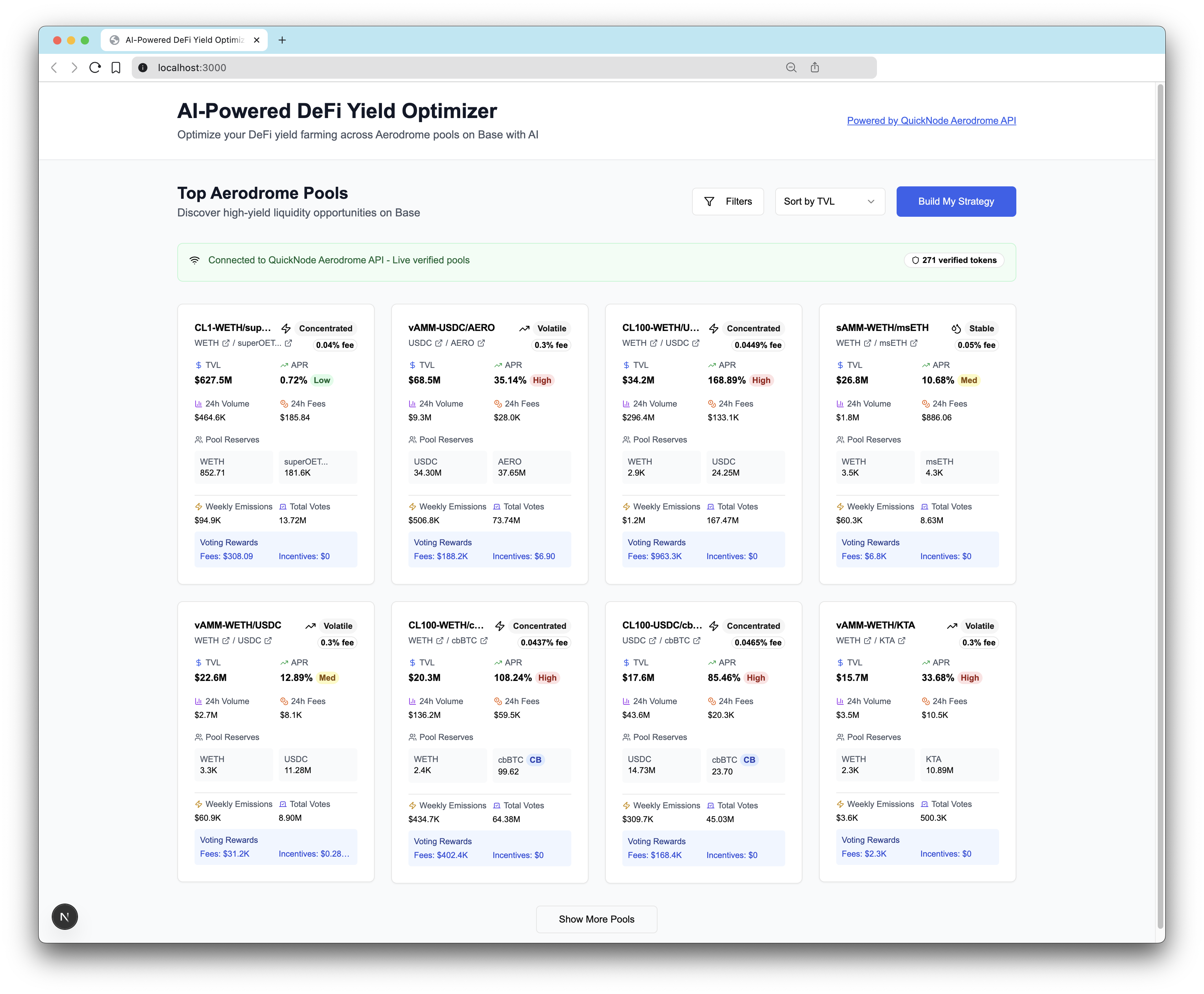
Overzicht
This project is an AI-powered DeFi yield farming optimizer that helps users build personalized portfolio strategies across Aerodrome Finance pools on Base network.
Deze voorbeeldapp wordt uitsluitend aangeboden voor educatieve en demonstratiedoeleinden. Gebruik op eigen risico.
tip
Learn how to build the AI Powered DeFi Yield Optimizer on Base in our technical guide here.
Vereisten
-
Anthropic Claude API:
- Sign up at console.anthropic.com
- Get API key
-
Quicknode Account:
- Sign up at quicknode.com
- Get access to the Swap API's Aerodrome integration
- Get endpoint URL
Snel aan de slag
1. Kloon de repository
git clone https://github.com/quiknode-labs/qn-guide-examples.git
cd qn-guide-examples/sample-dapps/ai-powered-defi-yield-optimizer
2. Afhankelijkheden installeren
pnpm install
# or
npm install
3. Configuratie van de omgeving
cp .env.voorbeeld .env
Bewerken .env:
# Required for AI optimization
ANTHROPIC_API_KEY=your_claude_api_key_here

# Required for live Aerodrome data
NEXT_PUBLIC_QUICKNODE_ENDPOINT=https://your-quicknode-endpoint.com/your-api-key/
4. Start de ontwikkelingsserver
pnpm dev
# or
npm run dev
Bezoek http://localhost:3000 om de aanvraag te bekijken.
Architectuur
System Overview
┌─────────────────┐    ┌──────────────────┐    ┌─────────────────┐
│   User Input    │    │   AI Processing  │    │  Pool Data API  │
│                 │    │                  │    │                 │
│ • Risk Quiz     │───▶│  Claude AI API   │◀───│ Quicknode API   │
│ • Preferences   │    │  • Analysis      │    │ • Live Pools    │
│ • Investment $  │    │  • Optimization  │    │ • Token Data    │
└─────────────────┘    │  • Reasoning     │    │ • Verification  │
                       └──────────────────┘    └─────────────────┘
                                │
                                ▼
                       ┌──────────────────────┐
                       │ Optimized Strategy   │
                       │                      │
                       │ • Pool Selection     │
                       │ • Allocations        │
                       │ • Risk Scores        │
                       │ • Reasoning          │
                       └──────────────────────┘
Deploy on Vercel
Voorbeeld
Bijdragen en feedback
We horen graag wat je ervan vindt en staan open voor alle bijdragen aan deze voorbeeldapp!
Als je problemen wilt melden of feedback wilt geven, maak dan een GitHub-issue aan in de qn-handleiding-voorbeelden repository.
Volg deze stappen om een bijdrage te leveren:
- Maak een fork van de repository
- Maak een feature-branch aan:git checkout -b feature/amazing-feature
- Sla je wijzigingen op:git commit -m "Geweldige functie toevoegen"
- Pusht je branch:git push origin feature/amazing-feature
- Dien een pull-verzoek in.
Bekijk meer voorbeeldapps