Terug naar voorbeeldapps
Solana Staking UI
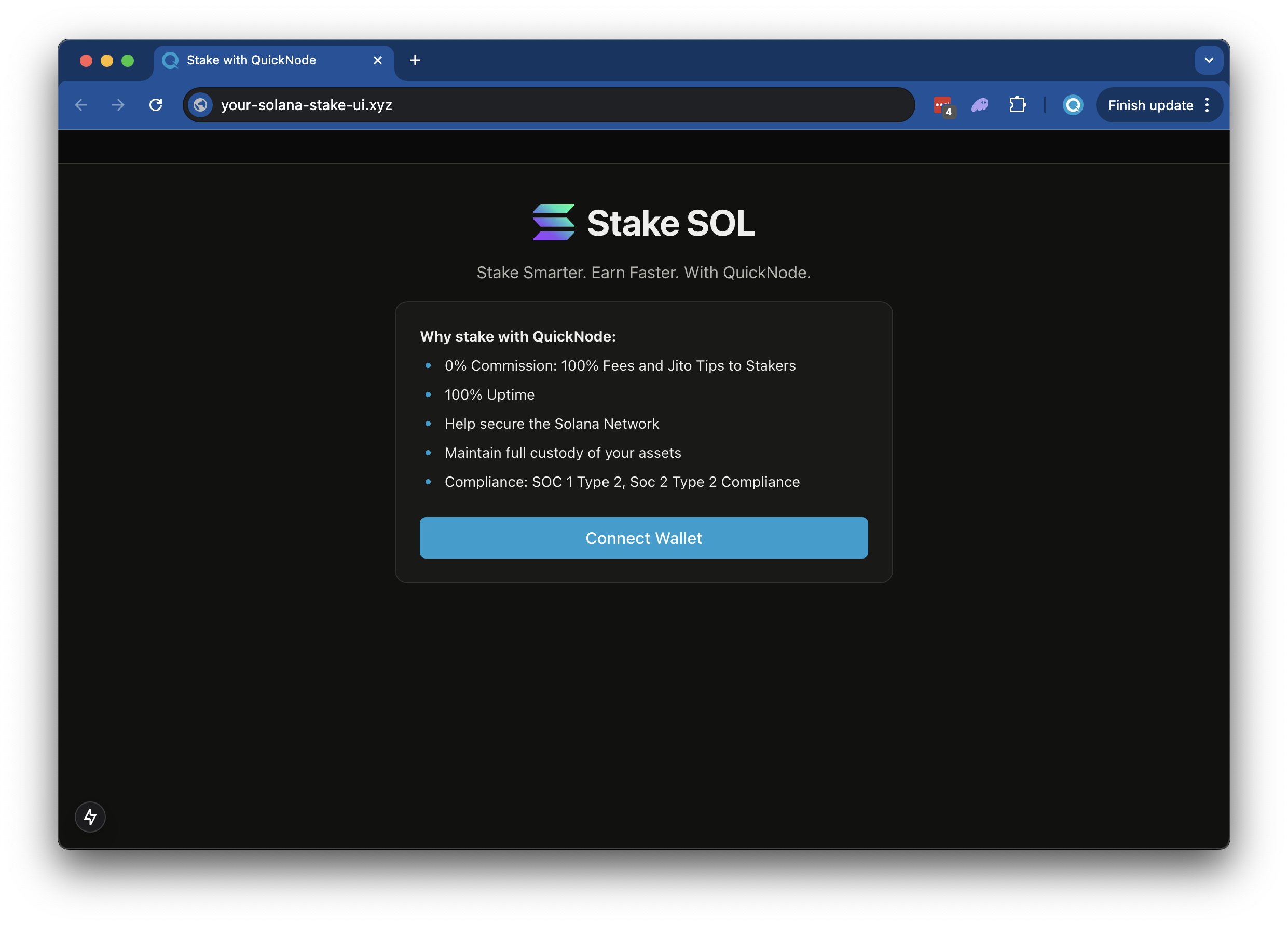
Met deze app kunnen gebruikers met minimale instellingen snel tokens staken op uw Solana . De app bevat vooraf geconfigureerde wallet-verbindingen, waardoor uw gebruikers hun favoriete Solana kunnen koppelen en hun tokens rechtstreeks op uw validator-node kunnen staken via een eenvoudige, gestroomlijnde interface.
Author



Frontend-framework/bibliotheek:
Reageren
Taal:
TypeScript
Bouwtool/ontwikkelingsserver:
Next.js
Overzicht
This is a simple demo let's stand up a staking page to easily empower your users to stake to your validator (modeled off of Quicknode Solana Stake UI).
The demo uses
- Solana
- Wallet Standard
- Next.js project bootstrapped with
create-next-app. - Radix UI
Aan de slag
Afhankelijkheden installeren
Open de projectmap:
cd sample-dapps/solana-staking-ui
Installeer vervolgens de afhankelijkheden:
npm install
# of
yarn
# of
pnpm install
# of
bun install
Set Environment Variables
Make sure you have a Quicknode endpoint handy--you can get one free here.
- Naam wijzigen
.env.voorbeeldnaar.envand update with your Quicknode Solana Node Endpoint. - Specify which cluster you are using (mainnet-beta, devnet) (using
NEXT_PUBLIC_NETWORK_ENV). - Specify the validator vote address that your staker should stake to (using
NEXT_PUBLIC_VALIDATOR_ADDRESS). The default value,5s3vajJvaAbabQvxFdiMfg14y23b2jvK6K2Mw4PYcYKis Quicknode's validator.
DEVNET_RPC_ENDPOINT=https://example.solana-devnet.quiknode.pro/12345/
MAINNET_RPC_ENDPOINT=https://example.solana-mainnet.quiknode.pro/12345/
NEXT_PUBLIC_NETWORK_ENV=mainnet
NEXT_PUBLIC_VALIDATOR_ADDRESS=5s3vajJvaAbabQvxFdiMfg14y23b2jvK6K2Mw4PYcYK
First, run the development server:
npm run dev
# or
yarn dev
# or
pnpm dev
# or
bun dev
Open http://localhost:3000 with your browser to see the result.
Using the Dapp
- Upload an Image (this will be used for your token metadata)
- Fill out the form with the token details
- Connect your wallet
- Make sure you have ~0.04 SOL in your wallet to cover the new account fees
- If you are using Devnet, you can get free SOL from the Solana Faucet
- Click "Mint" to upload your image and metadata to IPFS and mint your token!
Architectuur
src/
├── app/
│   ├── page.tsx
│   └── layout.tsx
│   └── api/
│       └── balance/
│       │   └── route.ts   # Get wallet SOL balance
│       └── stake/
│       │   └── fetch/route.ts  # Get a wallets' staking accounts
│       │   └── generate/route.ts   # Generate staking accounts
│       └── transaction/
│           └── confirm/route.ts  # Confirm a transaction
└── components/
    ├── stake/     # Various staking components
    └── [supporting components]
└── context/       # Wallet connect context
└── hooks/         # Is wallet connected hook
└── utils/         # Is wallet connected hook
    ├── solana/    # Solana staking and account utils
    └── config.ts  # Network settup
    └── constants.ts
Deploy on Vercel
Bijdragen en feedback
We horen graag wat je ervan vindt en staan open voor alle bijdragen aan deze voorbeeldapp!
Als je problemen wilt melden of feedback wilt geven, maak dan een GitHub-issue aan in de qn-handleiding-voorbeelden repository.
Volg deze stappen om een bijdrage te leveren:
- Maak een fork van de repository
- Maak een feature-branch aan:git checkout -b feature/amazing-feature
- Sla je wijzigingen op:git commit -m "Geweldige functie toevoegen"
- Pusht je branch:git push origin feature/amazing-feature
- Dien een pull-verzoek in.
Bekijk meer voorbeeldapps