Terug naar voorbeeldapps
Solana -minter
The Solana Token Minter app allows you to create fungible tokens on the Solana blockchain with built-in support for IPFS image uploads.
Author



Frontend-framework/bibliotheek:
React/Next.js
Taal:
TypeScript
Bouwtool/ontwikkelingsserver:
Next.js
Overzicht
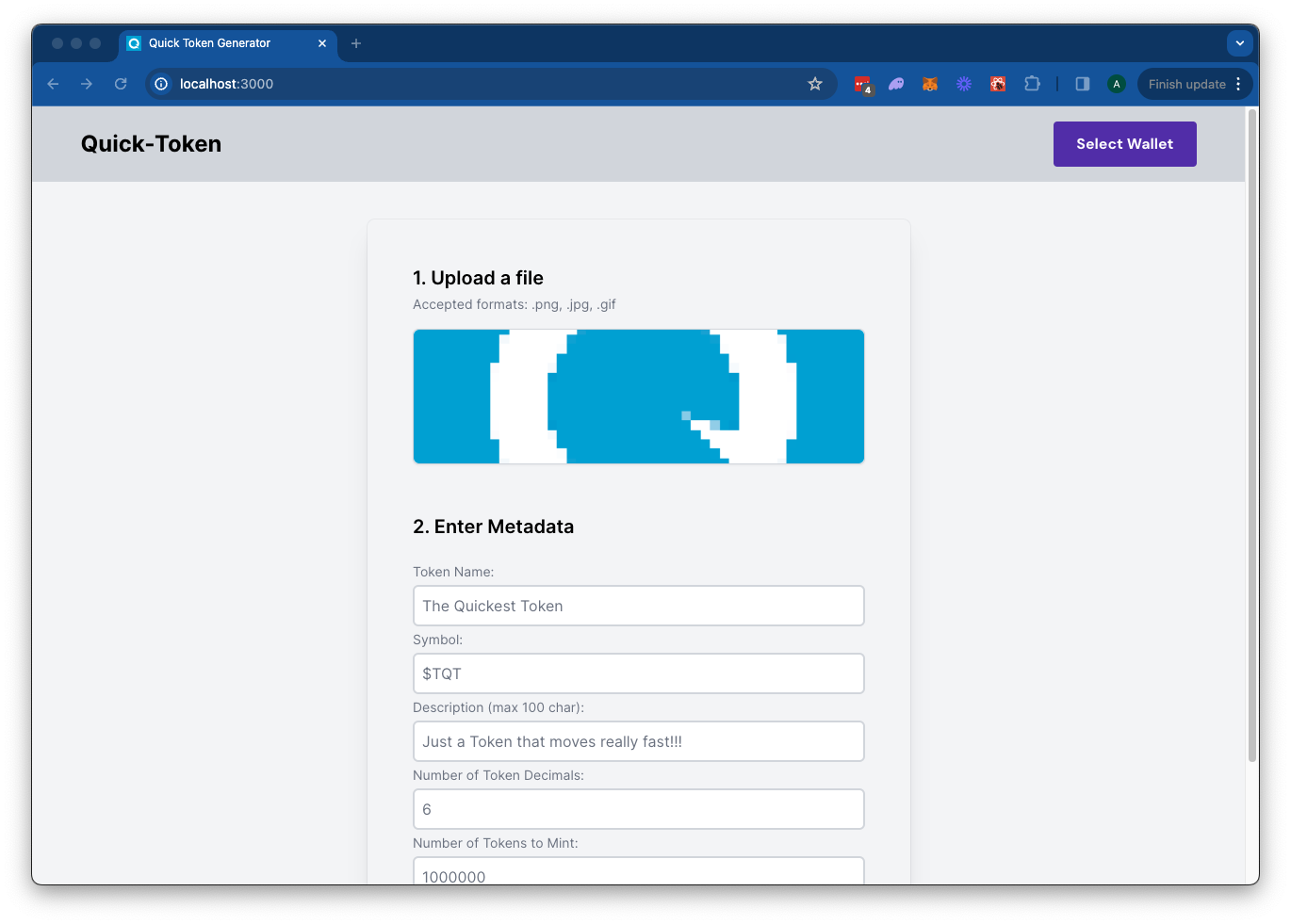
The Solana Token Minter app allows you to create fungible tokens on the Solana blockchain with built-in support for IPFS image uploads using Quicknode's IPFS API. Simply upload an image for your token metadata, fill out the token details, and connect your wallet. Click "Mint" to upload your metadata to IPFS and mint your token seamlessly.This app uses Next.js 14 project bootstrapped with create-next-app.
Aan de slag
Afhankelijkheden installeren
Open de projectmap:
cd sample-dapps/solana-token-maker
Installeer vervolgens de afhankelijkheden:
npm install
# of
yarn
# of
pnpm install
# of
bun install
Set Environment Variables
Make sure you have a Quicknode endpoint handy--you can get one free here.
- Naam wijzigen
.env.voorbeeldnaar.env.localand update with your Quicknode Solana Node Endpoint and Quicknode IPFS key. - Make sure to update the cluster to ensure your transaction URLs point to the correct explorer (use only of the enum values provided in the
.env.voorbeeldfile). - You can use Quicknode's public IPFS Gateway URL or replace it with your own.
QN_IPFS_API=QN_abc123456789xyz_REPLACE_THIS
QN_ENDPOINT=https://example.solana-mainnet.quiknode.pro/123456
NEXT_PUBLIC_CLUSTER=mainnet-beta # mainnet-beta | devnet | testnet | local
NEXT_PUBLIC_GATEWAY_URL=https://quicknode.quicknode-ipfs.com/ipfs/
First, run the development server:
npm run dev
# or
yarn dev
# or
pnpm dev
# or
bun dev
Open http://localhost:3000 with your browser to see the result.
Using the Dapp
- Upload an Image (this will be used for your token metadata)
- Fill out the form with the token details
- Connect your wallet
- Make sure you have ~0.04 SOL in your wallet to cover the new account fees
- If you are using Devnet, you can get free SOL from the Solana Faucet
- Click "Mint" to upload your image and metadata to IPFS and mint your token!
Architectuur
src/
├── app/
│   ├── page.tsx
│   └── layout.tsx
│   └── api/
│       └── solana/
│           └── createMintTx/route.ts   # Create New Mint Transaction
│           └── sendAndConfirm/route.ts # Send and Confirm Transaction
│       └── upload/
│           └── image/route.ts  # IPFS Image Upload
│           └── json/route.ts   # IPFS JSON Upload
└── components/
    ├── SolanaProviders.tsx     # Wallet Adapter Context providers
    ├── Minter.tsx              # Main component
    └── [supporting components]
Deploy on Vercel
Next.js Documentation
To learn more about Next.js, take a look at the following resources:
- Next.js Documentation - learn about Next.js features and API.
- Learn Next.js - an interactive Next.js tutorial.
You can check out the Next.js GitHub repository - your feedback and contributions are welcome!
Bijdragen en feedback
We horen graag wat je ervan vindt en staan open voor alle bijdragen aan deze voorbeeldapp!
Als je problemen wilt melden of feedback wilt geven, maak dan een GitHub-issue aan in de qn-handleiding-voorbeelden repository.
Volg deze stappen om een bijdrage te leveren:
- Maak een fork van de repository
- Maak een feature-branch aan:git checkout -b feature/amazing-feature
- Sla je wijzigingen op:git commit -m "Geweldige functie toevoegen"
- Pusht je branch:git push origin feature/amazing-feature
- Dien een pull-verzoek in.
Bekijk meer voorbeeldapps