
閱讀時間 4 分鐘
This guide includes references to either Truffle or Ganache, which are no longer actively maintained. We recommend exploring the Hardhat framework as an alternative, as Consensys has established a new partnership with Hardhat after sunsetting Truffle and Ganache. You can find our Hardhat-related guides here. If you’d like to see an updated version of this guide, please let us know in the feedback section at the end of this page.
概覽
Forking and running a local simulated Ethereum environment is essential if you want to work with DeFi or do Ethereum development in general. In this guide, we’ll cover how to fork Ethereum Blockchain with Ganache.
What is Ganache?
Ganache is an Ethereum developer tool that allows you to simulate a blockchain environment locally and test deployed smart contracts. You can use Ganache across the entire development cycle; enabling you to develop, deploy, and test your dApps in a safe and deterministic environment.
Smart contracts, once deployed on a blockchain, cannot be changed, so it becomes critical to thoroughly test and debug smart contracts before deploying them on the blockchain. Therefore it is essential to have a local blockchain environment that can free the developers from transaction costs and delays. Ganache is specifically designed for this. It is a local in-memory blockchain for development and testing purposes that simulate the real Ethereum network with some accounts funded with test Ether.
Why Fork Ethereum blockchain?
A fork in software development means making a copy of something separate from the original thing. Forking the Ethereum blockchain means copying the Ethereum blockchain’s state at a certain block and making a copy of it to make your changes moving forward. This allows working with the Ethereum network without altering the actual Ethereum mainnet. The primary reason to do this is to work with existing smart contracts on the blockchain without recreating them. For example, if you want to work with a particular DeFi protocol, you can find that protocol’s smart contract and fork the network for that block. This will allow you to test your project with the smart contract without making real transactions.
Set Up Your Quicknode Ethereum Endpoint
We could use pretty much any Ethereum client, such as Geth or OpenEthereum (fka Parity for our purposes today. Since that is a bit too involved for forking a block, we'll create a free Quicknode account here and generate an Ethereum endpoint. We’ll need a mainnet endpoint to get data from the chain as we are trying to make a simulated mainnet locally. After you've created your free Ethereum endpoint, copy your HTTP Provider endpoint:
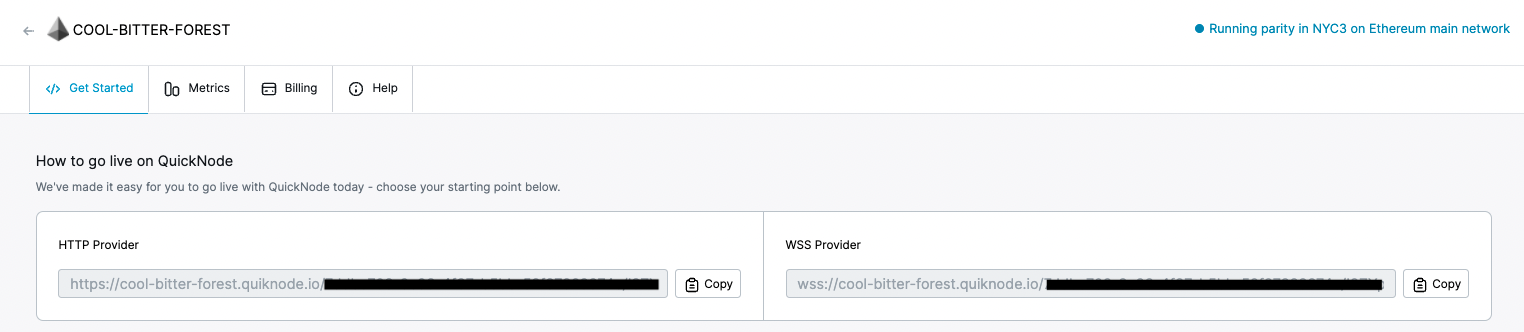
You'll need this later, so copy it and save it.
Installing Ganache CLI
We’ll use Ganache CLI to fork the Mainnet; Ganache CLI uses ethereumjs to simulate full client behavior making development on Ethereum faster, easier, and safer.
You can download Ganache CLI using npm (Node Package Manager),
$ npm install -g ganache-cli
Or yarn package manager.
$ yarn global add ganache-cli
The most common issue at this step is an internal failure with `node-gyp`. You can follow node-gyp installation instructions here.
Note: You will need to have your python version match one of the compatible versions listed in the instructions above if you encounter the node-gyp issue.
Another common issue is a stale cache; clear your npm cache by simply typing the below into your terminal:
$ npm cache clean
If everything goes right, Ganache CLI will be installed on your system.
Fork Ethereum Mainnet using Ganache
To fork the mainnet, open your terminal/cmd and copy-paste the following:
$ ganache-cli --fork <ADD_YOUR_QUICKNODE_URL_HERE>
Replace ADD_YOUR_QUICKNODE_URL_HERE with the Quicknode HTTP URL we got earlier and run the command; you must see something similar to this.
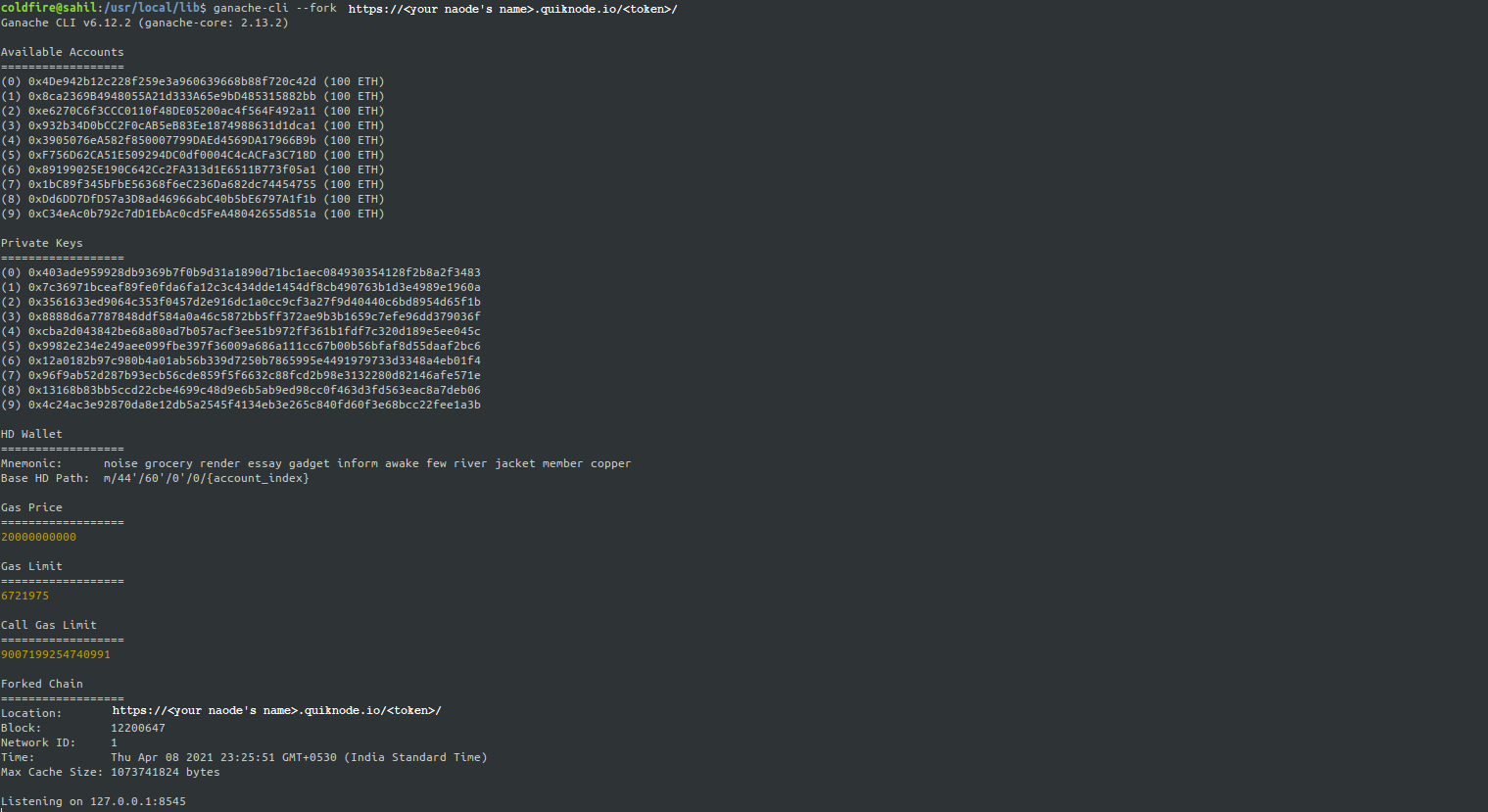
It will fork the mainnet at the blockchain’s latest block, 12200647, in the above example. You can query the forked chain by pinging localhost:8545.
You can fork at a specific block in the blockchain by mentioning the block number along with ‘@’ after your node URL.
$ ganache-cli --fork <ADD_YOUR_QUICKNODE_URL_HERE>@<block_number>
Let’s say we want to do some development on the xDai chain which resides on the Ethereum blockchain network and uses xDai for gas. We can search for Dai on etherscan, and by going to the holder’s section, we can view the biggest Dai holders copy an address and run the following.
$ ganache-cli --fork <ADD_YOUR_QUICKNODE_URL_HERE> -u <address of token holder>
Here ganache will fork the Ethereum blockchain and unlock (-u) the above account for the local ganache environment. Using ganache-cli we can impersonate a particular account address which is usually locked for use. We can also make transactions on the simulated blockchain from that account address.
Note: The tokens you get to use are not real tokens and are meant to be used for development and testing purposes.
Note: You’ll need a node with an archive add-on to access the blocks older than 64 blocks from the latest block.
Querying the forked chain
Now, let’s get some information from the forked chain; we’ll make an eth_getBlockByNumber call that will return information about the block at which we forked the chain. We’ll need to convert the block number from decimal to hexadecimal and add a 0x prefix.
$ curl --data '{"method":"eth_getBlockByNumber","params":["0xBA29D2",false],"id":1,"jsonrpc":"2.0"}' -H "Content-Type: application/json" -X POST localhost:8545
We’ll get an output something like this.
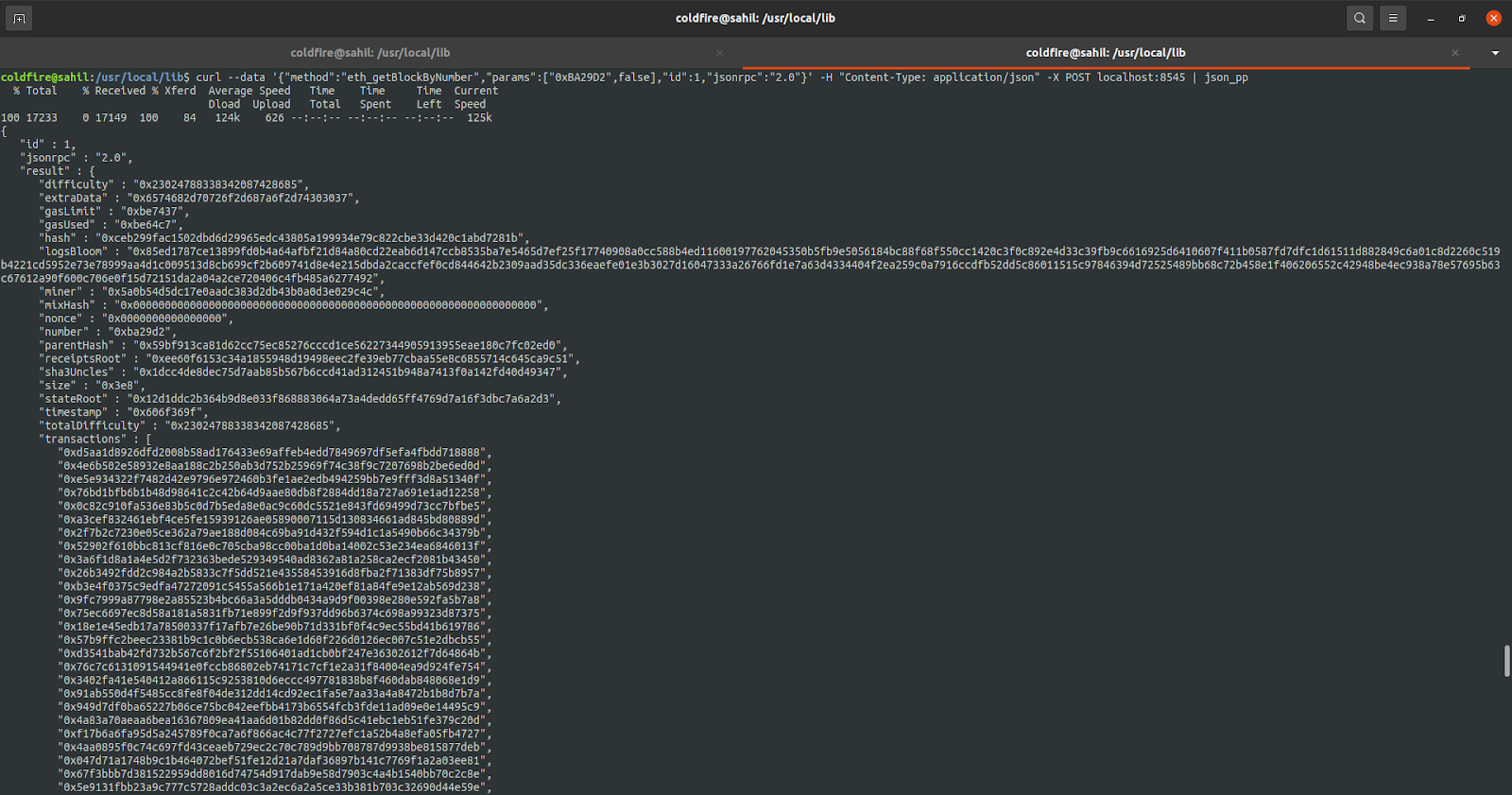
The above output has data about the block like the transactions, gas used in the block, timestamp, miner’s address, etc. Here’s the complete output.
結論
Now that you have a local blockchain environment yourself, you can interact with the deployed contracts and build something extraordinary. Refer to Ganache CLI Readme for more Ganache features.
訂閱我們的電子報,獲取更多關於Ethereum的文章與指南。如有任何意見回饋,歡迎透過Twitter 聯絡我們。您隨時都可以在我們的Discord社群伺服器上與我們聊天,那裡匯集了您這輩子見過最酷的開發者們 :)