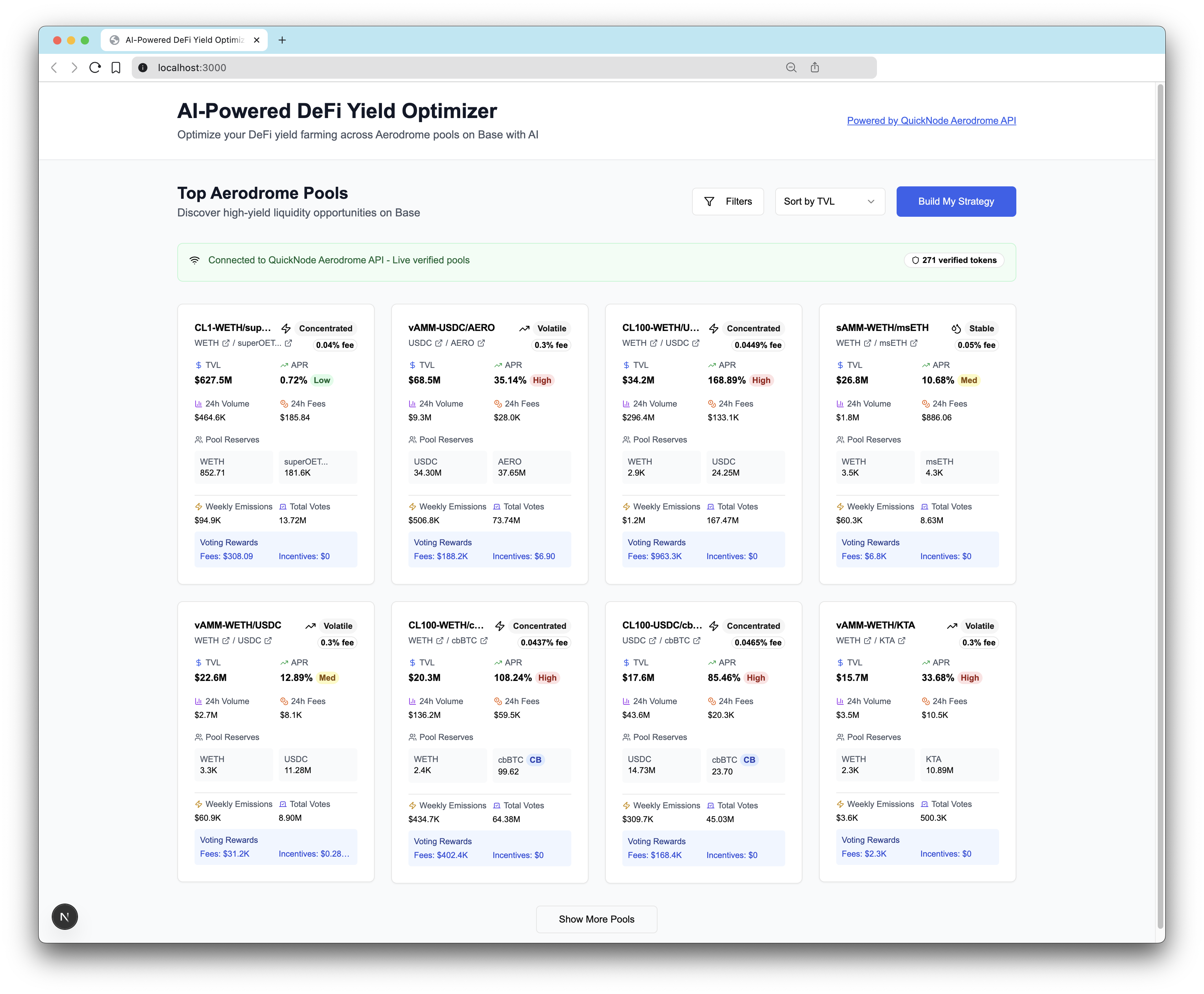
概覽
This project is an AI-powered DeFi yield farming optimizer that helps users build personalized portfolio strategies across Aerodrome Finance pools on Base network.
This example app is provided for educational and demonstration purposes only. Use at your own risk.
提示
Learn how to build the AI Powered DeFi Yield Optimizer on Base in our technical guide here.
先決條件
-
Anthropic Claude API:
- Sign up at console.anthropic.com
- Get API key
-
Quicknode Account:
- Sign up at quicknode.com
- Get access to the Swap API's Aerodrome integration
- Get endpoint URL
快速入門
1. 複製儲存庫
git clone https://github.com/quiknode-labs/qn-guide-examples.git
cd qn-guide-examples/sample-dapps/ai-powered-defi-yield-optimizer
2. 安裝依賴項
pnpm install
# or
npm install
3. 環境設定
cp .env.example .env
編輯 .env:
# Required for AI optimization
ANTHROPIC_API_KEY=your_claude_api_key_here

# Required for live Aerodrome data
NEXT_PUBLIC_QUICKNODE_ENDPOINT=https://your-quicknode-endpoint.com/your-api-key/
4. 執行開發伺服器
pnpm dev
# or
npm run dev
造訪 http://localhost:3000 to see the application.
建築
System Overview
┌─────────────────┐    ┌──────────────────┐    ┌─────────────────┐
│   User Input    │    │   AI Processing  │    │  Pool Data API  │
│                 │    │                  │    │                 │
│ • Risk Quiz     │───▶│  Claude AI API   │◀───│ Quicknode API   │
│ • Preferences   │    │  • Analysis      │    │ • Live Pools    │
│ • Investment $  │    │  • Optimization  │    │ • Token Data    │
└─────────────────┘    │  • Reasoning     │    │ • Verification  │
                       └──────────────────┘    └─────────────────┘
                                │
                                ▼
                       ┌──────────────────────┐
                       │ Optimized Strategy   │
                       │                      │
                       │ • Pool Selection     │
                       │ • Allocations        │
                       │ • Risk Scores        │
                       │ • Reasoning          │
                       └──────────────────────┘
部署至 Vercel
預覽
貢獻與回饋
我們非常樂意聽取您的意見,並歡迎您為這個範例應用程式提供任何貢獻!
若要回報問題或提供意見回饋,請在 qn-guide-examples 儲存庫。
若要貢獻,請依照以下步驟操作:
- 分叉此儲存庫
- 建立功能分支:git checkout -b feature/amazing-feature
- 將您的變更提交:git commit -m "新增超棒的功能"
- 推送您的分支:git push origin feature/amazing-feature
- 開啟一個 Pull Request。
探索更多範例應用程式