在 MetaMask、MyCrypto 和 MyEtherWallet 中使用Quicknode (已更新)
在 MetaMask、MyCrypto 和 MyEtherWallet 中使用Quicknode (已更新)
How to set up your Quicknode with 3 popular Wallet/Account services
December 25, 2019 — 2 min read
Below are instructions on how to set up your Quicknode for use with 3 popular wallet/account services >>>
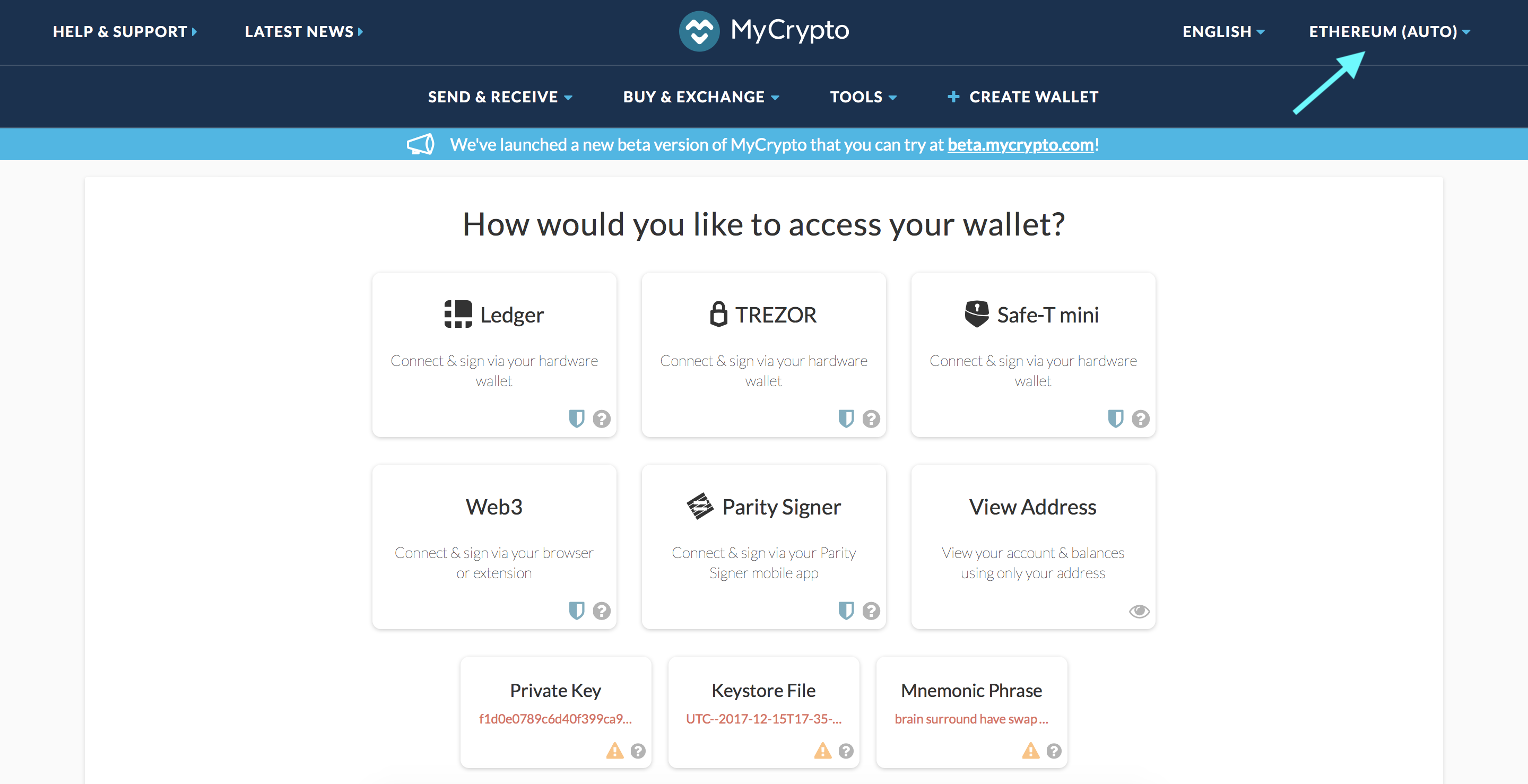
MyCrypto Web
Click the Node Selector in top right corner
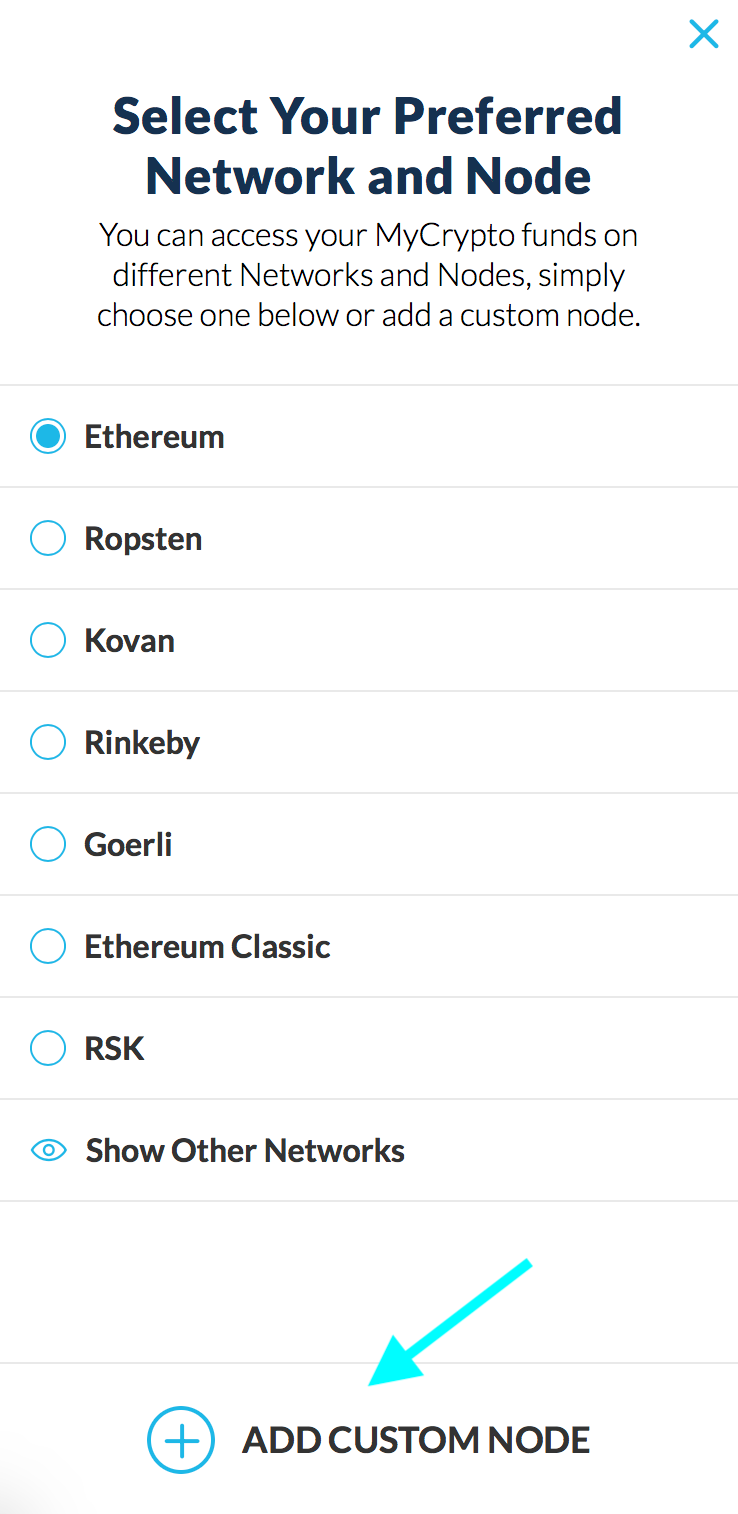
2. Click "Add Custom Node" at the bottom of the window that pops up
3. Enter a name (any), select the network (ETH = MainNet), and copy/paste your Web3 endpoint
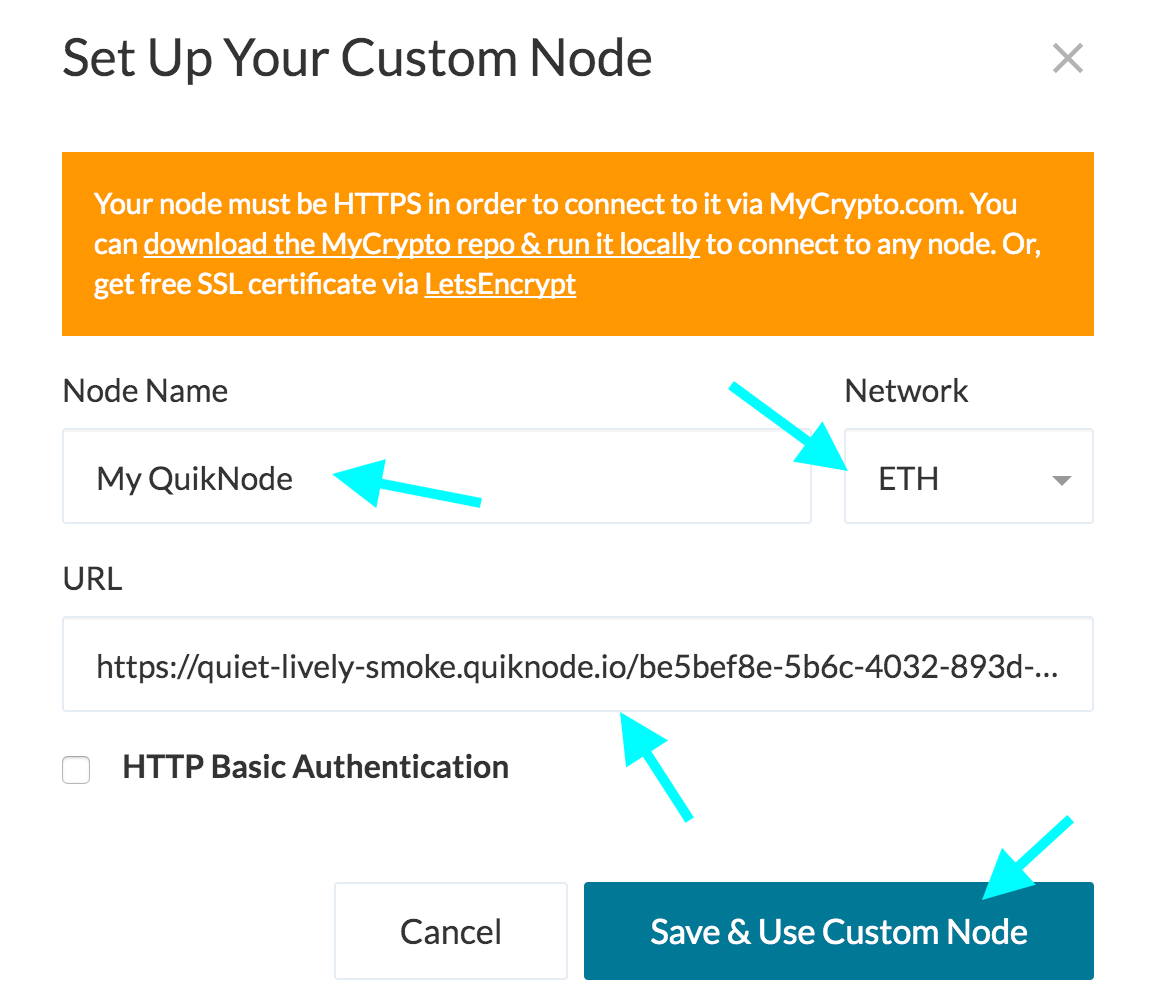
4. Click "Save & Use Custom Node" — and you're all set!
MyCrypto App
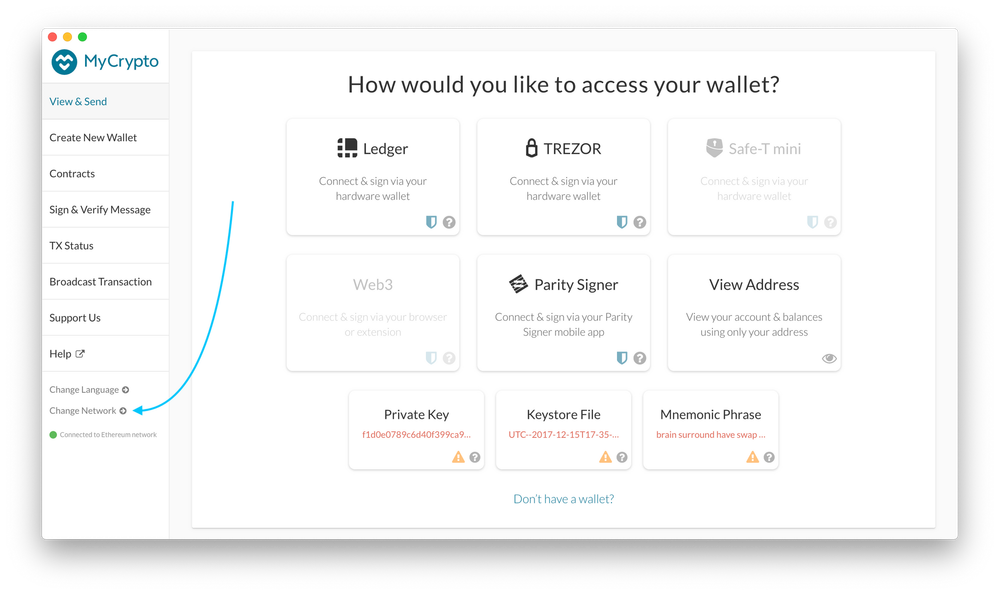
Click "Change Network"
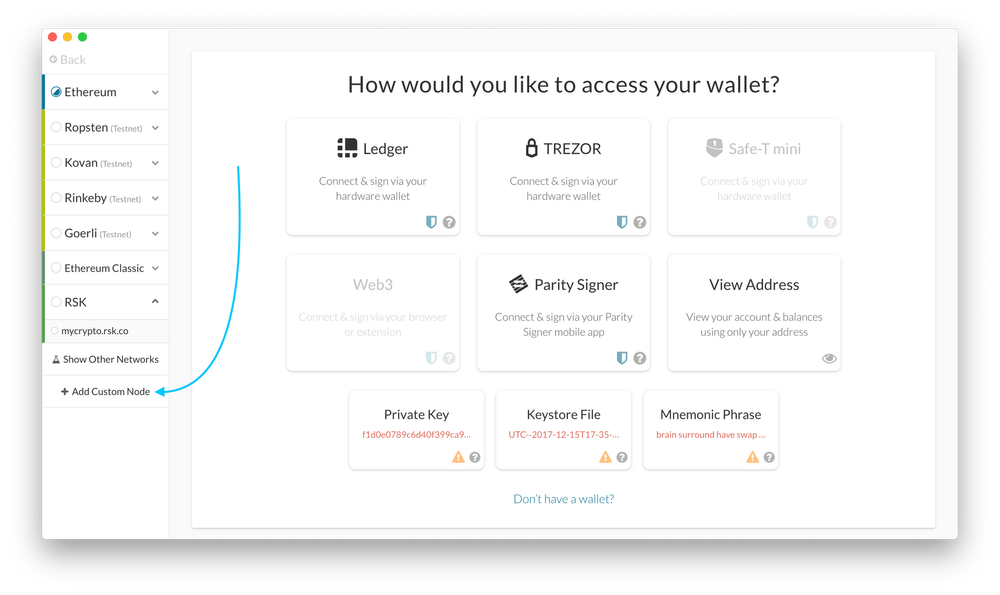
2. Click "Add Custom Node"
3. Enter a name (any), select the network (ETH = MainNet), and copy/paste your Web3 endpoint.
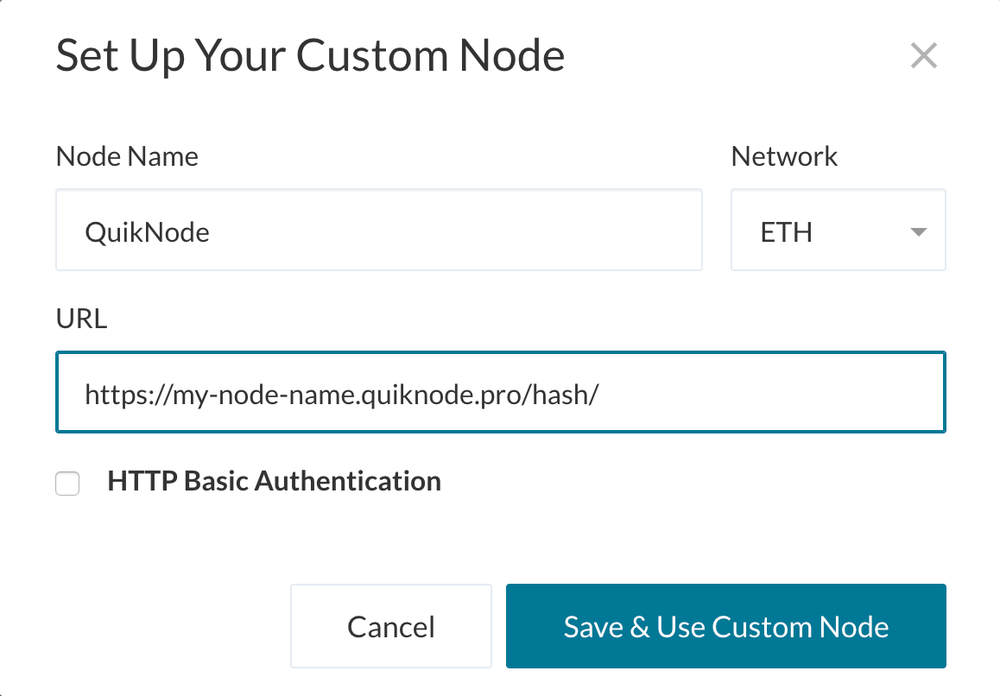
4. Click "Save & Use Custom Node" — and you're all set!
MetaMask
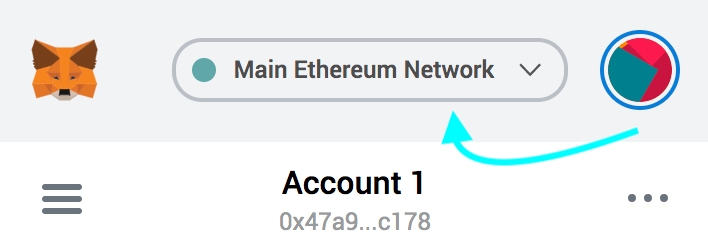
Open the MetaMask plugin, click the Network Selector at the top
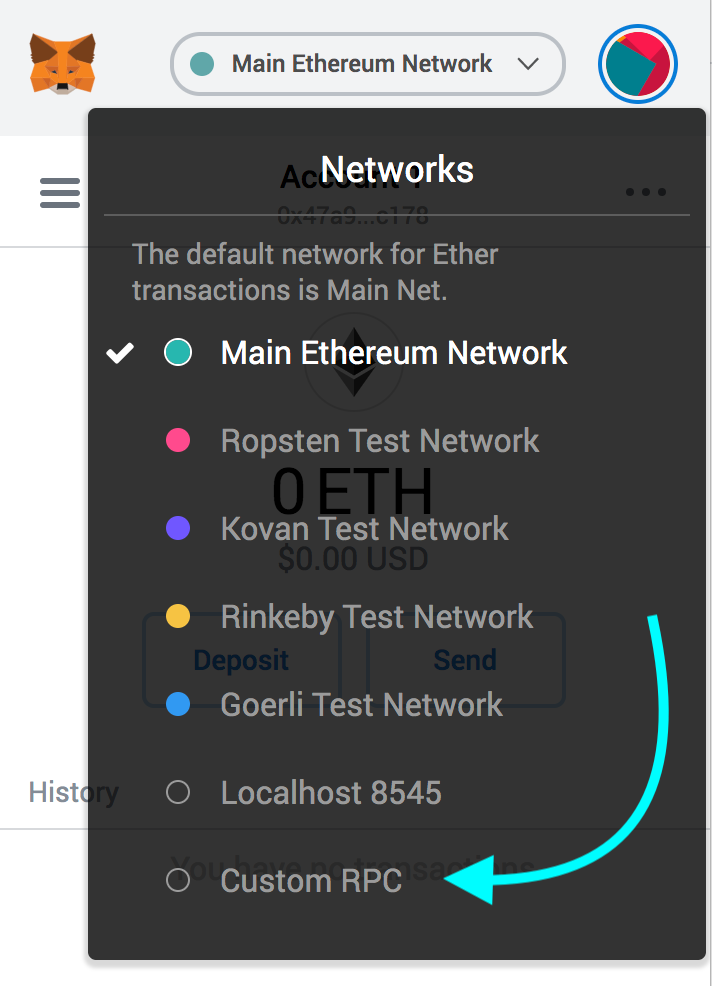
2. Select "Custom RPC" at the bottom
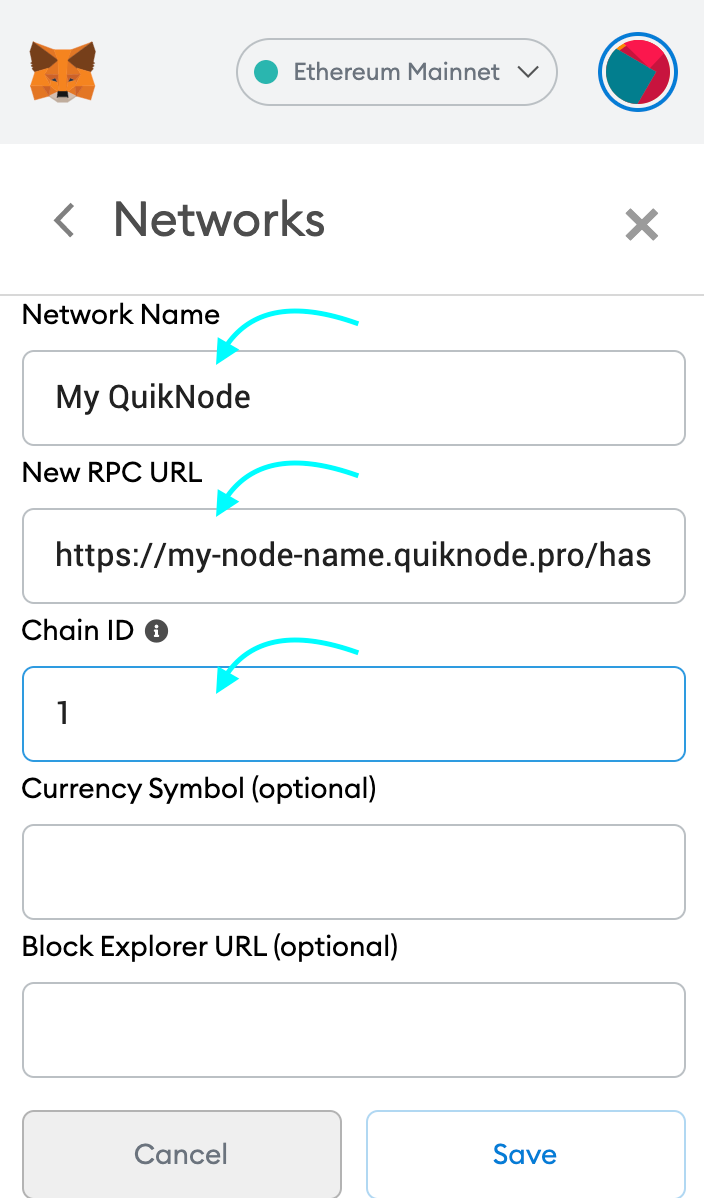
3. Enter a name (any), copy/paste your Web3 endpoint (be sure to include the "/" at the end!), enter ChainID (1 for MainNet, or see here for more), click "Save"
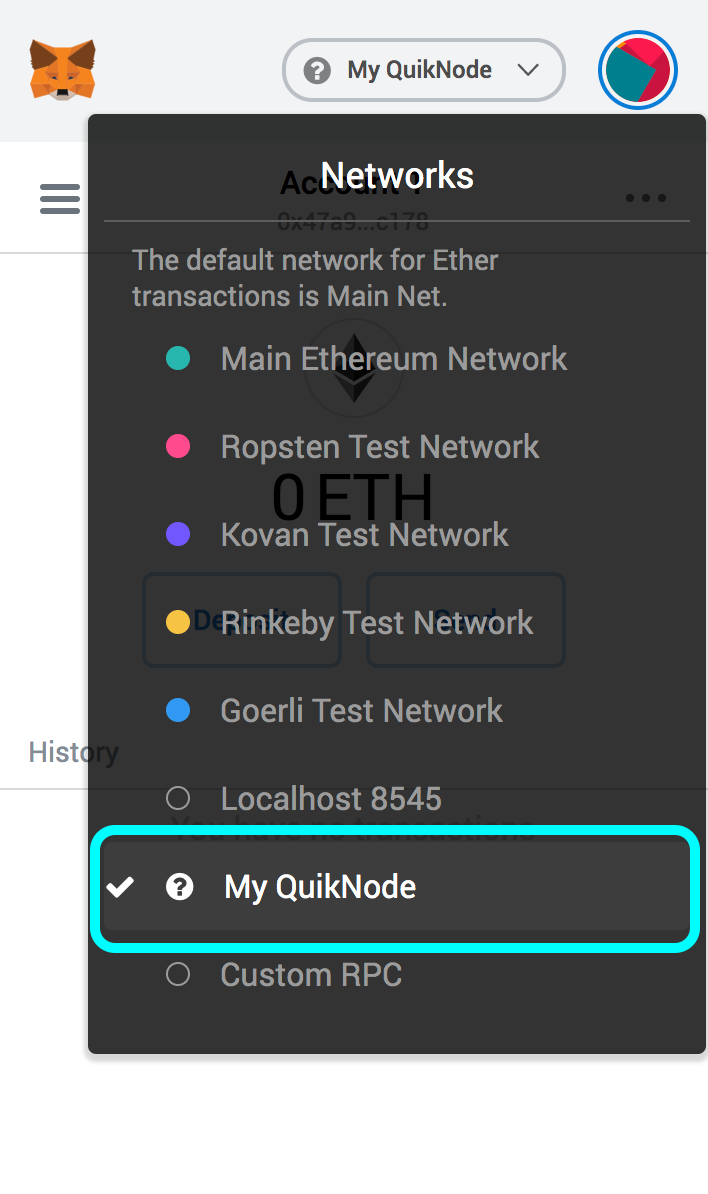
4. Your all set!
MyEtherWallet
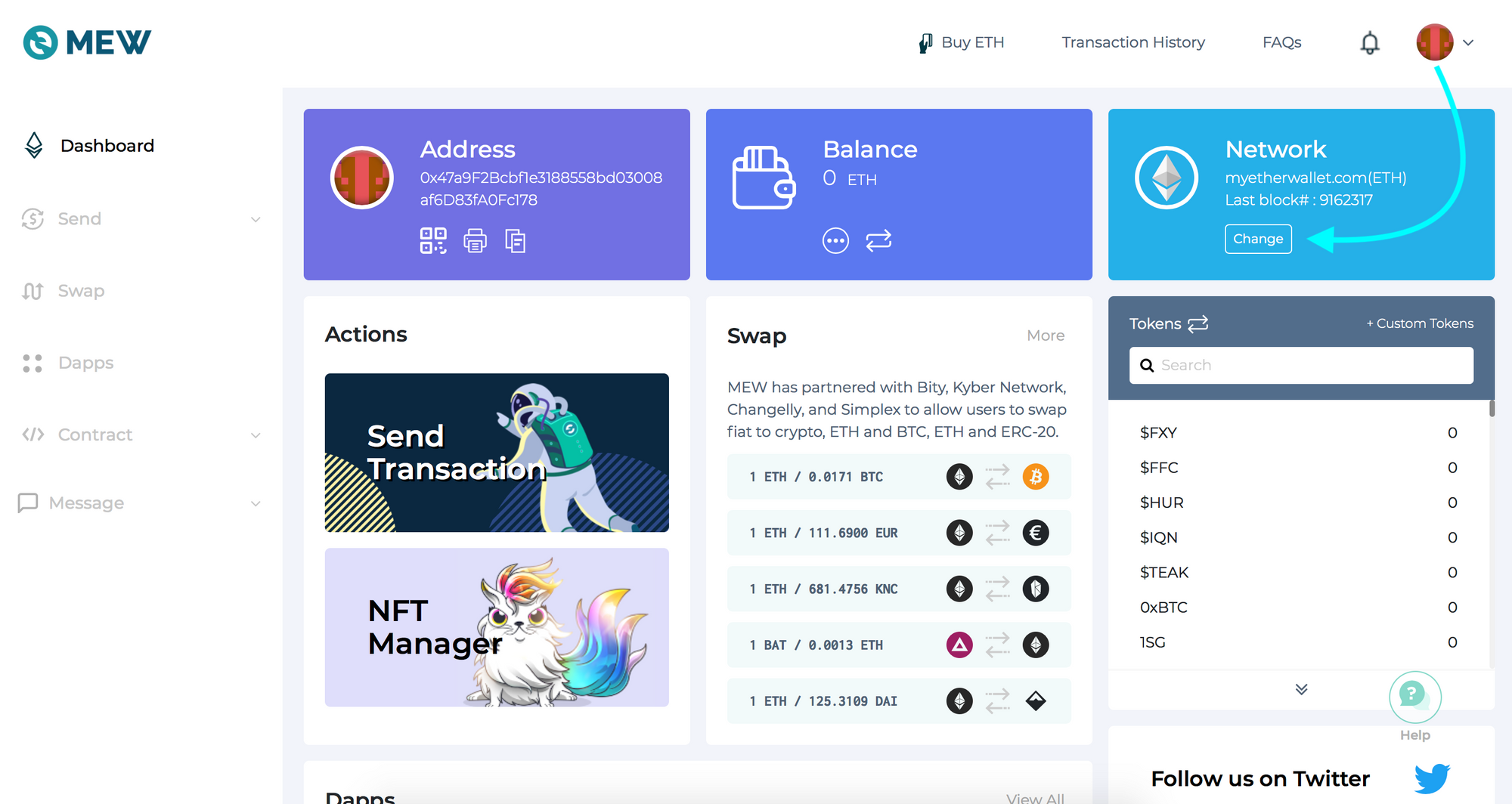
Open access to your wallet/account, click "Change" under Network
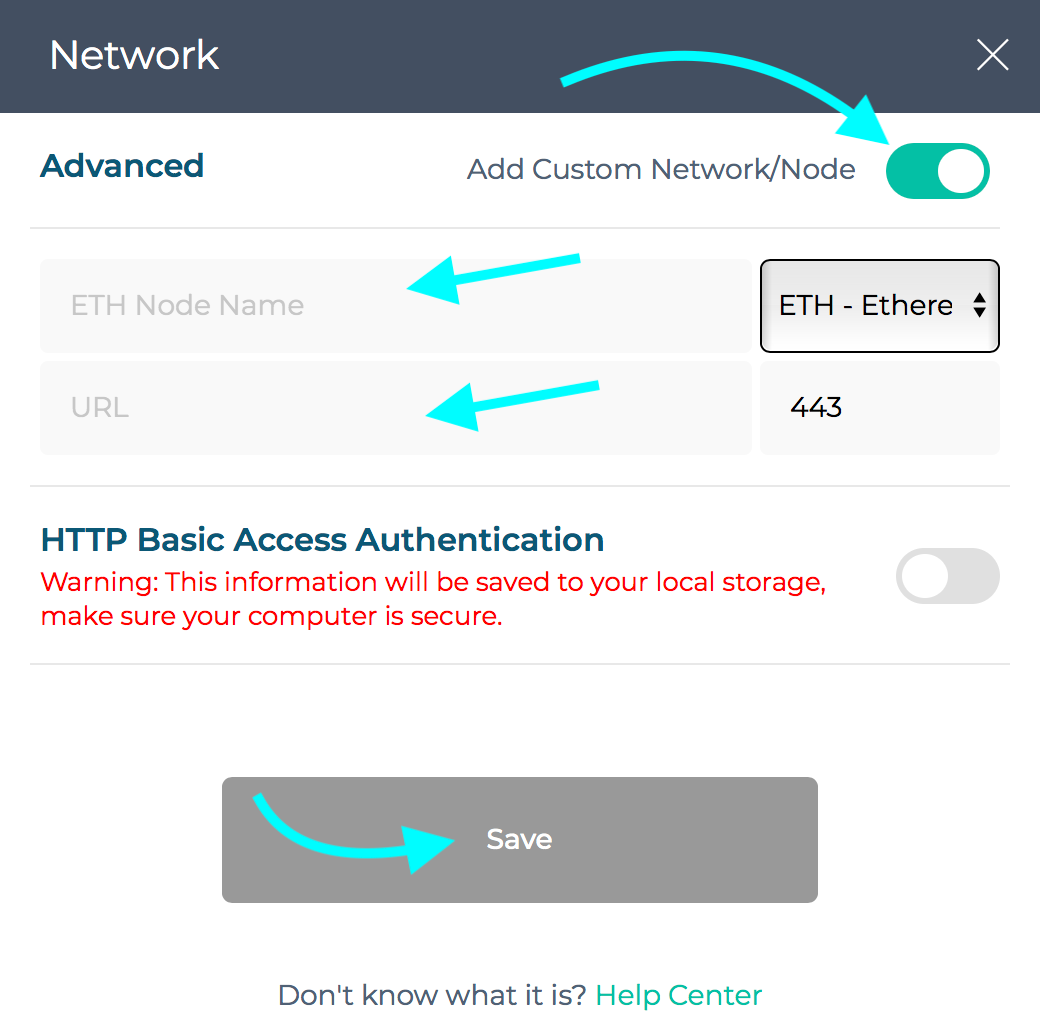
2. Flick "Add Custom Network/Node" and enter a name (any) and your Web3 endpoint, click Save
3. You will see that your network has switched to Quicknode, all set!

项目需要帮助或有疑问吗?请通过此表单、TwitterQuicknode 或在Discord 上联系我们!
关于Quicknode
Quicknode 成立于 2017 年,Quicknode 为开发者和企业Quicknode 机构级区块链基础设施。凭借 99.99% 的运行时间以及对 80 多条区块链的支持,各团队能够毫无妥协地构建和扩展链上应用。
随时掌握最新动态
将最新的工程见解、产品更新和 Web3 资讯直接发送至您的收件箱。