Quicknode Functions will be deprecated and will no longer be available soon.
This change is part of our effort to simplify the platform and provide a more consistent, secure experience for developers. Please begin migrating your workflows away from Functions
概述
Functions enable you to quickly build, deploy, and use serverless functions without the need to manage infrastructure. Your Functions can be used as destinations for your Streams, and can also be activate via API.
Functions Features
- 支持 API:您的函数会自动作为 API 对外提供,可供前端或其他服务调用。
- 大规模性能:我们全球均衡、可自动扩展的基础设施确保系统即使在峰值负载下也能平稳运行。
- 区块链优化:将您的函数设置为Streams的目标,当流中传入新数据时,该函数将自动触发。您还可以通过 API 触发该函数,并在触发时选择性地指定要在函数内部访问的特定区块链数据集。
- Storage Access: Access and manage your Storage data seamlessly within your function.
- 经济实惠:仅按实际使用量付费,无需预付费用,也无需长期承诺。
Want to see Functions in action? Check out our Functions Library for sample code and walkthroughs.
Feature Availability and Cost
Functions beta is available on all Quicknode rate plans. We offer dedicated support and custom integrations for teams with unique requirements. Contact our team for more information.
You can create an unlimited number of functions to meet your needs, however it is important to remember that the minimum activation time for any function is 100ms. For a full breakdown of the Functions features by plan, visit the pricing page.
Understanding GB-sec and Billing
GB-sec (Gigabyte-seconds) is an industry-standard metric we have adopted to measure and bill for Functions usage. It represents the amount of compute resources consumed by your function over time.
How GB-sec is Calculated:
- Memory Usage: The amount of memory allocated to your function (256MB).
- Execution Time: The duration your function runs, with a minimum of 100ms per activation.
If your function completes in less than 100ms, it will be billed for 100ms.
Example Calculations:
A function configured with a 256MB memory allocation that runs for 50ms (rounded to 100ms minimum):
GB-sec = (256/1024 GB) * (0.1 seconds) = 0.025 GB-sec
- A function configured with a 256MB memory allocation that runs for 2 seconds:
GB-sec = (256/1024 GB) * (2 seconds) = 0.5 GB-sec
By understanding GB-sec, you can optimize your functions for both performance and cost-effectiveness. Consider execution time to make the most of your included GB-sec and minimize additional charges.
Access
Access Functions through the Quicknode Developer Portal.
Functions Activation
Functions can be activated in 3 ways:
- Test activations: Your function can be activated manually within the function editor inside the Quicknode Developer Portal.
- Streams activation: You can choose your function as a destination for a Stream, and it will be activated automatically when data is delivered. Learn more about Streams filters.
- API activation: On the overview screen within the Quicknode Developer Portal for your function, you will find the unique API endpoint for your function. You can call this endpoint directly to activate your function. Learn more about the datasets available for API activations.
支持的区块链
Functions activated by API requests can automatically access blockchain data from any of the supported chains and networks mentioned below. For teams with unique requirements, contact our team for more information. Otherwise, our self-serve experience has you covered on the following chains:
| 链 | Mainnet | 测试网 |
|---|---|---|
| Abstract | ✅ | Testnet |
| Arbitrum | ✅ | 塞波利亚 |
| Arbitrum | ✅ | |
| Avalanche C-Chain | ✅ | Fuji |
| B3 | ✅ | 塞波利亚 |
| Base | ✅ | 塞波利亚 |
| Bera | ✅ | Bepolia |
| Bitcoin | ✅ | |
| Bitcoin | ✅ | Testnet |
| Blast | ✅ | 塞波利亚 |
| BNB Smart Chain | ✅ | Testnet |
| Celo | ✅ | |
| Cyber | ✅ | 塞波利亚 |
| Ethereum | ✅ | Hoodi, Sepolia |
| Fantom | ✅ | |
| Flow | ✅ | Testnet |
| Fraxtal (Select Access Chain) | ✅ | |
| Gnosis | ✅ | |
| Gravity | ✅ | |
| Hemi | ✅ | Testnet |
| Hyperliquid EVM | ✅ | |
| Immutable | ✅ | Testnet |
| Injective | ✅ | Testnet |
| Ink | ✅ | 塞波利亚 |
| 日本开放链 | ✅ | |
| Kaia | ✅ | Testnet |
| Linea | ✅ | |
| Lisk (Select Access Chain) | ✅ | |
| Mantle | ✅ | 塞波利亚 |
| Mode (Select Access Chain) | ✅ | |
| Monad | 即将推出 | Testnet |
| Morph | ✅ | Holesky |
| Optimism | ✅ | 塞波利亚 |
| Peaq | ✅ | |
| Plasma | ✅ | Testnet |
| Polygon | ✅ | Amoy |
| Sahara | ✅ | Testnet |
| Scroll | ✅ | Testnet |
| Sei | ✅ | Testnet |
| Solana | ✅ | Devnet, Testnet |
| Soneium | ✅ | |
| DATA | ✅ | Aeneid Testnet |
| Tron | ✅ | |
| Unichain | ✅ | 塞波利亚 |
| Vana | ✅ | Moksha Testnet |
| Worldchain | ✅ | 塞波利亚 |
| zkSync | ✅ | 塞波利亚 |
| Zora | ✅ | |
| 0g | ✅ | 伽利略Testnet |
Fraxtal, Lisk, and Mode are Select Access Chains. These networks require a subscription to access. To learn more about Select Access Chains, check out this blog on Introducing Select Access Chains: Your Chain, Your Choice
Function Configuration
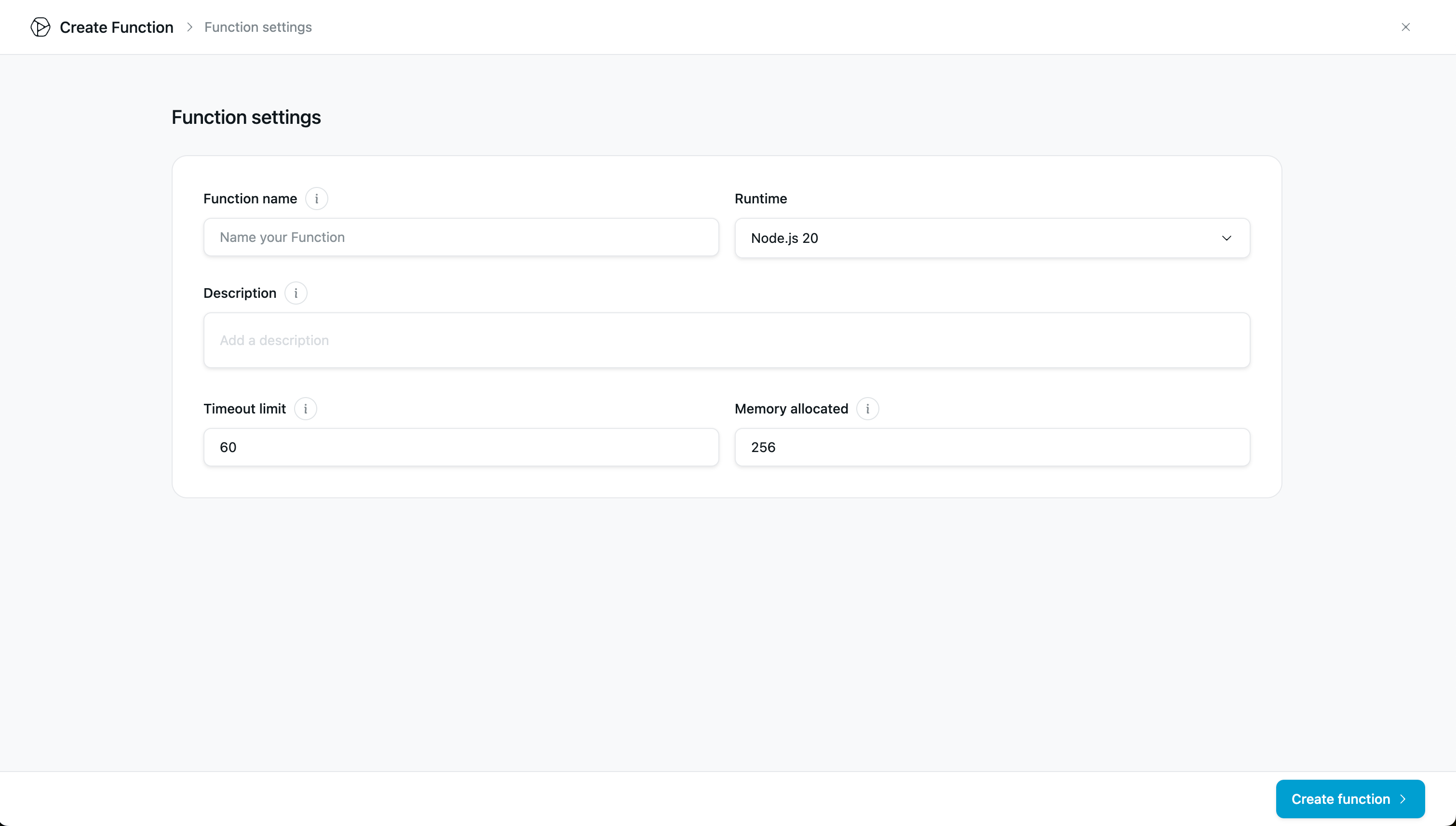
- Function name: The name of the function.
- Runtime: Node.js v20 is available.
- Description: You can add a description to your function. It supports markdown.
- Timeout limit: How long your function can run before timing out. The range is 5 to 60 seconds.
安全
IP Allowlisting
If you're sending data from your Function to an external webhook endpoint, you can restrict access to that endpoint by adding the following IP address to your allowlist:
129.213.68.3
129.80.52.79
This IP address is used by Quicknode Functions when making outbound webhook requests. Adding this IP to your allowlist helps ensure that only legitimate requests from Quicknode Functions can access your webhook endpoint.
Function Editor
You can code your function in the functions code editor.
Code View
Write code that will execute when data is delivered by Streams, or when you activate your function via API.
Within the editor, you can test your function against blockchain datasets and view activation results.
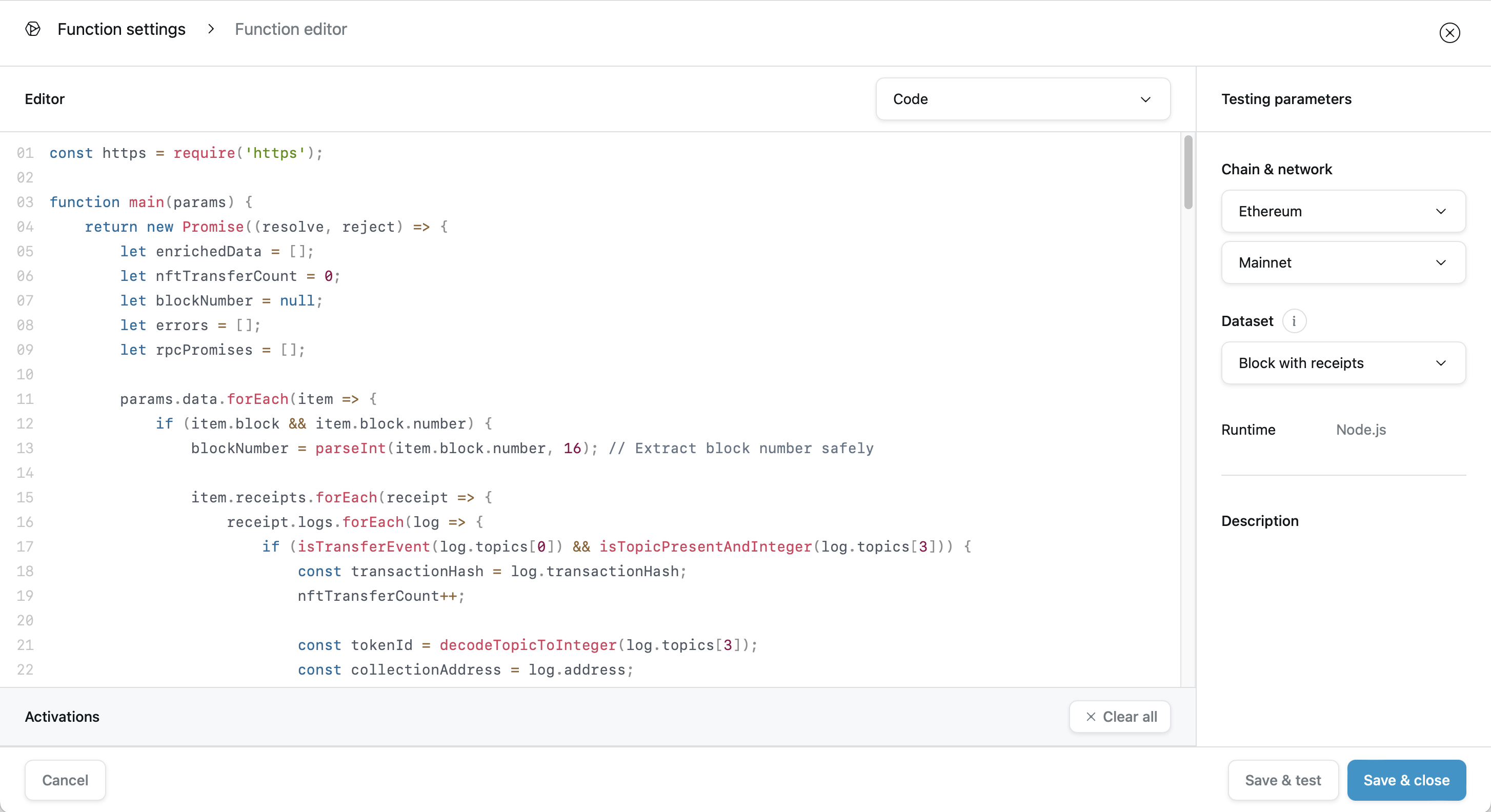
Within the code view, your function can access all the packages that are part of the selected runtime.
Functions Dashboard
Within the Quicknode developer portal, you can view details about your functions, including metrics, history, and logs. You can also edit and test your functions.
Each function generates a unique rest API endpoint that can be used to activate the function via API.