概述
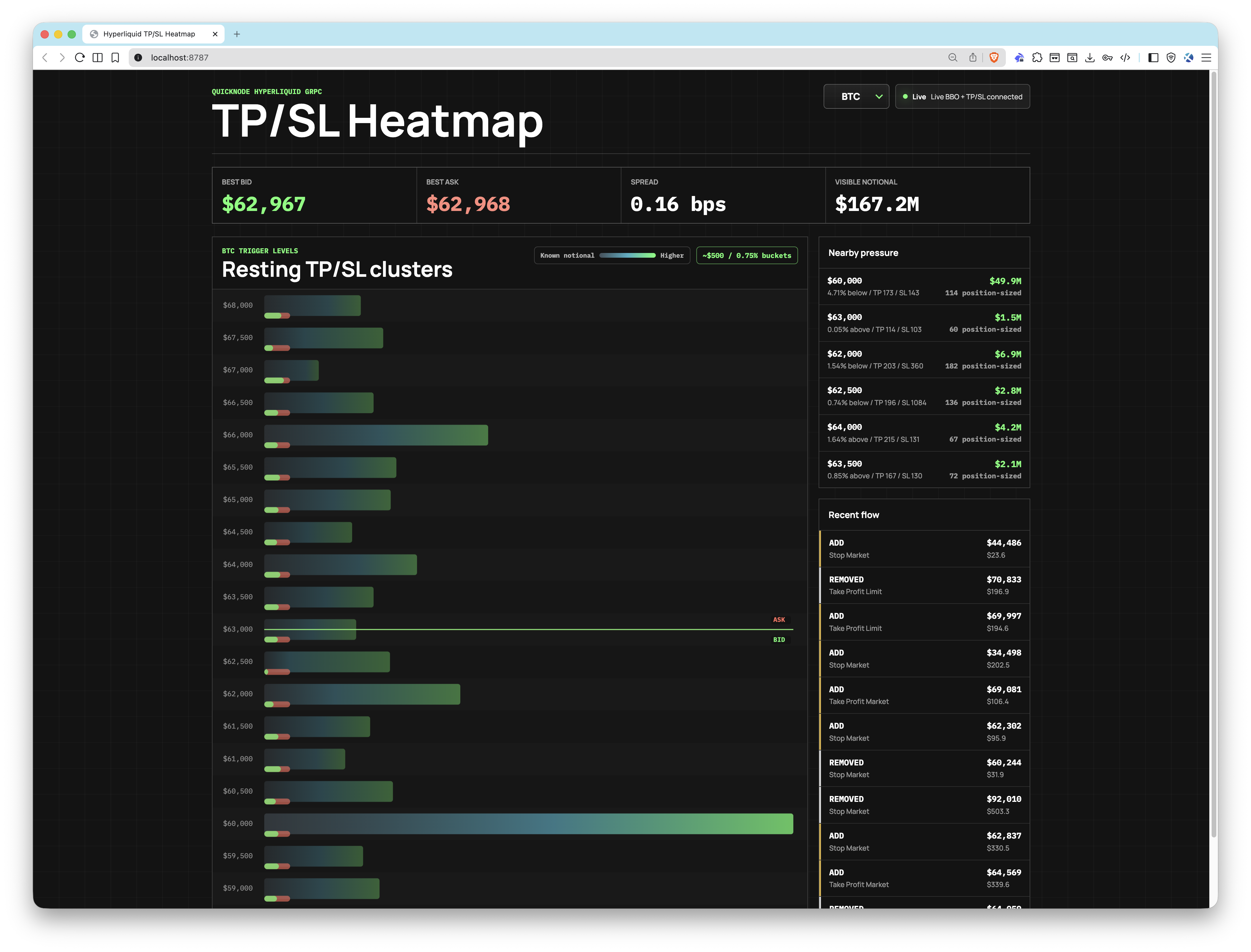
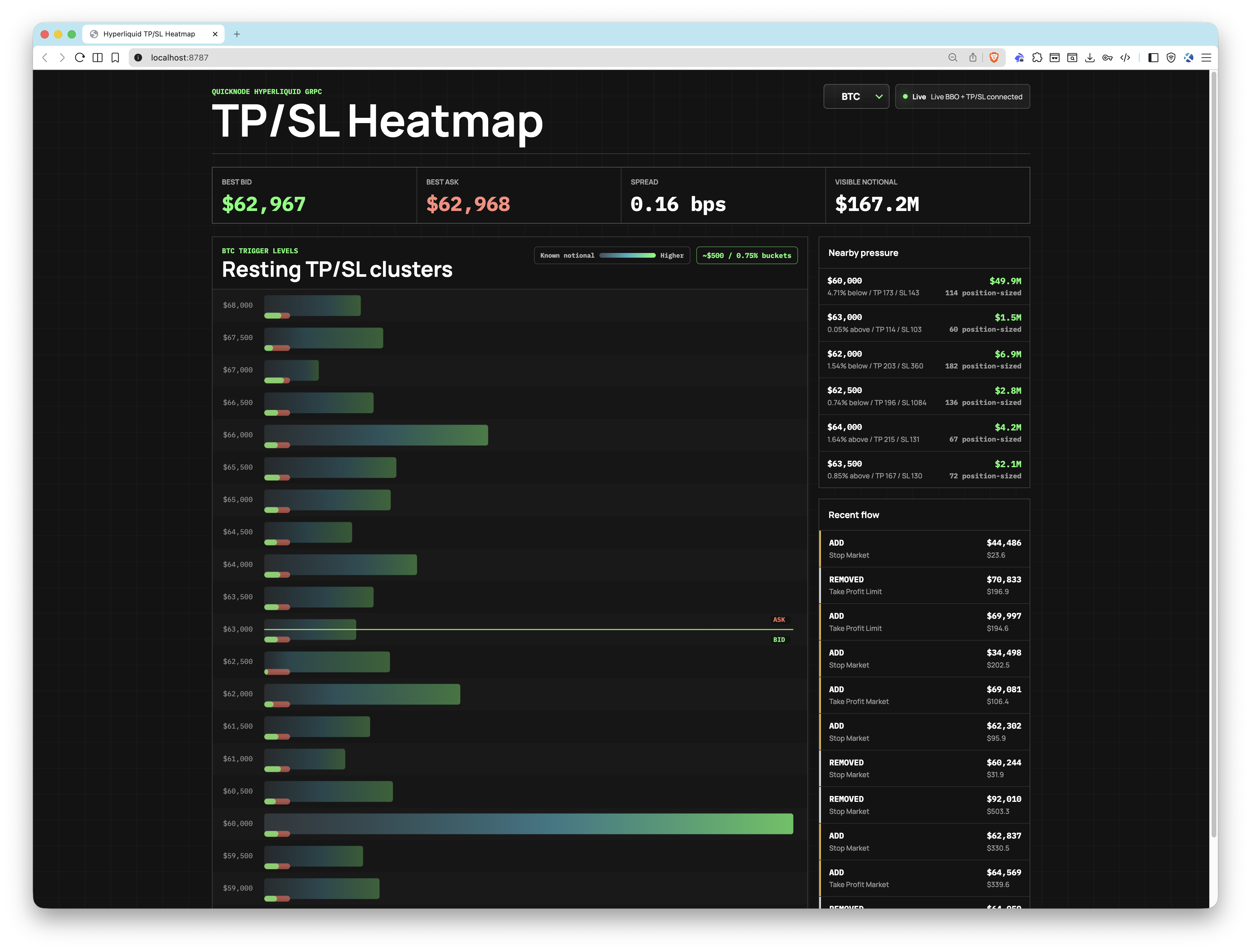
该应用可连接至 Quicknode Hyperliquid gRPC endpoint 用于直播 TP/SL 触发订单事件(StreamTpslUpdates) 以及最佳买入价/卖出价(StreamBboBook). 未平仓订单会被聚类到可配置的价格区间中,并通过 WebSocket 推送到浏览器,在那里,一个基于 Canvas 的热力图会实时渲染每个价格水平的汇总触发压力。
该应用自带一个内置演示mode 使用合成数据源,因此您无需任何凭据即可体验用户界面。
此示例应用程序仅用于教育和演示目的。
建筑
浏览器(React + Canvas)
        ▲
        │  WebSocket
        │
Node.js HTTP + WebSocket 服务器
        │
        ├──gRPC: StreamTpslUpdates ──┐
        │                             ├──Quicknode Hyperliquid gRPC Endpoint
        └──gRPC: StreamBboBook ──────┘
功能
- 实时止盈/止损热力图:价格clusters 由Quicknode gRPC streams实时clusters
- BBO 锚点:将当前买入价和卖出价叠加在热力图上,以呈现市场背景
- TP/SL 混合指标:每个桶中都有一个小型的绿色/红色标记,分别表示止盈和止损的占比
- 支持多种资产:可同时监控 BTC、ETH、SOL、HYPE 以及任何其他Hyperliquid 代码
- 可配置的斗宽:
BUCKET_SIZE_PCT根据当前中间价调整仓位规模 - 演示mode: 当凭据缺失时,使用模拟数据运行,或者
DEMO_MODE=true - 健康endpoint:
GET /healthmode JSONmode 返回服务器状态和当前运行mode
先决条件
- 带有Hyperliquid endpoint Quicknode endpoint 需要gRPC )
- Node.js v18+
- pnpm
项目结构
proto/
  orderbook.proto           #gRPC 定义
src/
  client/
    App.tsx                 # 币种选择器和 WebSocket 客户端
    HeatmapCanvas.tsx       # 基于Canvas的热力图渲染器
    main.tsx                # React 入口点
    styles.css              # 应用样式
  server/
    cluster-store.ts        # 订单聚类和 BBO 状态
    config.ts               # 环境变量加载
    demo.ts                 # 合成演示数据流
   grpc.ts                 #gRPC 配置
    server.ts               # HTTP + WebSocket 服务器
   streams.ts              # 实时gRPC 连接
  shared/
    types.ts                # 共享的 TypeScript 类型
环境变量
复制 .env.example 到 .env 并填写您的登录凭据:
#mainnet
QUICKNODE=endpoint.mainnet.quiknode.pro:10000
QUICKNODE=您的-认证-令牌
目标币种=BTC,ETH,SOL
默认币种=BTC
分桶比例=0.75
演示模式=false
端口=8787
| 变量 | 描述 |
|---|---|
QUICKNODE | 您的Quicknode Hyperliquid gRPC endpoint 主机:端口) |
QUICKNODE | gRPC endpoint点的身份验证令牌 |
TARGET_COINS | 需要监控的Hyperliquid 代码的逗号分隔列表 |
DEFAULT_COIN | 加载时显示哪枚硬币(必须位于 TARGET_COINS) |
BUCKET_SIZE_PCT | 价格区间宽度占中间价的百分比(例如, 0.75 = ~500美元的比特币交易量(比特币near )) |
DEMO_MODE | 设置为 true 强制进入演示mode 凭据如何 |
PORT | HTTP 服务器端口(默认: 8787) |
入门指南
1. Clone the repo
git clone https://github.com/quiknode-labs/qn-guide-examples.git
cdhyperliquid
2. 安装依赖项
pnpm 安装
3. Configure environment
cp .env.example .env
打开 .env 并设置 QUICKNODE 和 QUICKNODE 请输入您的Quicknode Hyperliquid endpoint 。若未输入,应用将mode 以演示mode 启动。
4. Start the app
pnpm dev
在浏览器中打开http://localhost:8787。
预览
投稿与反馈
我们非常期待收到您的反馈,并欢迎大家为本示例应用贡献力量!
如需报告问题或提供反馈,请在 qn-guide-示例 存储库。
如需贡献,请按照以下步骤操作:
- 分叉该仓库
- 创建一个功能分支:git checkout -b feature/amazing-feature
- 提交您的更改:git commit -m "添加超棒的功能"
- 推送您的分支:git push origin feature/amazing-feature
- 提交一个拉取请求。