Using Quicknode with MetaMask, MyCrypto, MyEtherWallet (updated)
Using Quicknode with MetaMask, MyCrypto, MyEtherWallet (updated)
How to set up your Quicknode with 3 popular Wallet/Account services
December 25, 2019 — 2 min read
Below are instructions on how to set up your Quicknode for use with 3 popular wallet/account services >>>
MyCrypto Web
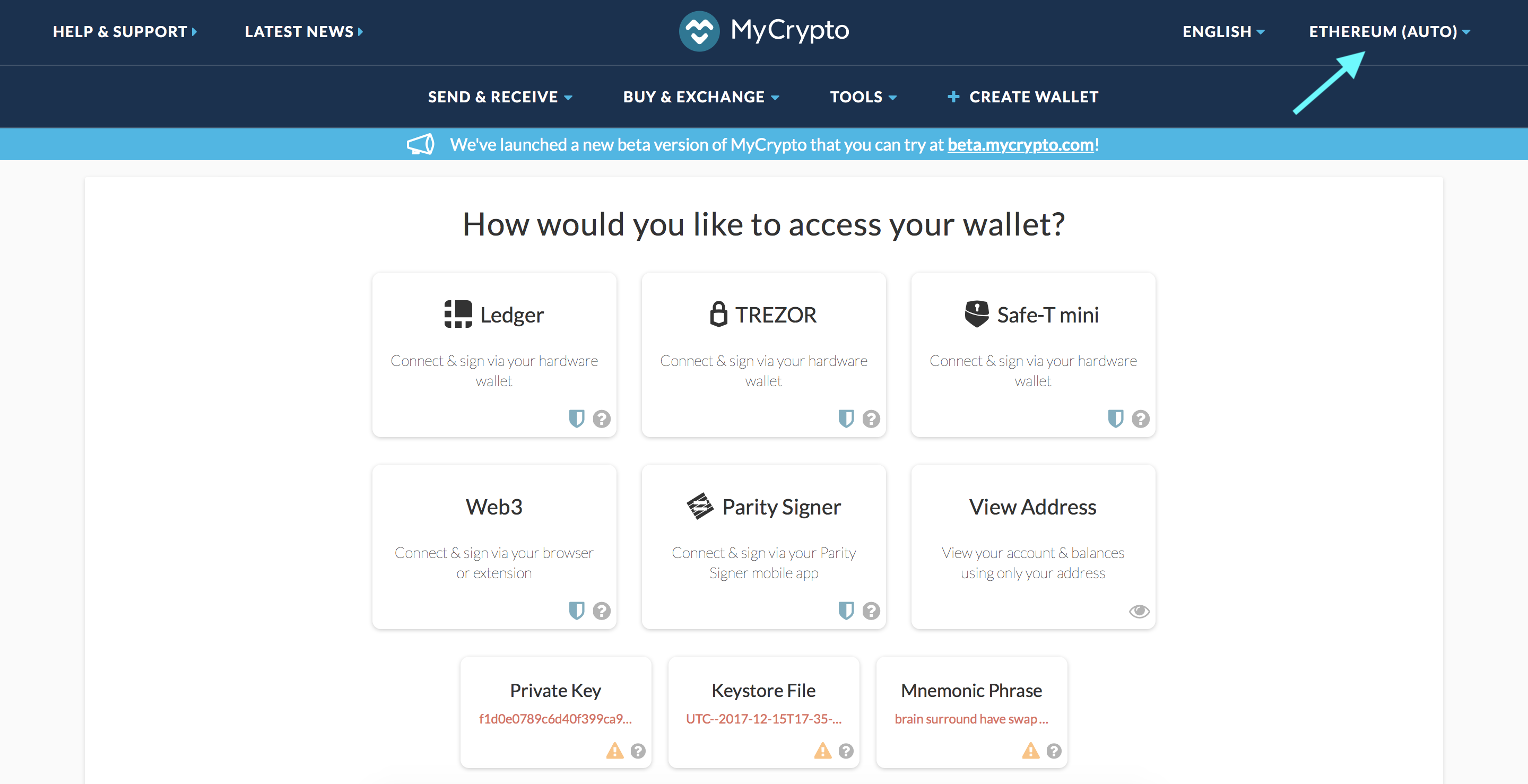
Click the Node Selector in top right corner
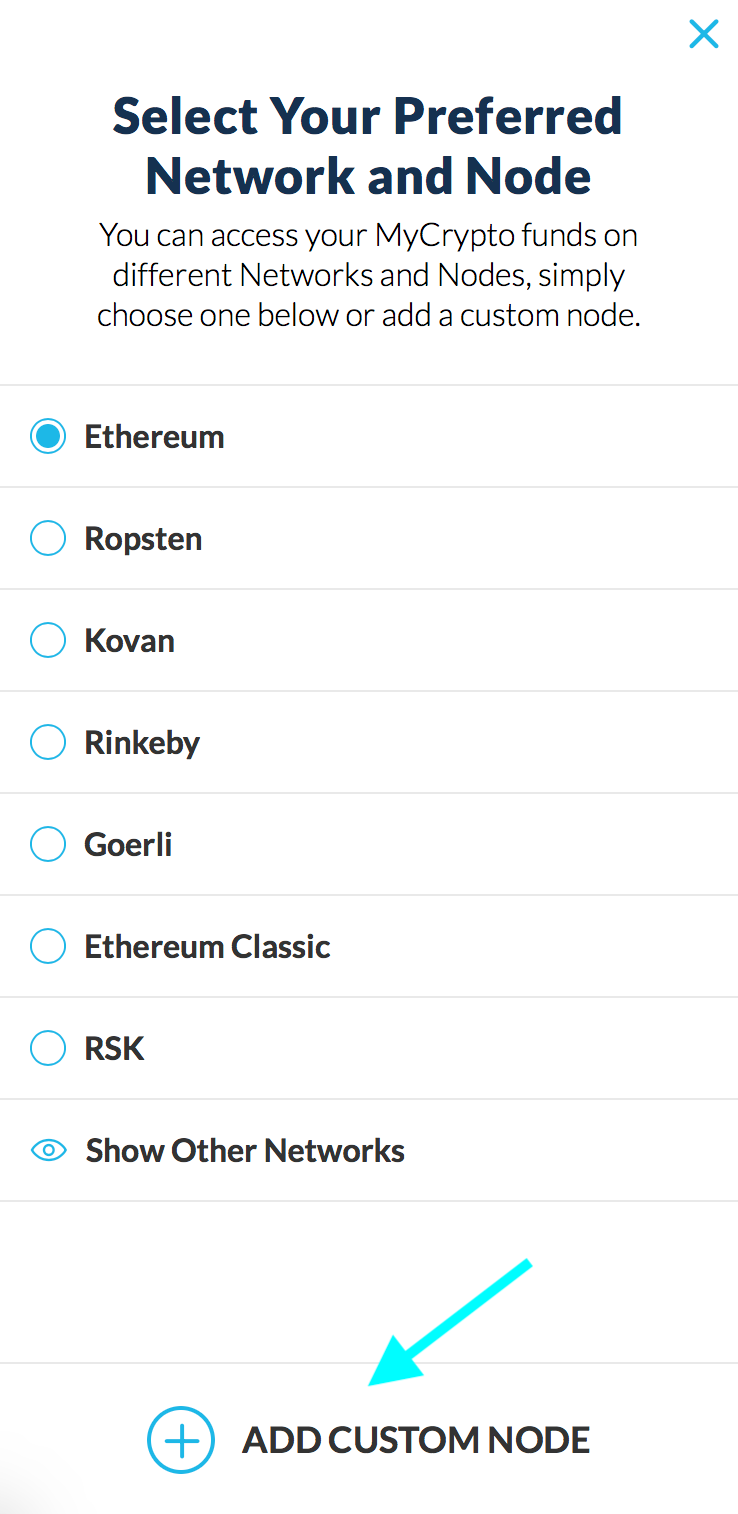
2. Click "Add Custom Node" at the bottom of the window that pops up
3. Enter a name (any), select the network (ETH = MainNet), and copy/paste your Web3 endpoint
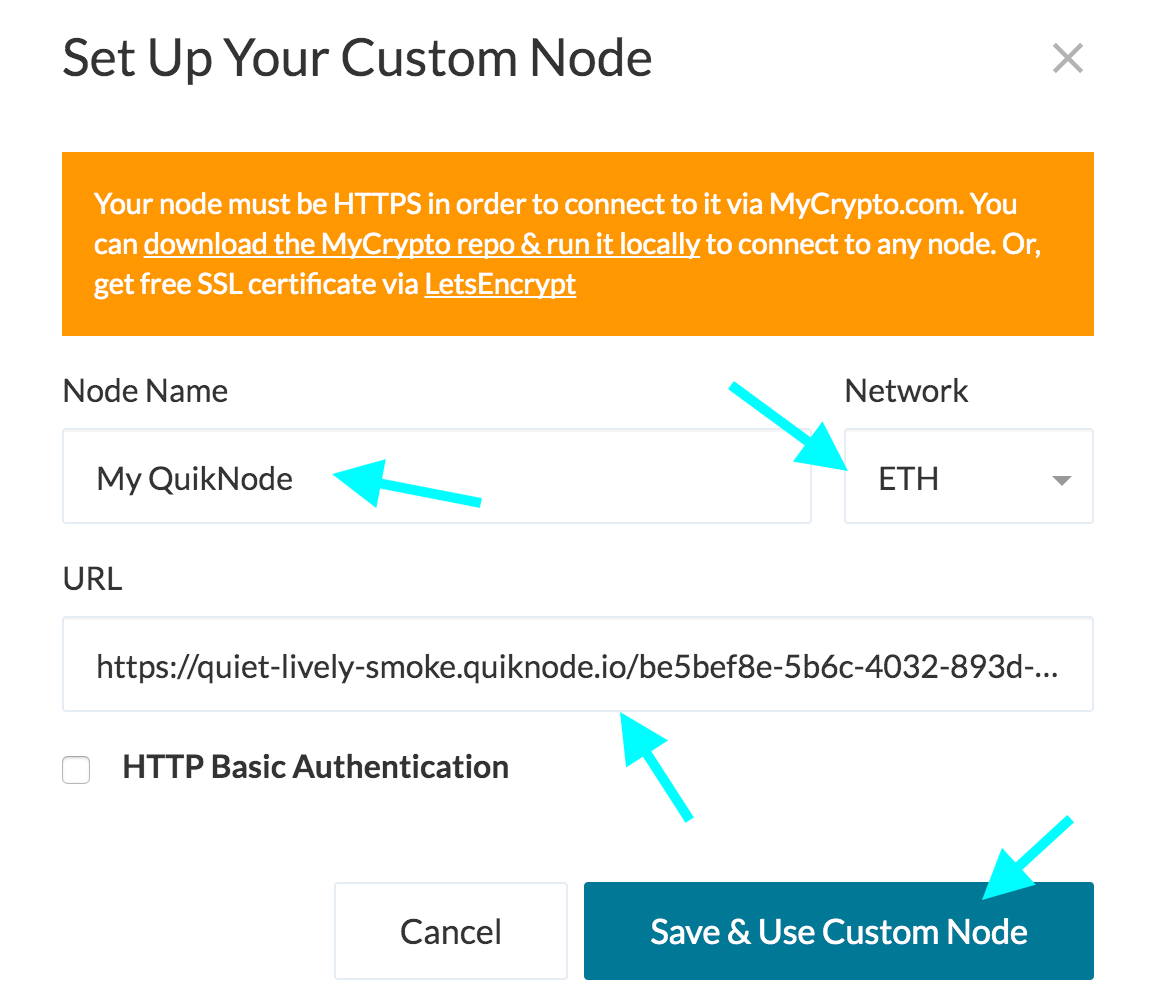
4. Click "Save & Use Custom Node" — and you're all set!
MyCrypto App
Click "Change Network"
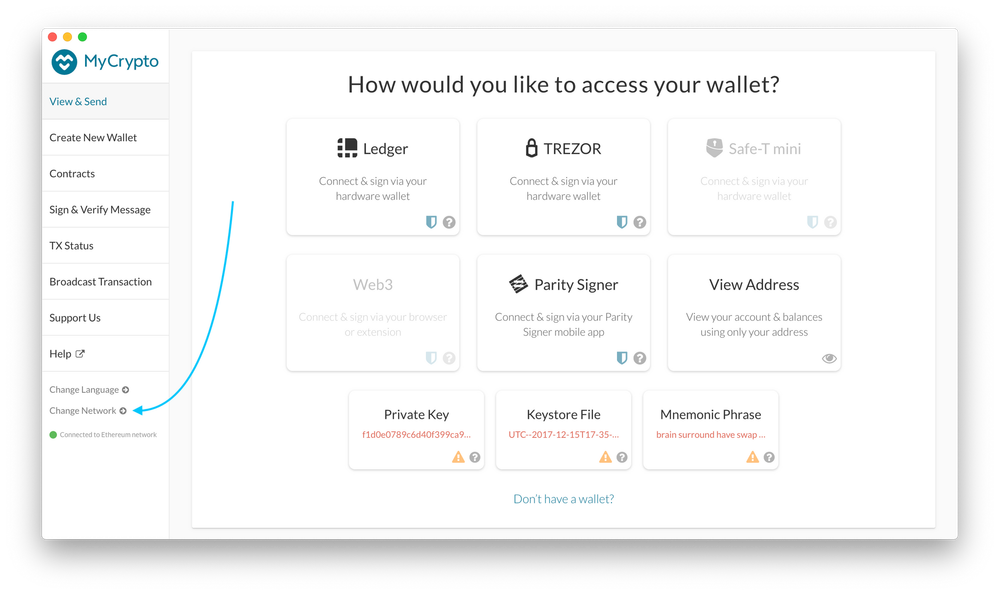
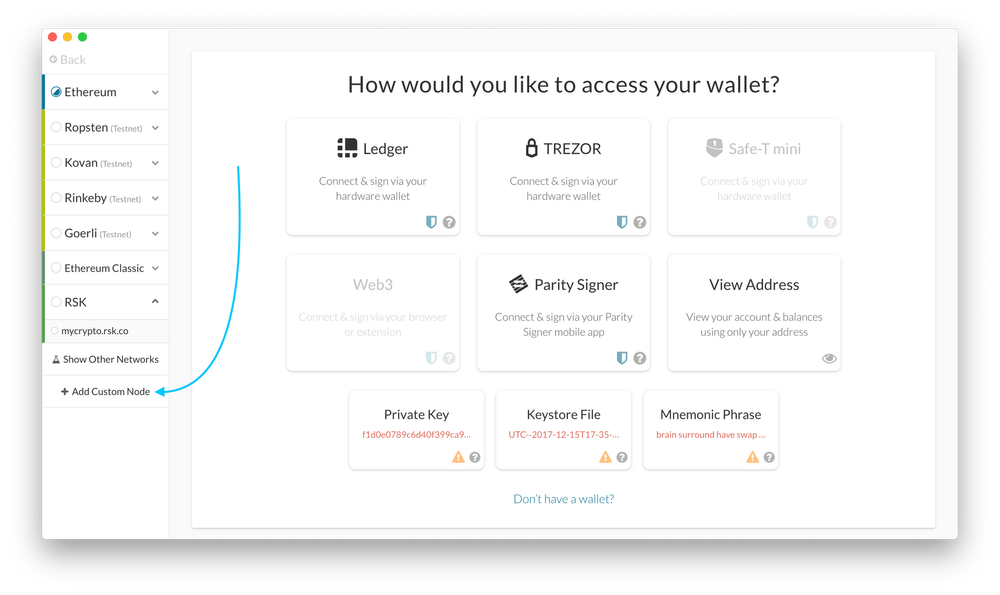
2. Click "Add Custom Node"
3. Enter a name (any), select the network (ETH = MainNet), and copy/paste your Web3 endpoint.
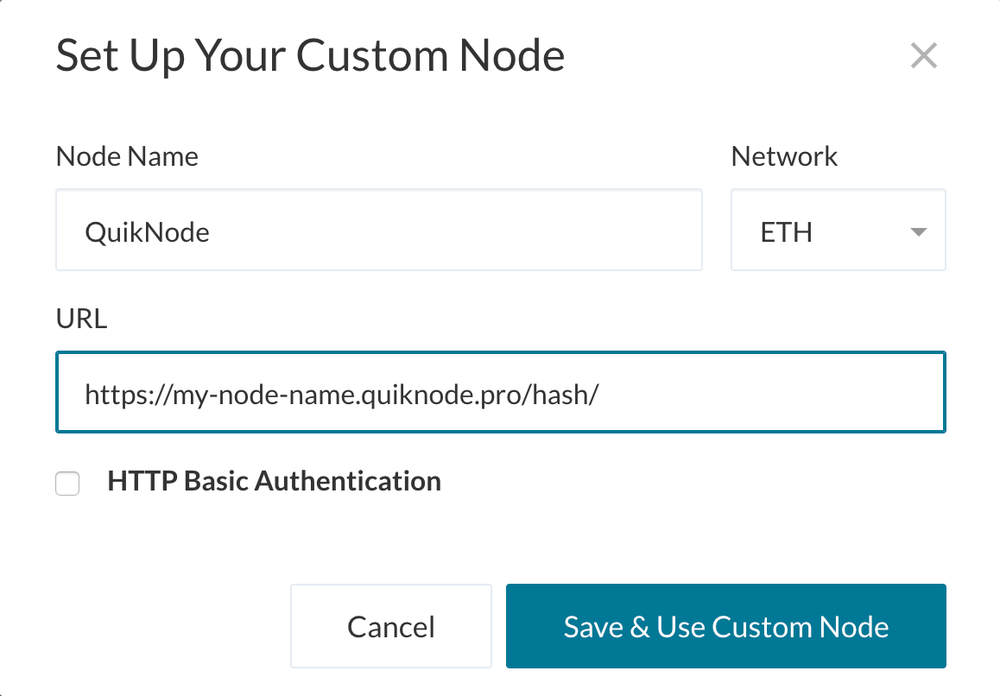
4. Click "Save & Use Custom Node" — and you're all set!
MetaMask
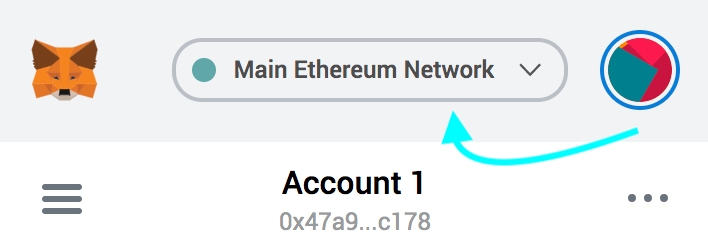
Open the MetaMask plugin, click the Network Selector at the top
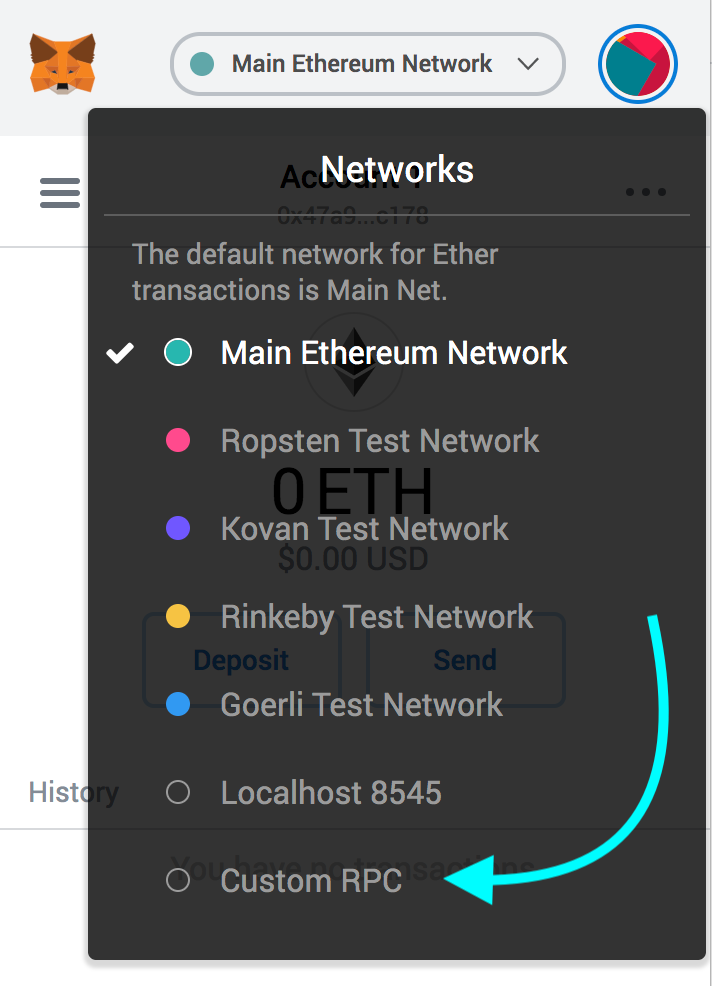
2. Select "Custom RPC" at the bottom
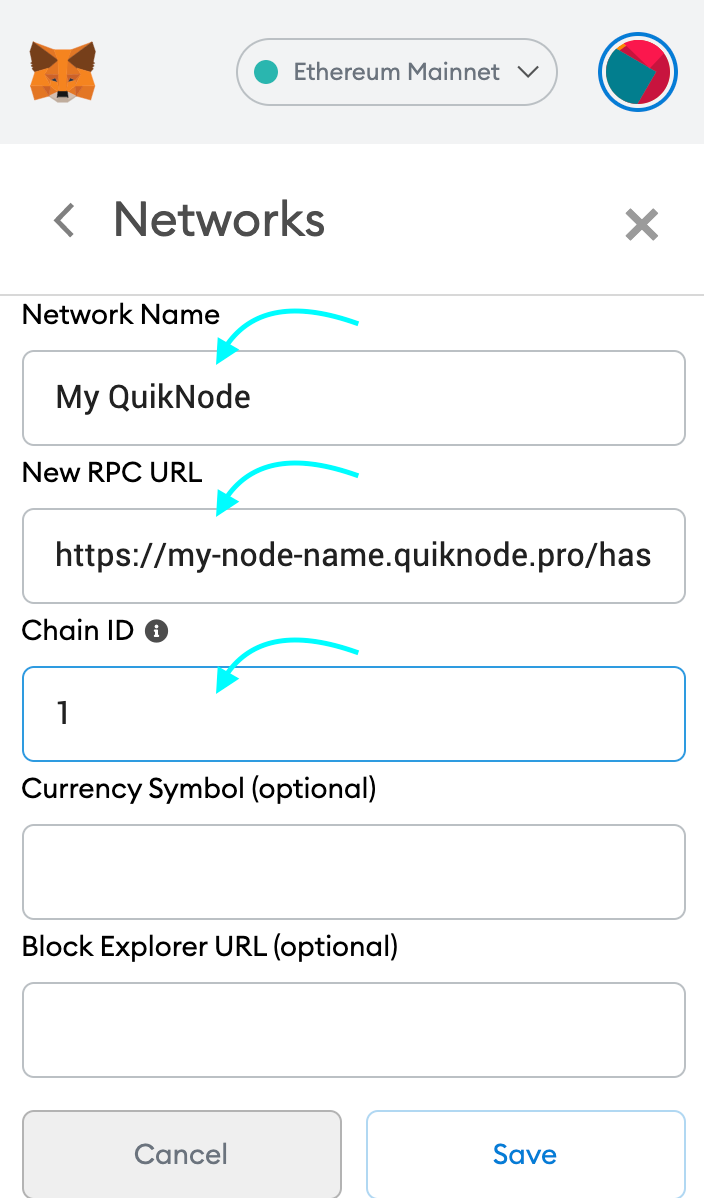
3. Enter a name (any), copy/paste your Web3 endpoint (be sure to include the "/" at the end!), enter ChainID (1 for MainNet, or see here for more), click "Save"
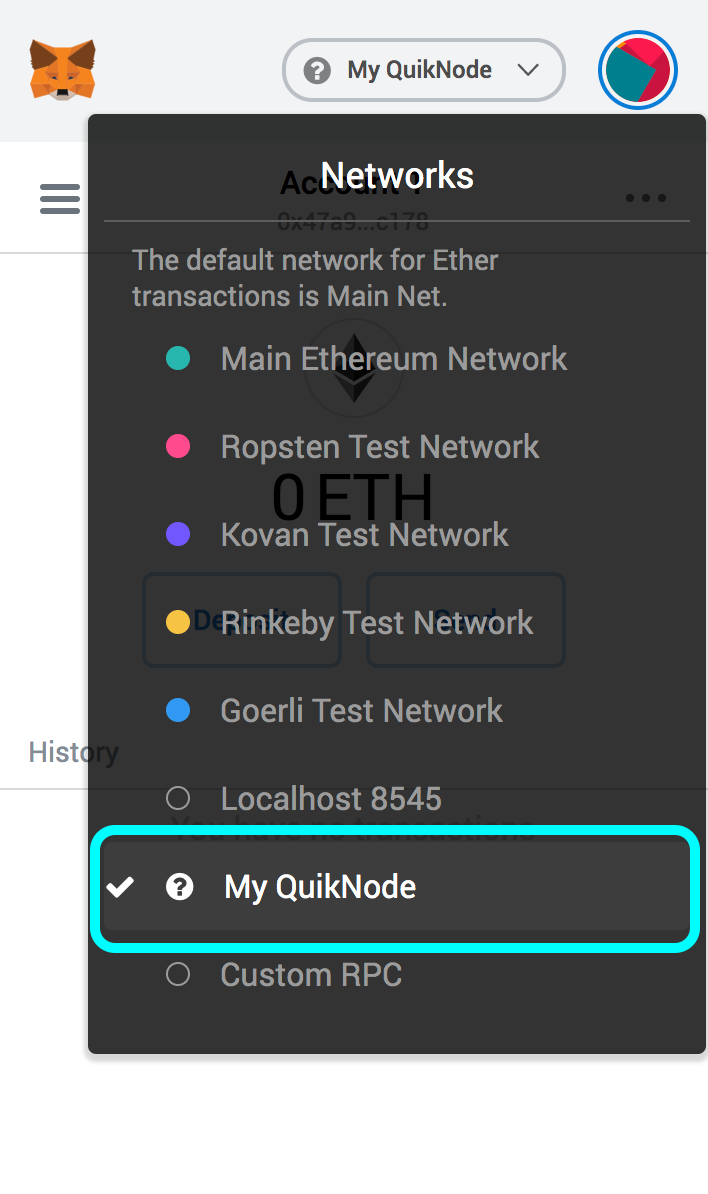
4. Your all set!
MyEtherWallet
Open access to your wallet/account, click "Change" under Network
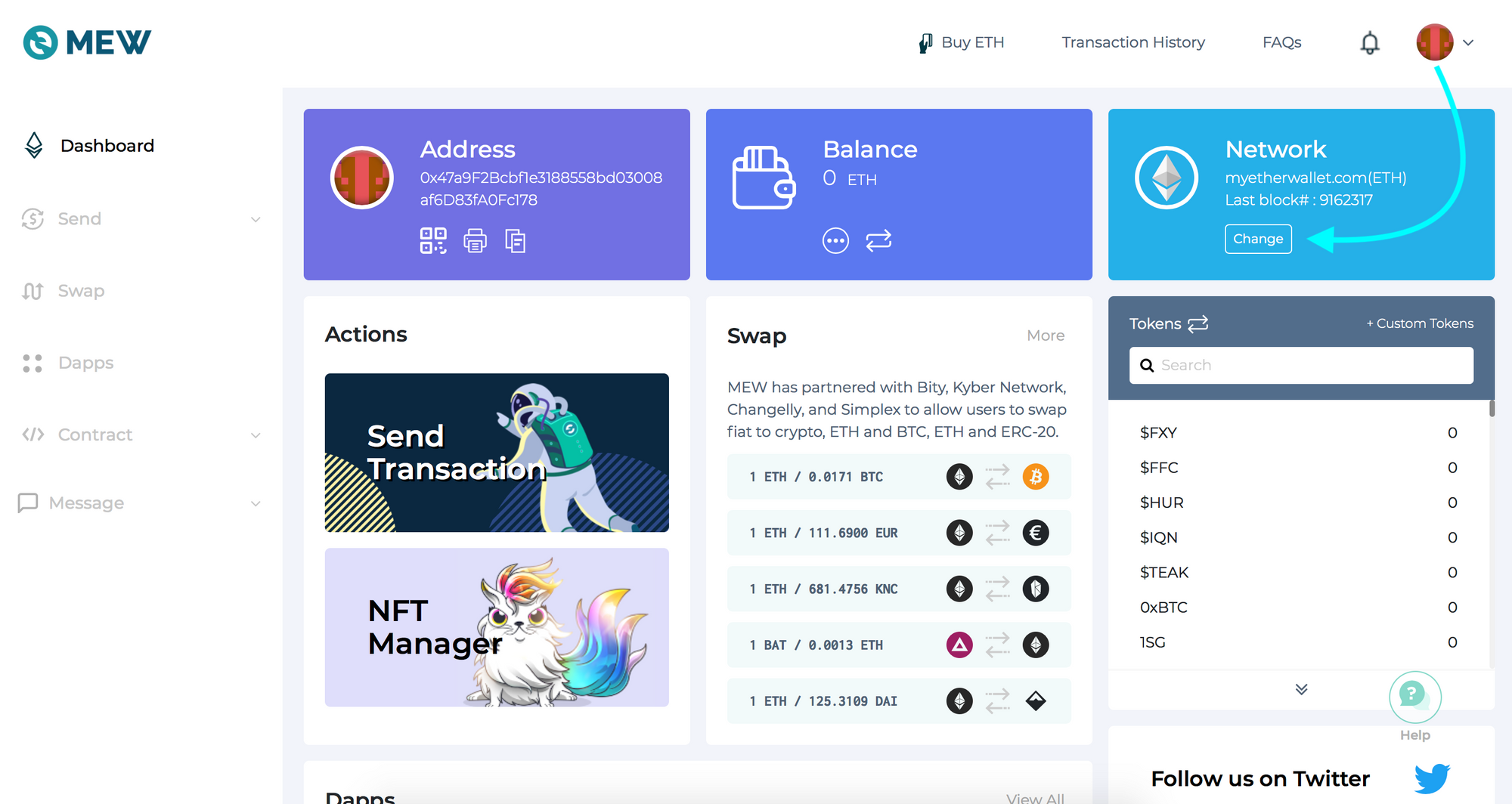
2. Flick "Add Custom Network/Node" and enter a name (any) and your Web3 endpoint, click Save
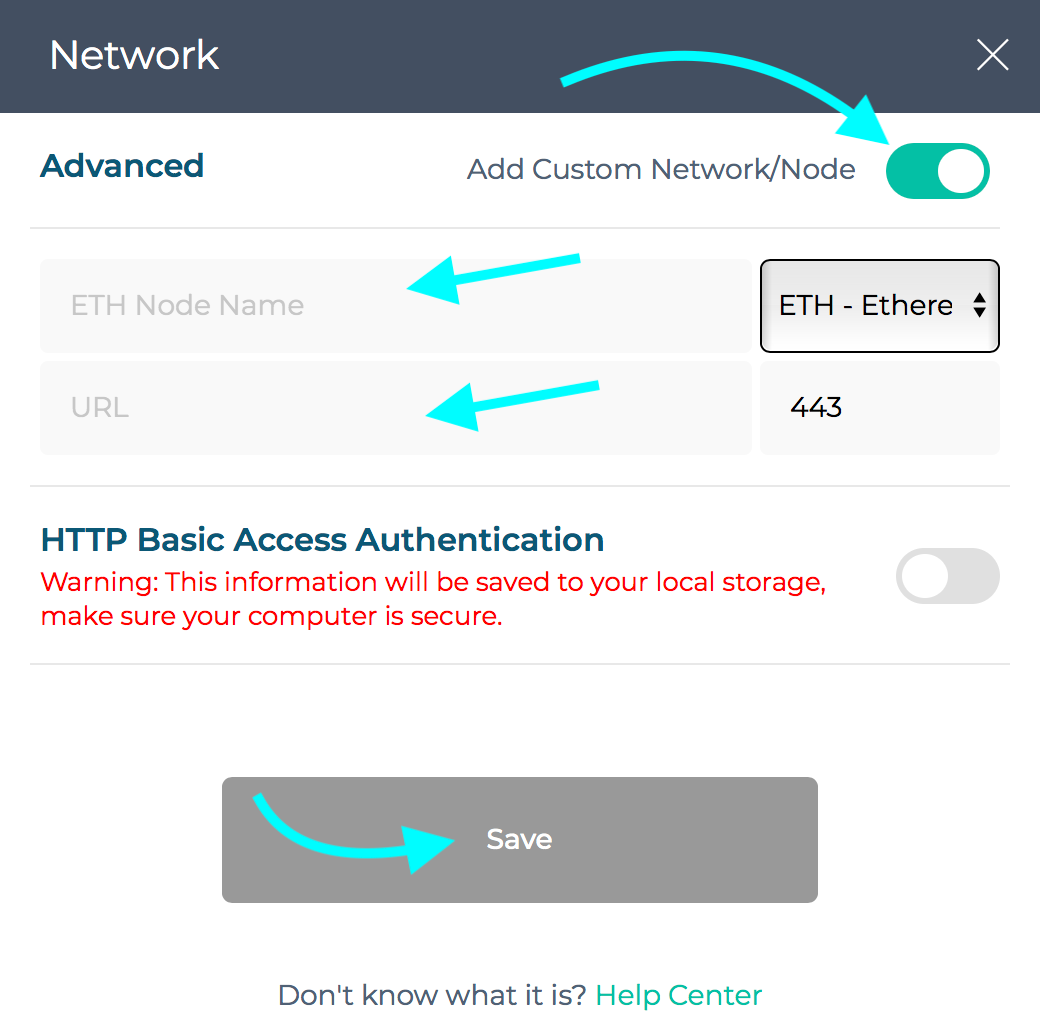
3. You will see that your network has switched to Quicknode, all set!

Benötigst du Hilfe bei deinem Projekt oder hast du Fragen? Kontaktiere uns über dieses Formular, auf Twitter unterQuicknode oder schreib uns auf Discord!
Über Quicknode
Quicknode wurde 2017 gegründet und Quicknode Entwicklern und Unternehmen eine Blockchain-Infrastruktur auf institutionellem Niveau Quicknode . Dank einer Verfügbarkeit von 99,99 % und der Unterstützung von mehr als 80 Blockchains können Teams On-Chain-Anwendungen ohne Kompromisse entwickeln und skalieren.
Bleiben Sie auf dem Laufenden
Die neuesten Erkenntnisse aus der Technik, Produkt-Updates und Neuigkeiten aus der Web3-Welt – direkt in Ihren Posteingang.