Using Quicknode with MetaMask, MyCrypto, MyEtherWallet (updated)
Using Quicknode with MetaMask, MyCrypto, MyEtherWallet (updated)
How to set up your Quicknode with 3 popular Wallet/Account services

USDC Yield With Cover Built InQuicknode Earn now runs USDC yield with cover for protocol risk built in, underwritten by OpenCover. Six covered vaults on Base.
Lee el comunicadoUsing Quicknode with MetaMask, MyCrypto, MyEtherWallet (updated)
How to set up your Quicknode with 3 popular Wallet/Account services
Certificado SOC 2 Tipo II · ISO 27001
December 25, 2019 — 2 min read
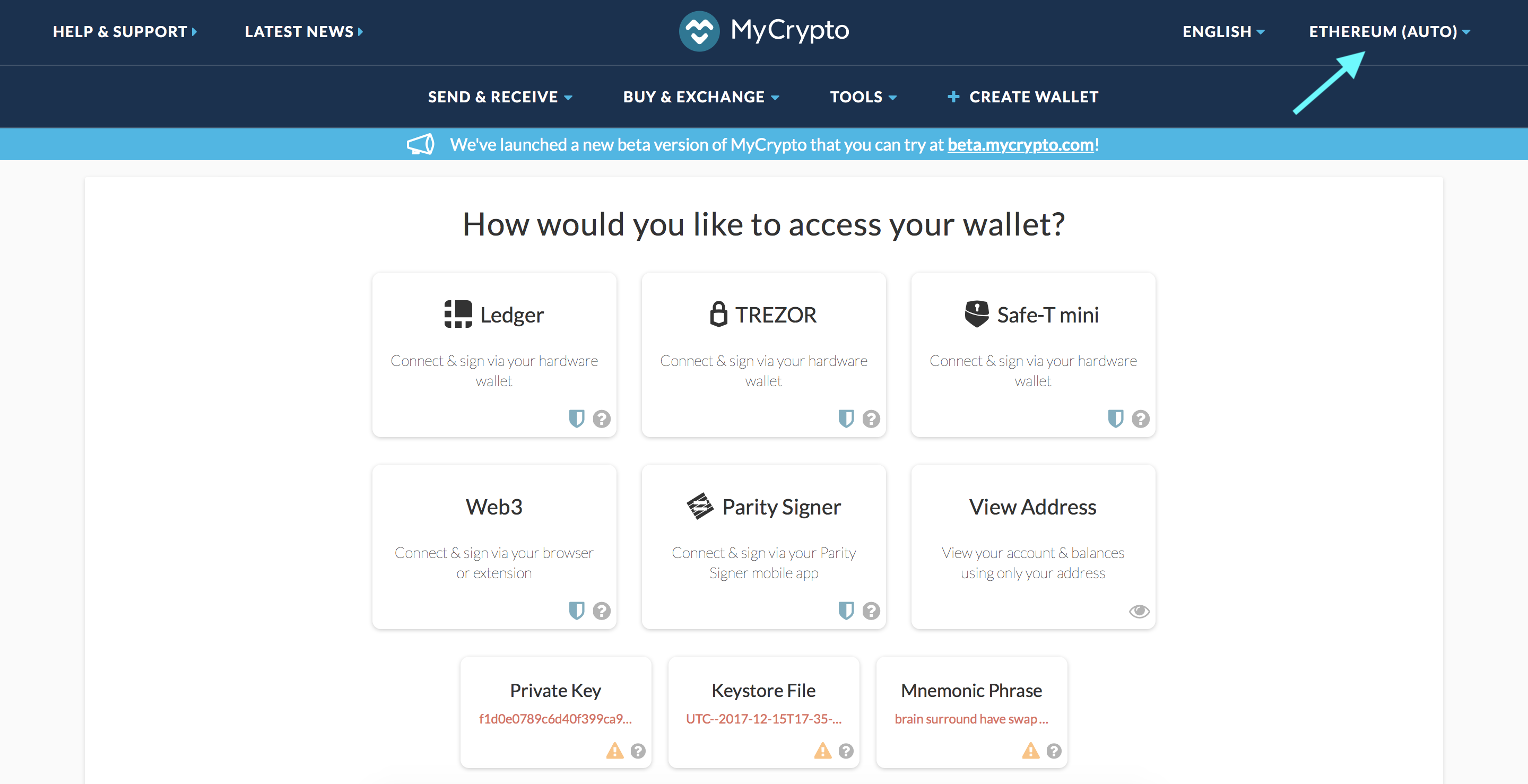
Click the Node Selector in top right corner
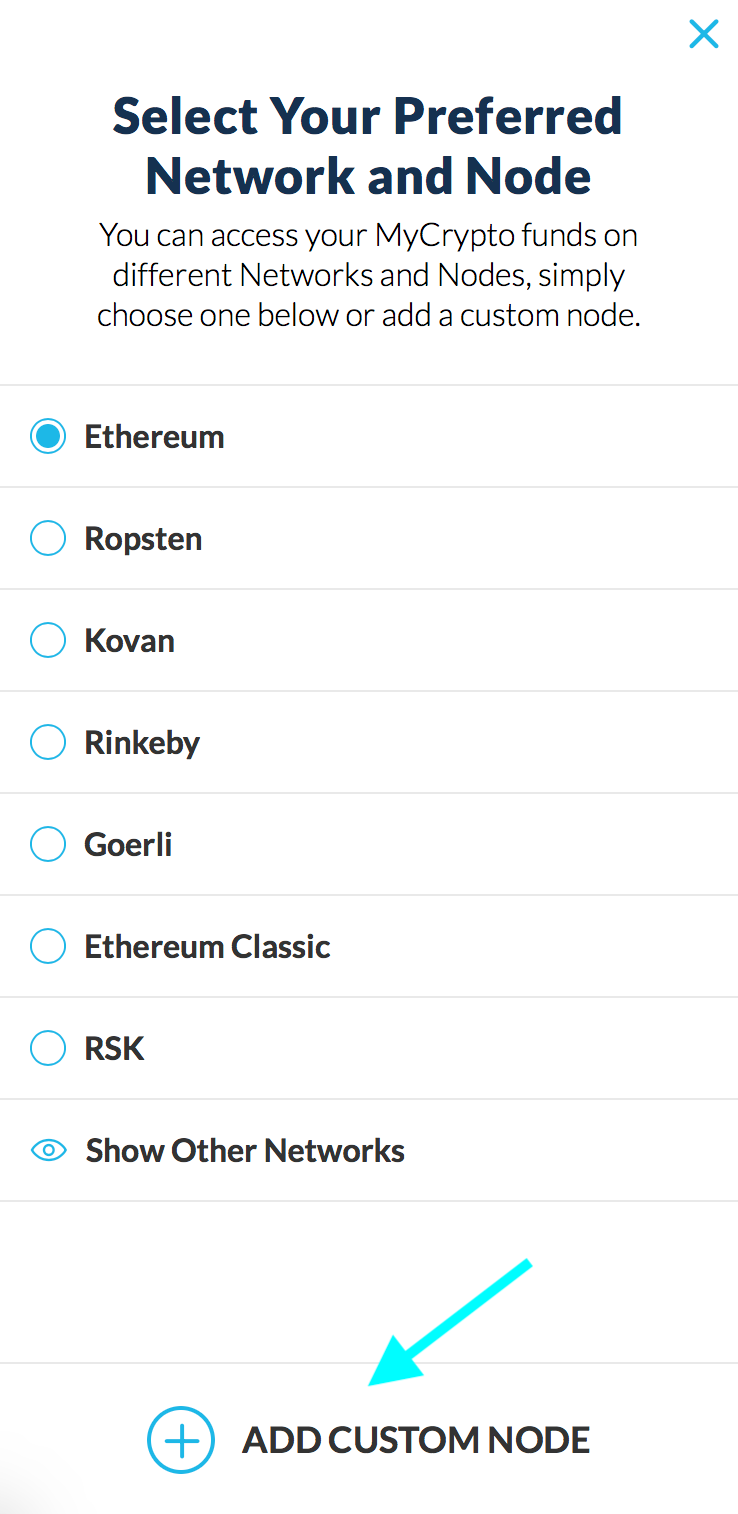
2. Click "Add Custom Node" at the bottom of the window that pops up
3. Enter a name (any), select the network (ETH = MainNet), and copy/paste your Web3 endpoint
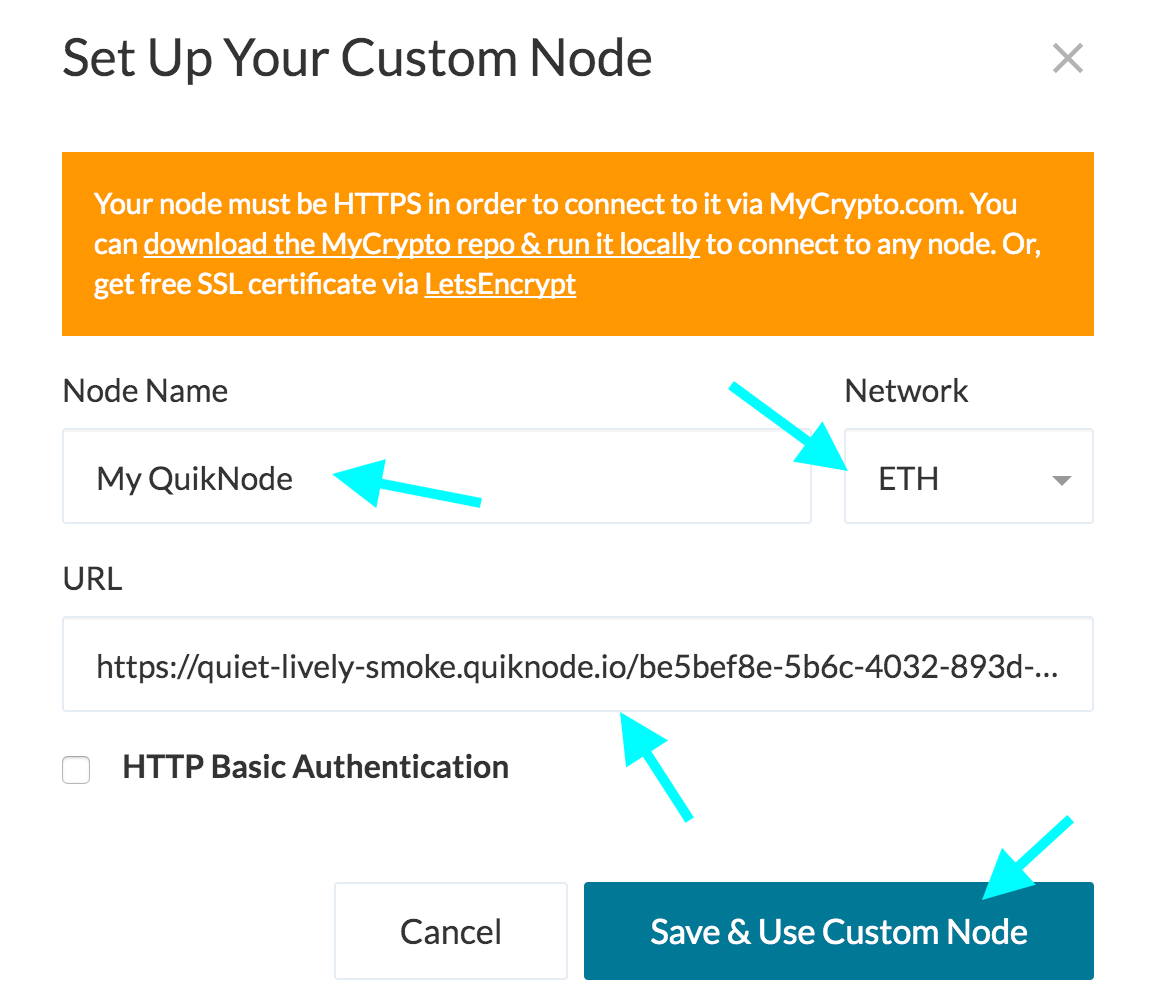
4. Click "Save & Use Custom Node" — and you're all set!
Click "Change Network"
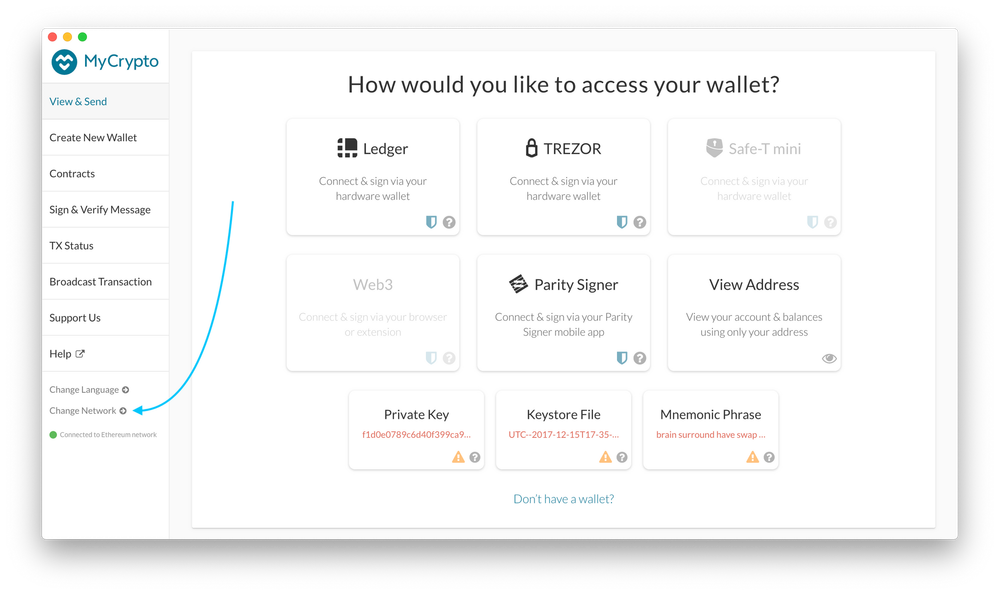
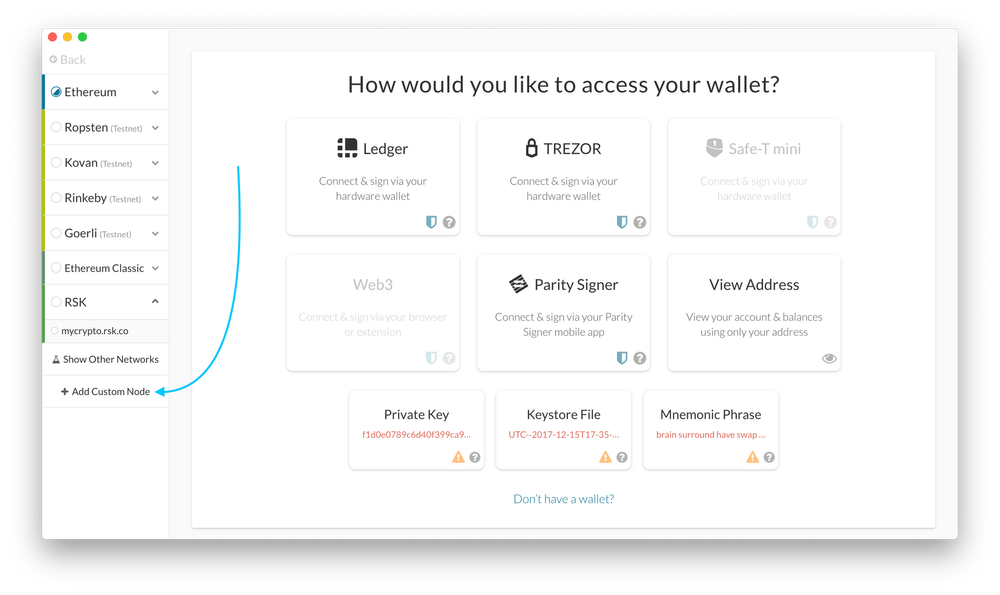
2. Click "Add Custom Node"
3. Enter a name (any), select the network (ETH = MainNet), and copy/paste your Web3 endpoint.
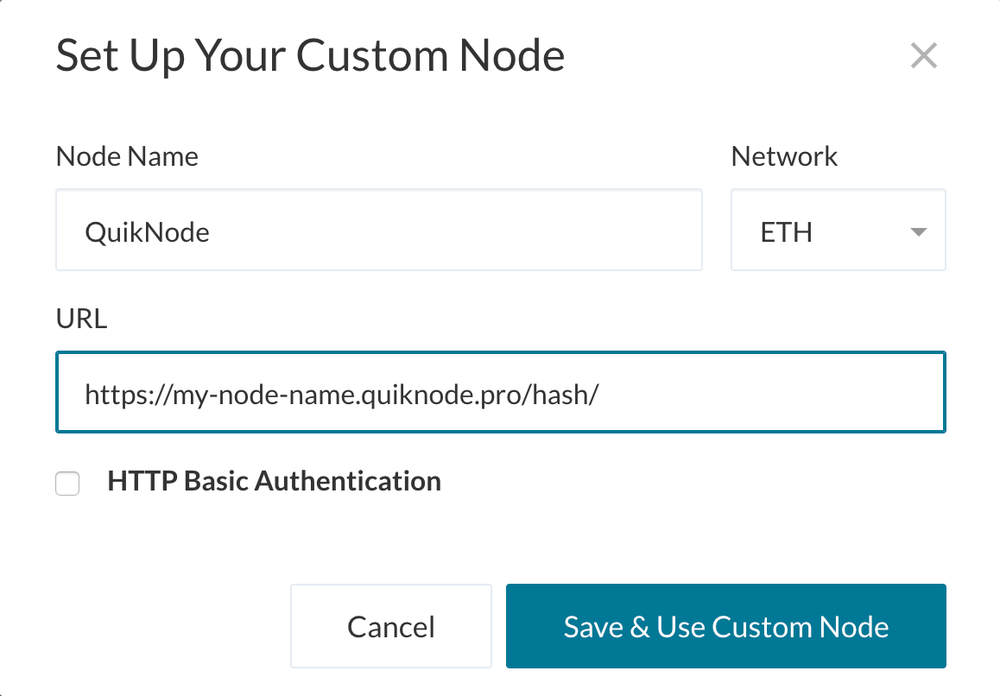
4. Click "Save & Use Custom Node" — and you're all set!
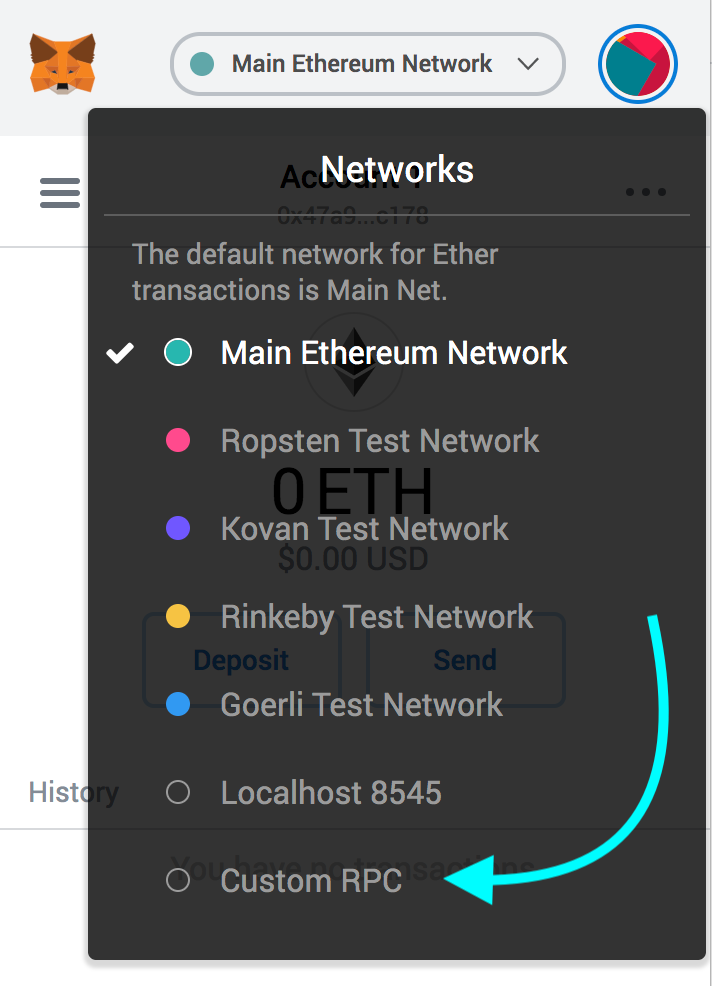
Open the MetaMask plugin, click the Network Selector at the top
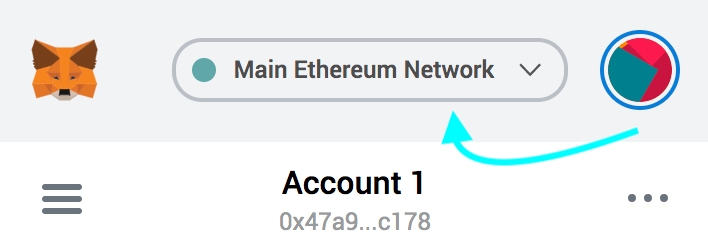
2. Select "Custom RPC" at the bottom
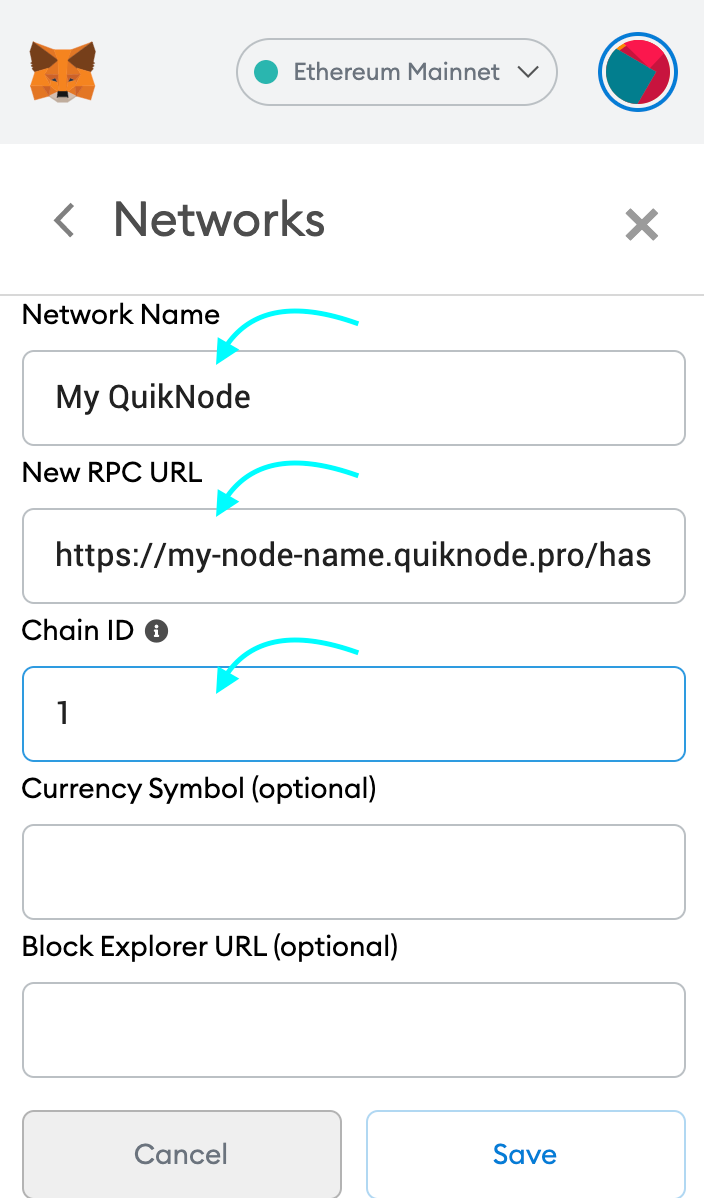
3. Enter a name (any), copy/paste your Web3 endpoint (be sure to include the "/" at the end!), enter ChainID (1 for MainNet, or see here for more), click "Save"
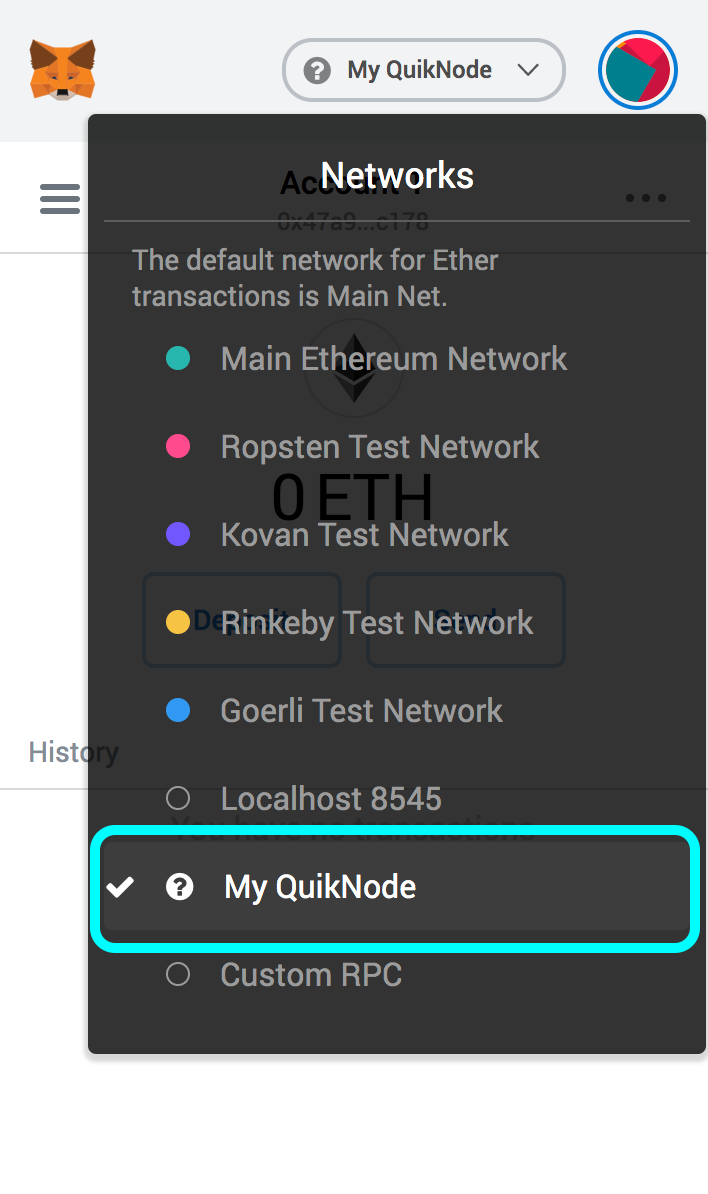
4. Your all set!
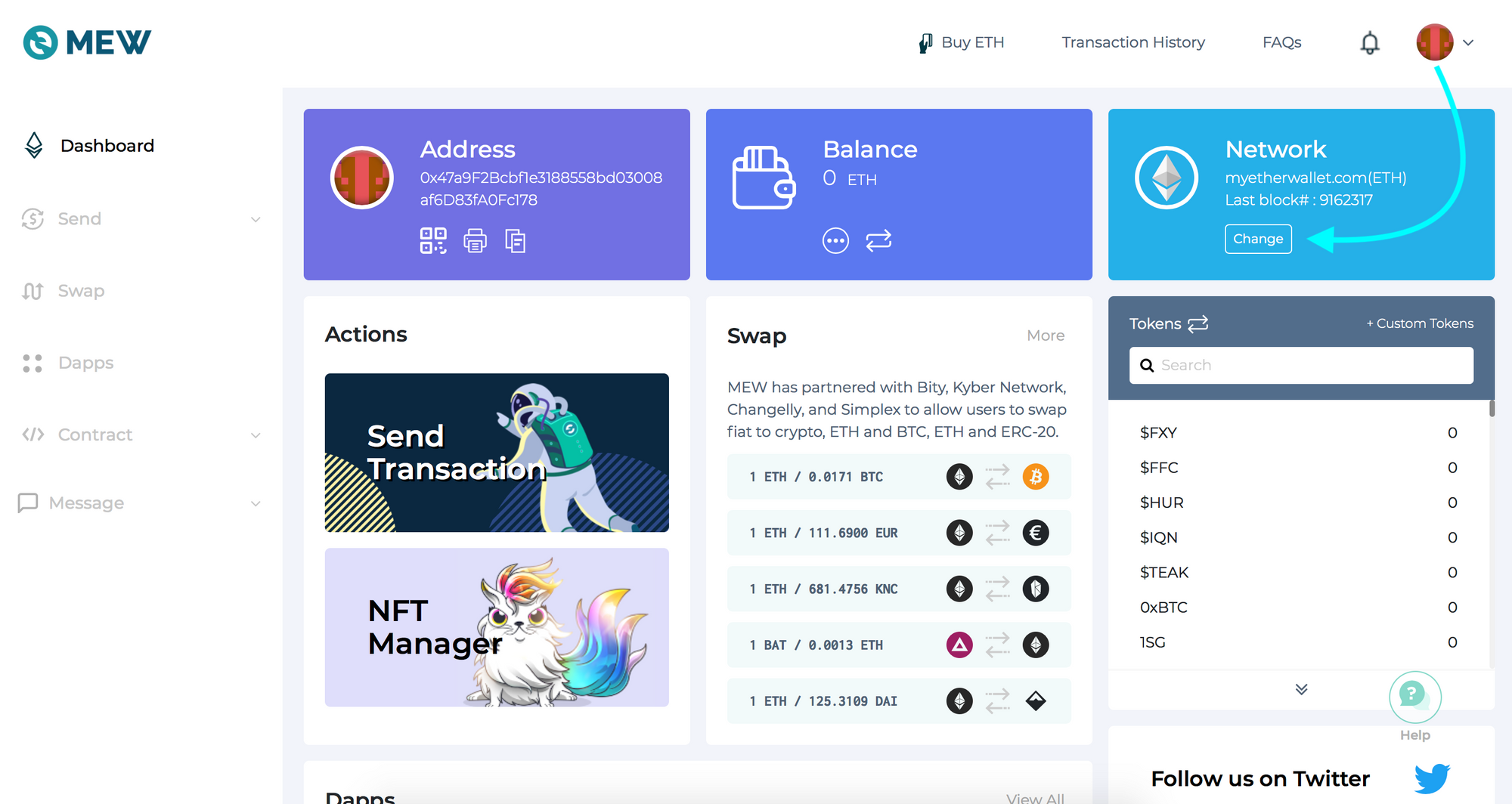
Open access to your wallet/account, click "Change" under Network
2. Flick "Add Custom Network/Node" and enter a name (any) and your Web3 endpoint, click Save
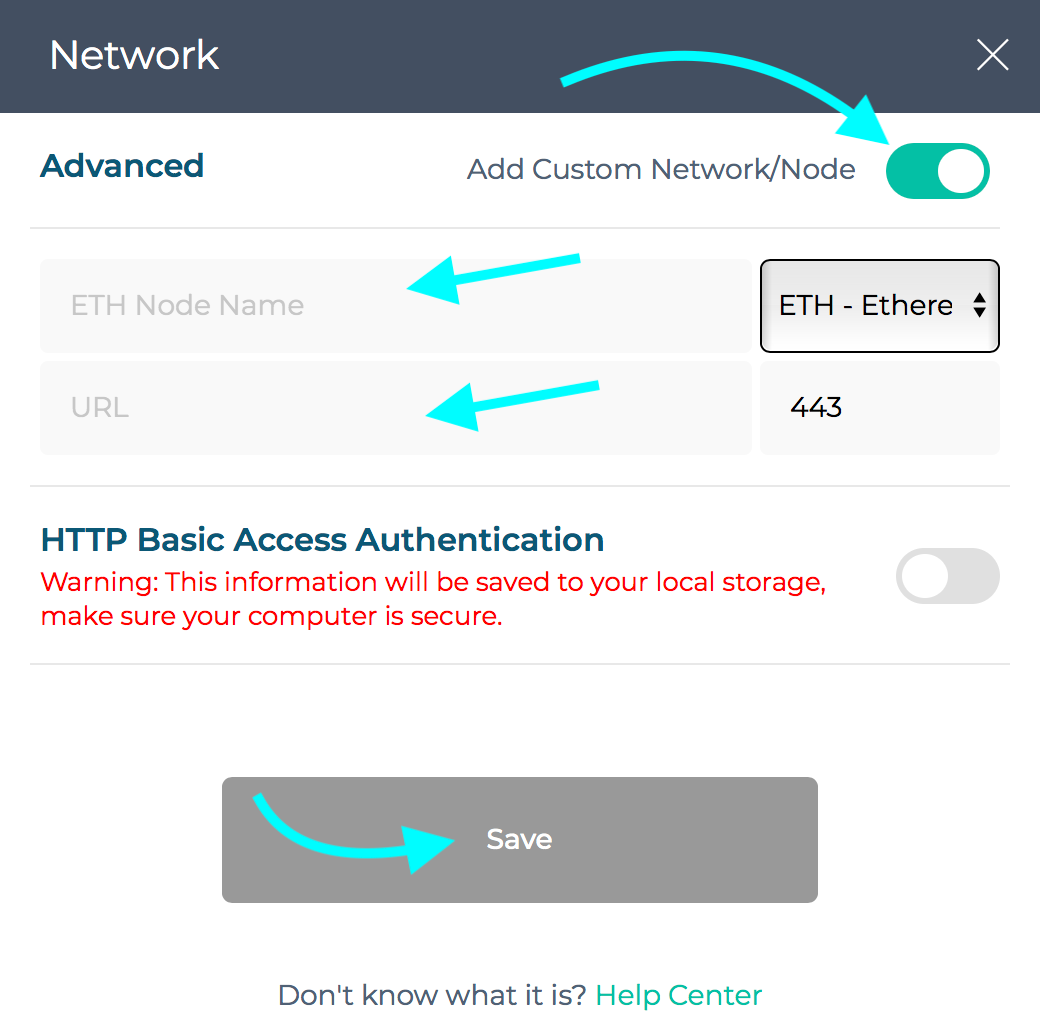
3. You will see that your network has switched to Quicknode, all set!

¿Necesitas ayuda con tu proyecto o tienes alguna duda? Ponte en contacto con nosotros a través de este formulario, en TwitterQuicknode o envíanos un mensaje en Discord.
Fundada en 2017, Quicknode una infraestructura de blockchain de nivel institucional para desarrolladores y empresas. Con un tiempo de actividad del 99,99 % y compatibilidad con más de 80 cadenas, los equipos pueden crear y ampliar aplicaciones en cadena sin renunciar a nada.
Las últimas novedades sobre ingeniería, actualizaciones de productos y noticias sobre la Web3, directamente en tu bandeja de entrada.