샘플 앱으로 돌아가기
AI 기반 DeFi 수익 최적화 도구
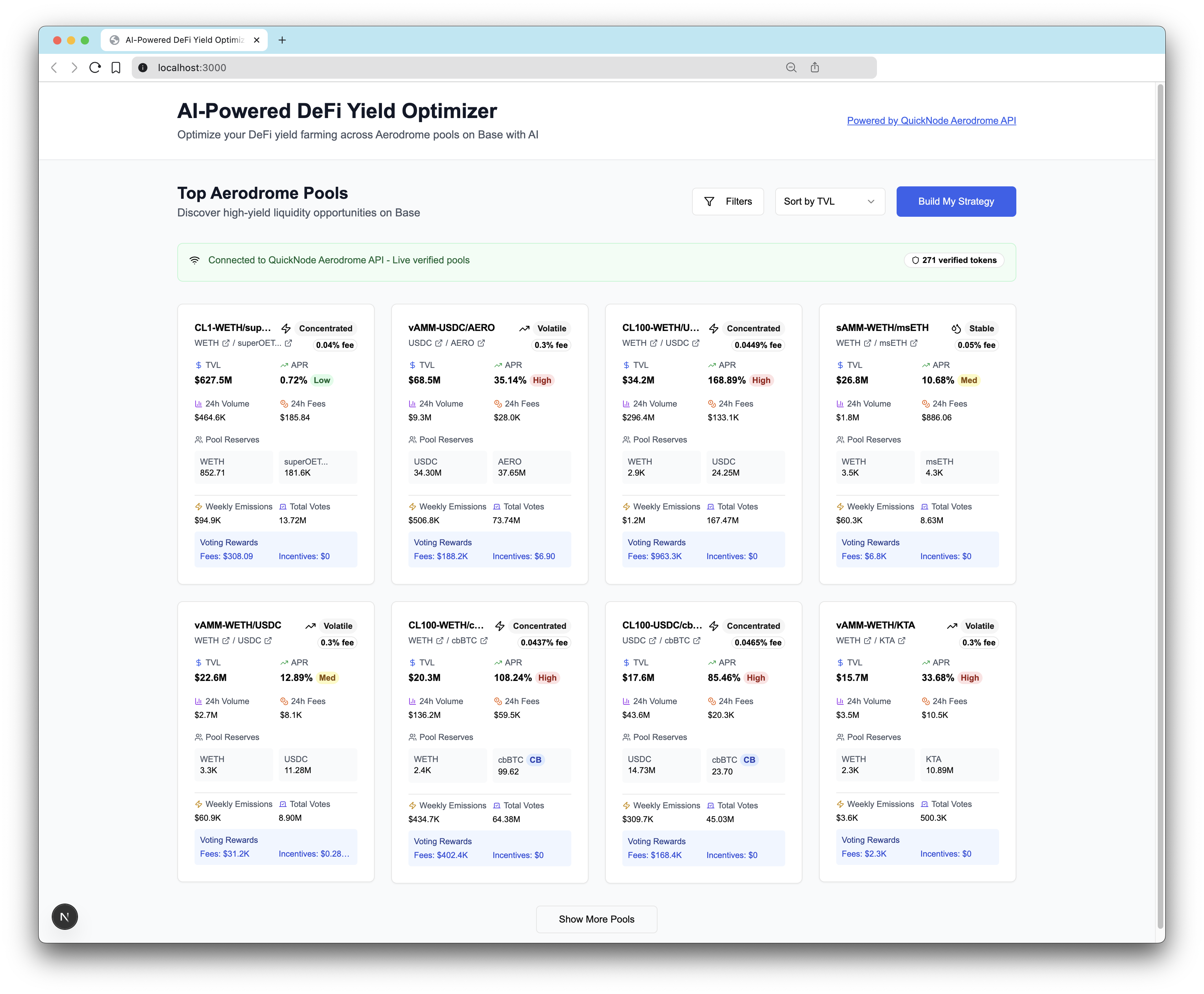
이 앱은 Aerodrome Swap API를 AI 모델과 연동하여 Aerodrome용 맞춤형 DeFi 수익 최적화 도구 및 분석 대시보드를 만드는 방법을 안내합니다.
Author



프론트엔드 프레임워크/라이브러리:
React
언어:
TypeScript
빌드 도구/개발 서버:
Next.js
개요
This project is an AI-powered DeFi yield farming optimizer that helps users build personalized portfolio strategies across Aerodrome Finance pools on Base network.
This example app is provided for educational and demonstration purposes only. Use at your own risk.
팁
Learn how to build the AI Powered DeFi Yield Optimizer on Base in our technical guide here.
선행 조건
-
Anthropic Claude API:
- Sign up at console.anthropic.com
- Get API key
-
Quicknode Account:
- Sign up at quicknode.com
- Get access to the Swap API's Aerodrome integration
- Get endpoint URL
빠른 시작
1. Clone the Repository
git clone https://github.com/quiknode-labs/qn-guide-examples.git
cd qn-guide-examples/sample-dapps/ai-powered-defi-yield-optimizer
2. Install Dependencies
pnpm install
# or
npm install
3. Environment Configuration
cp .env.example .env
Edit .env:
# Required for AI optimization
ANTHROPIC_API_KEY=your_claude_api_key_here

# Required for live Aerodrome data
NEXT_PUBLIC_QUICKNODE_ENDPOINT=https://your-quicknode-endpoint.com/your-api-key/
4. Run Development Server
pnpm dev
# or
npm run dev
Visit http://localhost:3000 to see the application.
건축
System Overview
┌─────────────────┐    ┌──────────────────┐    ┌─────────────────┐
│   User Input    │    │   AI Processing  │    │  Pool Data API  │
│                 │    │                  │    │                 │
│ • Risk Quiz     │───▶│  Claude AI API   │◀───│ Quicknode API   │
│ • Preferences   │    │  • Analysis      │    │ • Live Pools    │
│ • Investment $  │    │  • Optimization  │    │ • Token Data    │
└─────────────────┘    │  • Reasoning     │    │ • Verification  │
                       └──────────────────┘    └─────────────────┘
                                │
                                ▼
                       ┌──────────────────────┐
                       │ Optimized Strategy   │
                       │                      │
                       │ • Pool Selection     │
                       │ • Allocations        │
                       │ • Risk Scores        │
                       │ • Reasoning          │
                       └──────────────────────┘
Deploy on Vercel
미리 보기
기여 및 피드백
여러분의 의견을 듣고 싶으며, 이 샘플 앱에 대한 모든 기여를 환영합니다!
문제를 신고하거나 피드백을 공유하려면, 다음에서 GitHub 이슈를 생성해 주세요. qn-가이드-예시 저장소.
기여하시려면 다음 단계를 따르세요:
- 저장소를 포크하기
- 기능 브랜치 생성:git checkout -b feature/amazing-feature
- 변경 사항을 커밋하세요:git commit -m "멋진 기능 추가"
- 브랜치를 푸시하세요:git push origin feature/amazing-feature
- 풀 리퀘스트를 제출하세요.
더 많은 샘플 앱 살펴보기