Coinbase x402 Video Paywall Demo
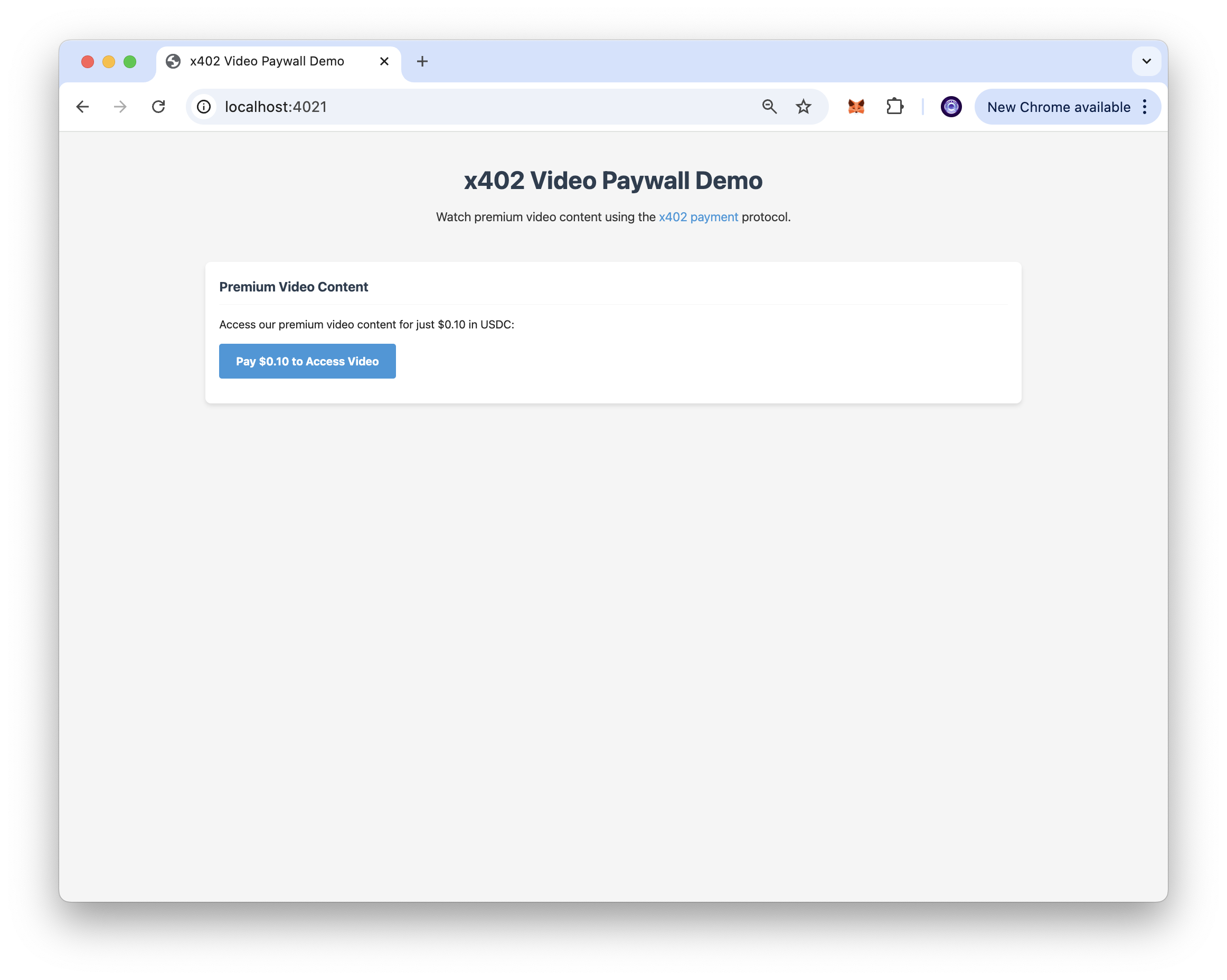
This project demonstrates how to implement a paywall for video content using the x402 payment protocol. The web app allows users to pay a small amount of cryptocurrency (USDC) to access paywalled video content.


서론
This application demonstrates how to implement a paywall for video content using the x402 payment protocol. The web app allows users to pay a small amount of cryptocurrency (USDC) to access paywalled video content, showcasing how micropayments can be integrated into content delivery systems.
This sample app is based on our comprehensive guide which provides detailed instructions on implementing x402 payment protocols for content monetization.
기술 스택
- Backend Framework: Express.js
- Language: JavaScript
- Runtime Environment: Node.js
- Payment Protocol: x402
- Blockchain Network: Base Sepolia
주요 기능
- x402 Payment Integration: Implements the x402 payment protocol for seamless micropayments.
- Video Content Paywall: Protects premium video content behind a payment barrier.
- USDC Payments: Accepts USDC payments on Base Sepolia testnet for easy testing.
- Automatic Authentication: Handles payment verification and content access automatically.
- Express.js Middleware: Uses x402-express middleware for easy integration.
- Wallet Integration: Compatible with EVM-compatible wallets.
- Testnet Support: Built for Base Sepolia testnet with easy mainnet migration.
시작하기
선행 조건
To run this app, you'll need:
- Node.js (v22 or higher) installed on your system.
- An EVM-compatible wallet with Base Sepolia USDC for testing.
- A code editor or an IDE (e.g., VS Code)
Installation Dependencies
- Clone the repository to your local machine:
git clone https://github.com/quiknode-labs/qn-guide-examples.git
- Navigate to the project directory:
cd sample-dapps/coinbase-x402
- Install the necessary dependencies:
npm 설치
Setting Environment Variables
Rename .env.local ~에 .env and replace the placeholder values with your actual configuration:
WALLET_ADDRESS=your_ethereum_wallet_address
NODE_ENV=development
PORT=4021
Note: Replace
WALLET_ADDRESSwith your actual wallet address where you want to receive payments.
Getting Test Tokens
To test the application, you'll need Base Sepolia USDC:
- Visit the Circle Faucet
- Select Base Sepolia in the network dropdown
- Request test USDC tokens
Running the Application
Run the development server:
npm run dev
Open http://localhost:4021/ in your browser to see the application.
Using the App
- Navigate to the application in your browser.
- Attempt to access the premium video content.
- Complete the payment process using your wallet.
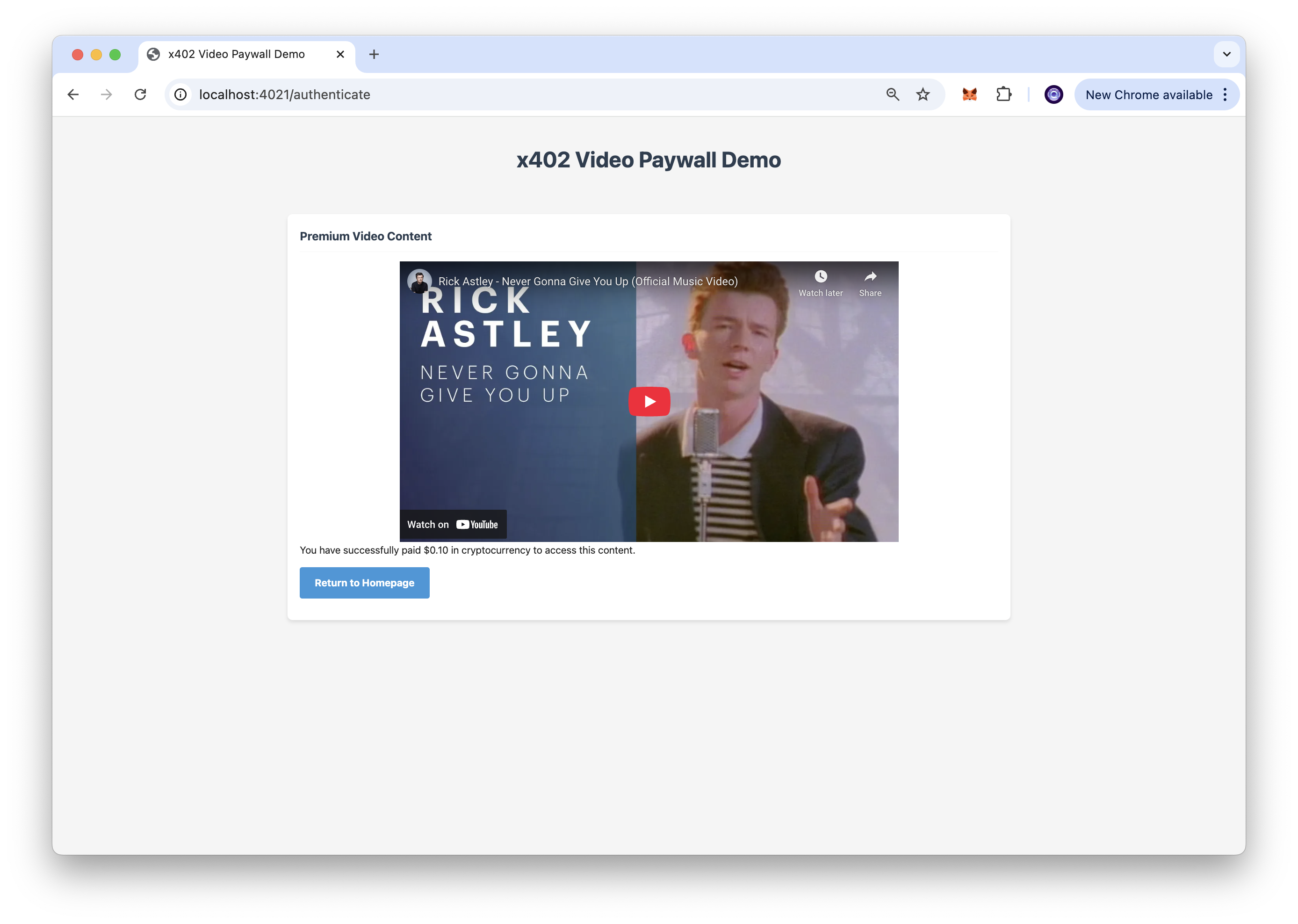
- Access the unlocked video content after successful payment.
The application uses the x402-express middleware to protect the /authenticate endpoint, requiring payment before granting access to premium content.
작동 원리
The application flow operates as follows:
Payment Protection: The server uses the x402-express middleware to protect the /authenticate endpoint, ensuring only paid users can access premium content.
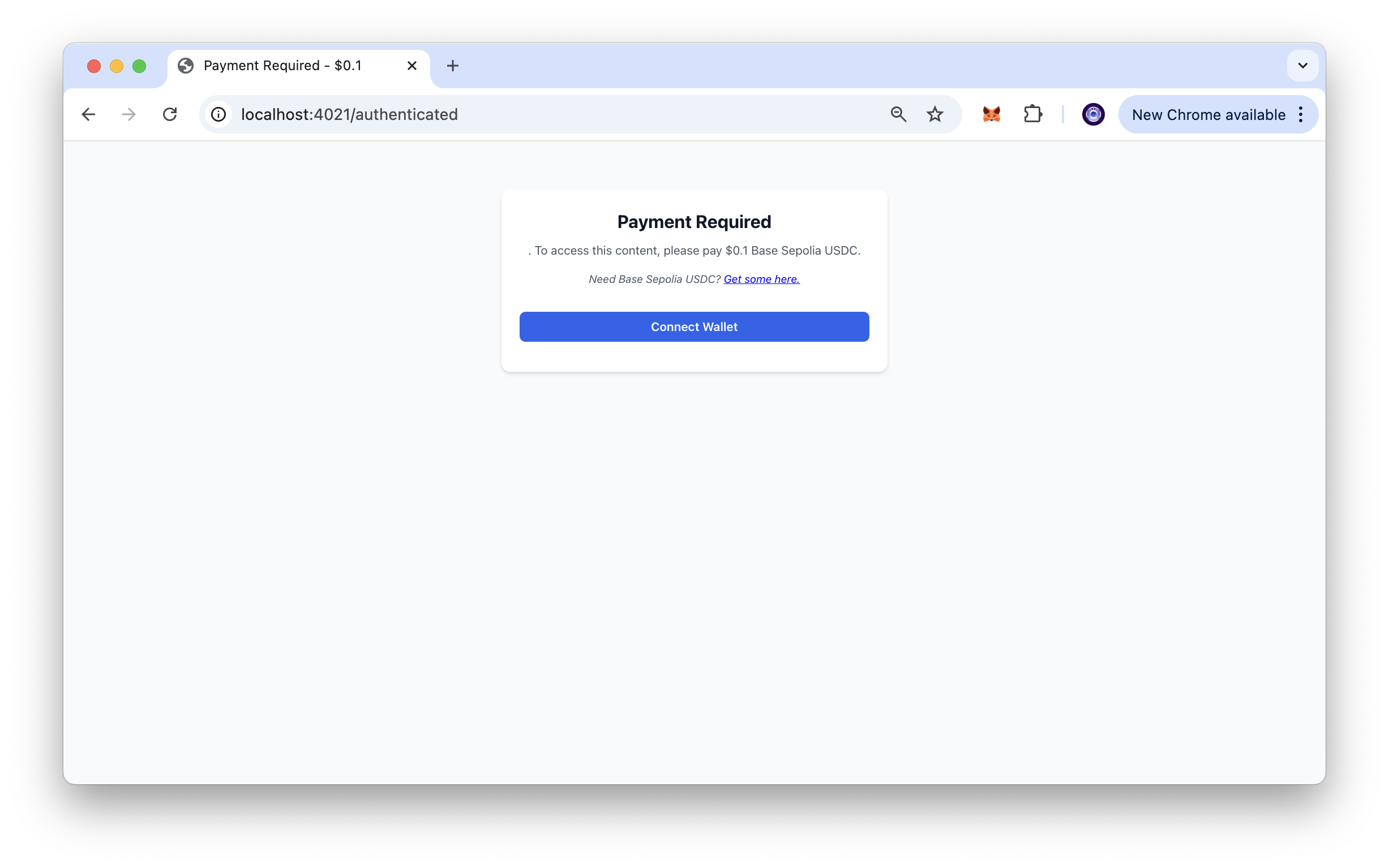
Payment Process: When a user tries to access the protected endpoint, they are required to make a cryptocurrency payment through their connected wallet.
Content Access: After successful payment verification, the user is redirected to /video-content, where the premium video content is served.
Automatic Verification: The x402 protocol handles payment verification automatically, streamlining the user experience.
Customizing
The application can be easily customized for different use cases:
Price Configuration: To change the price of the video, modify the price parameter in api/index.js.
Content Updates: To use a different video, update the video source in public/video-content.html.
Network Migration: To deploy on Base mainnet, update the network configuration in api/index.js. Note that you will need CDP API Keys and a different Facilitator for mainnet deployment.
Payment Tokens: The application can be modified to accept different ERC-20 tokens by updating the payment configuration.
미리 보기
Conclusion
The x402 payment protocol enables seamless integration of micropayments into web applications, making it ideal for content monetization, digital goods, and subscription services. This demo showcases how simple it can be to implement cryptocurrency-based paywalls for premium content.
Whether you're building a content platform, implementing premium features, or exploring new monetization models, the x402 protocol provides a foundation for integrating blockchain payments into your applications.
To learn more about implementing x402 payments and other blockchain integration solutions, contact us - we're excited to help you build the future of decentralized applications!
- 저장소를 포크하기
- 기능 브랜치 생성:git checkout -b feature/amazing-feature
- 변경 사항을 커밋하세요:git commit -m "멋진 기능 추가"
- 브랜치를 푸시하세요:git push origin feature/amazing-feature
- 풀 리퀘스트를 제출하세요.