Hyperliquid -warmtekaart
Een realtime browserdashboard dat inactieve Hyperliquid triggerorders weergeeft als clusters van prijsniveaus, gekoppeld aan actuele bied- en laatkoersen uitstreams Quicknode gRPC streams.


Overzicht
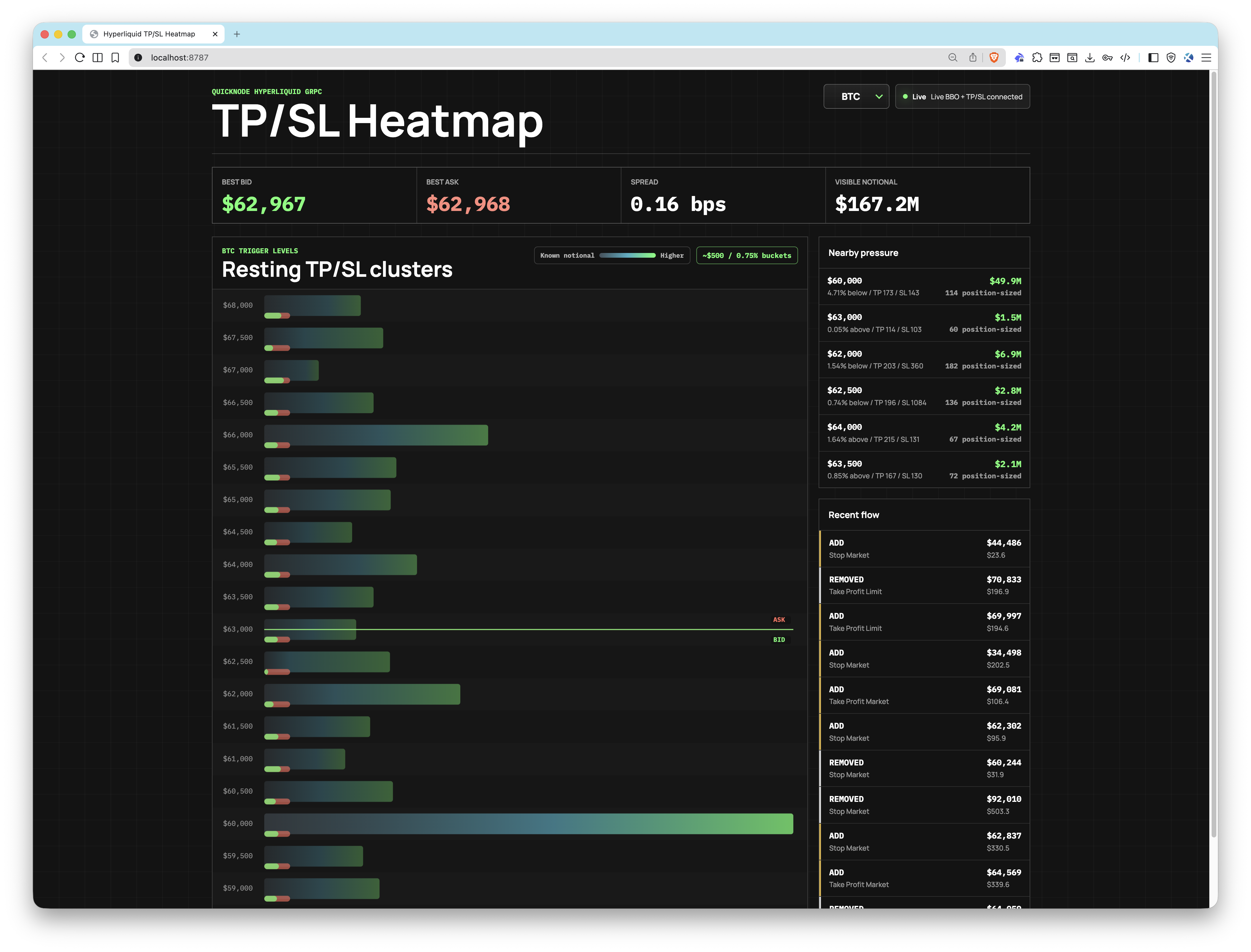
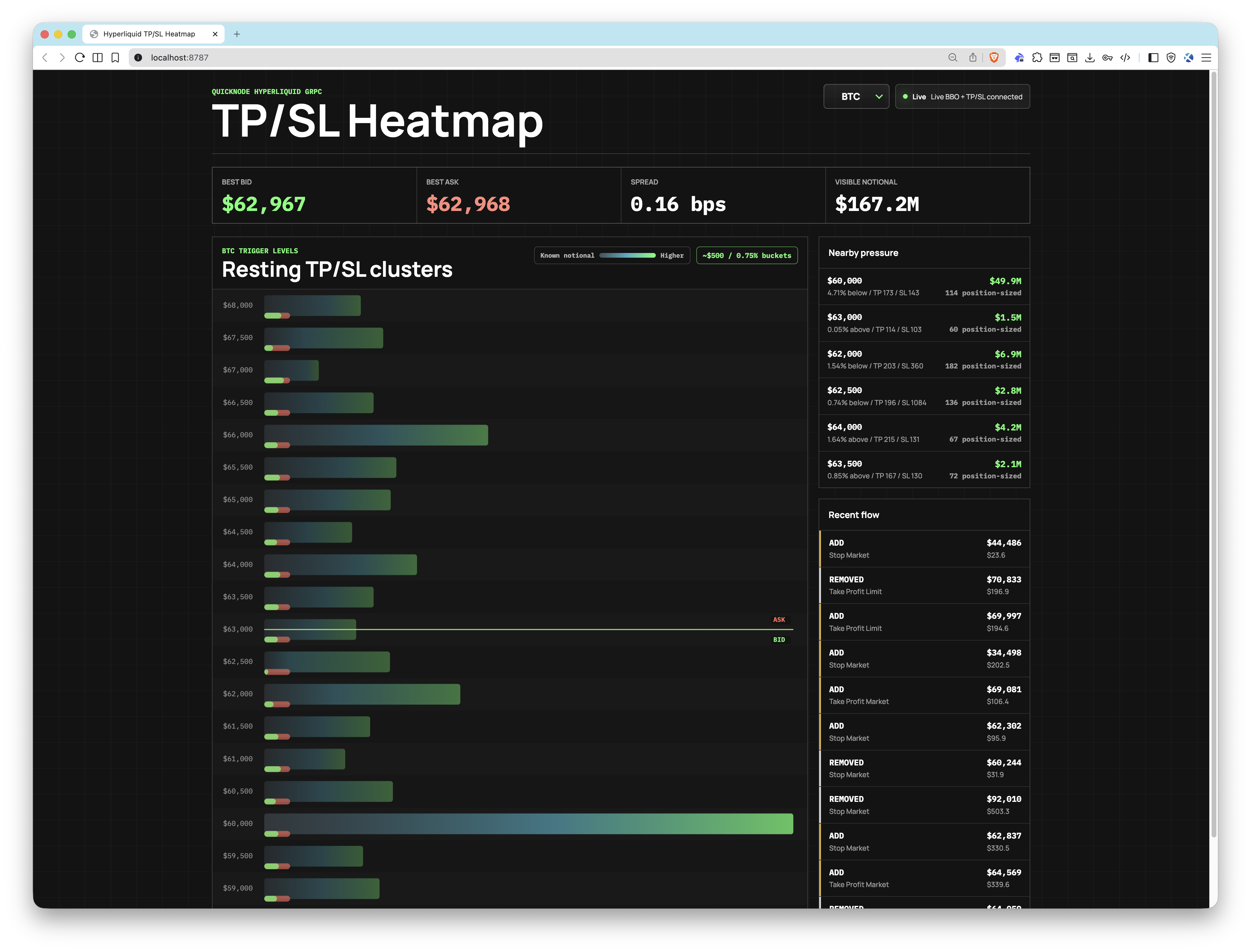
Deze app maakt verbinding met endpoint Hyperliquid gRPC endpointQuicknode om live TP/SL-triggergebeurtenissen te streamen (StreamTpslUpdates) en de beste koop- en verkoopprijzen (StreamBboBook). Openstaande orders worden gegroepeerd in configureerbare prijsklassen en via WebSocket naar de browser verzonden, waar een op canvas gebaseerde heatmap de geaggregeerde triggerdruk op elk prijsniveau in realtime weergeeft.
De app wordt geleverd met een ingebouwde mode gebruikmaakt van een synthetische feed, zodat je de gebruikersinterface kunt verkennen zonder inloggegevens.
Deze voorbeeldapp wordt uitsluitend aangeboden voor educatieve en demonstratiedoeleinden.
Architectuur
Browser (React + Canvas)
        ▲
        │  WebSocket
        │
Node.js HTTP + WebSocket-server
        │
        ├── gRPC: StreamTpslUpdates ──┐
        │                             ├── Quicknode Hyperliquid gRPC Endpoint
        └── gRPC: StreamBboBook ──────┘
Kenmerken
- Realtime TP/SL-heatmap: clusters van prijsvorken die live clusters vanuit Quicknode gRPC streams
- BBO-anker: actuele bied- en laatkoersen weergegeven op de heatmap ter illustratie van de marktcontext
- TP/SL-mixindicator: elke balk geeft een kleine groene/rode markering weer voor het aandeel van take-profit ten opzichte van stop-loss
- Ondersteuning voor meerdere activa: volg BTC, ETH, SOL, HYPE en alle andere Hyperliquid symbolen tegelijkertijd
- Instelbare emmerbreedte:
BUCKET_SIZE_PCTschaalverdeling van de emmergrootte ten opzichte van de huidige gemiddelde prijs - modeomodus: werkt met een synthetische feed wanneer inloggegevens ontbreken of
DEMO_MODE=true - Gez endpoint:
GET /healthgeeft de serverstatus en mode huidige mode weer mode JSON
Vereisten
- Quicknode met een Hyperliquid endpoint gRPC vereist)
- Node.js v18+
- pnpm
Projectopbouw
proto/
  orderbook.proto           # gRPC
src/
  client/
    App.tsx                 # Muntkeuzescherm en WebSocket-client
    HeatmapCanvas.tsx       # Canvas-gebaseerde heatmap-renderer
    main.tsx                # React-startpunt
    styles.css              # Stijlen voor de app
  server/
    cluster-store.ts        # Clustering van orders en BBO-status
    config.ts               # Laden van omgevingsvariabelen
    demo.ts                 # Synthetische demo-feed
   grpc.ts                 # gRPC
    server.ts               # HTTP- en WebSocket-server
   streams.ts              # Live gRPC verbindingen
  shared/
    types.ts                # Gedeelde TypeScript-typen
Omgevingsvariabelen
Kopiëren .env.voorbeeld naar .env en vul je inloggegevens in:
#mainnet
QUICKNODE=endpoint.mainnet.quiknode.pro:10000
QUICKNODE=uw-authenticatietoken
DOEL-MUNTEN=BTC,ETH,SOL
STANDAARD_MUNT=BTC
BUCKET_SIZE_PCT=0,75
DEMO_MODE=false
POORT=8787
| Variabele | Beschrijving |
|---|---|
QUICKNODE | Uw Quicknode Hyperliquid endpoint host:poort) |
QUICKNODE | Auth-token voor het gRPC endpoint |
TARGET_COINS | Door komma’s gescheiden lijst met Hyperliquid -symbolen om in de gaten te houden |
DEFAULT_COIN | Welke munt moet bij het laden worden weergegeven (moet in TARGET_COINS) |
BUCKET_SIZE_PCT | De bandbreedte uitgedrukt als percentage van de middenprijs (bijv., 0.75 = ~$500 per lot bij een BTC-koers near ) |
DEMO_MODUS | Instellen op waar om mode te activeren, mode de inloggegevens |
HAVEN | HTTP-serverpoort (standaard: 8787) |
Aan de slag
1. Kloon de repository
git clone https://github.com/quiknode-labs/qn-guide-examples.git
cdhyperliquid
2. Installeer de afhankelijkheden
pnpm installeren
3. De omgeving configureren
cp .env.voorbeeld .env
Openen .env en stel in QUICKNODE en QUICKNODE met uwendpoint voorendpoint Quicknode Hyperliquid endpoint . Als u deze gegevens niet opgeeft, wordt de app mode in mode gestart.
4. Start de app
pnpm dev
Open http://localhost:8787 in je browser.
Voorbeeld
- Maak een fork van de repository
- Maak een feature-branch aan:git checkout -b feature/amazing-feature
- Sla je wijzigingen op:git commit -m "Geweldige functie toevoegen"
- Pusht je branch:git push origin feature/amazing-feature
- Dien een pull-verzoek in.