概覽
This sample app ships a no-code RWA mint studio for creating ERC-721 NFTs with IPFS metadata, plus LayerZero ONFT V2 cross-chain transfers between Base 以及 Ethereum. Contracts include RWA721ONFTV2.sol (recommended), with wiring and enforced worker options for LayerZero V2.
This example is for educational use only.
先決條件
- Node.js 18+ and Foundry
- Quicknode endpoints for Base Sepolia and Ethereum Sepolia
- WalletConnect Project ID (Reown Cloud)
- Pinata JWT for IPFS uploads
- A wallet with testnet ETH on Base Sepolia and Ethereum Sepolia (Use Quicknode Multi-Chain Faucet if needed)
- Google Maps API Key (optional, for location features)
環境變數
This project uses two separate .env files:
- Root
.env(for Foundry) frontend/.env.local(Next.js)
Root .env:
# Add 0x prefix to private key in case it's missing
PRIVATE_KEY=
SEPOLIA_RPC_URL=
BASE_SEPOLIA_RPC_URL=
frontend/.env.local:
NEXT_PUBLIC_RPC_BASE_SEPOLIA=
NEXT_PUBLIC_RPC_SEPOLIA=
NEXT_PUBLIC_WALLETCONNECT_PROJECT_ID=
NEXT_PUBLIC_PINATA_JWT=
NEXT_PUBLIC_RWA721_ADDRESS_BASE_SEPOLIA= # set AFTER deploy
NEXT_PUBLIC_RWA721_ADDRESS_SEPOLIA=     # set AFTER deploy
快速入門
1. 複製儲存庫
git clone https://github.com/quiknode-labs/qn-guide-examples.git
cd qn-guide-examples/sample-dapps/rwa-tokenizer
2. 安裝依賴項
cp .env.example .env
Then, fill out the .env file with your private key and Quicknode RPC URLs.
3. Build & Test
# Install dependencies
forge install OpenZeppelin/openzeppelin-contracts
forge install foundry-rs/forge-std
forge install LayerZero-Labs/LayerZero-v2
forge install https://github.com/LayerZero-Labs/devtools
forge install GNSPS/solidity-bytes-utils

# Compile contracts
forge build

# Run tests
forge test
Note: If you use an older version of Foundry (older than v1.1.0), you may need to add
--no-commit至forge installcommands. Since v1.1.0, Foundry automatically avoids committing changes when installing dependencies.
4. Deploy Contracts
Use the provided Foundry scripts to deploy RWA721ONFTV2 to Ethereum Sepolia and Base Sepolia, then wire peers and set enforced options for LayerZero V2.
Step 1: Deploy RWA721ONFTV2 to Both Chains
Deploy to Ethereum Sepolia:
forge script script/DeployRWAV2.s.sol:DeployRWAV2 \
  --rpc-url sepolia \
  --broadcast
Save the deployed address (shown as "RWA721ONFTV2 deployed at:")
Deploy to Base Sepolia:
forge script script/DeployRWAV2.s.sol:DeployRWAV2 \
  --rpc-url base_sepolia \
  --broadcast
Save the deployed address (shown as "RWA721ONFTV2 deployed at:")
Step 2: Update WireONFTV2 Script
編輯 script/WireONFTV2.s.sol with your deployed addresses:
// 👇 UPDATE THE PLACEHOLDER WITH THE RWA CONTRACT YOU DEPLOYED ON BASE SEPOLIA
address constant BASE_SEPOLIA_RWA = YOUR_RWA721ONFTV2_CONTRACT_ON_BASE_SEPOLIA;

// 👇 UPDATE THE PLACEHOLDER WITH THE RWA CONTRACT YOU DEPLOYED ON SEPOLIA
address constant SEPOLIA_RWA = YOUR_RWA721ONFTV2_CONTRACT_ON_SEPOLIA;
Step 3: Wire ONFT V2 Contracts (Set Peers)
CRITICAL: Must be run on BOTH chains
Wire Base Sepolia → Sepolia:
forge script script/WireONFTV2.s.sol:WireONFTV2 \
  --rpc-url base_sepolia \
  --broadcast
Wire Sepolia → Base Sepolia:
forge script script/WireONFTV2.s.sol:WireONFTV2 \
  --rpc-url sepolia \
  --broadcast
Step 4: Set Enforced Options (LayerZero V2 Required)
CRITICAL: Must be run on BOTH chains - Without this, bridging will fail with LZ_ULN_InvalidWorkerOptions
Update addresses in script/SetEnforcedOptions.s.sol.
if (block.chainid == 11155111) {
    // Sepolia -> Base Sepolia 👇 UPDATE THE PLACEHOLDER WITH THE RWA CONTRACT YOU DEPLOYED ON SEPOLIA
    rwaAddress = 0xYourSepoliaRWAAddress;
    dstEid = Config.LZ_CHAIN_ID_BASE_SEPOLIA;
} else if (block.chainid == 84532) {
    // Base Sepolia -> Sepolia 👇 UPDATE THE PLACEHOLDER WITH THE RWA CONTRACT YOU DEPLOYED ON BASE SEPOLIA
    rwaAddress = 0xYourBaseSepoliaRWAAddress;
    dstEid = Config.LZ_CHAIN_ID_SEPOLIA;
}
// ...
Then run:
Set options on Sepolia:
forge script script/SetEnforcedOptions.s.sol:SetEnforcedOptions \
  --rpc-url sepolia \
  --broadcast
Set options on Base Sepolia:
forge script script/SetEnforcedOptions.s.sol:SetEnforcedOptions \
  --rpc-url base_sepolia \
  --broadcast
Step 5: Verify Deployment
Verify peers are set correctly (LayerZero V2):
# Check Sepolia contract knows about Base Sepolia
cast call 0xYourSepoliaRWAAddress "peers(uint32)(bytes32)" 40245 \
  --rpc-url sepolia

# Check Base Sepolia contract knows about Sepolia
cast call 0xYourBaseSepoliaRWAAddress "peers(uint32)(bytes32)" 40161 \
  --rpc-url base_sepolia
Both should return non-zero bytes32 values (padded addresses). If they return 0x0000..., the wiring failed.
5. Configure Frontend Environment Variables
建立 frontend/.env.local from the example:
cp frontend/.env.example frontend/.env.local
編輯 frontend/.env.local with:
NEXT_PUBLIC_RPC_BASE_SEPOLIA=
NEXT_PUBLIC_RPC_SEPOLIA=
NEXT_PUBLIC_WALLETCONNECT_PROJECT_ID=
NEXT_PUBLIC_PINATA_JWT=
NEXT_PUBLIC_RWA721_ADDRESS_BASE_SEPOLIA=0xYourBaseSepoliaRWA
NEXT_PUBLIC_RWA721_ADDRESS_SEPOLIA=0xYourSepoliaRWA
6. Run Frontend
cd frontend
npm install
npm run dev
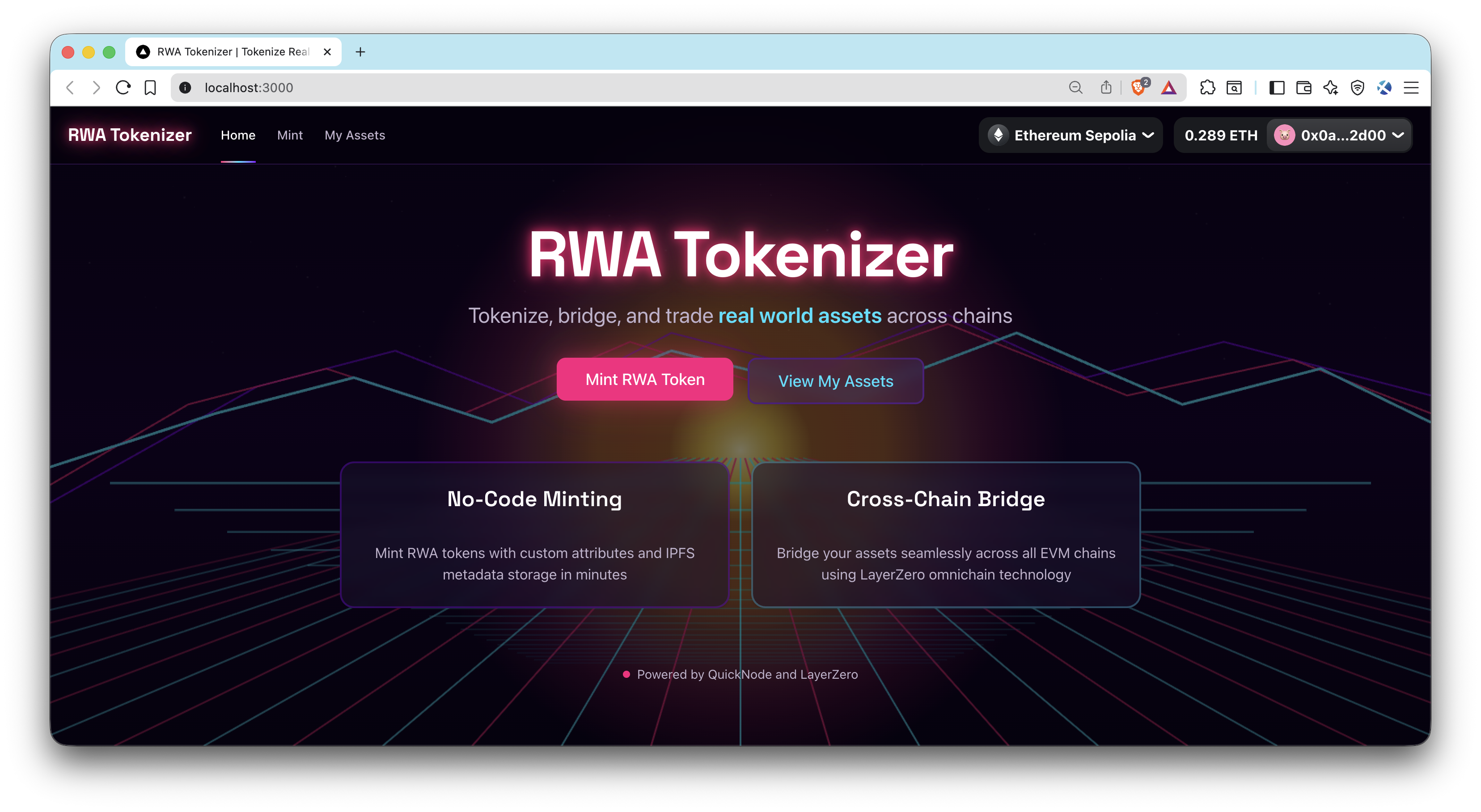
造訪 http://localhost:3000.
預覽
- 分叉此儲存庫
- 建立功能分支:git checkout -b feature/amazing-feature
- 將您的變更提交:git commit -m "新增超棒的功能"
- 推送您的分支:git push origin feature/amazing-feature
- 開啟一個 Pull Request。