
](https://vercel.com/new/clone?repository-url=https%3A%2F%2Fgithub.com%2Fquiknode-labs%2Fqn-guide-examples%2Ftree%2Fmain%2Fsample-dapps%2Fsolana-wallet-explorer&env=SOLANA_RPC_URL,DAS_API_ENABLED,NEXT_PUBLIC_FETCH_JUPLIST&envDescription=SOLANA_RPC_URL%3A%20Use%20Quicknode%20Solana%20Mainnet%20Endpoint%20%7C%20DAS_API_ENABLED%20%3D%20true%20with%20the%20Metaplex%20product%20enabled%20in%20the%20Quicknode%20Dashboard%20%7C%20NEXT_PUBLIC_FETCH_JUPLIST%20%3D%20true%20to%20fetch%20token%20names&envLink=https%3A%2F%2Fdashboard.quicknode.com%2Fendpoints&project-name=starter-solana-explorer&repository-name=starter-solana-explorer&redirect-url=https%3A%2F%2Fdashboard.quicknode.com%2Fendpoints&demo-title=Quicknode%20Starter%20Solana%20Explorer&demo-image=https%3A%2F%2Fgithub.com%2Fquiknode-labs%2Fqn-guide-examples%2Ftree%2Fmain%2Fsample-dapps%2Fsolana-wallet-explorer%2Fpublic%2Fdemo.png)

概覽
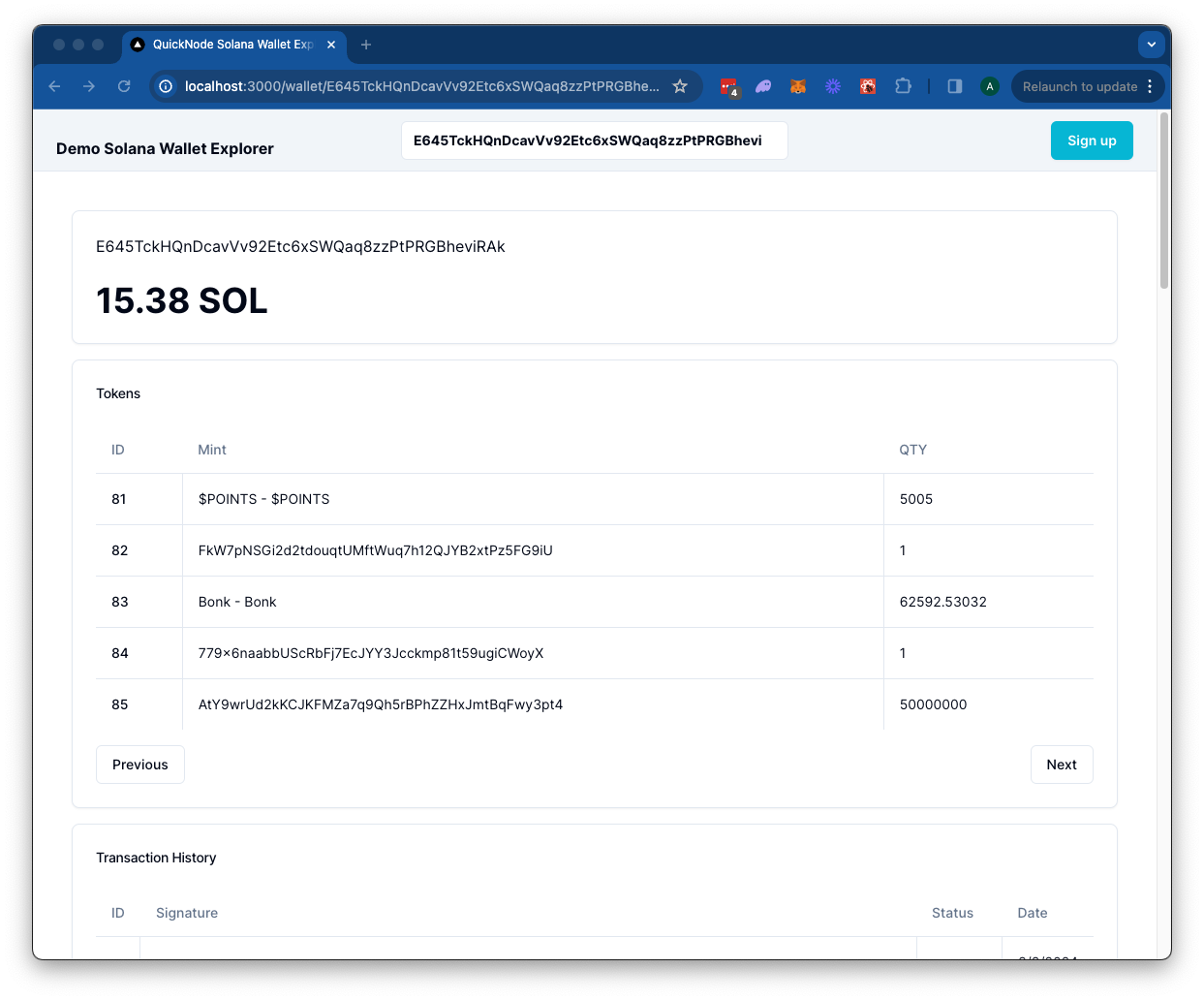
The Solana Wallet Explorer leverages a Quicknode Solana Endpoint to retrieve token balances, transaction history, and NFTs for a specified wallet on the Solana blockchain. It uses a Next.js 14 此專案採用以下方式啟動: create-next-app.
開始使用
安裝依賴項
首先,安裝依賴項:
npm 安裝
# 或
yarn
# 或
pnpm 安裝
# 或
bun 安裝
設定環境變數
Make sure you have a Quicknode endpoint handy--you can get one free here.
重新命名 .env.example 至 .env.local and add your Quicknode Solana endpoint. Set DAS_API_ENABLED 至 true only if you have access to the Metaplex product.
SOLANA_RPC_URL=https://example.solana-mainnet.quiknode.pro/123456/
DAS_API_ENABLED=true
NEXT_PUBLIC_FETCH_JUPLIST=true
首先,執行開發伺服器:
npm 執行 dev
# 或
yarn dev
# 或
pnpm dev
# 或
bun dev
請使用瀏覽器開啟http://localhost:3000以查看結果。
使用 Dapp
Search for a Solana wallet address and press enter.
The Dapp will redirect to /wallet/[地址] and query the Solana blockchain for the wallet's token balances, transactions, and NFTs. Results are rendered in respective cards.
建築
src/
├── app/
│   └── api/
│       └── wallet/
├── components/
    ├── 探索器/
    └── header/
api- Contains the API routes for the Solana RPC calls. These can be accessed from the client via/api/wallet/[method]?walletAddress=[address]. 這些 GET 請求使用@solana/web3.jslibrary and Metaplex Digital Asset Standard framework to handle queries.元件- 包含該去中心化應用程式(dapp)所需的 React 元件。- 該
探索者該元件包含會呼叫 API 路由並渲染結果的客戶端元件。 - 該
頁首此元件包含該去中心化應用(dapp)的搜尋欄。
- 該
部署至 Vercel

預覽
Next.js 文件
若想進一步了解 Next.js,請參考以下資源:
- Next.js 文件— 了解 Next.js 的功能與 API。
- 學習 Next.js—— 一套互動式 Next.js 教學指南。
您可以瀏覽Next.js 的 GitHub 儲存庫——歡迎提供您的意見回饋與貢獻!
- 分叉此儲存庫
- 建立功能分支:git checkout -b feature/amazing-feature
- 將您的變更提交:git commit -m "新增超棒的功能"
- 推送您的分支:git push origin feature/amazing-feature
- 開啟一個 Pull Request。