概覽
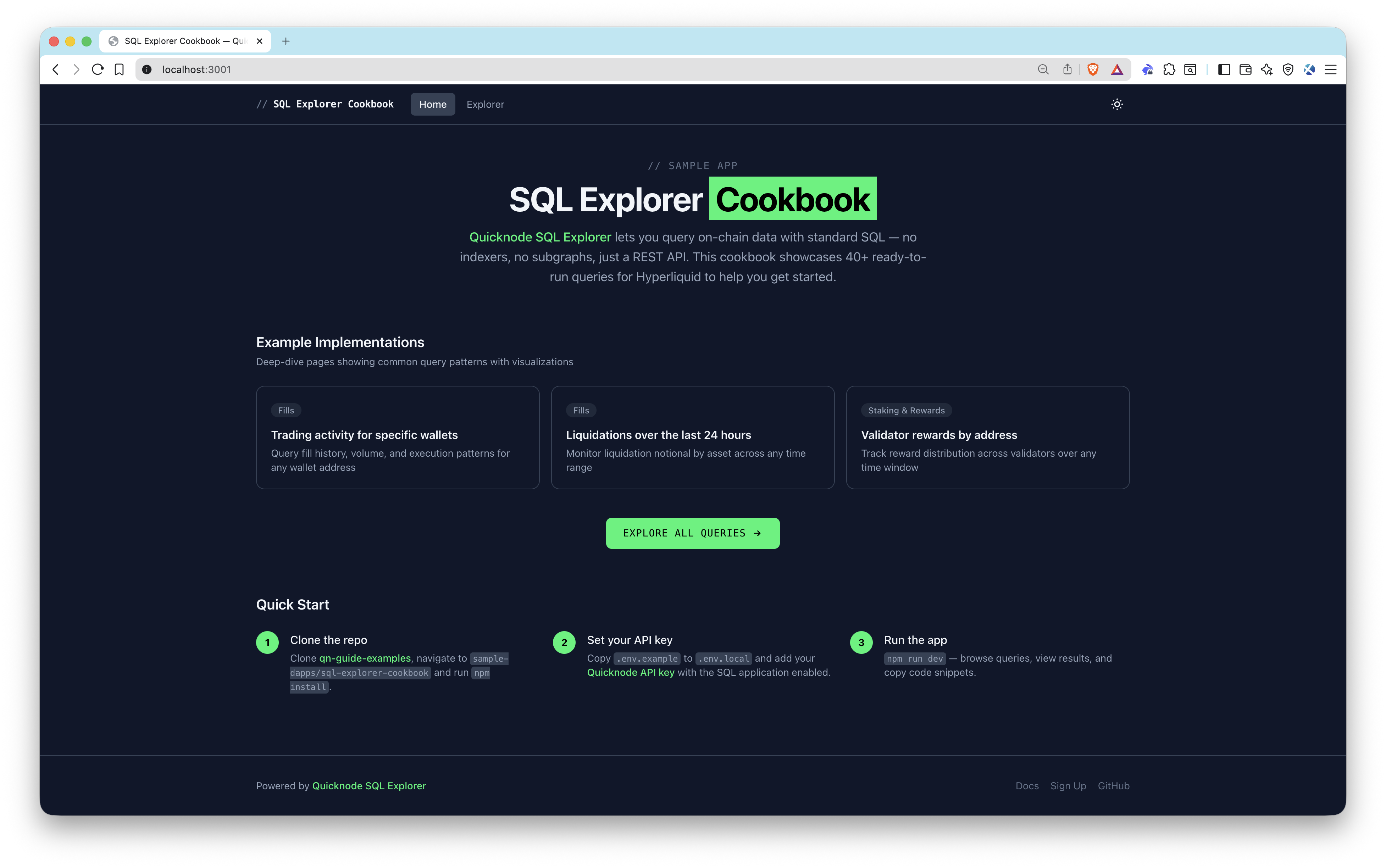
Quicknode SQL Explorer lets you query on-chain data with standard SQL — no indexers, no subgraphs, just a REST API and your API key. This sample app demonstrates how to integrate SQL Explorer into a frontend, shipping with 40+ ready-to-run queries against Hyperliquid on-chain data with table and chart views so you can see results immediately.
建築
Browser (Next.js frontend)
  -> /api/query (server-side proxy route)
    -> Quicknode SQL Explorer REST API
      -> Returns structured rows
        -> Table view + Chart visualization
特色
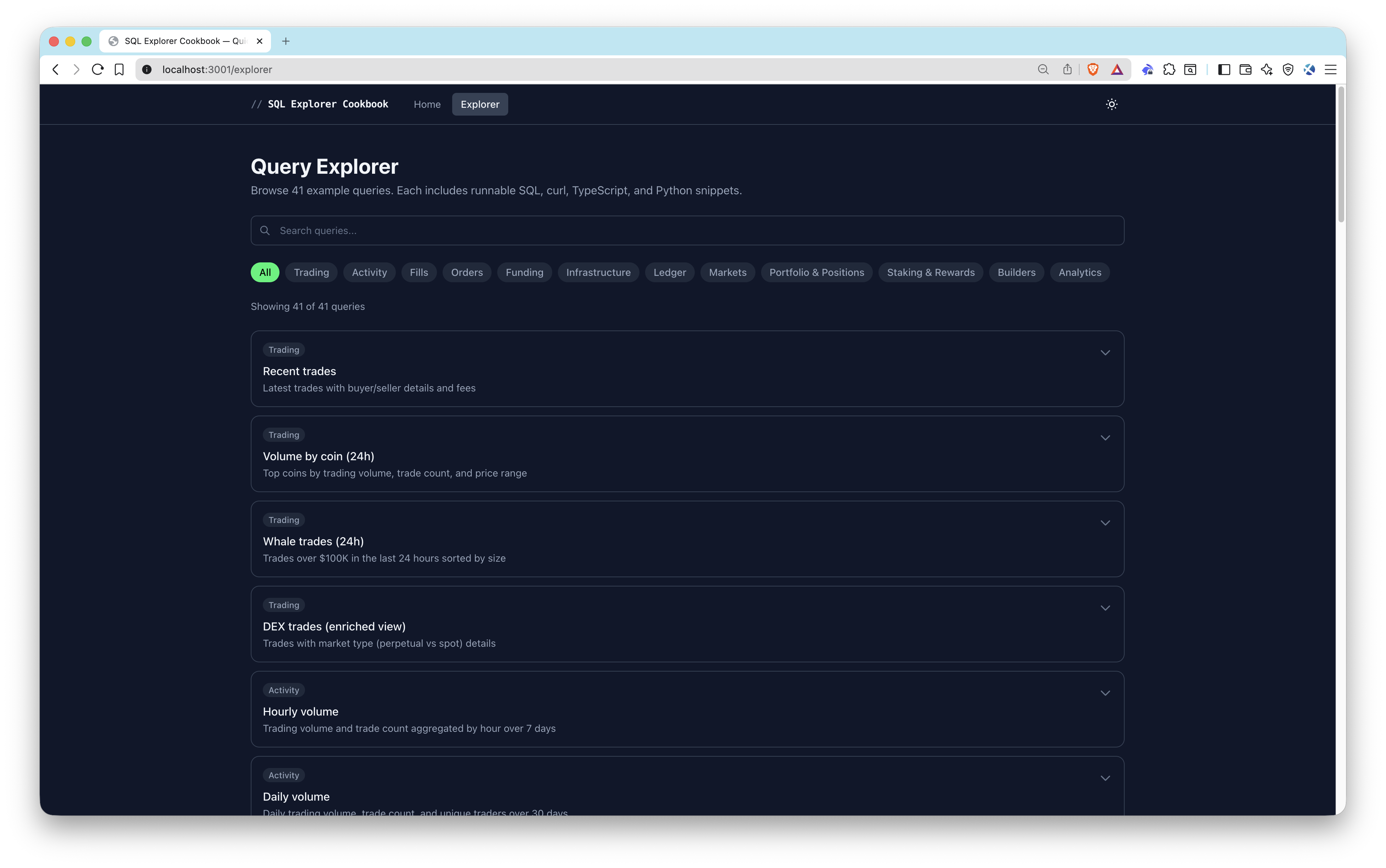
- 40+ pre-built queries organized by category: Trading, Fills, Orders, Funding, Markets, Portfolio & Positions, Staking & Rewards
- Parameterized queries with dynamic inputs for wallet addresses, validators, and coin symbols
- Dual result views — sortable/paginated tables and bar/line/area/pie charts
- Code snippets — copy-paste ready code in SQL, curl, TypeScript, and Python for every query
- Use-case pages — deeper implementations for validator rewards, wallet activity, and liquidations
- Server-side API proxy — keeps your API key secure on the backend
先決條件
- Node.js 20+
- A Quicknode account with an API key that has the SQL application enabled (create one here)
專案架構
src/
  app/
    api/query/route.ts          # Server-side proxy to SQL Explorer API
    explorer/page.tsx            # Query explorer page
    use-cases/
      liquidations/page.tsx     # Liquidation monitoring use case
      validator-rewards/page.tsx # Validator rewards use case
      wallet-activity/page.tsx  # Wallet activity use case
  components/
    query/                      # Query runner, results table, charts, code snippets
    ui/                         # Category filter, copy button, theme toggle
    use-cases/                  # Insights banner, stat highlights
  data/queries.ts               # All 40+ pre-built query definitions
  lib/
    sql-explorer.ts             # SQL Explorer API client
    snippets.ts                 # Code snippet generators
    chart-utils.ts              # Chart configuration helpers
    hooks/useQueryExecution.ts  # Query execution hook
環境變數
QUICKNODE_API_KEY=your_api_key_here          # Quicknode API key with SQL enabled
QUICKNODE_SQL_ENDPOINT=https://api.quicknode.com/sql/rest/v1/query  # SQL Explorer REST endpoint
QUICKNODE_CLUSTER_ID=hyperliquid-core-mainnet # Target cluster ID
開始使用
1. 複製儲存庫
git clone https://github.com/quiknode-labs/qn-guide-examples.git
cd sample-dapps/sql-explorer-cookbook
2. 安裝依賴項
npm 安裝
3. Configure environment variables
cp .env.example .env.local
編輯 .env.local with your Quicknode API key and endpoint details.
4. Start the development server
npm 執行 dev
Open http://localhost:3000 to start exploring queries.
API 端點
POST /api/query— Server-side proxy that forwards SQL queries to the Quicknode SQL Explorer REST API and returns results
預覽
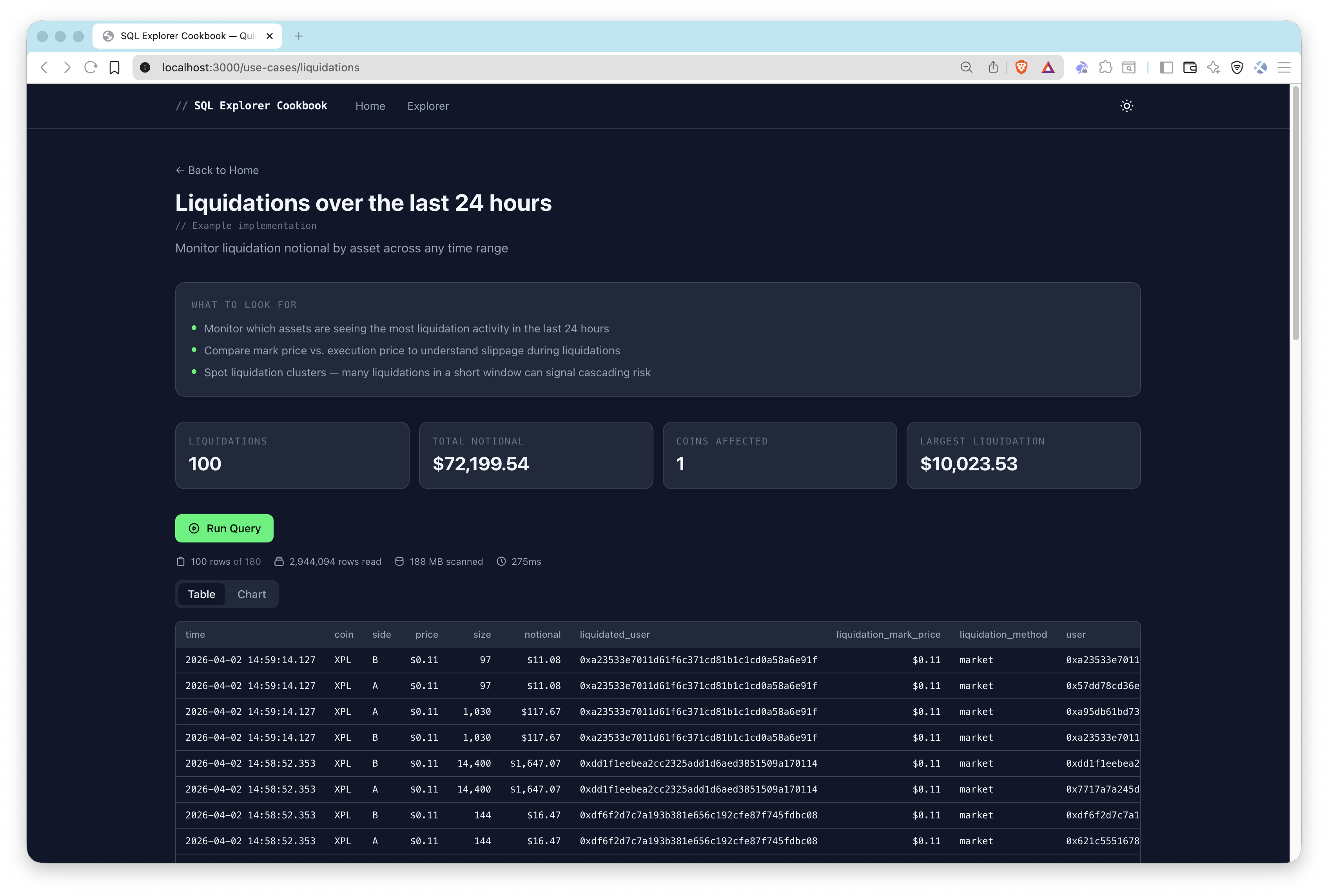
Usage
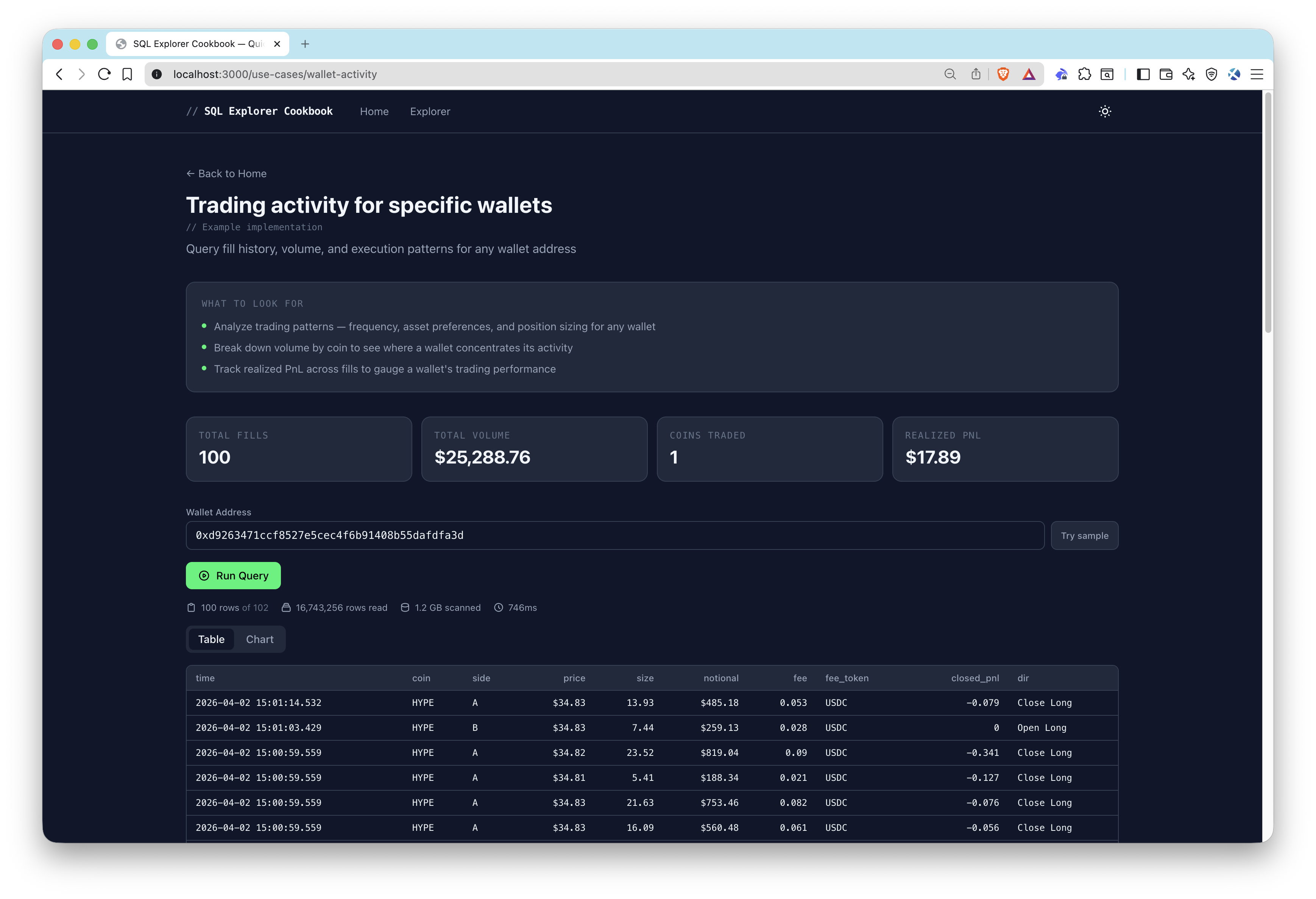
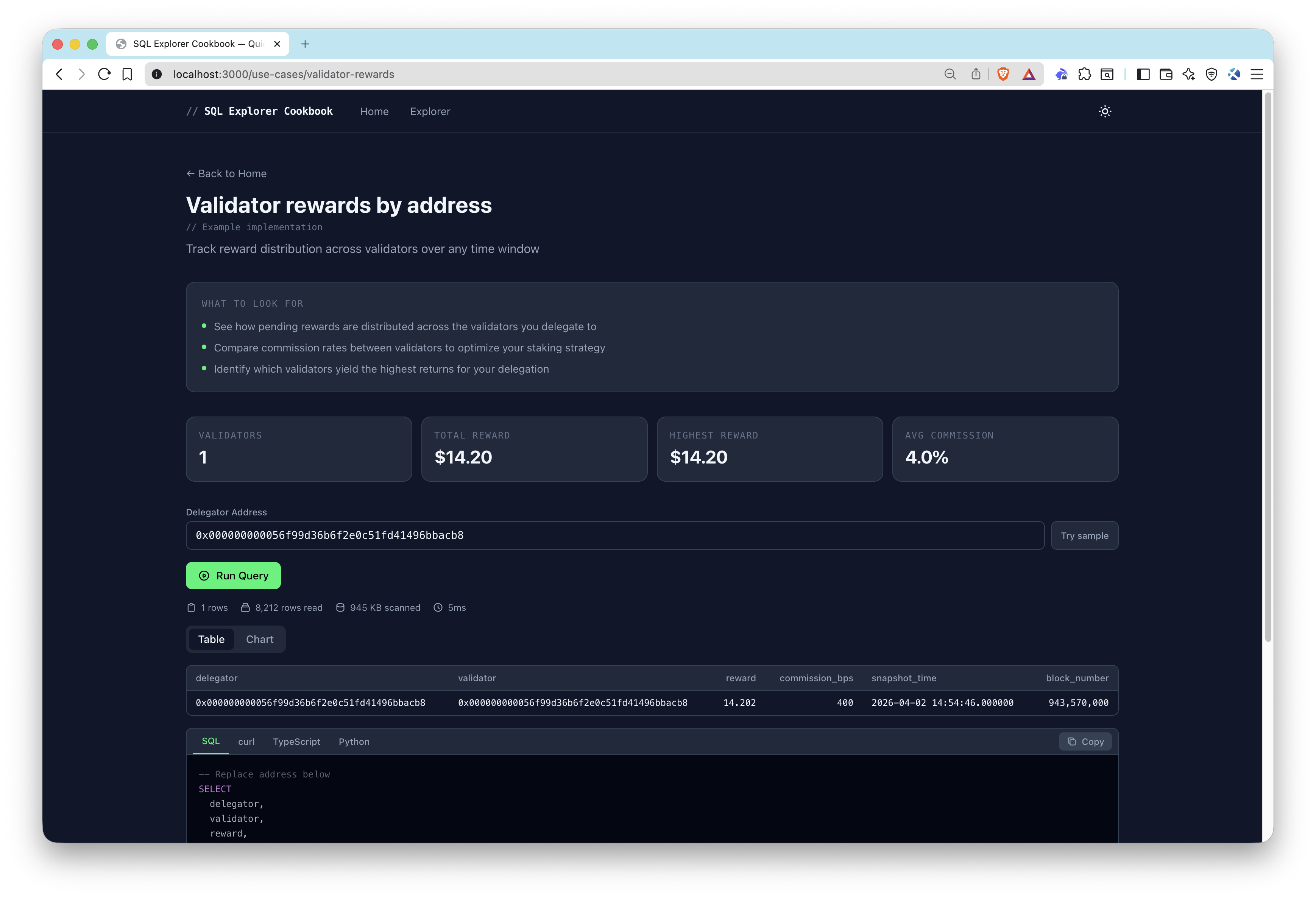
- Pick a starting point — Choose one of the 3 sample use cases (Wallet Activity, Validator Rewards, Liquidations) from the home page, or explore all 40+ pre-built queries in the explorer.
- Run a query — Click run to execute the SQL against Hyperliquid on-chain data. Results appear as a sortable table or chart.
- Customize parameters — Some queries accept dynamic inputs like wallet addresses, validators, or coin symbols. Click Try sample to populate example values, then re-run.
- Copy code snippets — Each query provides copy-paste ready code in SQL, curl, TypeScript, and Python.
Adding Custom Queries
Add entries to src/data/queries.ts:
{
  id: "my-query",
  title: "My Custom Query",
  description: "Description of what this query does",
  category: "Trading",
  sql: `SELECT * FROM hyperliquid_trades LIMIT 10`,
  chartConfig: {           // optional
    type: "bar",
    xKey: "coin",
    yKeys: ["volume_usd"],
  },
}
貢獻與回饋
我們非常樂意聽取您的意見,並歡迎您為這個範例應用程式提供任何貢獻!
若要回報問題或提供意見回饋,請在 qn-guide-examples 儲存庫。
若要貢獻,請依照以下步驟操作:
- 分叉此儲存庫
- 建立功能分支:git checkout -b feature/amazing-feature
- 將您的變更提交:git commit -m "新增超棒的功能"
- 推送您的分支:git push origin feature/amazing-feature
- 開啟一個 Pull Request。