로그 소개: 강력한 디버깅 도구
로그 소개: 강력한 디버깅 도구
이제 Quicknode 개발자 포털의 endpoint 내 ‘로그(Logs)’ 탭에서 로그를 확인할 수 있게 되어, 디버깅이 간소화되고 지원 서비스에 대한 의존도가 줄어듭니다.

2025년 1월 30일 — 읽는 데 2분 소요
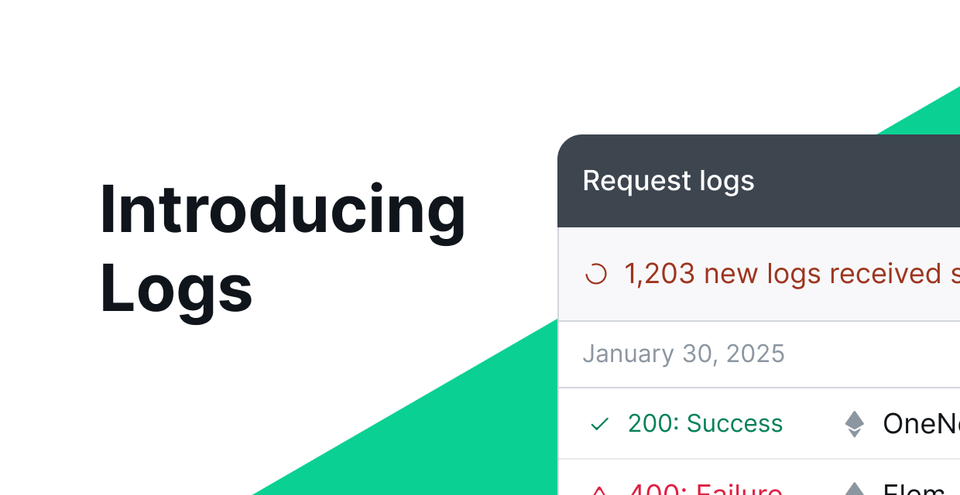
응답 로깅을 통해 RPC 엔드포인트에서 발생하는 트랜잭션과 오류에 대한 가시성을 높여주는 새로운 ‘로그’ 기능 덕분에, dApp 개발이 훨씬 더 쉬워졌습니다.
이 도구는 이제 endpoint의 ‘Quicknode ’ 대시보드 내 ‘로그 (Logs)’ 탭에서 사용할 수 있으며, 디버깅 과정을 간소화하고 지원팀에 대한 의존도를 줄여줍니다.
로그는 요청과 응답에 대한 상세한 정보를 제공함으로써, 개발자가 추측에 의존할 필요 없이 문제를 신속하게 파악하고 해결할 수 있게 하여, 더 원활한 운영과 향상된 성능을 보장합니다.
로그에 대해 더 자세히 알아보려면 계속 읽어보시고, 로그 사용에 대한 자세한 내용은 당사의 개발자 문서에서 확인하세요.
두통은 줄이고, 시야는 넓게
코드에서 발생한 오류를 해결하는 과정은 개발자의 업무 흐름에서 가장 많은 시간을 잡아먹는 요소일 수 있습니다. 이 과정을 가속화해 주는 도구는 생산성 향상, 시장 출시 기간 단축, 그리고 출시 첫날부터 오류 없는 dApp을 구현하는 데 기여합니다.
로그는 전송 트랜잭션 및 RPC 오류(실패한 트랜잭션 및 잘못 구성된 매개변수 포함)에 대한 명확한 통찰력을 제공하여 디버깅 과정을 크게 개선하는 데 도움이 됩니다. 또한 RPC 요청과 응답을 투명하게 파악함으로써 에 대한 가시성을 높여, 추측에 의존해야 하는 상황을 최소화할 수 있습니다.
로깅 활성화를 켜면 얻을 수 있는 모든 것
실행 시, 로그를 통해 코드가 어디서, 왜 작동하지 않았는지 정확히 파악할 수 있습니다. 다음은 디버깅 작업 흐름을 가속화해 줄 몇 가지 기능입니다.
상세 로그: 요청 및 응답 데이터, 상태 코드, 사용된 메서드 등 RPC 요청에 대한 정보를 확인합니다.
시간 기반 필터링: 이용 중인 요금제에 따라 지난 15분, 1시간, 1일 또는 최대 14일 등의 시간 범위로 로그를 필터링할 수 있습니다.
개인정보 보호: 특정 계정의 경우 민감한 데이터가 기록되거나 표시되지 않아 개인정보가 보호됩니다.
작동 원리
필터링 옵션: 로그를 시간 범위, endpoint, 체인, 메서드 또는 상태 코드로 필터링하여 디버깅 과정을 간소화할 수 있습니다.
다중 체인: endpoint 에서 다중 체인 기능이 활성화되어 있다면, 체인별로 요청 내역을 확인할 수 있습니다.
플랜별 로그 액세스
로그 기능은 새로운 유료 요금제를 이용하시는 고객님께 제공되며, 요금제 등급이 높을수록 캐시된 로그의 보존 기간이 길어집니다. 기존 요금제를 이용 중인 고객님께서는 이 기능을 이용하시려면 새로운 요금제로 전환하셔야 합니다. 요금제별 로그 접근 권한에 대한 자세한 내용은 아래를 참조해 주세요.
티어 | 로그 액세스 |
|---|---|
무료 | 해당 사항 없음 |
빌드 | 지난 1시간 동안의 로그 |
가속화 | 지난날의 기록 |
규모 | 지난날의 기록 |
비즈니스 | 지난날의 기록 |
기업 | 지난 14일간의 로그 |
로그 활성화 및 사용에 대한 자세한 내용은 당사의 개발자 문서에서 확인해 보세요.
소개 Quicknode
2017년에 설립된 Quicknode 은 개발자와 기업을 위해 엔터프라이즈급 블록체인 인프라를 제공합니다. 99.99%의 가동률과 77개 이상의 체인을 지원함으로써, 팀들은 타협 없이 온체인 애플리케이션을 구축하고 확장할 수 있습니다.
최신 소식을 받아보세요
최신 엔지니어링 인사이트, 제품 업데이트, 웹3 뉴스를 여러분의 이메일로 바로 받아보세요.