Using Quicknode with MetaMask, MyCrypto, MyEtherWallet (updated)
Using Quicknode with MetaMask, MyCrypto, MyEtherWallet (updated)
How to set up your Quicknode with 3 popular Wallet/Account services
December 25, 2019 — 2 min read
Below are instructions on how to set up your Quicknode for use with 3 popular wallet/account services >>>
MyCrypto Web
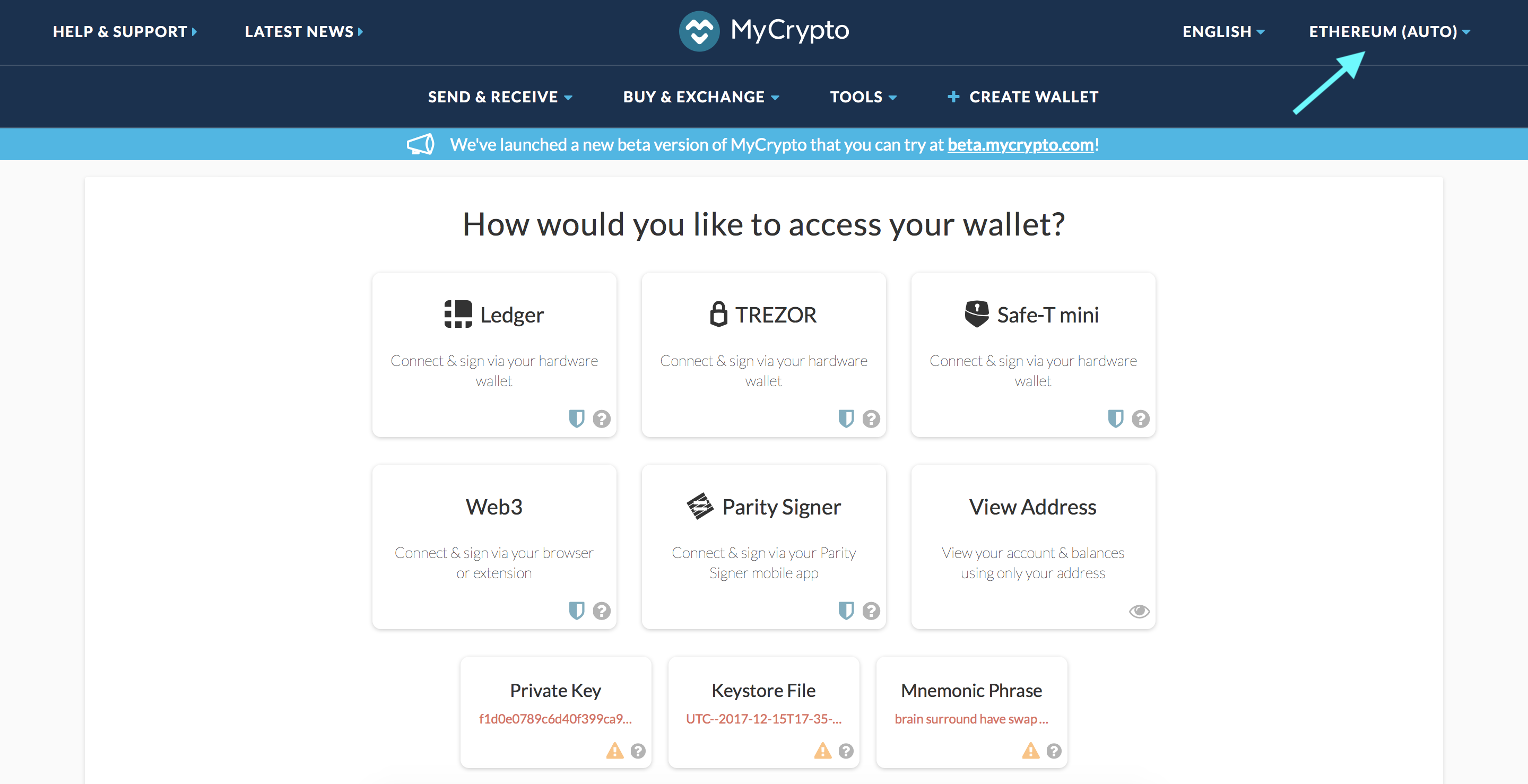
Click the Node Selector in top right corner
2. Click "Add Custom Node" at the bottom of the window that pops up
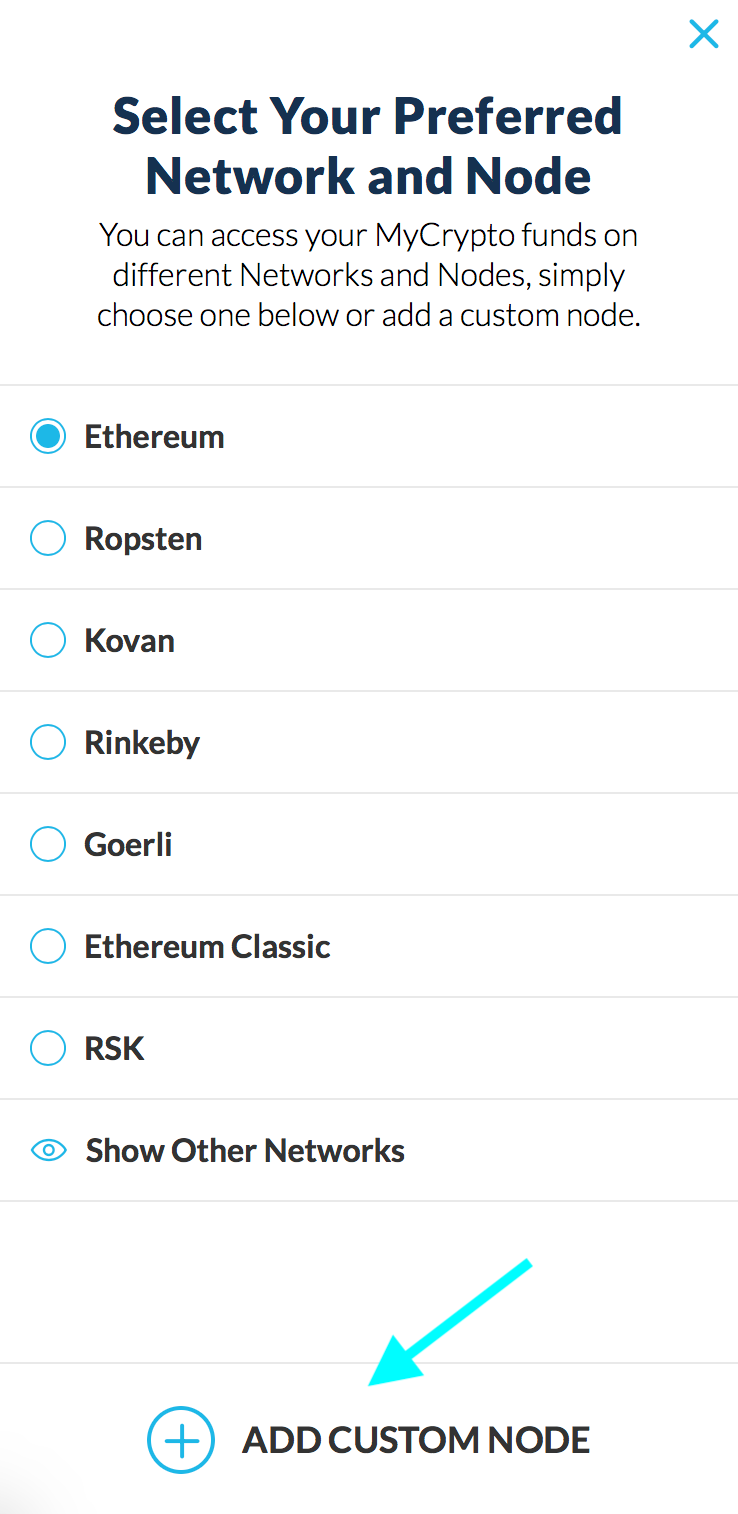
3. Enter a name (any), select the network (ETH = MainNet), and copy/paste your Web3 endpoint
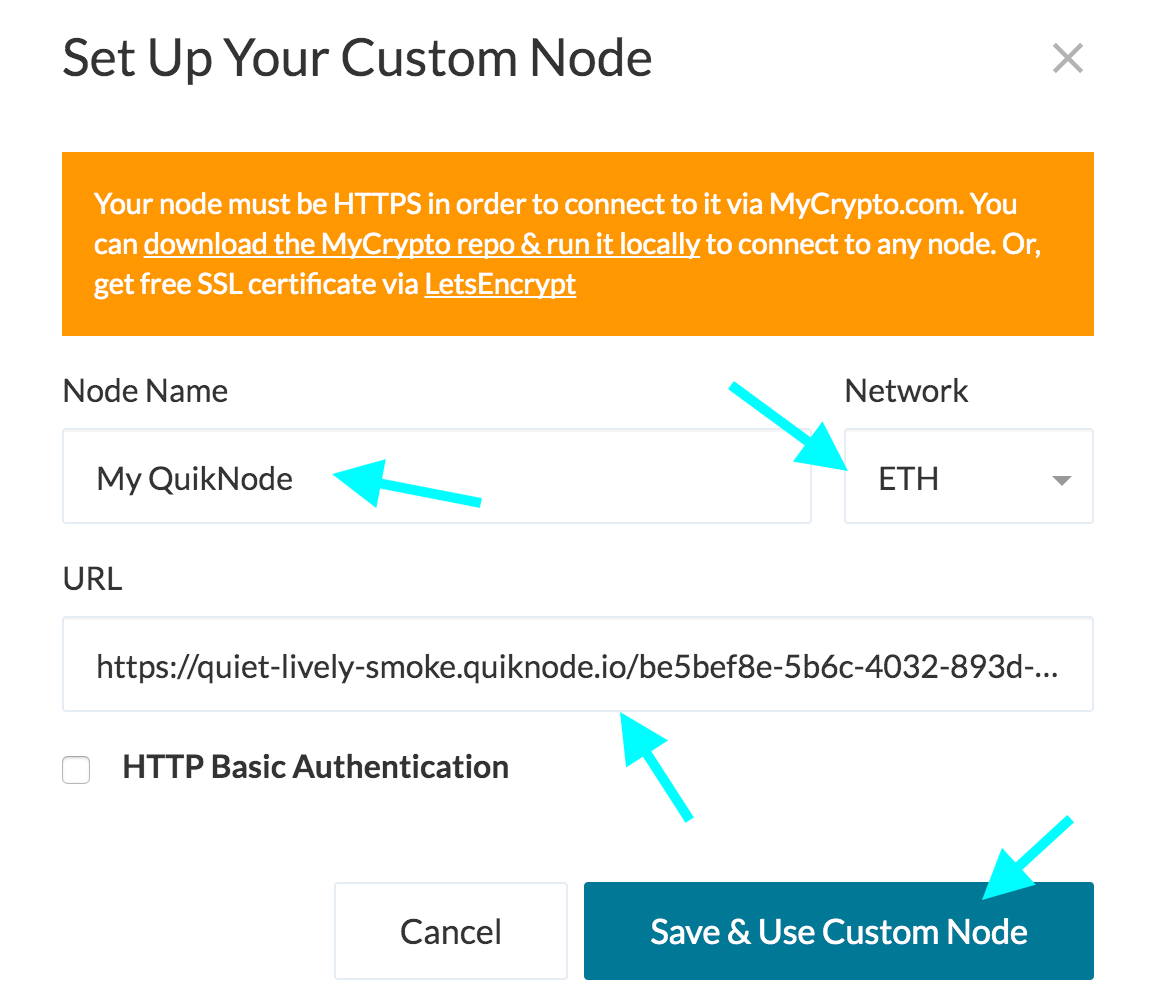
4. Click "Save & Use Custom Node" — and you're all set!
MyCrypto App
Click "Change Network"
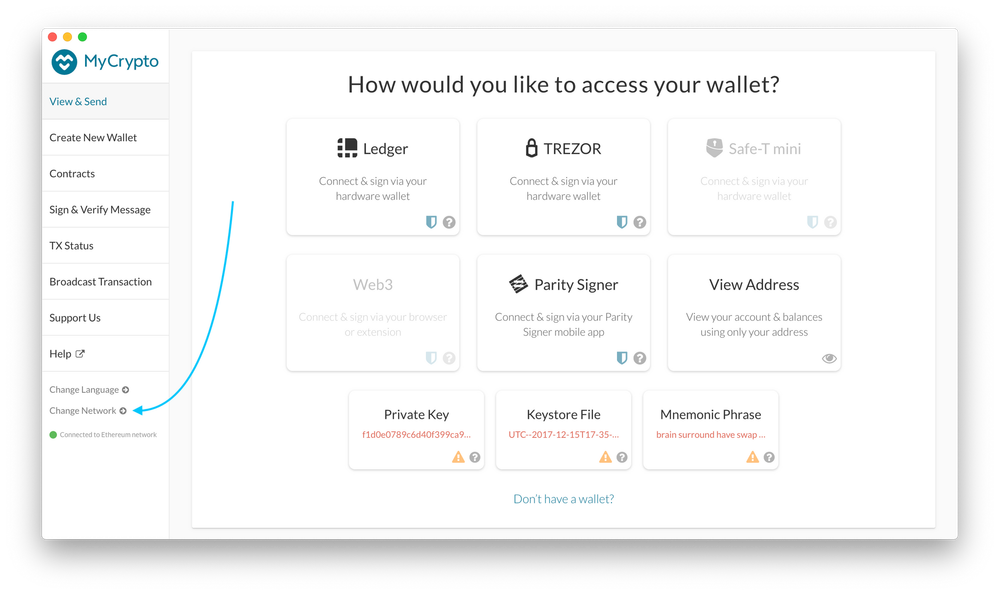
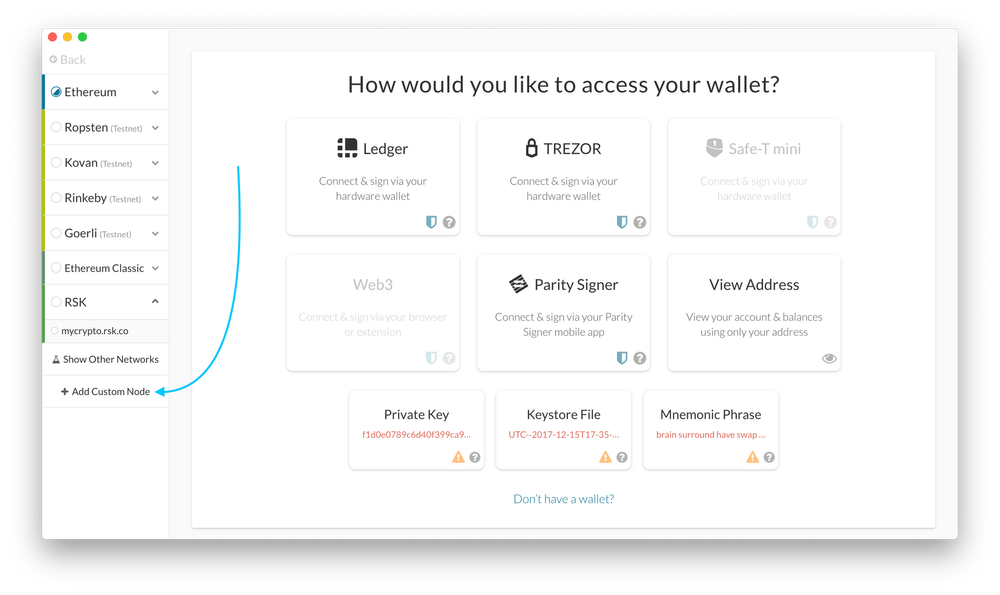
2. Click "Add Custom Node"
3. Enter a name (any), select the network (ETH = MainNet), and copy/paste your Web3 endpoint.
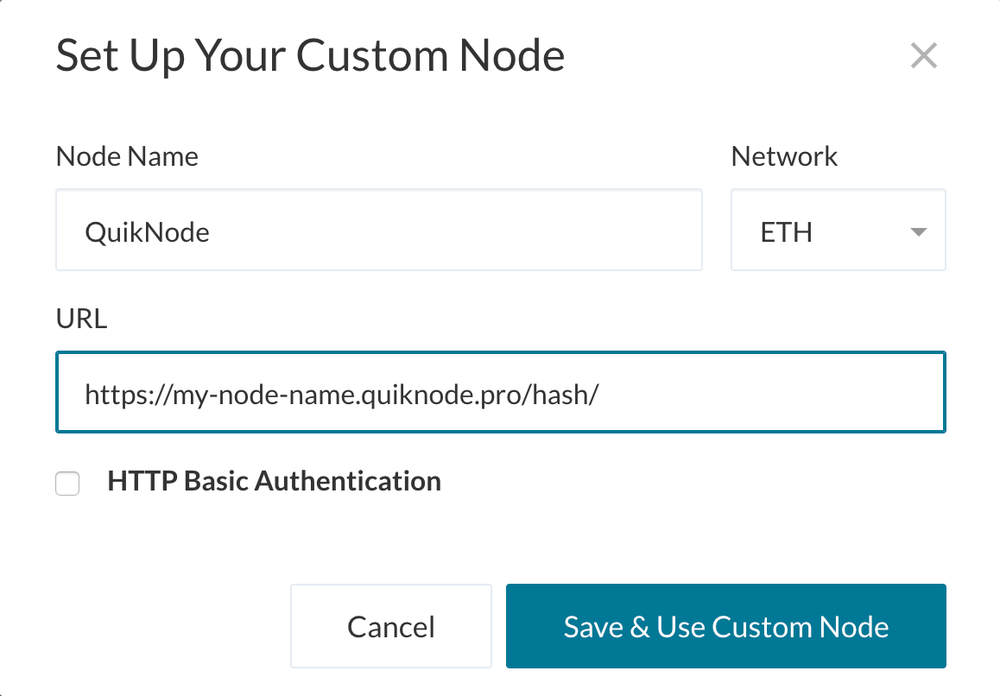
4. Click "Save & Use Custom Node" — and you're all set!
MetaMask
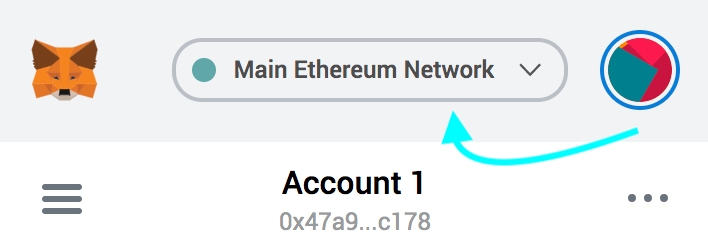
Open the MetaMask plugin, click the Network Selector at the top
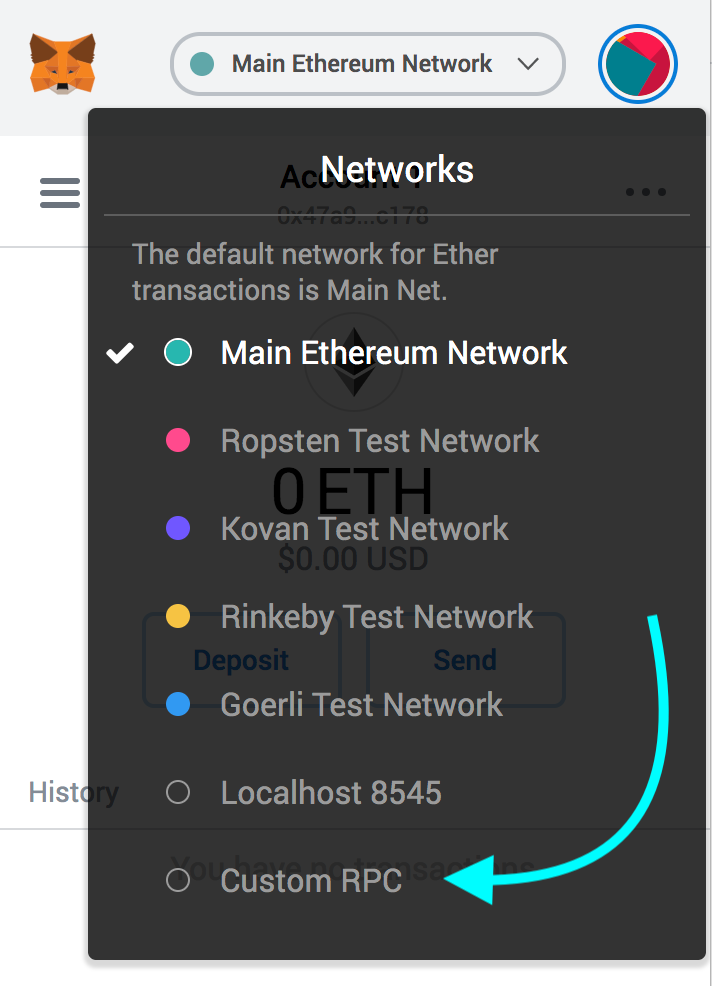
2. Select "Custom RPC" at the bottom
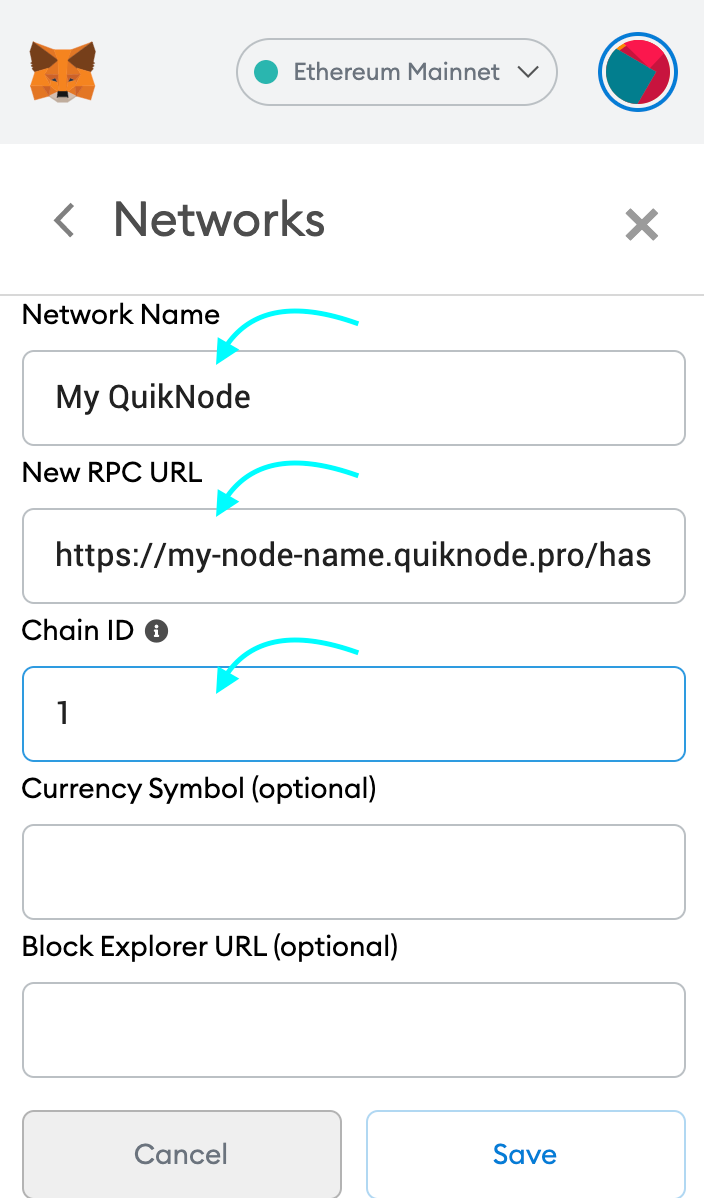
3. Enter a name (any), copy/paste your Web3 endpoint (be sure to include the "/" at the end!), enter ChainID (1 for MainNet, or see here for more), click "Save"
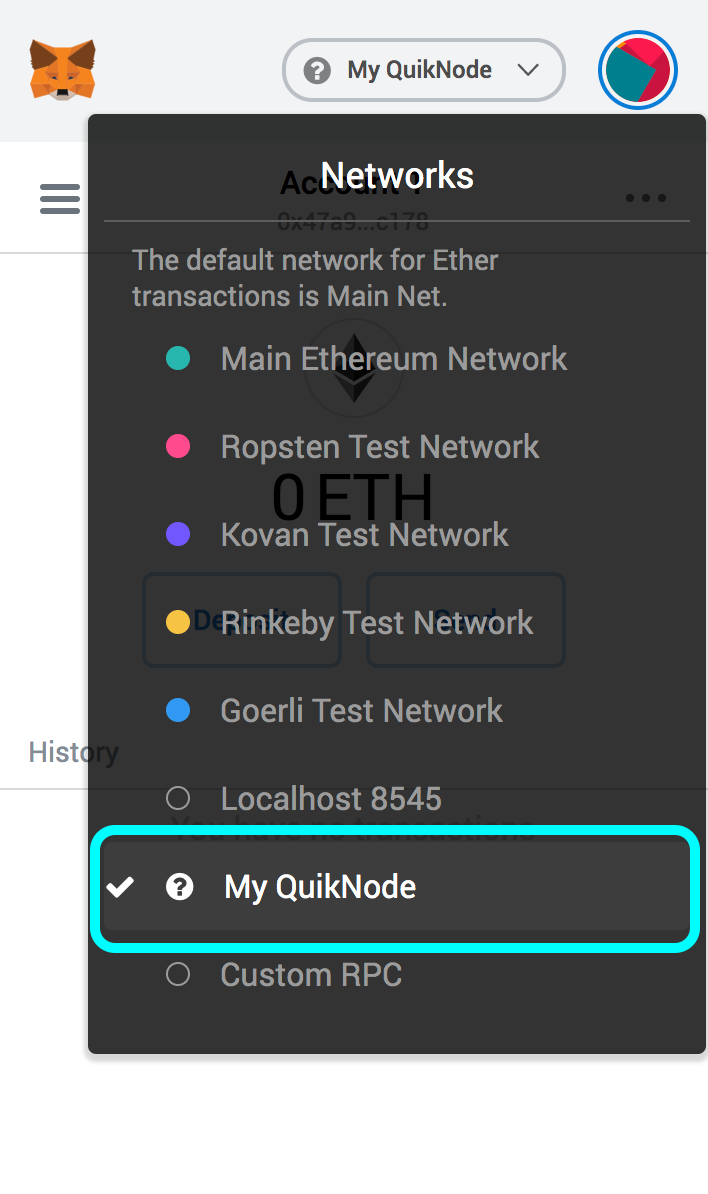
4. Your all set!
MyEtherWallet
Open access to your wallet/account, click "Change" under Network
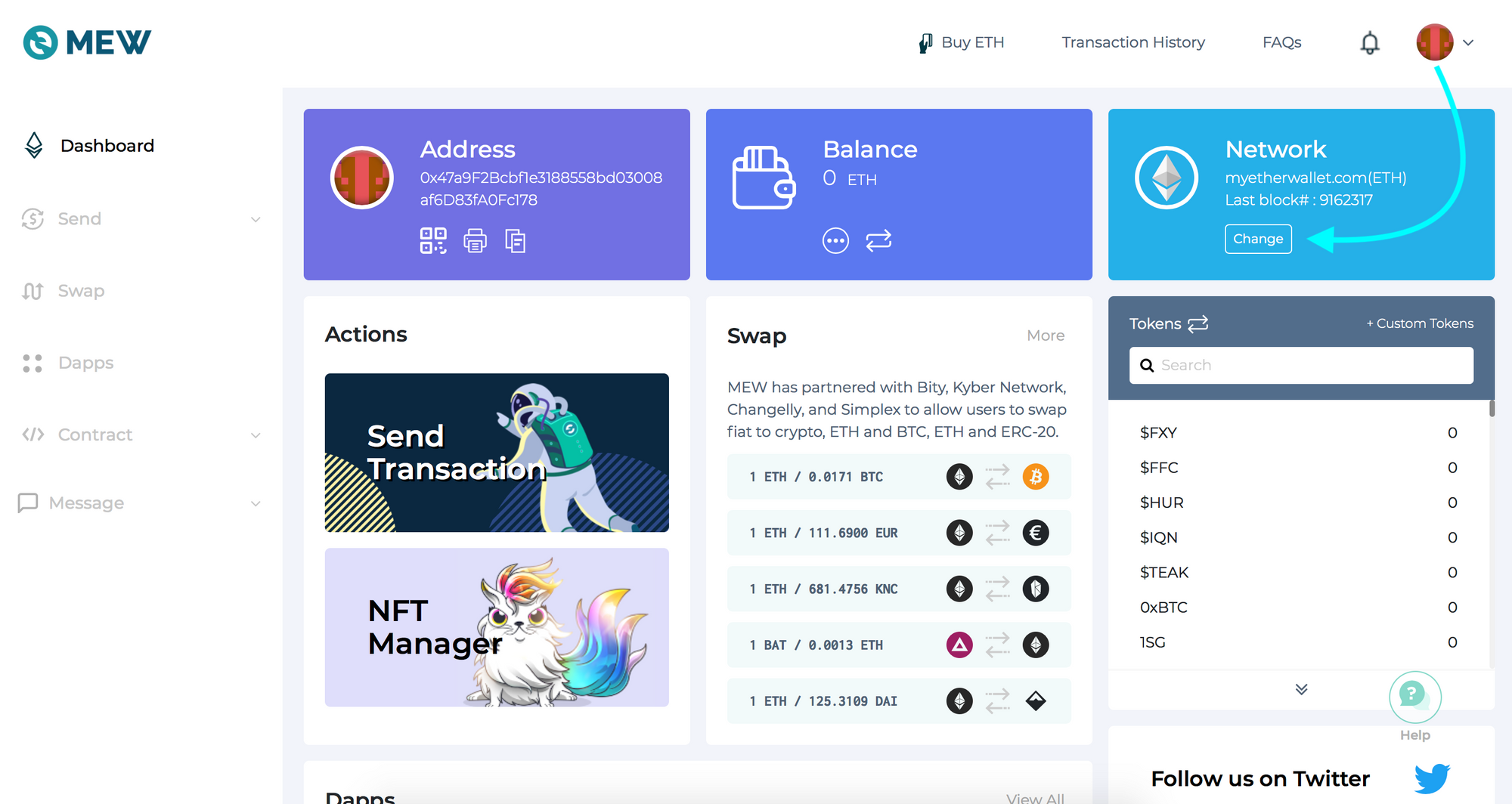
2. Flick "Add Custom Network/Node" and enter a name (any) and your Web3 endpoint, click Save
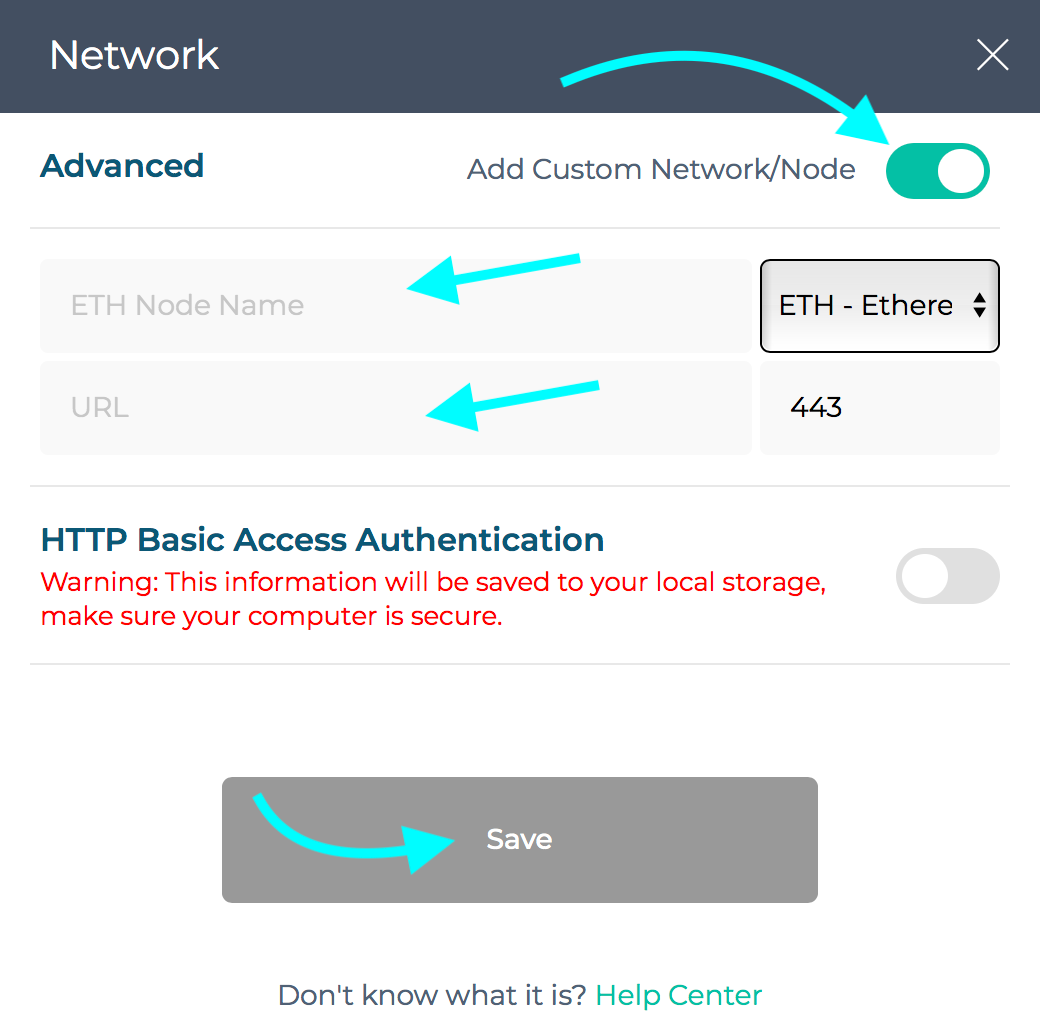
3. You will see that your network has switched to Quicknode, all set!

需要專案協助或有任何疑問嗎?請透過此表單、TwitterQuicknode 或在Discord 上聯絡我們!
關於Quicknode
Quicknode 成立於 2017 年,為開發者與企業Quicknode 機構級的區塊鏈基礎設施。憑藉 99.99% 的正常運行時間以及對 80 多條區塊鏈的支持,各團隊得以在無需妥協的情況下,開發並擴展鏈上應用程式。
隨時掌握最新資訊
將最新的工程見解、產品更新及 Web3 新聞直接送至您的收件匣。