Introducing Key-Value Store: Change a Watchlist Without Redeploying
Introducing Key-Value Store: Change a Watchlist Without Redeploying
Key-Value Store gives your data pipelines a persistent, updatable state layer on Quicknode. Update watchlists through the REST API without touching filter code or redeploying Streams.

September 14, 2026 — 6 min read
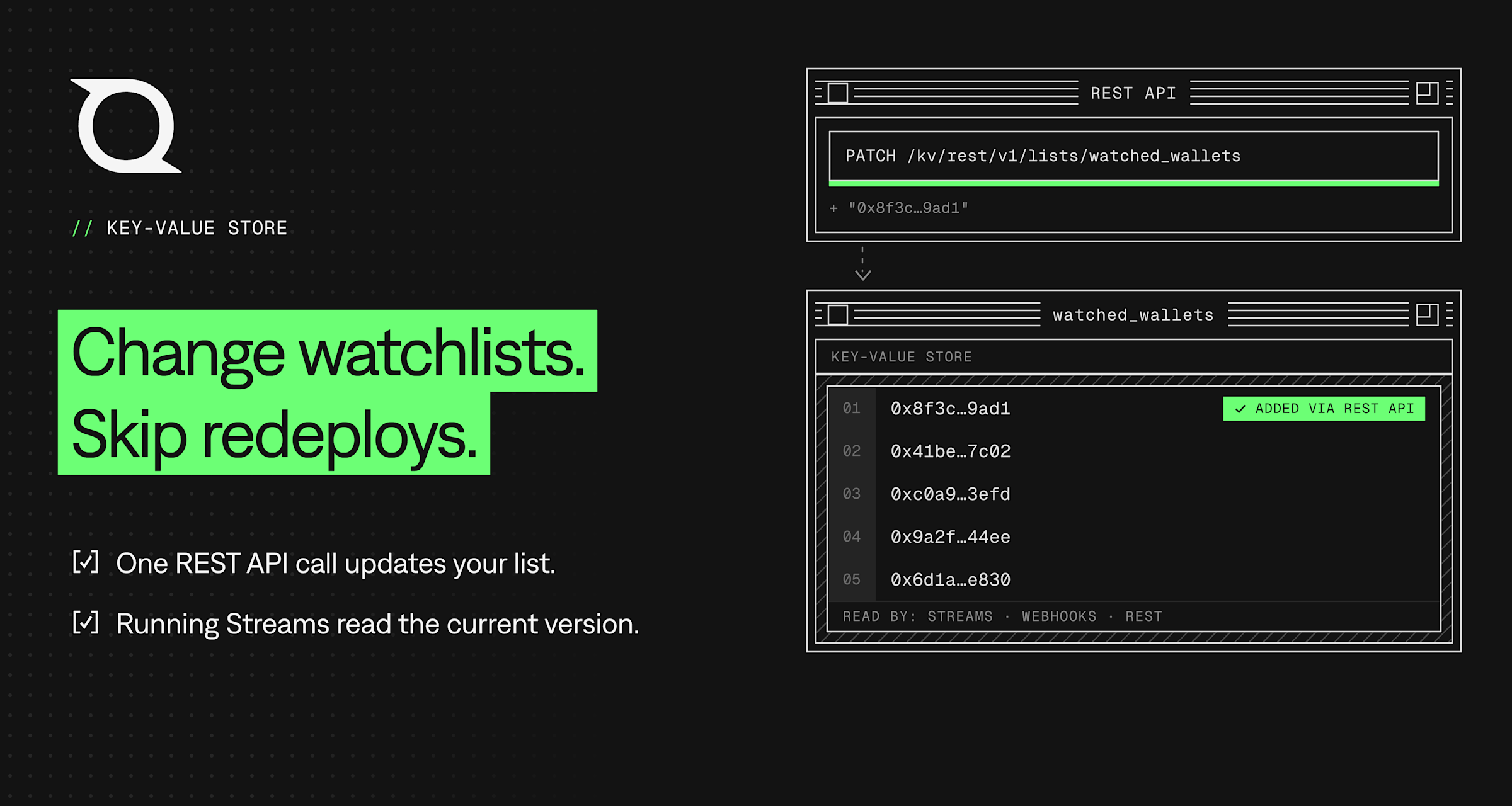
Watchlists move. A portfolio tracker gains an address every time someone signs up. A compliance pipeline follows a sanctions list that updates on someone else's schedule.
If that list lives inside your Streams filter, every change becomes a code change. Someone edits an array and updates the filter. Or you keep the data in a separate database and query it every block, giving you another system to operate and reconcile.
Key-Value Store moves that changing state out of the filter.
It gives you two data types:
Lists hold named collections of string items, such as wallet addresses, allowlists, or filtering criteria.
Values hold a single piece of state you want to track over time, such as the last block you processed.
Streams filters can read and write both. Supported Webhook templates can reference Key-Value Store lists by name. A backend, script, or agent can access the same data through the REST API.
For a watchlist, that means one API call can change what a running filter matches without changing or redeploying the filter itself.
Avoiding filter changes is only part of the benefit. More importantly, whoever owns the watchlist no longer needs to change the filtering logic whenever the data changes. A UI, backend, or script can update it directly.
Key-Value Store is available on every Quicknode plan.
Update the watchlist without touching the filter
Inside a Streams filter, you can check multiple items against a list with qnLib.qnContainsListItems:
async function main(payload) {
  const addresses = payload.data.flatMap(block =>
    block.transactions.flatMap(tx => [tx.from, tx.to])
  );
  const hits = await qnLib.qnContainsListItems(
    "watched_wallets",
    addresses
  );
  return hits.some(Boolean) ? payload.data : null;
}
The method takes an array of items and returns a boolean for each item, aligned with the input array. Filters can also be written in Go, where the equivalent method is qn.ContainsListItems and runs synchronously, with no await.
The important part is where watched_wallets lives: outside the filter.
Add or remove an address from the list, and the running filter uses the updated watchlist without a redeploy.
That pattern works anywhere the filtering logic stays the same while the data it operates on changes.
Filtering criteria can live outside the filter too
Lists do not have to contain wallet addresses.
They can also hold the criteria that determine which events matter. For example, an order-monitoring application might let users choose which order statuses they want to track.
Instead of hard-coding those statuses into the filter, you can store them in a list. When a user changes their selection, update the list and the running filter starts using the new criteria.
The same idea applies to allowlists, denylists, routing criteria, monitored contracts, or other sets of values that change independently of your filtering logic.
If changing something should not require changing the filter itself, it is a good candidate for Key-Value Store.
Values handle state that is not a list
Values cover the other side of the same idea.
For example, a filter that needs to remember where it left off could write a lastProcessedBlock value at the end of a run and read it again when processing resumes.
Instead of embedding changing state in application logic, the filter can read and update it through Key-Value Store.
Before you put it in the hot path
There are a few things worth knowing before using Key-Value Store inside a filter.
Matching is case-sensitive
Key-Value Store items are case-sensitive.
For blockchain addresses, make sure values are stored and checked consistently. Otherwise, addresses using different casing may not match as expected.
Current state is available globally to Streams, Webhooks, and REST API
Key-Value Store gives your filters access to the current contents of a list, making it a great fit when the current state is what matters, which is the case for many watchlists and dynamic filtering rules.
When you update a list, running filters read the updated contents.
REST API access requires an API key
Streams filters can access Key-Value Store through the Streams runtime.
Requests made directly through the REST API, whether reading or writing, require a Quicknode API key.
Understand the usage before you ship
Key-Value Store reads and comparisons inside Streams filters do not consume API credits. Using a Key-Value Store list with a Webhook is also free.
Writes are different. Adding a list item or creating a value consumes API credits whether the write happens from a Streams filter or through the REST API.
The following usage consumes API credits:
20 API credits per list item added or value created
10 API credits per stored item per month
5 API credits per Key-Value Store REST API request
Current size limits include 128 characters per list item and 800,000 characters per value.
Check the Key-Value Store documentation for the latest pricing and limits before sizing production usage.
See current Key-Value Store pricing and limits
Getting a list in and keeping it current
Moving an existing array into Key-Value Store requires one filter change.
First, create and seed the list:
curl -X POST "https://api.quicknode.com/kv/rest/v1/lists" \
 -H "Content-Type: application/json" \
  -H "x-api-key: YOUR_API_KEY" \
  -d '{"key":"watched_wallets","items":["0x8f3c...","0x41be..."]}'
You can create the list and seed it in one request.
Then change the filter to read from that list and update it once.
After that, changes to the watchlist happen through Key-Value Store rather than through the filter.
For ongoing or batch changes, the Update List endpoint can add and remove multiple items in a single PATCH request. That makes it straightforward for a UI, backend, script, or CI job to keep the list current without touching the filter.
Key-Value Store data is scoped to the Quicknode account rather than to a single project or endpoint, so Streams filters, Webhooks, and applications can work from the same underlying data.
Two apps you can clone
Wallet Tracking shows the pattern with live wallet watchlists on Solana and Ethereum. Addresses are managed outside the filter and can be updated through the application UI without redeploying the Stream.
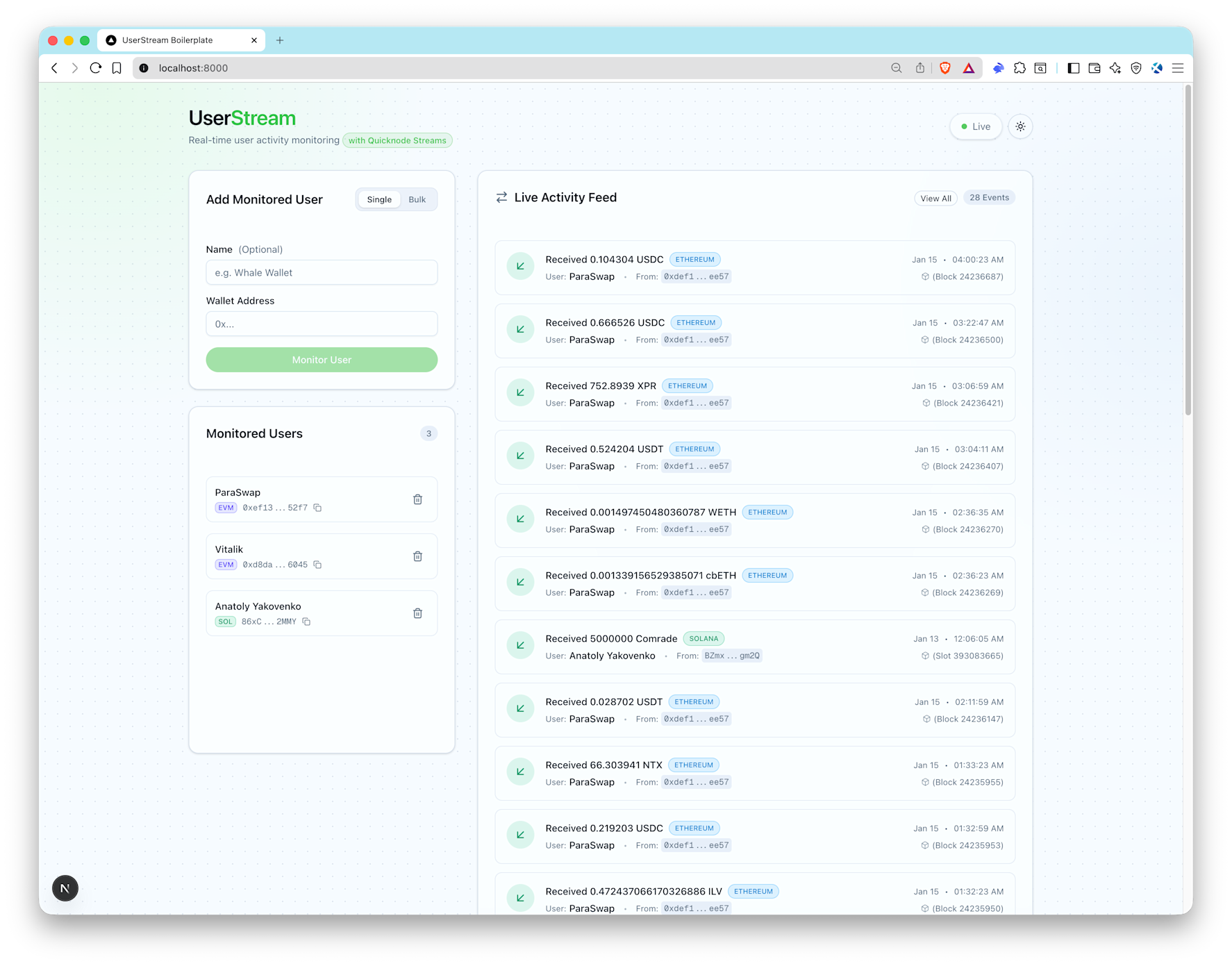
Wallet Tracking sample app, shown here in the UserStream demo UI.
View the Wallet Tracking sample app
HyperCore Order Monitor applies the same idea to Hyperliquid Core orders, using Key-Value Store lists for dynamic address and order-status filtering.
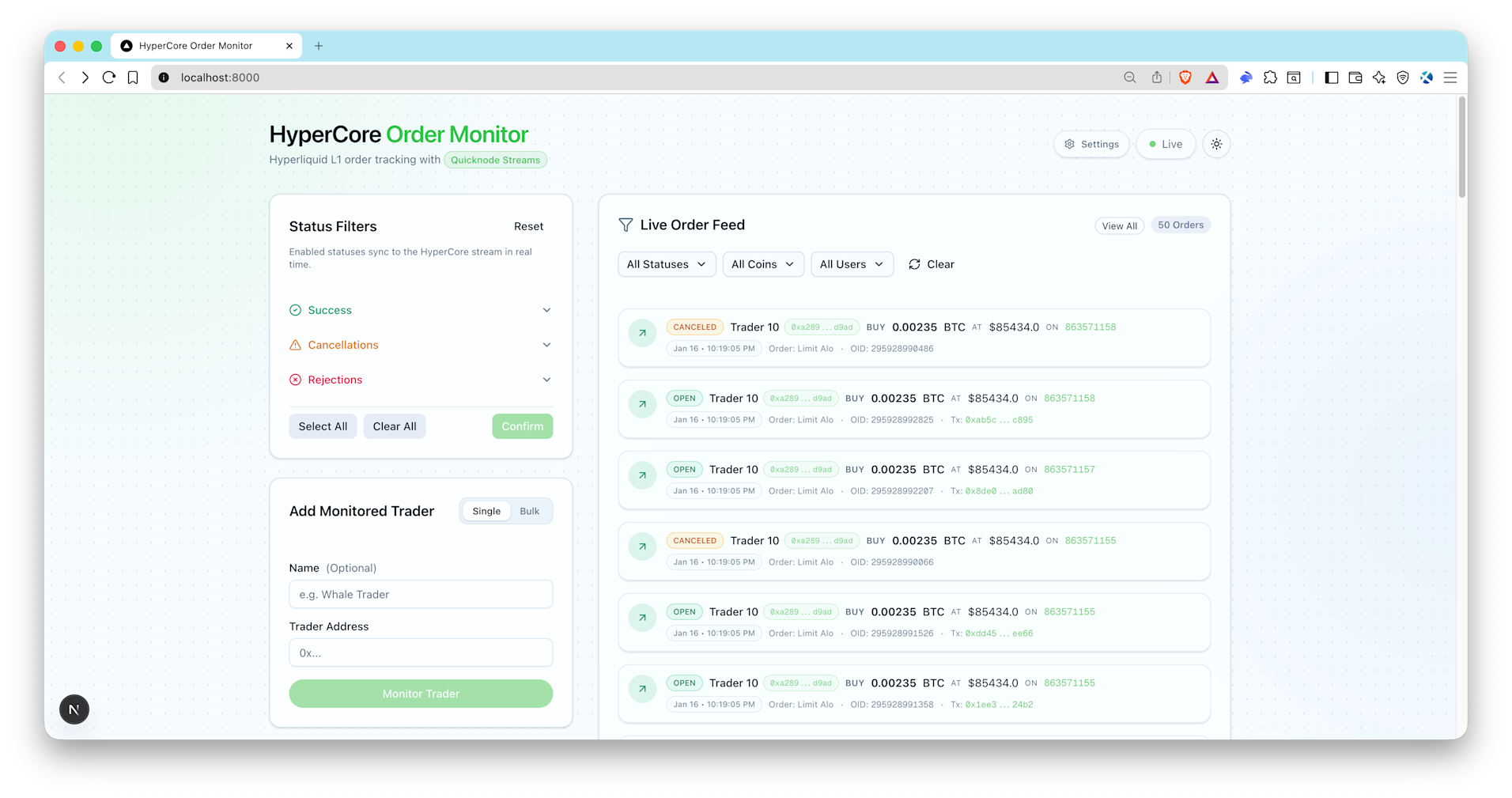
View the HyperCore Order Monitor sample app
Both are useful starting points if you want to see the pattern running in a complete application.
What else is already data?
Anything that changes because a user changed their mind, or because another system published something new, is worth looking at.
Wallet addresses are the obvious example. But allowlists, denylists, monitored contracts, routing criteria, user-selected event types, and similar configuration can follow the same pattern.
The distinction is simple:
If the logic changes, change the filter.
If only the data changes, consider keeping it in Key-Value Store.
Move that data out once, update the filter, and let it change independently after that.
Get started with Key-Value Store
About Quicknode
Founded in 2017, Quicknode deploys institutional-grade blockchain infrastructure for developers and enterprises. With 99.99% uptime and support for 77+ chains, teams build and scale onchain applications without compromise.
Stay updated
The latest engineering insights, product updates, and web3 news delivered straight to your inbox.